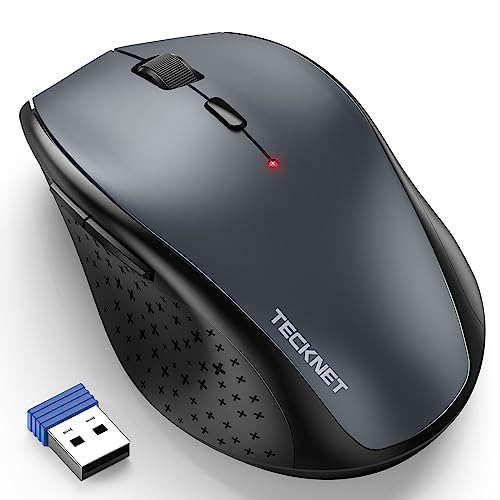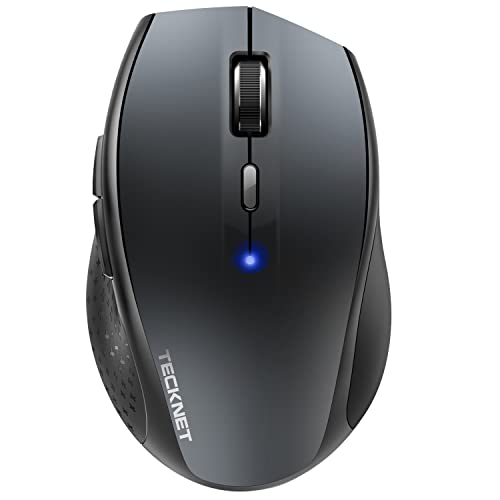
Quick Summary
The TECKNET Classic Wireless Bluetooth Mouse is a cordless mouse with Bluetooth 3.0 and Bluetooth 5.0 support, and it can connect to up to 3 devices. It also offers 6 adjustable DPI levels, including 4800 DPI, for changing cursor speed to suit different tasks.
It includes silent click operation, a battery indicator, an on/off switch and smart sleep mode. The mouse runs on 2 AA batteries, which are not included.
Who It Is Best For
This mouse suits buyers who want a Bluetooth mouse for use with a laptop, PC, Macbook, tablet or other compatible device. It is also worth checking the button compatibility if you plan to use it with Mac OS, as the side buttons cannot be used there.
Key Details
| Detail | Verified information and buyer relevance |
|---|---|
| Brand | TECKNET. |
| Product type | Wireless Bluetooth mouse for cordless use with supported devices. |
| Bluetooth support | BT3.0 and BT5.0 are stated, giving two Bluetooth modes for connection. |
| Device connectivity | Connects to up to 3 devices, which may suit users switching between more than one device. |
| DPI levels | 6 selectable levels: 4800, 3200, 2400, 1600, 1200 and 800. |
| Battery | Uses 2 AA batteries, not included. |
| Battery life | Up to 24 months with smart energy savings, according to the stated specification. |
| Included items | 1 wireless Bluetooth mouse and 1 user manual. |
| Compatibility note | Compatible with Windows 2000, 2003, XP, Vista, Win7, Win8, Win10, Win11, Mac and more, with side button limits on Mac OS. |
Why Buyers Choose It
- 6 DPI levels, including 4800 DPI, give a simple way to adjust pointer speed for different tasks.
- Silent click operation may suit shared spaces where quieter input is preferred.
- Battery indicator and smart sleep mode provide useful battery status and power-saving functions.
- Connection to up to 3 devices supports users who move between several compatible devices.
How It Works
The mouse supports BT3.0 and BT5.0 Bluetooth modes, so it connects directly to a Bluetooth-enabled laptop or PC without a receiver. The DPI adjustment button changes the cursor speed between the stated levels with one click. The on/off switch and smart sleep mode are part of the power-saving setup, and the battery indicator is there to show when replacement batteries may be needed.
Real World Use
The stated wireless distance is up to 15 metres, which gives some flexibility in where the mouse is used relative to the connected device. The listing also describes it as suitable for office, family, travel and business meetings, and it is stated to work with desktop, laptop, PC, Macbook, tablet and other devices.
What To Know Before You Buy
Check that your device supports Bluetooth connection before ordering. If you want to use the side buttons on Mac OS, review that compatibility point first, as they cannot be used there. The batteries are not included, so 2 AA batteries will be needed for use. If you are choosing between devices, confirm that the 3-device connection feature matches your setup.
Common Buyer Questions
How many devices can it connect to?
It can connect to up to 3 devices.
Does it need a USB receiver?
No. It connects by Bluetooth and does not require a receiver for the stated Bluetooth connection.
What batteries does it use?
It uses 2 AA batteries, which are not included.
Can it be used on Mac?
Yes, it is stated as compatible with Mac, but the side buttons cannot be used in Mac OS.
Final Buying View
This TECKNET Bluetooth mouse is aimed at buyers who want a cordless mouse with adjustable DPI, multi-device connection and battery-saving features. Before ordering, confirm your device has Bluetooth and check the Mac OS side-button limitation if that matters to your setup.
YPC AI UpdatedTECKNET Bluetooth Mouse 4800 DPI 3 Devices | YPCTECKNET wireless Bluetooth mouse with 3-device connectivity, 6 DPI levels up to 4800, silent click and battery indicator. Uses 2 AA batteries.TECKNET Classic Wireless Bluetooth Mouse offers cordless Bluetooth use with connection to up to 3 devices, 6 adjustable DPI levels up to 4800, silent click operation and a battery indicator. It uses 2 AA batteries, not included, and the side buttons cannot be used in Mac OS.[