

Quick Summary
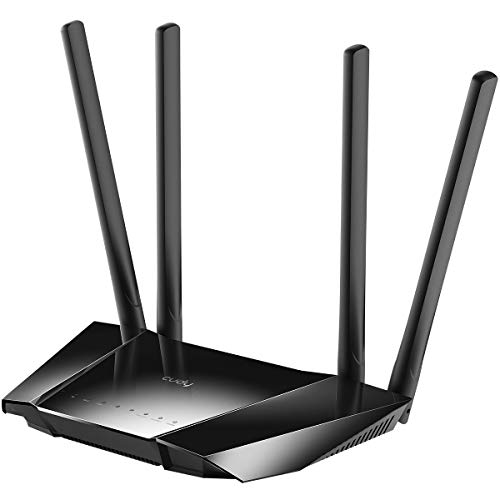
The TP-Link Archer AX72 is a WiFi 6 router with AX5400Mbps wireless performance, Gigabit Ethernet ports, USB 3.0, EasyMesh support and WPA3. It is set out as a home networking router for faster browsing, streaming and downloading, while also supporting multiple devices.
Its feature set also includes ultra-low latency wording, Alexa support and EasyMesh compatibility, so it is aimed at buyers who want a router with a broad list of connected-home and networking features in one unit.
Who It Is Best For
This router suits buyers looking for a WiFi 6 home router with wired Gigabit Ethernet ports, USB sharing and EasyMesh compatibility. It is also relevant if you want a router described with gaming-focused and smart-home related features.
Check that the listed connection and mesh features match your setup before ordering, especially if you want to expand an existing network.
Key Details
| Detail | Verified information and buyer relevance |
|---|---|
| Brand | TP-Link, for clear product identification. |
| Model | Archer AX72, which helps distinguish this router from other TP-Link models. |
| Wireless standard | WiFi 6, which is the stated network generation for this router. |
| Stated wireless rate | AX5400Mbps, a key figure for comparing this model with other routers. |
| Wired ports | Gigabit Ethernet ports, for wired network connections. |
| USB port | 1 x USB 3.0 port for media sharing and private cloud wording in the description. |
| Mesh support | EasyMesh-compatible, allowing it to connect with an EasyMesh-compatible router for whole-home coverage. |
| Security wording | WPA3 is stated, which is a useful check for buyers comparing router security features. |
Why Buyers Choose It
- AX5400Mbps and WiFi 6 are stated, so it is positioned as a high-spec wireless router rather than a basic model.
- Gigabit Ethernet ports give a wired connection option for equipment that uses Ethernet.
- USB 3.0 is listed, with the description linking it to media sharing and private cloud use.
- EasyMesh compatibility matters if you plan to build out a wider whole-home network.
- WPA3 is included in the listed features, which is a useful comparison point when reviewing router options.
How It Works
- Connect the router as part of your home network setup.
- Use the Tether app for the stated easy setup process.
- Connect devices over WiFi 6 or through the Gigabit Ethernet ports.
- Use the USB 3.0 port for the stated media sharing and private cloud functions.
- If expanding coverage, pair it with an EasyMesh-compatible router.
What To Know Before You Buy
Check that you want a WiFi 6 router with AX5400Mbps, Gigabit Ethernet ports, USB 3.0 and EasyMesh compatibility. The model is also described with Alexa and ultra-low latency wording, so make sure those features match how you plan to use it. Review your network requirements before ordering, especially if you are comparing mesh expansion options.
Common Buyer Questions
Does it support wired connections?
Yes, Gigabit Ethernet ports are listed for wired network use.
Can it be used with EasyMesh?
Yes, it is stated as EasyMesh-compatible and can connect with an EasyMesh-compatible router.
Does it have USB connectivity?
Yes, it includes 1 x USB 3.0 port.
What security feature is listed?
WPA3 is included in the stated feature list.
Final Buying View
The Archer AX72 is a feature-rich WiFi 6 router for buyers who want AX5400Mbps wireless, Gigabit Ethernet ports, USB 3.0 and EasyMesh support in one model. Confirm that the listed network features match your setup before choosing it.