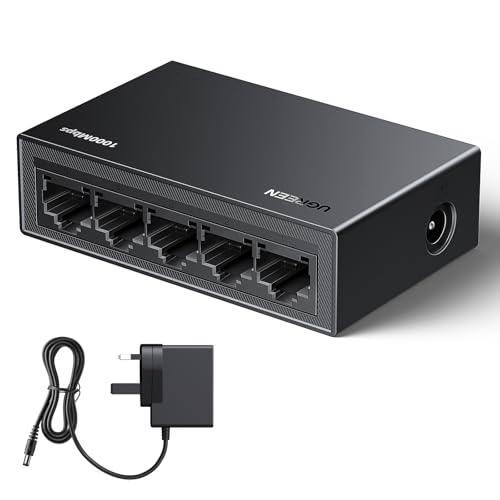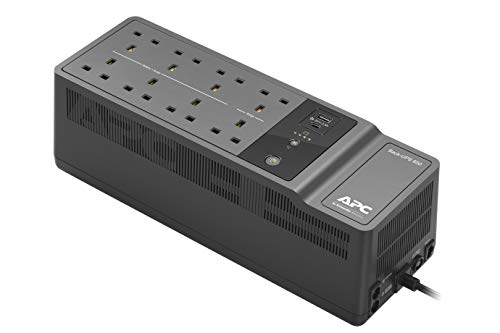


Quick Summary
The TP-Link TL-SF1005P is a 5 port Fast Ethernet PoE switch with 4 PoE+ ports and a stated 67 W total PoE budget. It is a desktop network switch with plug and play setup, so it is intended for straightforward network expansion without configuration.
It also includes Extend Mode and Priority Mode. Extend Mode supports a transmission distance of up to 250 m, while the port speed in this mode drops to 10 Mbps. Priority Mode gives ports 1 to 2 higher priority, which is useful when supporting sensitive applications such as video monitoring in critical business areas.
Who It Is Best For
This switch suits buyers who need to connect PoE devices such as IP cameras, access points, and IP phones, as well as computers and printers. It is also a fit for anyone who wants a desktop switch with simple setup and a defined power budget for multiple PoE connections.
Key Details
| Detail | Verified information and buyer relevance |
|---|---|
| Model | TL-SF1005P, helping identify the exact switch. |
| Port count | 5 ports in total, with 4 PoE+ ports for connected devices. |
| PoE standard | Supports 802.3af/at PoE+ and up to 30 W on each PoE port. |
| Total PoE budget | 67 W across all PoE ports, which matters when planning connected devices. |
| Setup | Plug and play with no configuration required. |
| Extend Mode | Supports up to 250 m transmission distance, with port speed reduced to 10 Mbps in that mode. |
| Priority Mode | Ports 1 to 2 have higher priority when one-touch Priority Mode is on. |
| Casing | Metal casing is stated for the interior components of the switch. |
| Fanless | Fanless design is stated in the product title. |
Why Buyers Choose It
- 4 PoE+ ports and a 67 W total budget give a clear way to plan how many compatible devices to connect.
- Plug and play setup means there is no configuration step before use.
- Extend Mode reaches up to 250 m, with the stated trade-off that port speed drops to 10 Mbps in that mode.
- Priority Mode gives ports 1 to 2 higher priority when managing sensitive traffic such as video monitoring.
How It Works
- Connect the switch to your network and power setup as required.
- Add compatible devices to the ports, including PoE devices where power delivery is needed.
- Use Extend Mode when a longer transmission distance is needed, noting the stated 10 Mbps port speed in that mode.
- Use Priority Mode when ports 1 to 2 need higher priority.
- Watch the stated 67 W total PoE budget, because intelligent power management reduces lower priority port power if total consumption goes above that level.
Real World Use
This switch is set up for desktop network use where several wired devices need connection and some also need PoE. The stated compatibility includes IP cameras, access points, IP phones, computers, and printers. The Extend Mode detail is especially relevant where the switch has to reach devices over a longer distance, while Priority Mode is aimed at keeping higher priority ports active when power demand rises.
What To Know Before You Buy
Check that your devices are compatible with 802.3af/at PoE+ if you want power delivery from the PoE ports. The switch supports up to 30 W per PoE port and 67 W in total, so the connected devices need to fit within that budget. If you plan to use Extend Mode, allow for the stated reduction to 10 Mbps on those ports. The title also identifies this as a desktop switch with a fanless design and shielded ports, which may matter when comparing variations.
Pros: It combines plug and play setup with 4 PoE+ ports, a 67 W total budget, Extend Mode, and Priority Mode.
Cons: Extend Mode reduces the port speed to 10 Mbps, so it is not the same as standard speed operation.
Common Buyer Questions
Does it support PoE+ devices?
Yes. It supports 802.3af/at PoE+ and up to 30 W on each PoE port.
How many PoE ports does it have?
It has 4 PoE+ ports within a total of 5 ports.
What happens in Extend Mode?
The transmission distance can reach up to 250 m, but the port speed drops to 10 Mbps.
What does Priority Mode do?
It gives ports 1 to 2 higher priority when one-touch Priority Mode is on.
Final Buying View
If you need a 5 port Fast Ethernet PoE switch with 4 PoE+ ports, a 67 W total budget, and simple plug and play setup, the TL-SF1005P is a clear fit. Check your device compatibility, total power needs, and whether Extend Mode’s 10 Mbps limit suits your intended use before ordering.