

Quick Summary
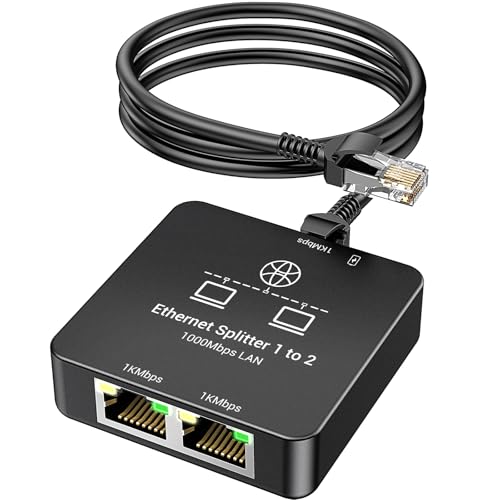
The VCELINK Network Lan Switch is a 2 port RJ45 Ethernet selector for switching between two networks or one device path in either 2-in 1-Out or 1-in 2-Out use. It is a purely mechanical switch with plug-and-play operation and no power required.
It supports transmission speeds of up to 1000Mbps, is compatible with PoE devices, and is described as working with CAT5E and CAT5 Ethernet cables. The compact body is intended to take up little space, and indicator switches show which port is connected.
Who It Is Best For
This selector suits buyers who need to switch one network path between two connections, or choose which of two networks is in use at a given time. It is also relevant where network cable disconnection is needed in a work environment without repeatedly unplugging cables.
It is worth checking that your intended setup matches the stated 2-in 1-Out or 1-in 2-Out use before ordering, especially if you need both ports active at the same time.
Key Details
| Detail | Verified information and buyer relevance |
|---|---|
| Brand | VCELINK. |
| Product type | 2 port network LAN switch selector for RJ45 Ethernet connections. |
| Switching format | 2-in 1-Out or 1-in 2-Out, so the setup choice needs to match your network layout. |
| Operation | Purely mechanical and power-free, with plug-and-play use. |
| Speed | Supports transmission speeds up to 1000Mbps. |
| Compatibility | Compatible with CAT5E and CAT5 Ethernet cables and PoE devices. |
| Indicator switches | Indicator positions show which port is connected. |
| Included item | 1 network tap selector switch. |
| Colour / finish | Gold plated is stated in the title, and nickel-plated brass metal parts are mentioned in the description. |
Why Buyers Choose It
- Up to 1000Mbps support gives a clear speed reference when matching it to an existing network setup.
- Power-free mechanical operation avoids the need for an external supply.
- Indicator switches make the active connection easier to identify at a glance.
- The compact body is easier to place where space is limited.
How It Works
- Connect the RJ45 Ethernet cables to the selector.
- Choose the required connection using the switch position indicator.
- Use it to select one network path at a time rather than both together.
The selector is described as unable to enable both devices to access the internet simultaneously and unable to shut down both ports simultaneously, so it should be chosen for switching rather than shared simultaneous access.
Real World Use
The product is described as suitable for routers, computers, switches, TVs and surveillance systems. Its compact body also makes it easier to carry and store when compared with bulkier network equipment.
In a work environment, it can be used where cable disconnection is needed without repeated unplugging and re-plugging. Check the available ports and your required switching direction before fitting it into your setup.
What To Know Before You Buy
Pros: It is power-free, supports up to 1000Mbps, and includes indicator switches for the active port.
Cons: It is not for simultaneous access on both devices, so the selected switching mode needs to match your use.
Confirm whether you need 2-in 1-Out or 1-in 2-Out operation before ordering. If your setup depends on both ports being active together, this selector will not suit that use.
Common Buyer Questions
Does it need external power?
No. It is a purely mechanical, power-free selector.
Can both ports be used at the same time?
No. It is described as unable to enable both devices to access the internet simultaneously.
What speed does it support?
It supports transmission speeds of up to 1000Mbps.
What comes in the box?
1 network tap selector switch is included.
Final Buying View
Choose this VCELINK 2 port RJ45 selector if you need a mechanical way to switch between two network paths and want a power-free setup. Check the switching direction and confirm your equipment matches the stated Ethernet and PoE compatibility before ordering.