

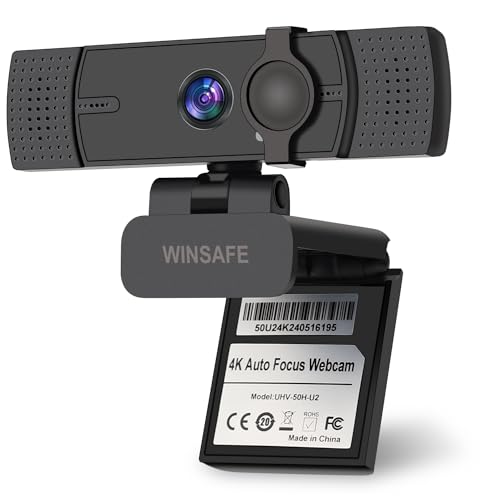
Quick Summary
The WINSAFE 4K Webcam is a plug and play PC camera for video calling, streaming and online meetings. It includes AI auto focus, dual noise-cancelling microphones, a privacy cover and a stated 70° field of view, with support for up to 4K@30FPS and 1080P@60FPS.
The webcam is described as working with USB A and Type-C input ports using the included adapter, with compatibility listed for Teams, Zoom, OBS, Skype and Google Meet.
Who It Is Best For
This webcam suits buyers who want a camera for video calls, teaching, streaming or conferencing and need a simple plug and play setup. It is also relevant if you want a privacy cover and a camera that is stated to work with common meeting and streaming platforms.
Key Details
| Detail | Verified information and buyer relevance |
|---|---|
| Brand | WINSAFE. |
| Product type | Webcam for PC use, with plug and play setup. |
| Video resolution | Stated support ranges from 4K@30FPS to 1080P@60FPS, which gives buyers a choice between higher resolution and higher frame rate. |
| Focus | AI auto focus is included to focus on a face or object. |
| Audio | Dual noise-cancelling microphones are built in for voice capture with background noise filtering. |
| Field of view | 70° FOV is stated, which is useful for checking how much of the scene is framed. |
| Privacy | A privacy cover is included and can be slid over the camera when not in use. |
| Connection | Works with USB A and Type-C input ports with the included adapter. |
| Compatibility | Listed for Teams, Zoom, OBS, Skype and Google Meet, with UVC mode support. |
What To Know Before You Buy
Check that your device has a suitable USB A or Type-C connection, or can use the included adapter. Review the listed platform compatibility if you plan to use it with a specific calling or streaming app. The stated 70° FOV and the 4K@30FPS to 1080P@60FPS range are useful checks if you want to compare framing and frame-rate needs before ordering.
Common Buyer Questions
Does it need drivers?
No, it is described as plug and play with no additional drivers required.
Can it be used for video calls and streaming?
Yes, it is listed for video calling, streaming, online teaching and conferencing.
Does it have a privacy cover?
Yes, a slide privacy cover is included for when the webcam is not in use.
What devices or apps should I check before buying?
Check your USB connection type and confirm that your preferred platform is among the listed compatibility options.
Final Buying View
If you want a WINSAFE webcam for calls, teaching or streaming, this model combines 4K support, AI auto focus, dual microphones and a privacy cover. Confirm the connection type and platform compatibility before choosing it for your setup.




