

Quick Summary
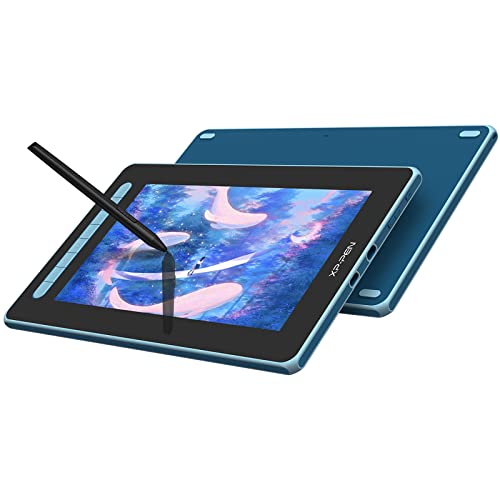
The XP-PEN Artist 12 (2nd Gen) is a drawing tablet with screen and an 11.6-inch full-laminated display. It comes with the X3 Elite Stylus and is available in Blue, giving artists a compact pen display for drawing on screen.
The display is stated as full laminated to minimise parallax, and the stylus is battery-free. The product also lists 6 customisable shortcut keys, which may help keep commonly used actions close at hand in supported software.
Who It Is Best For
This pen display suits buyers who want a compact screen tablet for digital drawing, painting, and related creative work. It is also relevant if you need compatibility across Windows, Mac OS X, Chrome OS, Linux, or Android.
Check the selected colour before ordering, as this version is Blue. It is also worth confirming that your preferred software and operating system are supported for your setup.
Key Details
| Detail | Verified information and buyer relevance |
|---|---|
| Brand | XP-PEN. |
| Model | Artist 12 (2nd Gen). |
| Product type | Drawing tablet with screen / graphics pen display. |
| Screen size | 11.6 inches, which gives a compact working area. |
| Display | Full-laminated screen, stated to minimise parallax. |
| Stylus | X3 Elite Stylus, battery-free. |
| Shortcut keys | 6 customisable shortcut keys for software shortcuts. |
| Pressure sensitivity | 8,192 levels for fine pen input response. |
| Tilt support | ±60° tilt function. |
| Colour | Blue. |
| Compatibility | Windows, Mac OS X, Chrome OS, Linux and Android. |
Why Buyers Choose It
- The 11.6-inch full-laminated screen gives a compact pen display format for direct drawing on the display.
- The battery-free X3 Elite Stylus avoids the need for charging the pen itself.
- 8,192 pressure sensitivity levels support detailed pen input recognition.
- ±60° tilt function adds tilt response for supported drawing styles and software.
- 6 customisable shortcut keys let you assign commonly used commands in your chosen application.
What To Know Before You Buy
Check that the Blue version is the one you want before ordering. Confirm your operating system and software setup match the stated compatibility list, especially if you plan to use Android, Chrome OS or Linux.
The 11.6-inch screen makes this a compact option, so review whether that size suits your workspace and drawing preference.
Common Buyer Questions
Does it work with Mac?
Yes, it is stated as compatible with Mac OS X.
Is the stylus battery-free?
Yes, the X3 Elite Stylus is battery-free.
How many shortcut keys does it have?
It has 6 customisable shortcut keys.
What operating systems are supported?
Windows, Mac OS X, Chrome OS, Linux and Android are listed as compatible.
Final Buying View
If you want a compact XP-PEN pen display with a full-laminated 11.6-inch screen, battery-free stylus input and broad stated system compatibility, this model is worth comparing against your setup. Check the Blue version and compatibility for your device before ordering.



