

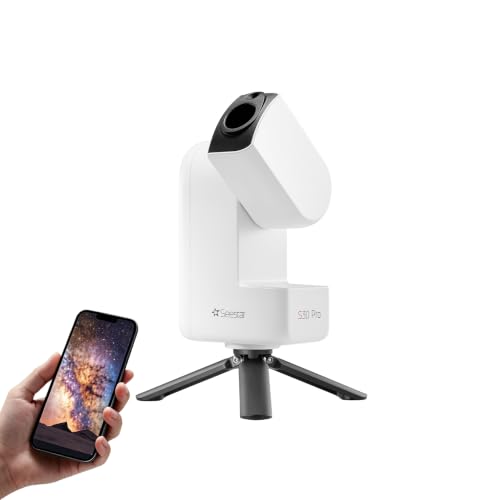



Quick Summary
The ZWO Seestar S30 Pro is a smart telescope with app control, automatic GoTo targeting and tracking, and 4K dual-camera imaging. It is presented as a telescope for astrophotography and sky viewing, with one-tap capture and processing for Milky Way, deep sky and wide-field imaging.
The telescope is also described as using apochromatic optics, built-in light pollution filters, AI smart imaging and automatic mosaic stitching. A stated weight of 3.64 lb is given, which is useful when you are deciding how easy it is to carry and set up.
Key Details
| Detail | Verified information and buyer relevance |
|---|---|
| Brand | ZWO, so the model can be matched with the correct product family. |
| Model | Seestar S30 Pro, which distinguishes it from other Seestar versions. |
| Product type | Smart telescope with app control for astronomy and astrophotography. |
| Imaging | 4K dual-camera imaging, relevant if image detail is a priority. |
| Tracking | Automatic GoTo targeting and tracking, reducing the need for manual object finding. |
| Weight | 3.64 lb, a useful check for portability and carrying. |
| Optics and filters | Apochromatic optics and built-in light pollution filters are stated features. |
| App control | App-controlled operation with one-tap capture and processing. |
What to Compare Before Buying
- Image type: This model is aimed at deep-sky, Milky Way and wide-field imaging. Check that this matches the kind of astronomy photography you want to do.
- Portability: The stated weight is 3.64 lb. Compare that with how far you plan to carry it and how often you will move it.
- Automation: Auto tracking and GoTo targeting are built in. Compare this with whether you want a more manual telescope setup or a guided smart system.
- Control method: App control is central to use. Check that you are happy using a phone-based interface for capture and processing.
- Imaging features: Dual-camera 4K imaging, AI smart imaging and mosaic stitching are all listed. Compare these against the style of results you want from a smart telescope.
How It Works
Power on the telescope, connect the app and use the automatic targeting and tracking features to find and follow celestial objects. The one-tap capture and processing functions are intended to simplify image creation, while the AI imaging tools are described as helping with noise reduction and sky-foreground separation.
The stated deep-sky focus means the telescope is positioned for objects such as nebulae, galaxies and star fields rather than general all-purpose observing. The description also says it is not intended for planetary observation.
Using It in Practice
For a practical first session, it suits a dark or lightly lit observing spot where you can keep the device stationary for deep-sky imaging. The app-led approach is aimed at getting a telescope session started without a complex manual alignment routine, while the built-in filters are described as helping when nearby light is a factor.
If you want to travel with it, the stated weight gives you a useful starting point for judging whether it fits your usual carry setup. It is presented as a telescope for astronomy, landscapes and birdwatching, but the clearest supported use is smart astrophotography.
Before You Decide
Confirm that you want a smart telescope with app control rather than a fully manual setup. Check that the 3.64 lb weight suits the way you plan to transport it. Also note the stated deep-sky focus and the clear limitation that it is not intended for planetary observation.