

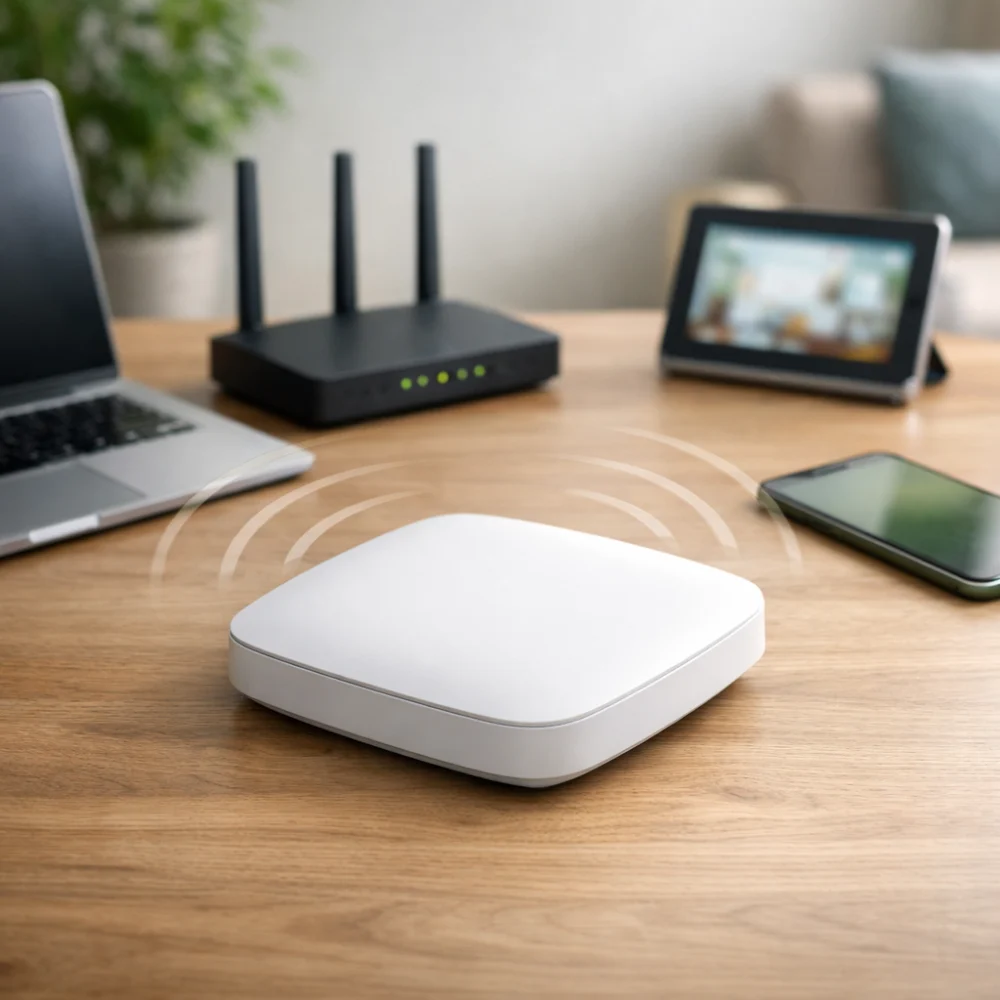
An access point adds Wi-Fi access to a network, often by connecting to an existing router or wired network. It can be useful when you want to extend wireless access or provide connectivity in a different part of a home or workplace, while keeping the existing network equipment.
The right choice depends on how it will connect, how it will be powered, the devices that need to use it and how you want to manage the network. This guide focuses on those buying decisions; it does not assume that every access point has the same coverage, features or setup requirements.
Which access point should you choose?
Start by confirming that you need an access point rather than a replacement router or a wireless extender. Check whether you can provide a suitable network connection to its intended location, then confirm its power method and compatibility with your existing equipment. Compare Wi-Fi standards and management features against the devices and network you actually use. A model with more features may add complexity without solving your particular coverage or connection problem.
Compare the factors that matter
| Feature | What it means | Why it matters | What to check |
|---|---|---|---|
| Network connection | How the access point connects to the existing network, such as by Ethernet or, on some models, a wireless link. | A wired connection can make the network layout more predictable, but depends on having a suitable connection at the chosen location. | Connection modes supported and what equipment or cabling your setup requires. |
| Power method | How the unit receives power; options vary by model and may include a power supply or Power over Ethernet (PoE). | The power option affects where you can install the unit and whether other compatible equipment is needed. | Power requirements, included accessories and whether any PoE equipment must be supplied separately. |
| Wi-Fi standard and bands | The wireless standards and frequency bands the access point supports. | These affect whether it can work with your client devices and network preferences. | Supported standards and bands, and whether your devices can use them. |
| Management approach | How settings are configured and maintained, which may be standalone or involve a controller or app. | A central management approach may help with multiple access points, while a simpler setup may be preferable for one unit. | Whether a controller, account, app or other equipment is required, and what management options are supported. |
| Physical design and mounting | The unit’s form and any mounting options specified for it. | Placement can affect how practical the installation is in your space. | Dimensions, mounting method, included fittings and any stated placement restrictions. |
| Network features | Additional capabilities may include guest access, multiple network names or coordination with other units. | Useful functions vary by use case and may depend on compatible equipment or management software. | Which features are specifically listed, and any dependencies or setup requirements. |
Choosing an access point: the main decision criteria
Connection to your existing network
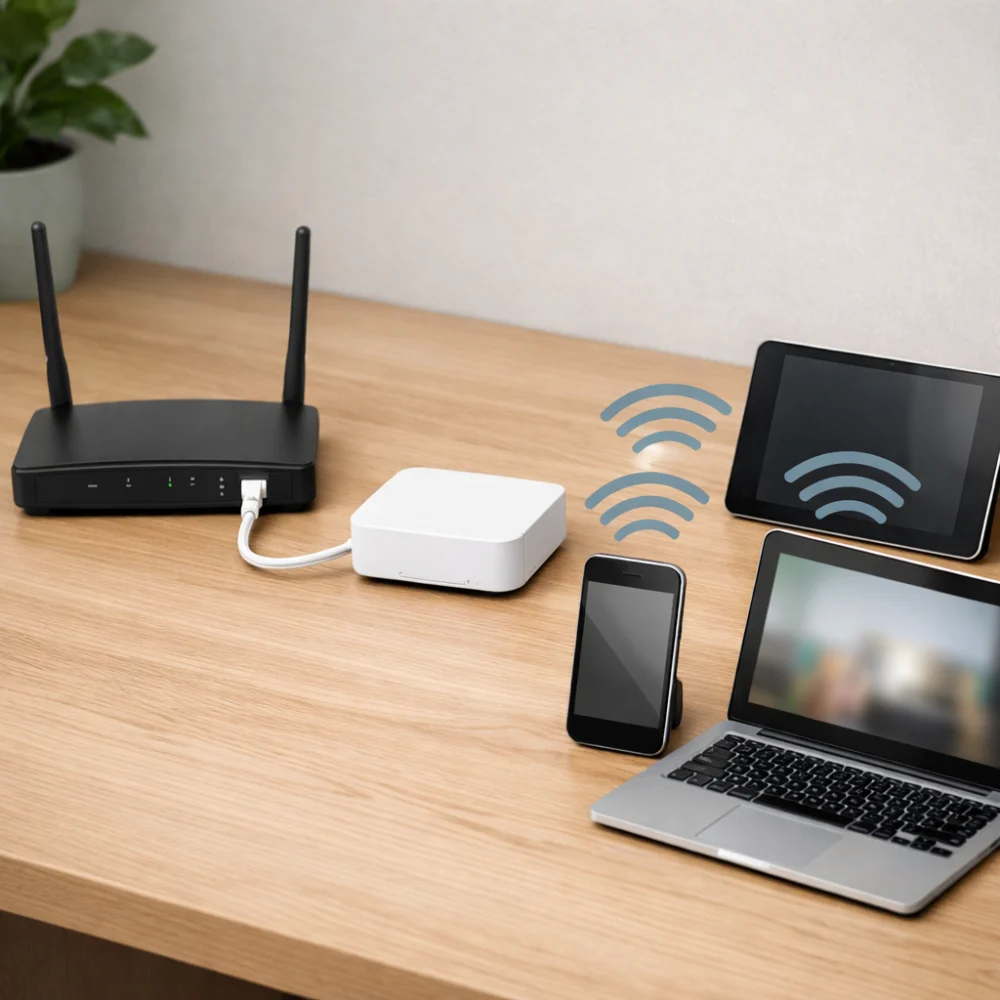
Many access points are intended to connect to an existing network over Ethernet. This can be a good fit if a network cable can reach the chosen location. Some products also support a wireless link, but that capability and its requirements vary; check the product information rather than assuming that any access point can connect wirelessly.
Consider the whole path between the access point and your router or network equipment. If a cable run is not practical, compare products by their stated wireless-link options and check whether they need to work with other compatible devices.
Power and installation
Access points do not all use the same power arrangement. Some use a power supply, while some support PoE, where compatible network equipment supplies power through an Ethernet connection. PoE can affect which switch, injector or cabling arrangement is needed, so check what the product requires and what is included before choosing.
Also consider the intended mounting position and whether the unit’s dimensions and mounting method suit the space. A technically compatible access point may still be inconvenient if you cannot provide its required connection or power where you need it.
Wi-Fi compatibility and capacity
Check the wireless standards and bands against the devices that will connect. A newer standard may be useful when your client devices can make use of it, but it does not automatically improve every device’s connection. Older equipment may support different standards or bands, so consider the whole mix of devices rather than one headline specification.
Specifications vary by model, so always check the individual product page before buying.
Management and multiple access points
A standalone unit may be managed individually, while some systems offer central management for multiple access points. Central management can be useful if you expect to expand or want settings controlled in one place, but it may involve a controller, account or compatible ecosystem. Check what is required and whether it matches how much network administration you want to take on.
If you plan to use several units, check whether they can be managed together and which functions depend on using compatible products. Do not assume that similarly named features work across different systems.
Types and variants
- Standalone access points: May suit a single location where you want to manage the unit on its own. Their management options may be less convenient if you later add several units.
- Controller-managed access points: May suit a larger or expandable setup where central management is useful. Check whether the controller is built in, separately required or provided through another supported method.
- Access points with wireless-link options: May be considered where a wired connection is difficult, if the model supports the required mode. Check compatibility and the manufacturer’s stated requirements; not every access point offers this option.
- Different mounting designs: Units may be designed for different installation positions. Check the actual mounting details and dimensions rather than assuming that a particular form will suit your room.
Match the access point to your needs
| Your situation | Prioritise | Trade-off to consider |
|---|---|---|
| Adding Wi-Fi to a room with a network connection | Wired network compatibility, power method and suitable mounting. | The installation depends on being able to provide the required connection and power at that location. |
| Covering a wider space with more than one access point | How multiple units are managed and whether the features you want require a compatible system. | Central management may add equipment, setup or account requirements. |
| Using a mix of newer and older devices | Supported Wi-Fi standards and bands that align with your devices. | A feature supported by one device may not be usable by all the others. |
| Installing where running network cable is difficult | Whether the specific model supports a suitable wireless link and how it is intended to work. | Wireless linking depends on the model and network conditions; do not assume it behaves like a wired connection. |
| Keeping network administration simple | A management method that fits your preferred level of configuration and ongoing oversight. | Advanced central controls may be unnecessary for a single, simple installation. |
A practical way to plan placement and connections
Before comparing models, sketch the existing network and the area where you want Wi-Fi. Mark the router or network equipment, the proposed access point location and the devices or rooms that matter. Then note whether a network connection and power can reach that location. This simple plan helps reveal whether the main constraint is placement, cabling, power or compatibility.
Common buying mistakes and misunderstandings
- Buying an access point when you need a router: An access point extends Wi-Fi access to a network; it is not automatically a substitute for equipment that routes an internet connection. Check which network functions you already have and what the product is designed to do.
- Assuming every access point is wireless: Many are designed to connect to the network by cable. Confirm the supported connection method before deciding where it can go.
- Overlooking power requirements: A PoE model may need compatible equipment, while another model may require a power supply. Check the full requirement, including whether the necessary accessories are included.
- Choosing by a Wi-Fi label alone: A standard or headline class does not establish how well a particular setup will work in your space. Consider client-device compatibility, connection method and placement together.
- Assuming units from different systems work together: Similar terms do not guarantee shared management or feature compatibility. Check the supported ecosystem and any stated dependencies.
- Expecting a guaranteed coverage area: Coverage depends on the access point and the surroundings, as well as placement and connected devices. Treat any stated coverage information as model-specific, not a guarantee for your property.
Safety and suitability
Choose a unit intended for the setting where you plan to use it, and follow the product information for its power and mounting requirements. If the installation involves network equipment or cabling you are unsure about, confirm that the proposed setup is compatible before buying. Do not assume a product is suitable for an exposed or unusual environment unless its information explicitly supports that use.
Ownership, maintenance and storage
An access point is typically a fixed part of a network rather than a portable device, so consider whether its location remains accessible for configuration and routine oversight. Check how its settings are managed and whether the manufacturer provides information about software or firmware updates. Keep any required power supply, mounting parts and setup details together; ongoing care and management needs differ by model.
A simple buying process
- Identify what your existing router or network equipment already does, and why you need another Wi-Fi access point.
- Choose the intended location and determine whether a network connection and the required power can reach it.
- Check the Wi-Fi standards and bands against the devices that will connect.
- Decide whether standalone management or a compatible centrally managed setup better suits your plans.
- Compare installation requirements and the features relevant to your use, noting any dependencies or extra equipment.
- Read the individual product information to confirm compatibility, included accessories and the exact requirements before choosing.
Buyer checklist
- Does this access point provide the network function I need, or do I need a router as well?
- Can I provide its supported network connection at the intended location?
- What power method does it require, and is any extra equipment needed?
- Do its supported Wi-Fi standards and bands suit the devices I use?
- Is its management method appropriate for one unit or a larger setup?
- Are its mounting, dimensions and stated installation requirements suitable?
- Have I checked the individual product details for compatibility and included accessories?
Frequently asked questions
What is an access point used for?
An access point provides Wi-Fi access to a network, commonly by connecting to existing network equipment. It can add wireless access at a location or extend a network’s Wi-Fi provision. The exact role and connection options depend on the model.
What is the difference between an access point and a router?
A router connects or manages networks and may provide Wi-Fi as part of its functions. An access point primarily provides wireless access to an existing network. Check what your current equipment already does before deciding which type you need.
Can an access point connect without an Ethernet cable?
Some models support a wireless link, but this is not universal. Check the individual product information for its supported modes and any compatible equipment or setup requirements.
What does PoE mean for an access point?
PoE means Power over Ethernet: compatible equipment can provide power through an Ethernet connection. If a model requires or supports PoE, check what power equipment it needs and whether that equipment is included or must be obtained separately.
Will an access point work with my existing router?
Compatibility depends on the access point’s connection method and the capabilities of your existing network equipment. Check the product’s requirements and the router or switch information, especially if you want to use a particular management system or wireless-link feature.
Do I need a controller?
Not necessarily. Some access points can be managed individually, while some multi-unit setups use central management. Check whether the functions you want require a controller, app, account or compatible equipment.
Will a newer Wi-Fi standard make all my devices faster?
No single standard guarantees the same experience for every device. Each client device must support the relevant features, and the overall result also depends on the network connection and surroundings. Compare supported standards and bands with the devices you actually use.


