
Access Points
Access points are designed to extend or improve wireless network coverage in homes, offices, shops, workshops, schools, hospitality spaces and larger buildings. The right access point should suit your router, network layout, building size, device load and installation needs.
At YPC, you can browse access points for home networks, business setups, remote workspaces, gaming rooms, guest WiFi, smart devices and larger coverage areas. This category helps you compare wireless standards, speed ratings, range, power options, mounting style, ports, security features, management options and listed compatibility before choosing.
- Access Points
HPE Networking Instant On AP25 WiFi 6 Indoor Wireless Access Point, R9B28A
£170.93 *View On Amazon* - Access Points
AILKIN 1200Mbps WiFi Extender Repeater with Ethernet Port and Access Point
Original price was: £23.99.£20.39Current price is: £20.39. *View On Amazon* - Access Points
UBIQUITI Networks LOCOM2 2.4 GHz 8 dBi M2 NanoStation airMAX Outdoor Wi-Fi Access Point Router
Original price was: £53.99.£47.99Current price is: £47.99. *View On Amazon* - Access Points
WAVLINK AC1200 Outdoor WiFi Access Point, Weatherproof, PoE Powered, 2 Gigabit Ports, Router/AP Modes
Original price was: £129.99.£110.49Current price is: £110.49. *View On Amazon* - Access Points
HPE Networking Instant On AP11D Indoor Wireless Access Point R6K64A#ACC
£109.99 *View On Amazon* - Access Points
MERCUSYS ME60X WiFi 6 AX1500 Extender with Gigabit Ethernet, EasyMesh
Original price was: £32.99.£24.98Current price is: £24.98. *View On Amazon* - Access Points
TP-Link TL-WA855RE N300Mbps Universal WiFi Extender with Ethernet Port, 2 External Antennas, Access Point Mode
Original price was: £26.97.£21.85Current price is: £21.85. *View On Amazon* - Access Points
Ubiquiti U7 Long-Range Dual Band Wi-Fi 7 Wireless Access Point
£174.11 *View On Amazon* - Access Points
KuWFi AX1800 Gigabit Wireless Access Point with AP/Repeater, MU-MIMO, Beamforming, PoE or DC Powered
Original price was: £58.99.£50.14Current price is: £50.14. *View On Amazon* - Access Points
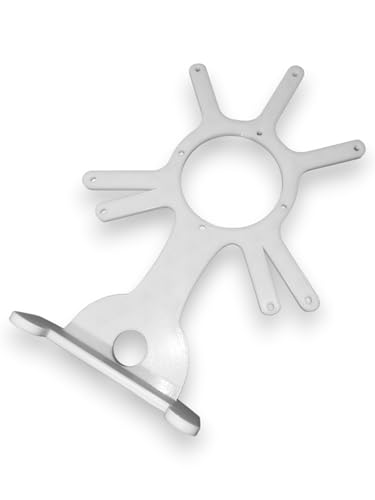
Ubiquiti UniFi Access Point Desk Mount Stand for U7, U6, UAP and AC
£14.04 *View On Amazon*


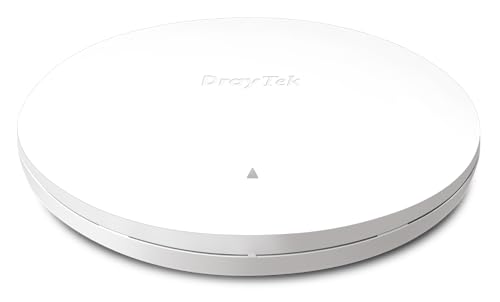


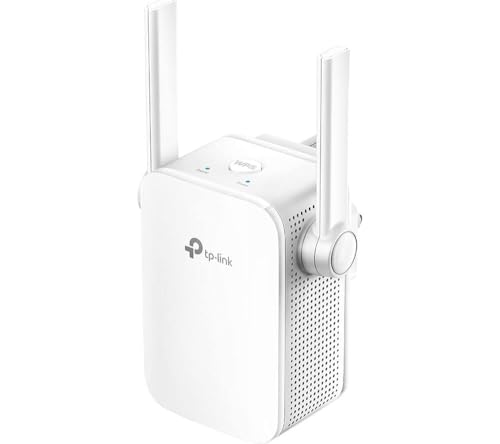


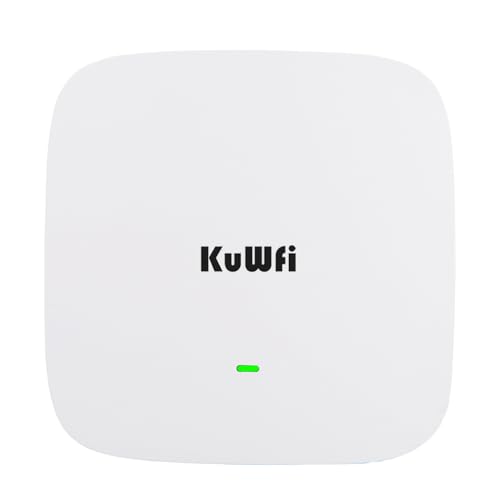
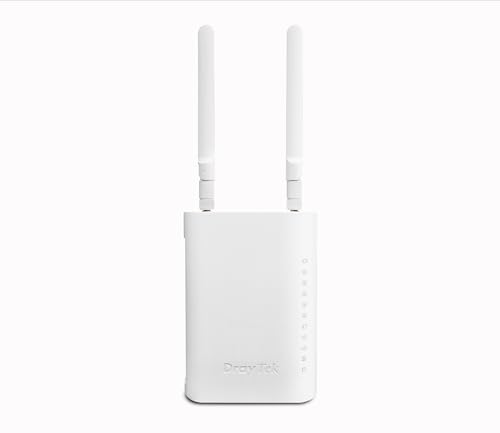


What Are Access Points?
Access points are networking devices that create or extend a wireless network by connecting to an existing wired network. They allow laptops, phones, tablets, printers, cameras, smart devices and other WiFi enabled equipment to connect wirelessly.
An access point is often connected to a router, switch or network cable. Once connected and configured, it broadcasts a wireless signal in the area where better coverage is needed.
Depending on the product, access points may include dual band WiFi, WiFi 6 support, Power over Ethernet, ceiling mounting, wall mounting, outdoor housing, guest network features, central management or app based setup where listed.
What Are Access Points Used For?
Access points are used to improve wireless coverage, support more devices and provide WiFi in places where a router signal is weak or unreliable. They can be useful in larger homes, garden offices, business premises, warehouses, hotels, schools, cafés and multi room spaces.
They are also useful when a single router cannot provide strong coverage through walls, floors, long corridors or separate buildings. A well placed access point can help bring WiFi closer to the devices that need it.
Some access points are designed for simple home use, while others are made for more advanced managed networks where listed.
How To Choose The Right Access Point
Start by thinking about the space you need to cover. A small home office may only need one access point, while a larger building may need several positioned carefully.
Next, check how the access point connects to your network. Many access points need a wired Ethernet connection to the router or switch. Some may support mesh style use or wireless linking where listed, but this depends on the product.
Also consider power. Some access points use a mains adapter, while others use Power over Ethernet where listed. Power over Ethernet can make ceiling or wall installation tidier if your network switch or injector supports it.
Key Features To Compare
When comparing access points, look at WiFi standard, speed rating, band support, coverage guidance, Ethernet port speed, Power over Ethernet support, mounting options, management software, security features and device capacity where listed.
Wireless speed figures are useful for comparison, but real performance depends on your internet speed, router, building materials, connected devices, placement and interference.
Security and management features also matter. Guest networks, password options, VLAN support, app control, cloud management or controller support may be useful depending on the setup.
Access Points Compared With Routers
A router connects your home or business network to the internet and manages traffic between devices. Many routers also include built in WiFi.
An access point mainly provides wireless access to an existing network. It does not usually replace the main router unless the product is specifically designed for router functions where listed.
If you need internet management, a router is required. If you already have a router but need stronger WiFi in another area, an access point may be the better choice.
Access Points Compared With WiFi Extenders
WiFi extenders usually repeat an existing wireless signal. They can be useful for simple home coverage problems, but performance can depend heavily on where they are placed and how strong the original signal is.
Access points usually connect back to the network using a cable, which can provide a stronger and more stable connection where installed correctly. This can make them more suitable for offices, busy homes and larger spaces.
The trade off is installation. Extenders can be easier to place, while access points often give a more reliable setup when wiring is available.
Access Points Compared With Mesh WiFi
Mesh WiFi systems use multiple units that work together to create wider wireless coverage. They are often designed for easier home setup and can be useful where running network cables is difficult.
Access points are often used in wired network setups and may offer more control, especially in business or larger property networks where listed. Multiple access points can provide strong coverage when installed and configured correctly.
Mesh systems may be simpler for many homes. Access points may be better when you want wired backhaul, ceiling mounting, business features or more structured network design.
Indoor Access Points Compared With Outdoor Access Points
Indoor access points are designed for use inside homes, offices, shops and buildings. They may be placed on desks, mounted on ceilings or fitted to walls depending on the product.
Outdoor access points are designed for external areas where listed. They may include weather resistant housings, stronger mounting options or outdoor rated designs depending on the product.
Do not use an indoor access point outdoors unless the listing clearly states it is suitable. Weather, moisture, temperature and mounting conditions can affect safety and performance.
Ceiling Mounted Access Points Compared With Desktop Access Points
Ceiling mounted access points can be useful for offices, shops, corridors and homes where a central position gives better coverage. They can create a tidy installation and reduce cable clutter where suitable.
Desktop access points are easier to place on shelves, desks or cabinets. They may be more convenient for simple home setups or temporary networks.
The right choice depends on installation. Ceiling mounting may suit permanent coverage plans, while desktop placement may suit flexibility and easier setup.
Power Over Ethernet Access Points Compared With Mains Powered Access Points
Power over Ethernet access points can receive power and network data through one Ethernet cable where supported. This can make installation cleaner, especially on ceilings, walls and remote locations.
Mains powered access points use a separate power adapter. They may be easier for simple setups where a plug socket is nearby.
If you choose Power over Ethernet, make sure your switch, injector and access point all support the required standard where listed.
Beginner, Regular User And Network Installer Guidance
If you are buying an access point for the first time, focus on simple compatibility, easy setup and the coverage problem you need to solve. A well placed access point can be more useful than buying the highest specification model without planning.
Regular users may want to compare WiFi standard, Ethernet speed, app setup, device capacity, mounting style and whether the access point supports guest networks where listed.
Network installers and advanced users may look more closely at VLAN support, roaming settings, controller management, multiple access point deployment, channel planning and Power over Ethernet requirements.
Use Cases By Home, Office And Business Setup
For homes, access points can help improve WiFi in loft rooms, extensions, garden offices, garages, gaming rooms and areas far from the router.
For offices, access points can provide WiFi for staff, visitors, meeting rooms, shared printers, laptops and phones. Guest network features may be useful where listed.
For shops, cafés and hospitality spaces, access points can help separate staff and visitor wireless use where supported by the product and network setup.
For workshops and outbuildings, an access point may be useful if a suitable wired network connection is available and the product is suitable for the environment.
Wireless Standards And Speed Ratings
Access points may support different WiFi standards depending on the product. These can affect maximum listed speed, device support and efficiency where compatible devices are used.
A newer wireless standard can be useful, but it will only help fully if your devices also support it. Older laptops, phones or printers may still connect at their own supported speeds.
Listed speed ratings are not the same as guaranteed internet speed. Real results depend on many factors, including walls, distance, interference, router performance and broadband speed.
Dual Band And Tri Band Access Points
Some access points support dual band wireless, often using 2.4 GHz and 5 GHz bands where listed. The 2.4 GHz band may reach farther in some conditions, while 5 GHz can support faster connections over shorter distances where compatible.
Tri band access points may include an additional band where listed. This can be useful in more demanding setups, but only where the network and devices can benefit from it.
The right choice depends on device count, building layout and how much wireless traffic you expect.
Coverage, Range And Building Layout
Coverage depends on more than the access point itself. Thick walls, metal structures, floors, insulation, mirrors, appliances and distance can all affect wireless signal.
A single access point may be enough for one area, but larger buildings may need several units placed carefully. Positioning can make a major difference to performance.
For the best results, place access points where they can serve the intended area clearly, away from unnecessary obstructions and interference where possible.
Device Capacity And Busy Networks
Access points may list recommended device capacity or client support where available. This can matter in busy homes, offices, classrooms, shops and public areas.
A network with a few phones and laptops has different needs from a network with cameras, tablets, smart TVs, printers, gaming devices and guest users.
If many devices connect at once, look for access points designed for higher demand where listed and make sure the router and internet connection can also support the load.
Ethernet Ports And Wired Backhaul
Most access points connect to the main network using Ethernet. The Ethernet port speed can affect performance, especially on faster networks.
A wired connection back to the router or switch is often called wired backhaul. It can provide a more stable link than repeating WiFi wirelessly, depending on the setup.
Check whether your building has suitable network cabling or whether new cabling is needed before choosing a wired access point.
Guest WiFi And Network Separation
Some access points may support guest WiFi features where listed. Guest networks can be useful for visitors, customers or temporary users because they can keep access separate from the main network depending on setup.
More advanced access points may support VLANs or network segmentation where listed. These features can be useful for businesses, smart devices or managed networks.
If guest access or separation matters, check the product features and make sure your router or network equipment also supports the required setup.
Security Features And Password Management
Wireless security is important for access points. Look for listed security features, encryption support and password options before buying.
A strong WiFi password and updated firmware can help keep the network more secure. Avoid leaving default passwords in place after setup.
Security also depends on the rest of the network, including the router, connected devices and user settings. An access point is only one part of a secure setup.
App, Web And Controller Management
Some access points can be configured through a mobile app, web interface or controller platform where listed. Simple app setup can be useful for homes and small offices.
Controller based management may be useful when installing several access points across a larger building. It can help manage settings, updates and wireless coverage from one place where supported.
Choose the management style that matches your comfort level. A powerful access point is not helpful if the setup process is too complex for your needs.
Roaming Between Multiple Access Points
When several access points are used in one building, devices may move between them as you walk around. Some systems support smoother roaming features where listed.
Roaming performance depends on the access points, settings, device behaviour and network design. Not every device switches perfectly at the same point.
If seamless movement matters, look for access points and systems designed to work together, and check whether controller or mesh features are needed.
Placement And Installation Planning
Access point placement should be planned before buying where possible. A central position often works better than hiding the unit in a cupboard or behind furniture.
Ceiling or wall mounted units may need network cabling, fixings and suitable power. Desk units may be easier to move but can be blocked by furniture or equipment.
Avoid placing access points near large metal objects, thick walls, microwaves, crowded electrical areas or places where the signal is blocked unnecessarily.
Compatibility With Routers, Switches And Broadband
An access point should be compatible with your existing router, network switch and broadband setup. Most access points connect through Ethernet, but configuration needs can vary.
If using Power over Ethernet, the switch or injector must supply the correct type of power where listed. If using a managed network, check controller compatibility.
Your broadband speed also matters. An access point can improve WiFi coverage, but it cannot make the internet connection faster than the broadband service allows.
Access Points For Gaming And Streaming
Access points can help gaming and streaming devices get a stronger WiFi signal in rooms far from the router. This may be useful for consoles, gaming laptops, smart TVs and media boxes.
For the best gaming performance, wired Ethernet may still be preferable where possible. If wireless is needed, placement and signal quality are important.
A high speed access point can only help if the router, broadband, device and wireless conditions also support good performance.
Access Points For Smart Homes
Smart homes often include phones, tablets, speakers, cameras, lights, plugs, thermostats and appliances. These devices can place extra demand on a wireless network.
Access points can help spread coverage to areas where smart devices struggle to connect, such as garages, gardens, lofts, hallways or extensions.
Check device compatibility and wireless band support. Some smart devices may require 2.4 GHz networks, while others may support 5 GHz where listed.
Access Points For Businesses And Guest Areas
Businesses may use access points to provide staff WiFi, guest WiFi, meeting room coverage, warehouse connectivity or customer access where suitable.
For business use, reliability, management features, security, multiple access point support and guest network control may matter more than simple home features.
If the network supports card machines, booking systems, stock systems or business devices, plan the setup carefully and consider professional installation where needed.
Troubleshooting WiFi Coverage Problems
If WiFi coverage is poor, first check router placement, broadband performance and existing network equipment. Sometimes moving the router or reducing interference can help.
If the problem is distance, thick walls or building layout, an access point may be useful. A wired access point placed closer to the weak area can often improve coverage where installed correctly.
After installation, test signal strength, speed and device reliability in the rooms where WiFi matters most.
Safety And Practical Installation Considerations
Access points should be installed safely and used only with suitable power supplies, cables and mounting hardware. Follow the product instructions carefully.
Do not run network cables where they create trip hazards, get trapped under doors or are exposed to damage. For permanent cabling, neat and safe routing is important.
If installing ceiling mounted access points, outdoor units or network cabling through walls, consider using a suitable installer where needed.
Care, Updates And Maintenance
Access points should be kept clean, dry and well ventilated according to the product guidance. Avoid covering vents or placing units where they overheat.
Firmware updates may improve security, stability or features where supported. Check the product guidance for update methods.
If the network becomes unreliable, restart equipment carefully, check cables and confirm that settings have not changed unexpectedly.
Cable Management And Network Organisation
Good cable management helps access points work neatly within a home or business setup. Ethernet cables should be routed safely and labelled where helpful.
For larger setups, labelling access points by room or area can make troubleshooting easier. Keeping a simple network diagram can also help if several units are installed.
Cable clips, trunking, patch leads, switches and wall plates may be useful depending on the installation.
Useful Accessories To Consider
Access points may work with other networking accessories. Useful items may include Ethernet cables, Power over Ethernet injectors, PoE switches, network switches, patch panels, wall plates, cable clips, mounting brackets, routers and surge protected power strips where suitable.
For larger networks, a controller, network cabinet or cable management accessories may be useful where compatible.
Choose accessories based on your access point, network equipment and installation plan rather than buying items that may not be compatible.
Why Buy From YPC?
At YPC, we understand active lifestyles and the need for practical products that work in real use. Access points should be compatible, reliable and suitable for the spaces, devices and network routines you actually need to support.
This category helps you compare wireless standards, range, power options, ports, mounting style, security features, management options, device capacity and listed compatibility without overcomplicating the choice. Browse the access points at YPC, compare the available options and choose the access point that suits your home, office, business, garden room or wider network setup.
FAQs
What is an access point used for?
An access point is used to create or extend WiFi coverage by connecting to an existing wired network. It helps wireless devices connect in areas where coverage is needed.
Is an access point the same as a router?
No. A router manages the network and internet connection, while an access point provides wireless access to an existing network. Some devices may combine functions where listed.
Is an access point better than a WiFi extender?
An access point can be more stable where it uses a wired connection back to the network. A WiFi extender may be easier to install but depends on the strength of the existing wireless signal.
Do access points need Ethernet?
Many access points are designed to connect by Ethernet, although some products may support other modes where listed. Check the product details before buying.
What is Power over Ethernet?
Power over Ethernet allows a compatible access point to receive power and data through one Ethernet cable where supported. The switch or injector must also support the correct PoE standard.
Can I use more than one access point?
Yes, many networks can use multiple access points to cover larger areas. Compatibility, placement and settings should be planned carefully.
Are access points suitable for outdoor use?
Only outdoor rated access points should be used outside. Check the listing for weather suitability, mounting guidance and intended use before installation.
How do I choose the best place for an access point?
Place the access point near the area that needs coverage, away from heavy obstructions, large metal objects and unnecessary interference. Ceiling or central placement may work well where suitable.
 Getting ready for Summer? View our Home and Garden Products

Heading outdoors this winter? Take a look at our Outdoor Clothing.