

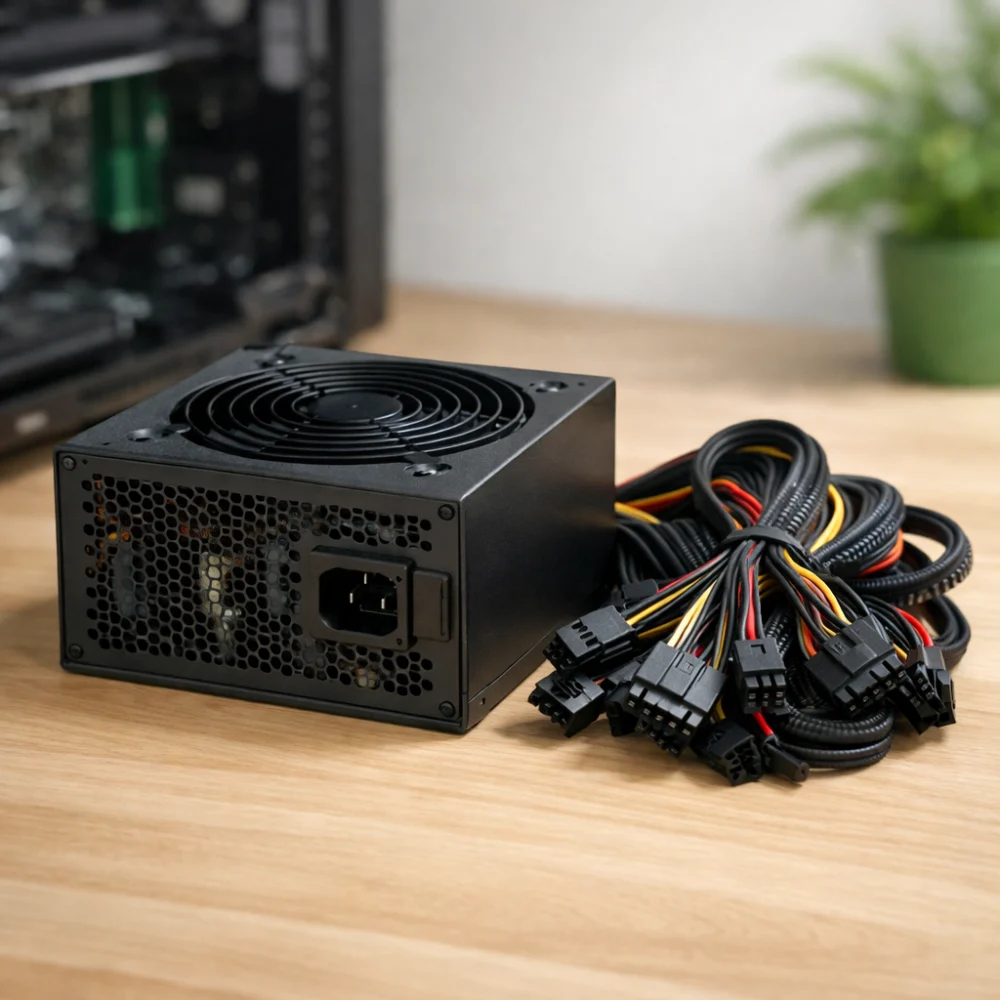
A computer power supply unit (PSU) provides power to a desktop PC’s internal components. Choosing one means checking more than its headline wattage: it needs to suit the system’s demands, fit the case and provide the connections the components require.
This guide is for people building a PC, replacing a PSU or checking an upgrade. Product listings can also cover power cables and testing accessories, so confirm that the item is a complete PSU if that is what you need.
What should you look for in a computer power supply?
Start with the power requirements of the components you plan to use, then check that the PSU’s stated capacity is suitable for the complete system. Confirm the unit’s dimensions against the case, and check its connectors against the motherboard, graphics card and other components. Compare cable layout and other features only after those essentials fit. Specifications vary by model, so always check the individual product page before buying.
Key factors at a glance
| Feature | What it means | Why it matters | What to check |
|---|---|---|---|
| Power capacity | The PSU’s stated output capacity. | It needs to suit the system’s overall demands, including components that may use more power under load. | Consider the complete component list and any requirements stated by component makers; do not judge by wattage alone. |
| Physical size and form factor | The PSU’s dimensions and design standard. | A unit that does not fit the case cannot be installed as intended. | Check the case’s supported PSU size and the individual unit’s measurements. |
| Connectors and cables | The plugs supplied for the motherboard, processor, graphics card and drives. | A suitable capacity is not enough if required connections are unavailable. | Compare the exact connector requirements of the components with the PSU’s listed connectors and included cables. |
| Modular cable design | Whether cables are fixed to the PSU or can be detached. | Detachable cables can make cable management more flexible; fixed cables may leave unused leads inside the case. | Check which cables are included. Never assume modular cables from another PSU will fit or work. |
| Efficiency information | A rating or certification may describe efficiency under specified conditions. | Efficiency can be a comparison point, but it does not establish capacity, fit or connector compatibility. | Check what the stated rating applies to and compare like with like; do not treat it as a substitute for other checks. |
How to choose the right PSU
Match capacity to the whole system
Estimate requirements from the components that will be installed, rather than selecting a PSU based only on the graphics card or an existing unit. Component makers may provide power guidance, but the system’s other parts and intended configuration also matter. A higher wattage figure alone does not prove that a PSU is the better choice for a particular build.
If you are replacing a unit, do not assume the same capacity will suit a changed build. Check the requirements of any new processor or graphics card and consider whether the PSU listing covers the intended configuration. If those requirements are unclear, get advice from a suitably experienced PC builder before purchasing.
Check dimensions and case support
PSUs come in different physical formats, and not every case accommodates every unit. Check the case documentation or product information for supported PSU formats and available space, then compare it with the unit’s dimensions. A smaller format is not automatically a suitable substitute: confirm that both the case and the PSU specifications support the combination.
Verify every connector you need
Compare the PSU’s listed connections with the motherboard, graphics card and other devices in your planned build. Pay particular attention to graphics-card power connectors, since requirements can differ between components. Check the connector type and the number of connections, not just the PSU’s wattage or a broad compatibility claim.
For modular PSUs, use only cables confirmed for the exact PSU model. The plug at the component end may look similar while the PSU end has a different wiring layout. Do not treat a cable as compatible simply because it came from another unit by the same manufacturer.
Understand cable layout and efficiency claims
With a fully modular design, the power cables detach from the PSU; with a non-modular design, the cables are fixed. Semi-modular designs combine fixed and detachable cables. Detachable leads may help keep an installation tidy, but they do not change the need to check what is included or whether each connector suits the build.
An efficiency label can help when comparing PSUs, but it is only one consideration. Check what the claim represents and weigh it alongside suitability, dimensions, connectors and the information provided for the particular model. Do not infer a PSU’s overall quality or suitability from an efficiency label alone.
Types and variants
- Non-modular: Cables are permanently attached. This may suit a build where the included connections are sufficient and cable choice is not a priority; unused leads can be harder to manage.
- Semi-modular: Some cables detach and others are fixed. It offers a middle ground, but check which leads are fixed and which are supplied separately.
- Fully modular: Cables detach from the PSU, offering more flexibility over which leads are connected. Confirm that the required cables are included and compatible with that unit.
Form factor is a separate choice from cable design. Check the case’s supported PSU format regardless of whether a model is modular.
Choose for your build or replacement
- Replacing a failed or unsuitable PSU: Check the case fit, system requirements and every connection before choosing a replacement. Do not assume the old unit’s cables can be reused.
- Building a PC with a graphics card: Check the card’s own power guidance and connector requirements alongside the needs of the rest of the system. Confirm that the exact PSU listing supplies the required connections.
- Building in a compact case: Start with the case’s supported PSU format and available space. A PSU’s stated capacity does not tell you whether its dimensions will fit.
- Prioritising cable management: Consider a modular layout if detachable cables suit your build, while checking what is included. The trade-off is that modularity does not guarantee that every desired cable is supplied.
- Buying a power lead or tester instead: Check the listing carefully to distinguish an accessory from a complete PSU. A cable or tester does not replace the power supply unit.
Common buying mistakes
- Choosing by wattage alone: Capacity does not confirm that the PSU fits the case or has the right connectors. Check all three against the planned system.
- Assuming a PSU will fit because it is for a desktop PC: Cases support particular sizes and may have space limits. Verify the exact dimensions and case support.
- Assuming modular cables are interchangeable: Cable connections and wiring can vary between units. Use only cables confirmed for the exact PSU.
- Overlooking the graphics card’s connection needs: A PSU may have a suitable capacity but lack the connection required by a particular card. Check the component and PSU information together.
- Confusing an accessory with a PSU: Some listings concern power cables or testers. Confirm the item type and what the listing says is included.
- Treating an efficiency label as a complete quality check: It does not answer questions about fit, capacity or connectors. Consider it alongside the practical compatibility checks.
Safety and suitability
Choose a PSU intended for the planned computer and confirm that the listed connections and case fit are suitable. Do not use uncertain or unverified modular cables. If you are unsure whether a unit or cable is compatible, check the product information or seek qualified help rather than relying on appearance alone.
Ownership, maintenance and storage
Keep any spare PSU cables labelled with the exact unit they belong to, and store them separately from cables whose compatibility is uncertain. Retain product information that identifies the PSU model; this can help when checking replacement cables later. Care and storage guidance may vary by model, so follow the manufacturer’s information rather than assuming all units have identical requirements.
A practical buying process
- Write down the components in the planned build, or identify the parts in the system being upgraded.
- Check component power guidance and note the connectors the system requires.
- Check the case’s supported PSU format and compare it with the PSU’s dimensions.
- Compare capacity, connectors, included cables and cable design, weighing trade-offs against your needs.
- Read the individual product information to confirm the item type and what is included before deciding.
Buyer checklist
- Is the listing for a complete computer PSU, rather than a cable or testing accessory?
- Does the stated capacity suit the complete planned system?
- Does the unit’s format and size fit the case?
- Are all required motherboard, graphics-card and other component connections listed?
- Are the cables you need included, and are any reused modular cables confirmed for this exact PSU?
- Have you compared efficiency information without treating it as a substitute for compatibility checks?
Frequently asked questions
How much wattage does my computer power supply need?
It depends on the complete system, not just one component. Check the power guidance for the parts you plan to use and the specifications of the PSU. If the requirements are uncertain, seek advice based on the exact component list.
Will any PSU fit my computer case?
No. Check which PSU formats the case supports and compare those with the dimensions and format listed for the unit. Do this before choosing on capacity or cable design.
Can I reuse modular cables from my old power supply?
Only if they are explicitly confirmed as compatible with the exact PSU model. Similar-looking connectors do not establish that the cables have the same wiring. If compatibility is not clear, use the cables specified for the unit.
Does a higher efficiency rating mean a PSU is right for my build?
No. Efficiency information is only one comparison point. Capacity, case fit, connectors and the supplied cables still need to suit the system.
What is the difference between modular and non-modular PSUs?
On a non-modular PSU, cables are fixed; on a fully modular PSU, they detach. Semi-modular models combine fixed and detachable cables. Check which connections and cables a particular listing includes.
Is a computer power cable the same as a PSU?
No. A power cable is an accessory, not the computer’s internal power supply unit. Check the listing and the connection requirements of the equipment it is intended for.


