
Computer Power Supplies
Computer power supplies are essential PC components that provide power to the parts inside a desktop computer. They are useful for new PC builds, gaming upgrades, workstation setups, home office computers, repairs and replacement projects where a suitable power supply unit is needed.
The right computer power supply should match your case, motherboard, graphics card, processor, storage and future upgrade plans. When comparing options, look at wattage where listed, form factor, connector support, efficiency rating where listed, modular cable design, cooling fan style, build quality information, protection features where listed and compatibility with the components you plan to use.
- Computer Power Supplies
LC-POWER Gaming PSU 1000W Gold ATX 3.0 Compatible Fully Modular PC Power Supply
£71.37 *View On Amazon* - Computer Power Supplies
S-Union 240W Power Supply for HP Elite 8000 8100 8200 SFF and Pro 6000 6005 6200
£39.99 *View On Amazon* - Computer Power Supplies
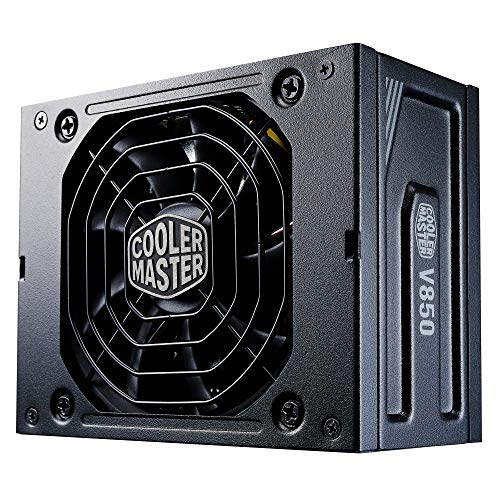
Cooler Master V850 SFX Gold 850W Fully Modular PSU, Black Edition
£115.00 *View On Amazon* - Computer Power Supplies
JUSTOP Black ATX 500W PSU with 120mm Fan, 4+4-Pin 12V, 6x SATA
£22.49 *View On Amazon* - Computer Power Supplies
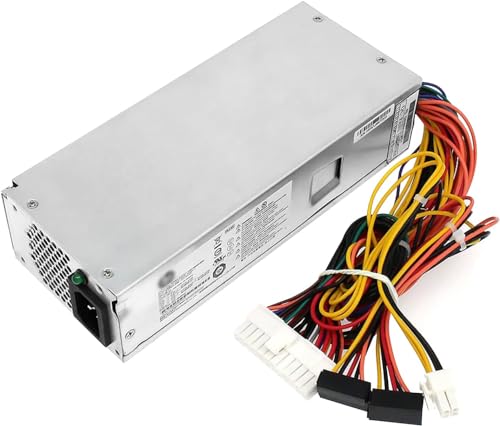
S-Union 220W Power Supply Replacement for HP Pavilion Slimline S5 Series
£49.99 *View On Amazon* - Computer Power Supplies
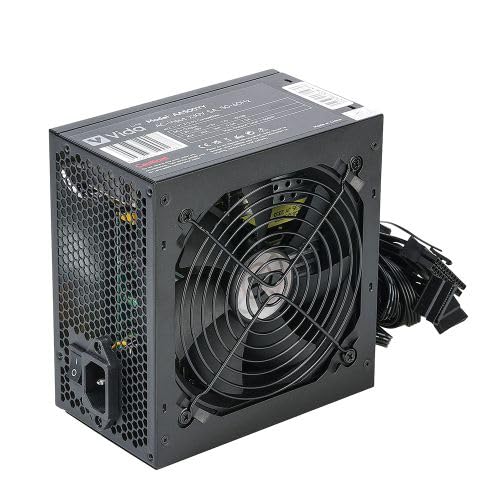
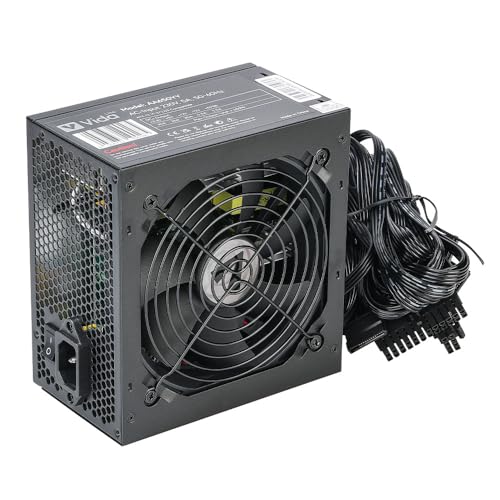
Black 650W ATX PSU with 120mm Quiet Fan, 8-Pin 12V, 6+2 Pin PCI-E, 6x SATA
£29.99 *View On Amazon* - Computer Power Supplies
CORSAIR CX650 80 PLUS Bronze Non Modular ATX 650 Watt Power Supply – UK – Black
£54.98 *View On Amazon* - Computer Power Supplies
NZXT C1200 Gold ATX 3.1 Fully Modular Quiet PC Gaming Power Supply 1200W 80 PLUS Gold 12V-2×6 Connector Black
£231.00 *View On Amazon* - Computer Power Supplies
AeroCool Integrator 500 W 80 Plus Bronze Power Supply Unit with UK 3 Pin Power Lead, Black
£41.98 *View On Amazon* - Computer Power Supplies
Corsair RM750e (2023) Fully Modular ATX Power Supply, Black
£84.99 *View On Amazon* - Computer Power Supplies
GameMax Rampage 600W Power Supply, Non-Modular, 80 Plus Bronze, Black
Original price was: £34.99.£33.25Current price is: £33.25. *View On Amazon* - Computer Power Supplies
Holdfiturn ATX PC Power Supply 500W with 12cm Silent Cooling Fan
£15.99 *View On Amazon* - Computer Power Supplies
2000W PC Mining Power Supply, 2U Single Channel, 10x 6PIN, for 8 Video Card Bitcoin Miner
Original price was: £49.31.£47.63Current price is: £47.63. *View On Amazon* - Computer Power Supplies
NZXT C1200 Gold ATX 3.1 Fully Modular PC Gaming Power Supply 1200W White
£165.41 *View On Amazon* - Computer Power Supplies
iCHOOSE Switching Power Supply PSU 500W ATX with 12cm Fan
£22.45 *View On Amazon* - Computer Power Supplies
iCHOOSE 650W ATX Switching Power Supply PSU with 12cm Red Fan
£29.95 *View On Amazon* - Computer Power Supplies
GAMDIAS HELIOS P2 P2-750G 750W Non-Modular ATX PSU, 80+ Gold, ATX 3.0, PCIe Gen 5.0, Black
£99.99 *View On Amazon* - Computer Power Supplies
CWT 750W ATX Semi-Modular Power Supply, APFC, 80 Plus Bronze, 120mm Fan, Black
£59.99 *View On Amazon*






What Are Computer Power Supplies
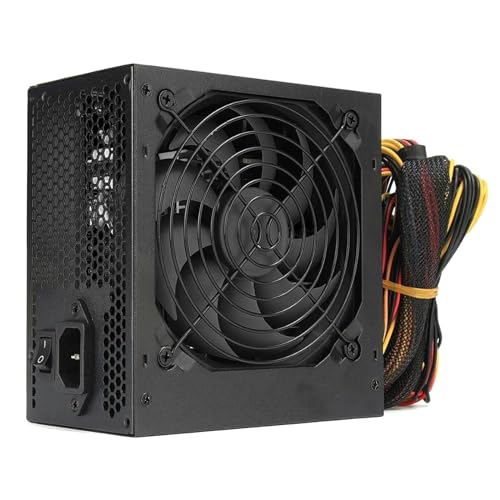
A computer power supply, often called a PSU, is the unit that takes power from the wall socket and supplies the correct power outputs to compatible PC components. It connects to the motherboard, processor, graphics card, drives, fans and other internal parts, depending on the system.
Depending on the product, computer power supplies may include fixed cables, modular cables, semi modular cables, different wattage ratings, ATX sizing, SFX sizing, PCIe connectors, SATA power connectors, CPU power connectors and efficiency ratings where listed.
A power supply is not just another accessory. It is one of the most important parts of a PC build because it supports the whole system. Choosing the right model helps the computer run as intended and gives the builder a cleaner, more practical setup.
What Computer Power Supplies Are Used For
Computer power supplies are used in desktop PCs, gaming computers, office systems, creative workstations, media PCs and repair builds. They are needed whenever a PC is being built from parts or when an existing power supply needs replacing.
A lower power office PC may have different PSU needs from a gaming computer with a dedicated graphics card. A compact case may need a smaller form factor power supply, while a full sized case may be designed around standard ATX models.
Power supplies are also used when upgrading components. If a new graphics card, processor or storage setup increases system power demand, the existing PSU may need to be checked for wattage and connector compatibility before the upgrade is completed.
How To Choose The Right Computer Power Supply
Start with compatibility. Check the case form factor, motherboard power connection, processor power connection, graphics card power requirements and storage power needs. A power supply should physically fit the case and include the correct connectors for the build.
Next, consider wattage. The PSU should provide enough capacity for the components being used, with sensible headroom where suitable. Use the requirements listed by the component manufacturers and avoid guessing based only on price or size.
Think about cable design. Fully modular power supplies allow unused cables to be left out, which can help with cable management. Fixed cable power supplies can be simpler and may suit straightforward builds. Semi modular options sit between the two where listed.
Efficiency rating is also worth comparing where listed. Higher efficiency ratings may indicate reduced wasted energy under certain loads, but this should be considered alongside compatibility, quality, cable support and budget.
Key Features To Compare
Wattage is one of the first features to check. A basic PC may need far less power than a gaming or workstation system, so choose according to the actual components.
Form factor matters. ATX power supplies are common in standard desktop cases, while SFX or smaller formats may be needed for compact cases where compatible.
Connector support is essential. Check motherboard, CPU, PCIe, SATA and peripheral power connectors where listed. A PSU without the right connectors may not suit the build.
Cable style affects installation. Modular cables can reduce clutter, while fixed cables may be simpler for basic systems. The best choice depends on the case space and how tidy the build needs to be.
Cooling fan design can affect noise and airflow, depending on the product. Some power supplies may include quieter fan modes or larger fans where listed.
Efficiency information, such as 80 PLUS ratings where listed, can help compare energy use, but it should not be the only buying factor.
Protection features, where listed, may include safeguards against electrical issues. Check the product details carefully and do not assume every model includes the same protections.
Computer Power Supplies Compared With Other PC Components
A computer power supply is different from a motherboard, processor, graphics card or storage drive because it supports all of them by providing power. It does not usually improve performance on its own, but the wrong PSU can limit or prevent a build from working properly.
Compared with a graphics card or processor, a PSU is less visible once the PC is built, but it is still a critical choice. A good match should support the components, fit the case and allow the system to be connected safely.
Compared with a PC case, the PSU is more technical to choose because connectors, power demand and compatibility all matter. A case may look right, but the power supply must be suitable for the hardware inside it.
ATX Power Supplies Compared With SFX Power Supplies
ATX power supplies are commonly used in standard desktop PC cases. They are often chosen for gaming PCs, workstations and general desktop builds where the case has room for a full sized PSU.
SFX power supplies are smaller and are often used in compact PC cases where space is limited. They can be useful for small form factor builds, but compatibility must be checked carefully before buying.
The trade off is size and case fit. ATX units may be more common for larger builds, while SFX units may be necessary for compact systems. Always check the case specifications before choosing.
Modular Compared With Fixed Cable Power Supplies
Fixed cable power supplies have all cables permanently attached. They can be practical for simple builds where most cables are needed and cable management is less of a concern.
Modular power supplies allow cables to be connected only when needed. This can help reduce clutter, improve airflow around components and make the inside of the case easier to manage where suitable.
Semi modular power supplies include some fixed cables and some removable cables where listed. They can be a good middle ground for builders who want tidier cabling without needing a fully modular setup.
The better choice depends on budget, case space, build complexity and how often you expect to upgrade or rearrange components.
Guidance For Beginners, Regular Builders And Experienced PC Users
Beginners should focus on compatibility, wattage and connector support. It is better to choose a suitable, straightforward PSU than to buy based only on the highest wattage number.
Regular PC builders may want to compare modular cabling, efficiency rating, fan noise information where listed and the number of graphics card or storage connectors available.
Experienced users may look more closely at power delivery details, form factor, cable length, build layout, fan behaviour, component upgrade plans and case airflow.
Repair buyers should check the faulty system carefully before buying a replacement. The new power supply should match the case, motherboard and component requirements rather than simply matching the old unit visually.
Use Cases By PC Type And Build
For home office PCs, a suitable power supply should match modest component needs and provide the required connectors for the motherboard and storage.
For gaming PCs, the graphics card often has a major influence on PSU choice. Check the power requirements and connector needs of the specific graphics card before buying.
For creative workstations, consider processor, graphics card, storage drives and any future upgrades. A stable and compatible PSU is important for demanding workloads.
For compact PCs, form factor is especially important. Check whether the case needs SFX, SFX L or another smaller PSU type where listed.
For repair builds, confirm that the existing issue is actually PSU related before replacing parts. If unsure, seek help from a qualified technician.
For upgrade projects, check whether the current power supply has enough capacity and the right connectors for the new components.
Fit, Compatibility And Case Planning
A computer power supply must fit the PC case and connect properly to the components. Check the case documentation for PSU form factor, maximum PSU length and cable clearance where available.
Motherboard compatibility is essential. Most modern desktop builds use standard motherboard and CPU power connections, but connector type and quantity can vary, especially on higher power or specialist systems.
Graphics card compatibility also matters. Some graphics cards need specific PCIe power connectors or newer power connector types where listed. Always compare the graphics card requirements with the PSU cable support.
Cable length should be considered, especially in larger cases or cases with hidden cable routing. A power supply may be compatible on paper but awkward to install if the cables do not reach comfortably.
Safety And Responsible Installation
Computer power supplies involve mains electricity and should be handled carefully. Always switch off and unplug the PC before working inside the case.
Do not open a power supply unit. Internal components can remain dangerous even after the unit is unplugged. If a PSU is faulty, damaged or making unusual sounds or smells, stop using it and seek suitable professional advice.
Use only cables intended for the specific modular power supply where applicable. Modular PSU cables are not always interchangeable between brands or models, even if they look similar. Using the wrong cable can damage components.
Avoid forcing connectors. If a cable does not fit easily, check the connector type and orientation. Keep cables away from fans and hot areas, and make sure the PC case has suitable airflow.
If you are unsure about installation, compatibility or electrical safety, use a qualified PC technician.
Efficiency, Noise And Everyday Use
Efficiency ratings where listed can help compare how much energy is wasted as heat during use. A more efficient PSU may run cooler or use energy more effectively depending on the load and product design.
Noise can also matter. The PSU fan may be noticeable in quiet rooms, home offices or media PCs. Product listings may mention fan size, quiet modes or cooling design where provided.
Everyday use depends on the whole PC build. A power supply should be chosen to support the real hardware inside the computer, not just the current task. Future upgrades may require extra power or different connectors, so it is sensible to plan ahead where suitable.
Care, Maintenance And Storage
A power supply should be kept clean, dry and properly installed inside a suitable PC case. Good airflow around the case helps the PSU and other components work as intended.
Keep dust under control by cleaning the PC case filters and vents where suitable. Do not push objects into the PSU grille and do not use liquid cleaners around electrical components.
Check cables from time to time if you are upgrading or moving parts. Look for damaged insulation, loose connectors or signs of wear. Stop using damaged cables or power supplies.
Store unused power supplies in a dry place away from dust, moisture and heavy objects. Keep modular cables together with the exact PSU they belong to.
Useful Accessories To Consider
Useful accessories may include PC cases, motherboards, graphics cards, processors, cooling fans, SSDs, hard drives, SATA cables, cable ties, cable combs, anti static wrist straps and surge protected extension leads where suitable.
For a tidy build, cable ties and good cable routing can make installation easier. For upgrades, it is useful to check the graphics card, motherboard and storage connectors before choosing the PSU.
If buying a computer power supply as a gift or replacement part, confirm the recipient’s PC case, motherboard, graphics card and power needs before ordering.
Why Buy From YPC
At YPC, we understand active lifestyles and the need for practical products that work in real use. Computer power supplies should be easy to compare by wattage, form factor, connector support, cable design, efficiency rating where listed, cooling, safety information and compatibility.
This category is designed to help buyers choose practical power supplies for PC builds, upgrades, repairs, gaming systems, office computers and workstations. Browse the computer power supplies at YPC and compare the available options to find a suitable PSU for your build.
FAQs
What is a computer power supply?
A computer power supply is the component that supplies power to the parts inside a desktop PC. It connects to the motherboard, processor, graphics card, storage drives and other compatible components.
How do I choose the right computer power supply?
Choose based on your PC case, motherboard, graphics card, processor, storage and power requirements. Check wattage, form factor, connectors and compatibility before buying.
What wattage power supply do I need?
The wattage depends on the components in your PC, especially the processor and graphics card. Check the requirements listed by your component manufacturers and allow sensible headroom where suitable.
What is the difference between ATX and SFX power supplies?
ATX power supplies are commonly used in standard desktop cases. SFX power supplies are smaller and are often used in compact PC cases. Always check your case compatibility before buying.
Are modular power supplies better?
Modular power supplies can make cable management easier because unused cables can be left out. Fixed cable power supplies can still be practical for simpler builds. The better choice depends on your case, budget and build needs.
Can I reuse modular power supply cables?
Only use modular cables that are designed for the exact power supply model. Cables from other PSUs may look similar but can be wired differently and may damage components.
Can I install a computer power supply myself?
Some experienced users can install a PSU, but it must be done carefully. Always unplug the PC first, follow product and component guidance, and use a qualified technician if you are unsure.
When should a computer power supply be replaced?
A PSU may need replacing if it is faulty, damaged, underpowered for new components, missing required connectors or no longer suitable for the system. Stop using it if there are unusual smells, noises, overheating or visible damage.
 Getting ready for Summer? View our Home and Garden Products

Heading outdoors this winter? Take a look at our Outdoor Clothing.