

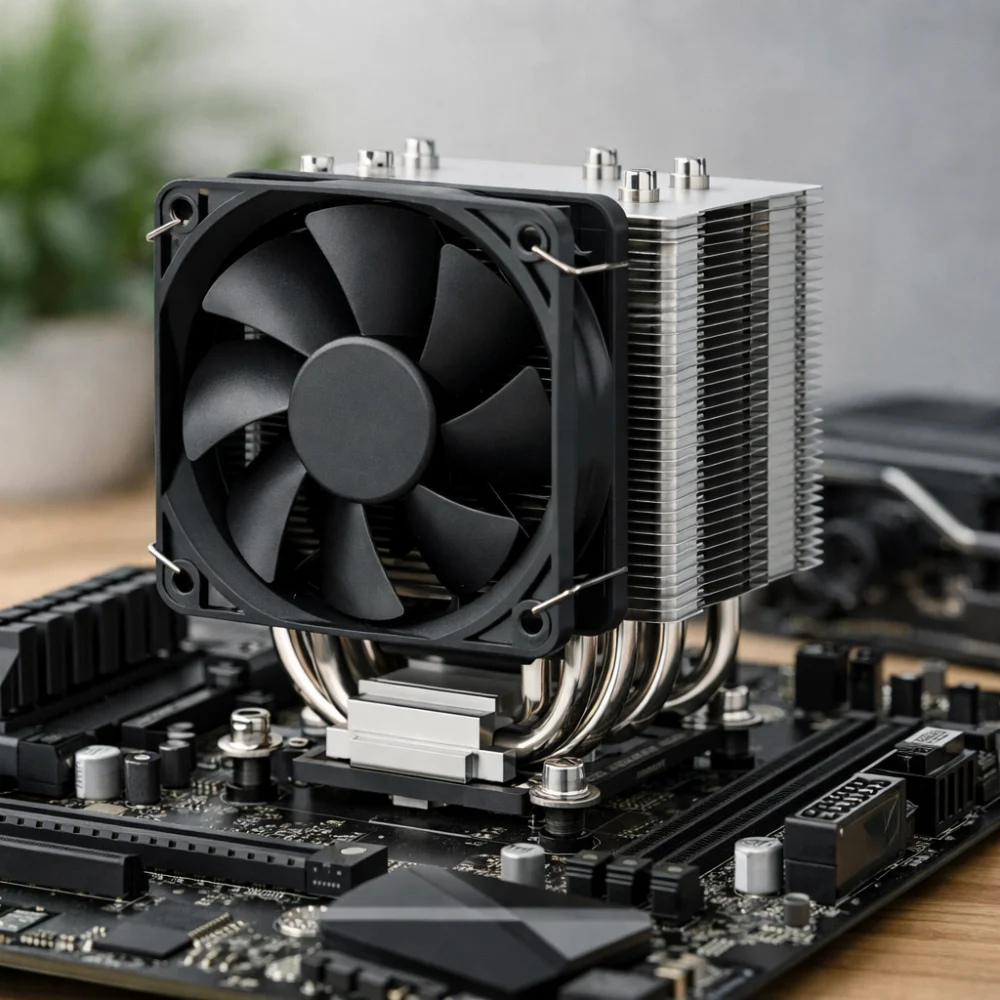
A CPU cooler transfers heat away from a processor, helping it operate within its intended temperature range. Choosing one means balancing compatibility, available space, cooling requirements, noise preferences and the type of cooler that suits your build.
This guide is for people choosing a cooler for a new PC, replacing an existing one or checking whether a potential upgrade will fit. The right choice depends on the specific processor and computer case, so a cooler’s advertised size or design alone cannot confirm suitability.
Which CPU cooler should you choose?
Start by checking that the cooler supports your processor’s socket and fits inside your case. Air coolers are often a straightforward choice when their height and surrounding component clearances work for the build; an all-in-one liquid cooler also needs room for its radiator and fans. Consider the processor’s cooling requirements, expected workloads and how much installation complexity you are comfortable with. Specifications vary by model, so always check the individual product page before buying.
Compare the main buying factors
| Factor | What it means | Why it matters | What to check |
|---|---|---|---|
| Socket support | The mounting system must suit the processor socket and platform. | A cooler that cannot be mounted to your motherboard is not a suitable fit. | Confirm the exact socket support and any platform-specific mounting requirements. |
| Physical clearance | The cooler must fit the case and avoid interference with nearby components. | Large heatsinks, fans and radiators can conflict with case limits or other parts. | Compare cooler height or radiator dimensions with the case limits; check memory and motherboard clearance where relevant. |
| Cooler type | Air coolers use a heatsink and fan; liquid all-in-one (AIO) designs circulate coolant through a radiator. | The designs have different space, installation and component considerations. | Check the complete layout and mounting requirements, not just the cooler’s headline size. |
| Cooling suitability | How well a cooler can handle heat depends on its design and the system’s use. | Workloads and processor behaviour affect how much cooling is appropriate. | Compare the cooler guidance with the processor and intended workload; avoid treating ratings from different manufacturers as directly equivalent. |
| Noise and fan control | Fan design and speed influence the sound a cooler may produce. | Noise can matter more for a quiet workspace than for a system used in a less noise-sensitive setting. | Review the product’s stated noise information, fan control options and connection requirements. |
| Installation and connections | Coolers can differ in mounting hardware, fan connections and, for AIOs, pump and radiator connections. | Unfamiliar fittings or unavailable connections can make a build less convenient. | Check what mounting hardware and cables are specified, and whether your motherboard and case provide the required connections. |
What to check before choosing
Processor socket and mounting support
Socket compatibility is a fundamental check: the cooler needs a mounting system that supports the processor platform. Look for the exact socket or platform information on the product page and compare it with your motherboard and processor details. Do not assume that similar-looking sockets or a product’s broad platform label confirm fitment for every revision.
Case, memory and motherboard clearance
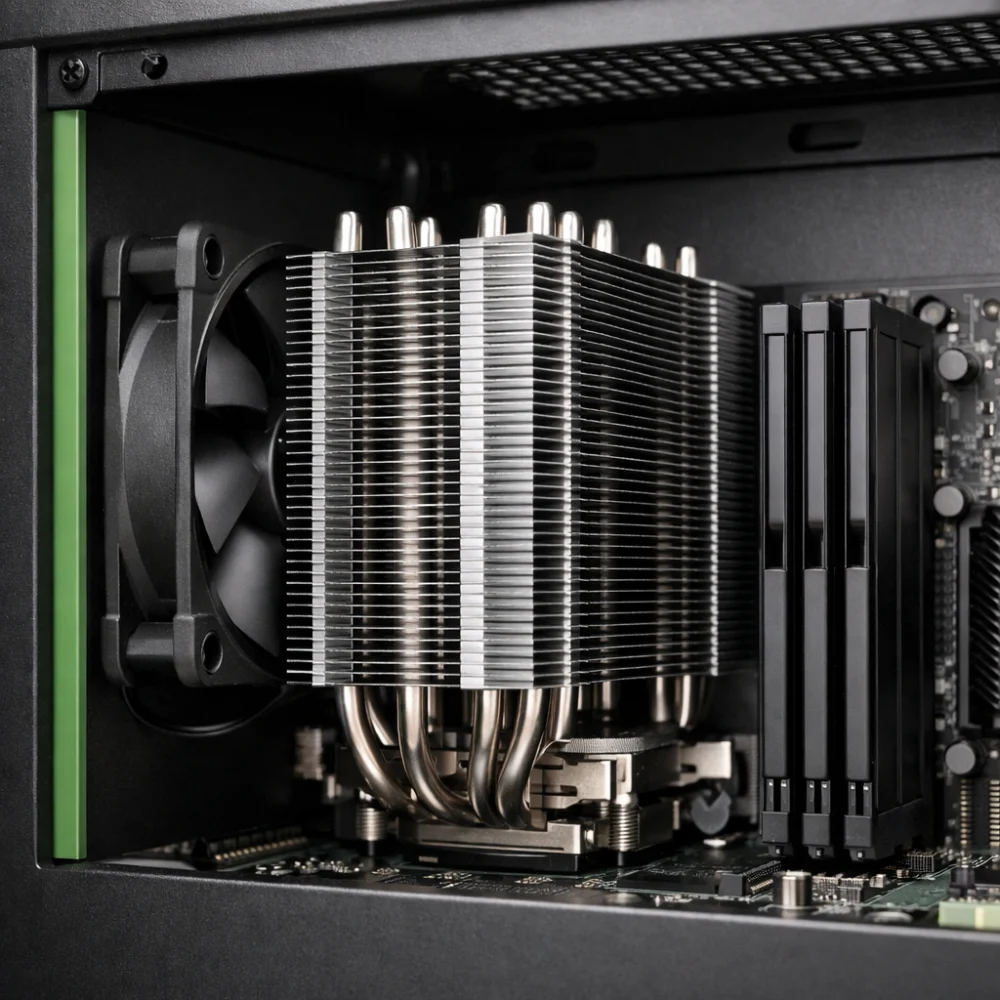
Measure the available space against the cooler’s listed dimensions. A tower air cooler must fit within the case’s cooler-height limit, and its heatsink or fan may sit close to memory modules or motherboard components. For an AIO, check the radiator’s dimensions and where it can be mounted in the case; confirm that the intended position leaves room for the rest of the build.
Use the visual below as a reminder to check more than the cooler’s height: surrounding components and mounting positions can affect fit too.
Cooling needs and workload
Consider the processor and the work the computer will do, such as everyday tasks, gaming or sustained demanding workloads. The cooler’s design, fan configuration and the system’s overall airflow all affect the result, so a single headline rating should not be treated as a guarantee of temperatures or noise. Check the cooler maker’s guidance and the processor’s requirements rather than assuming that a larger or more complex cooler is automatically the better choice.
Noise, controls and connections
Fans may be controlled through motherboard settings or their own specified control method, but the options vary. Check the product information for fan connectors and control support, and for any pump or lighting connections on an AIO. Published noise figures can help compare products, but testing conditions and system setup may differ.
Installation and included parts
Consider whether the mounting approach and connections are suitable for your build experience. Check the product information for the mounting hardware and other components included, and whether any separate items are required. The product page or manufacturer’s instructions should clarify the intended installation and supported platforms.
Types of CPU cooler
- Air coolers: Use a heatsink and one or more fans to move heat away from the processor. They may suit buyers who want a self-contained cooler, but tower size and clearance around memory and the case need careful checking.
- All-in-one liquid coolers: Combine a pump, tubing and radiator assembly. They may suit builds designed to accommodate a radiator, but require a suitable mounting position and compatible connections, as well as checks for radiator and fan clearance.
- Low-profile air coolers: Designed for builds with limited vertical space. Their compact form can help where a tall tower will not fit, but check that the particular cooler is suitable for the processor and intended workload.
Match the cooler to your build
- Replacing a cooler: Prioritise the existing socket and case constraints, then compare the replacement’s mounting support, dimensions and connections. Check whether the new cooler will clear components that were not an issue with the old one.
- Building a compact PC: Begin with the case’s cooler-height or radiator-mounting limits. A low-profile cooler may be worth considering when vertical space is restricted, but compact size does not by itself establish cooling suitability.
- Planning a quiet system: Compare the product’s noise information and fan-control options, while allowing for differences in workload and system setup. A liquid design is not automatically quieter than an air cooler.
- Running sustained demanding workloads: Check the processor’s cooling guidance, cooler suitability information and the case’s ability to accommodate the design. Consider the trade-off between cooling capacity, space and installation requirements rather than choosing by type alone.
Common CPU cooler buying mistakes
- Checking only the socket: Socket support is essential, but it does not prove the cooler will fit the case. Check dimensions and nearby component clearance as well.
- Assuming all coolers of one type perform alike: Designs and specifications vary. Compare the specific product information with your processor and planned workload.
- Treating a headline cooling rating as a direct comparison: Rating methods may differ between manufacturers. Use the rating as one piece of information, alongside platform guidance and other stated details.
- Forgetting radiator placement: An AIO needs a suitable radiator position, not just room for its pump block. Check the case layout and the radiator’s full dimensions.
- Overlooking connections or supplied mounting parts: Confirm the stated connectors and included hardware match the build, rather than relying on appearance or a broad compatibility claim.
Suitability and safe selection
Choose a cooler listed as suitable for the intended processor platform, and check the case and component fit before buying. Follow the manufacturer’s installation and compatibility guidance for the specific cooler. If the build involves a platform or mounting arrangement you are unsure about, verify the requirements with the relevant product information before deciding.
Care and ownership considerations
Dust can collect on cooling components over time, so consider whether the cooler’s layout is accessible for routine care in your case. Follow the manufacturer’s guidance for cleaning and maintenance rather than assuming every design is cared for in the same way. An AIO has a pump and radiator assembly, while an air cooler uses a heatsink and fan; the relevant checks and components differ by model.
A simple buying process
- Identify the processor socket and check the processor’s cooling guidance.
- Choose whether an air cooler or an AIO better suits the case layout and your preferences.
- Compare the cooler’s dimensions with case limits and check for memory or motherboard clearance issues.
- Review cooling suitability, noise information, fan controls and required connections for your intended use.
- Check the individual product information for supported platforms, mounting hardware and other stated requirements before buying.
CPU cooler buyer checklist
- Does the cooler support the exact processor socket or platform?
- Will its full dimensions fit the case and clear nearby components?
- For an AIO, is there a suitable radiator mounting position?
- Is the cooler appropriate for the processor and expected workload?
- Are the stated fan, pump or other connections suitable for the build?
- Have you checked the mounting hardware and individual product information?
Frequently asked questions
How do I know whether a CPU cooler will fit my processor?
Compare the processor or motherboard socket with the cooler’s stated socket support. Also check the specified mounting hardware and any platform conditions, since socket support alone does not confirm that every fitting is included.
Will any CPU cooler fit inside my computer case?
No. Cases have limits for cooler height and radiator placement, and parts such as memory can affect clearance. Compare the cooler’s dimensions with the case information before choosing.
Is an air cooler or an AIO liquid cooler better?
Neither type is the right choice for every build. Air coolers need suitable heatsink clearance, while AIOs need space for a radiator and its connections; compare both against your case, processor needs and installation preferences.
Does a bigger cooler always provide better cooling?
Size alone does not establish how a cooler will perform in a particular system. Design, processor demands, case airflow and the manufacturer’s specifications all matter, so compare information for the specific cooler.
Are liquid CPU coolers always quieter?
No. Noise depends on the particular fans, pump, controls and operating conditions, among other factors. Compare the product’s stated noise information and consider how the system will be used.
Can I reuse my existing CPU cooler with a new processor?
Possibly, if the cooler supports the new processor’s socket and the required mounting hardware is available. Check the cooler’s compatibility information and the new processor’s cooling requirements rather than assuming an existing fit will carry over.
Do CPU coolers include everything needed for installation?
Included parts can differ between products. Check the individual product information for mounting hardware, connections and any other stated requirements before buying.
How should I maintain a CPU cooler?
Maintenance depends on the cooler design and the manufacturer’s recommendations. Check the supplied guidance for appropriate care, and do not assume that air and liquid coolers have identical maintenance needs.


