
CPU Coolers
CPU coolers are designed to help move heat away from the processor so a computer can run more reliably during everyday use, gaming, work, study and demanding tasks. Whether you are building a new PC, replacing a cooler, reducing noise or upgrading an older system, choosing the right CPU cooler is an important part of a balanced setup.
This category can include air CPU coolers, liquid CPU coolers, low profile coolers, tower coolers, cooler fans, radiator based cooling kits and related processor cooling products, depending on the products listed. Features vary widely, so always check socket compatibility, case clearance, mounting type, fan size, radiator size where relevant and power connection requirements before buying.
- CPU Coolers
Lian Li Galahad II Trinity SL 360mm ARGB CPU Water Cooler – Black
£164.89 *View On Amazon* - CPU Coolers
NZXT Kraken Elite 360 RGB AIO CPU Liquid Cooler, 360mm, Black
Original price was: £279.99.£250.99Current price is: £250.99. *View On Amazon* - CPU Coolers
Thermalright Mjolnir Vision 360 ARGB Black CPU AIO Cooler
Original price was: £89.00.£75.65Current price is: £75.65. *View On Amazon* - CPU Coolers
Akasa Vegas Chroma AM RGB CPU Cooler for AMD AM5, AM4, AM3+ with Addressable RGB Fan, AK-CC1106HP01
Original price was: £19.80.£17.95Current price is: £17.95. *View On Amazon*


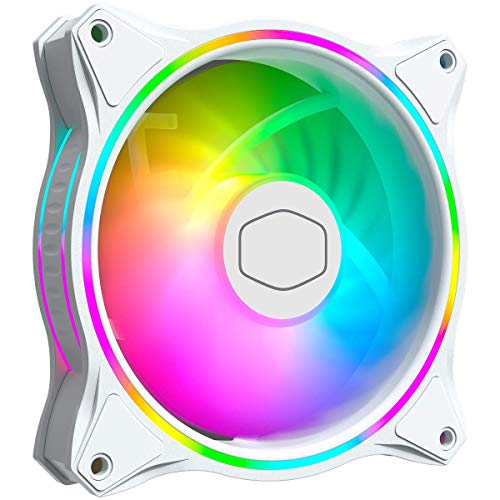

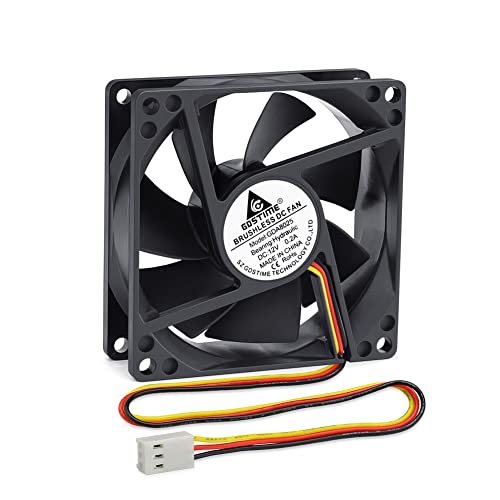
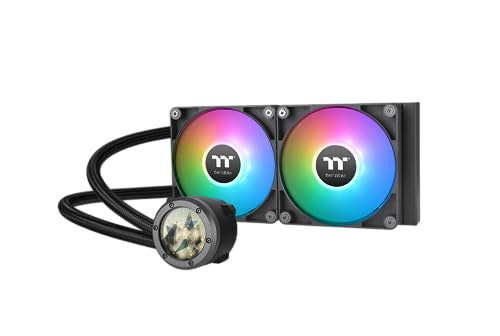


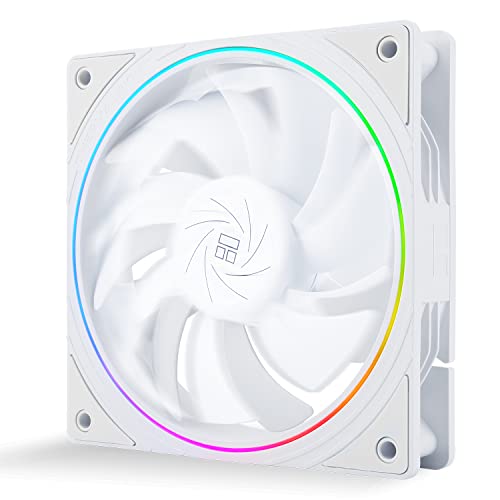


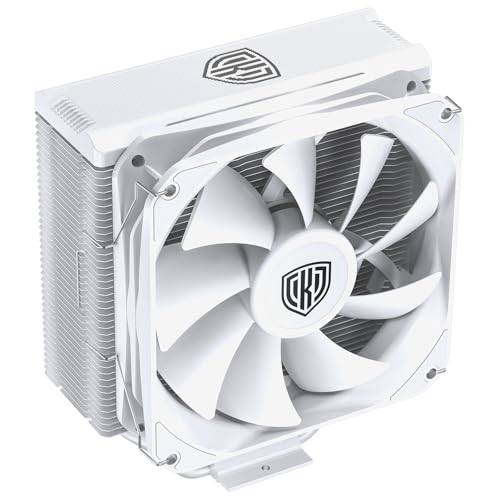
What Are CPU Coolers?
CPU coolers are computer components that help manage the heat produced by the processor. They usually use a heatsink, fan, radiator, pump or liquid cooling loop depending on the cooler type.
A CPU cooler is fitted directly to the processor area on the motherboard using compatible mounting hardware. Thermal paste is normally used between the processor and the cooler surface to help transfer heat where suitable. The exact fitting method depends on the product and motherboard.
What Are CPU Coolers Used For?
CPU coolers are used to keep a processor within suitable operating temperatures during normal computer use. A processor can generate heat when running applications, games, video calls, editing software, browser tabs or background tasks.
For a basic home PC, a simple compatible cooler may be enough where suitable. For gaming, content creation or heavier workloads, buyers may compare larger air coolers or liquid cooling options where compatible. For small form factor builds, size and clearance often matter just as much as cooling design.
A suitable CPU cooler can also help with noise control, depending on the fan design, case airflow and computer workload.
How To Choose The Right CPU Cooler
Start by checking processor and motherboard compatibility. The cooler must support the correct CPU socket and include suitable mounting hardware where listed. Do not assume a cooler will fit simply because it looks similar to another model.
Next, check your computer case space. CPU coolers vary in height, width and radiator size. A tall air cooler may not fit inside a compact case. A liquid cooler radiator may need the right mounting position and fan space. Always compare listed dimensions with your case specifications.
Then consider how the PC will be used. Everyday computers may need a simple and quiet cooling option. Gaming PCs and workstations may need stronger cooling where suitable. Small builds may need low profile designs. The right choice should match the processor, case airflow, workload and available space.
Key Features To Compare
Socket compatibility is the first thing to check. CPU coolers may support certain Intel or AMD sockets where listed, and mounting kits can vary by product.
Cooler type is another key comparison point. Air coolers use a heatsink and fan arrangement, while liquid coolers usually use a pump, radiator and fans where listed. Each option has different fitting, space and maintenance considerations.
Size and clearance are very important. For air coolers, check height, memory clearance and motherboard space. For liquid coolers, check radiator length, fan mounting positions and tubing reach where relevant.
Noise level guidance may also be useful where listed. Fan size, fan speed, case airflow and workload can all affect how loud a cooler feels in real use.
Other useful features to compare include fan connection type, lighting where listed, thermal paste inclusion, mounting hardware, radiator thickness, heatsink material, fan count, cable routing and installation requirements.
Air CPU Coolers Compared With Liquid CPU Coolers
Air CPU coolers use a heatsink and fan to move heat away from the processor. They are often chosen for straightforward installation, simple maintenance and reliable everyday cooling where compatible.
Liquid CPU coolers use a pump, liquid loop, radiator and fans to move heat away from the processor area. They can be useful in some gaming, workstation or display focused builds where the case supports the radiator and the product is suitable.
The main trade off is simplicity versus layout flexibility. Air coolers can be easier to understand and maintain, while liquid coolers may suit certain builds where radiator placement, appearance or cooling needs are priorities. The best choice depends on compatibility, case space and user confidence.
Stock Coolers Compared With Aftermarket CPU Coolers
Some processors may be supplied with a stock cooler where listed by the processor product. A stock cooler can be suitable for basic use if it is compatible and used within the intended guidance.
Aftermarket CPU coolers are bought separately and may offer different sizes, fan designs, noise profiles, appearance or cooling capacity where listed. They are often considered when building a PC, replacing an old cooler or improving a system.
The main reason to compare is suitability. A stock cooler may be enough for some systems, while an aftermarket cooler may be more appropriate for higher workloads, quieter builds or cases with different airflow needs.
Guidance For Beginners, Regular Users And Experienced Builders
Beginners should focus on compatibility, easy installation and clear fitting instructions. A cooler that matches the CPU socket, fits the case and includes the required mounting parts is more useful than a complicated option that is difficult to install.
Regular users may want to compare noise, fan quality, space around memory modules and how the cooler fits into the existing case airflow. If the PC is used daily, quiet and dependable cooling can matter a lot.
Experienced builders may look more closely at radiator support, heatsink clearance, fan curves, motherboard headers, overclocking guidance where relevant, thermal paste choice, case pressure and cable management. These details can make a difference in more advanced builds.
Use Cases By PC Type
For home and office computers, a compatible and quiet CPU cooler may be the main priority. It should fit easily and support normal tasks without unnecessary complexity.
For gaming PCs, cooling, airflow and noise can all matter. A suitable cooler should match the processor and case, especially if the system runs demanding games for long sessions.
For creative workstations, processors may be used heavily during editing, rendering, design work or multitasking. Cooling choice should be matched carefully to the workload and system guidance.
For compact PCs, low profile CPU coolers may be needed where case height is limited. Clearance around memory, side panels and airflow paths should be checked carefully.
For repair jobs, the replacement cooler should match the existing processor, motherboard and case. Check the old cooler type, socket, mounting system and connector before buying.
Fit, Compatibility And Clearance
Compatibility is the most important part of choosing a CPU cooler. Check the processor socket, motherboard layout, case dimensions and mounting requirements before ordering.
For air coolers, check cooler height against the case side panel clearance. Also check whether the cooler could interfere with memory slots, tall memory heatsinks or nearby motherboard parts.
For liquid coolers, check radiator support in the case. Radiator length, thickness, fan placement and tube routing all matter. A case may support one radiator size in the front, another at the top and none in certain positions, depending on the case design.
Fan connectors should also be checked. CPU fans, pump cables and lighting connectors where included may need suitable motherboard headers or controllers.
Thermal Paste, Mounting And Installation
Thermal paste helps transfer heat between the processor and the cooler contact surface. Some coolers may include paste pre applied or supplied separately where listed, while others may require a separate purchase.
Correct mounting is important. A cooler should sit evenly and securely on the processor. Too little contact, uneven pressure or incorrect hardware can affect cooling and may make the system unreliable.
Always follow the cooler and motherboard instructions carefully. If a fitting does not line up, do not force it. Stop and check whether the correct bracket, backplate or mounting parts are being used.
Noise, Airflow And Case Considerations
A CPU cooler works best as part of a complete airflow system. Case fans, vents, dust filters, cable routing and component layout can all affect how well heat moves out of the PC.
A larger cooler is not automatically better if the case airflow is poor or the cooler does not fit properly. The system needs a clear path for cool air to enter and warm air to leave.
Noise can come from CPU fans, case fans, pump units where listed and airflow restriction. If quiet operation matters, compare fan design, noise guidance, fan size and speed control where available.
Safety And Practical Installation Considerations
Always switch off and unplug the computer before installing or removing a CPU cooler. Let components cool before handling them.
Handle the processor area carefully. Avoid touching CPU pins, socket contacts or thermal paste surfaces unnecessarily. Work on a clean, dry and stable surface with good lighting.
Do not overtighten mounting screws unless the instructions clearly specify the fitting method. Too much force can damage parts. Keep cables clear of fans and moving parts before switching the computer on.
If you are unsure about installation, seek help from someone experienced. Incorrect cooler fitting can cause temperature problems or damage components.
Care, Cleaning And Maintenance
CPU coolers need periodic checking, especially in systems used often. Dust build up can reduce airflow and make fans work harder.
For air coolers, clean dust from the heatsink and fan area where safe and accessible. For liquid coolers, check fans, radiator fins, pump cables and any unusual noise or temperature changes. Do not open sealed liquid coolers unless the product is specifically designed for maintenance and the instructions say it is suitable.
Check fan cables, mounting screws and visible dust from time to time. If temperatures rise unexpectedly, noise increases or the computer shuts down under load, the cooler and case airflow may need attention.
Storage And Handling Tips
Store unused CPU coolers in their packaging where possible. This helps protect mounting parts, fan blades, heatsink fins, screws, brackets and contact surfaces.
Keep small parts together. Brackets, backplates, spacers and screws can be specific to the cooler and socket type, so losing them may make installation difficult.
Avoid bending radiator fins, crushing fan blades or scratching the cooler contact plate. Handle coolers carefully, especially larger tower coolers and liquid cooling units.
Useful Accessories To Consider
Useful accessories may include thermal paste, cleaning wipes where suitable, case fans, fan splitters where compatible, PWM fan hubs, dust filters, cable ties, screwdrivers, anti static wrist straps and suitable PC cleaning tools.
For new builds, it can be useful to check case fans, airflow layout and cable management at the same time as choosing a CPU cooler. For upgrades, make sure you have any required brackets, paste and tools before removing the old cooler.
Why Buy From YPC?
At YPC, we understand active lifestyles and the need for practical products that work in real use. CPU coolers can vary by socket support, cooler type, size, fan design, radiator compatibility, noise guidance, lighting features and installation requirements, so it helps to compare the details carefully before choosing.
YPC makes it easier to browse CPU coolers in a practical way, with options that can be compared by listed features, system needs and build goals. Whether you are building a new PC, upgrading a gaming system, repairing a desktop or improving airflow, you can browse and compare CPU coolers at YPC to find suitable options for your setup.
FAQs
What is a CPU cooler?
A CPU cooler is a computer component that helps move heat away from the processor. It may use a heatsink, fan, radiator, pump or liquid cooling system depending on the product type.
Do all CPUs need a cooler?
Yes, a processor needs suitable cooling when installed in a computer. Some processors may include a cooler where listed, while others may require a separate compatible CPU cooler.
How do I know if a CPU cooler will fit my PC?
Check the CPU socket, motherboard layout, case clearance, cooler height, radiator support where relevant and mounting hardware listed with the cooler.
What is the difference between air and liquid CPU coolers?
Air coolers use a heatsink and fan. Liquid coolers use a pump, liquid loop, radiator and fans where listed. Air coolers are often simpler, while liquid coolers may suit certain builds with suitable radiator space.
Do CPU coolers come with thermal paste?
Some CPU coolers may include thermal paste or have it pre applied where listed, while others may not. Check the product description before buying.
Can I install a CPU cooler myself?
Some CPU coolers can be installed by confident users with the right tools and instructions. If you are unsure, get help from someone experienced, as incorrect installation can cause cooling problems.
Why is CPU cooler clearance important?
Clearance matters because the cooler must physically fit inside the case and avoid blocking memory, side panels or other motherboard parts. Always compare listed dimensions before buying.
Are bigger CPU coolers always better?
Not always. A larger cooler must still fit the case, suit the processor and work with the system airflow. Compatibility and correct installation are more important than size alone.
How often should I clean a CPU cooler?
This depends on dust levels and how often the computer is used. Check the cooler and case vents periodically, and clean dust safely when it begins to build up.
What accessories do I need with a CPU cooler?
Useful accessories may include thermal paste, suitable cleaning materials, screwdrivers, case fans, cable ties and any required mounting hardware. Check what is included with the cooler before buying extras.
 Getting ready for Summer? View our Home and Garden Products

Heading outdoors this winter? Take a look at our Outdoor Clothing.