

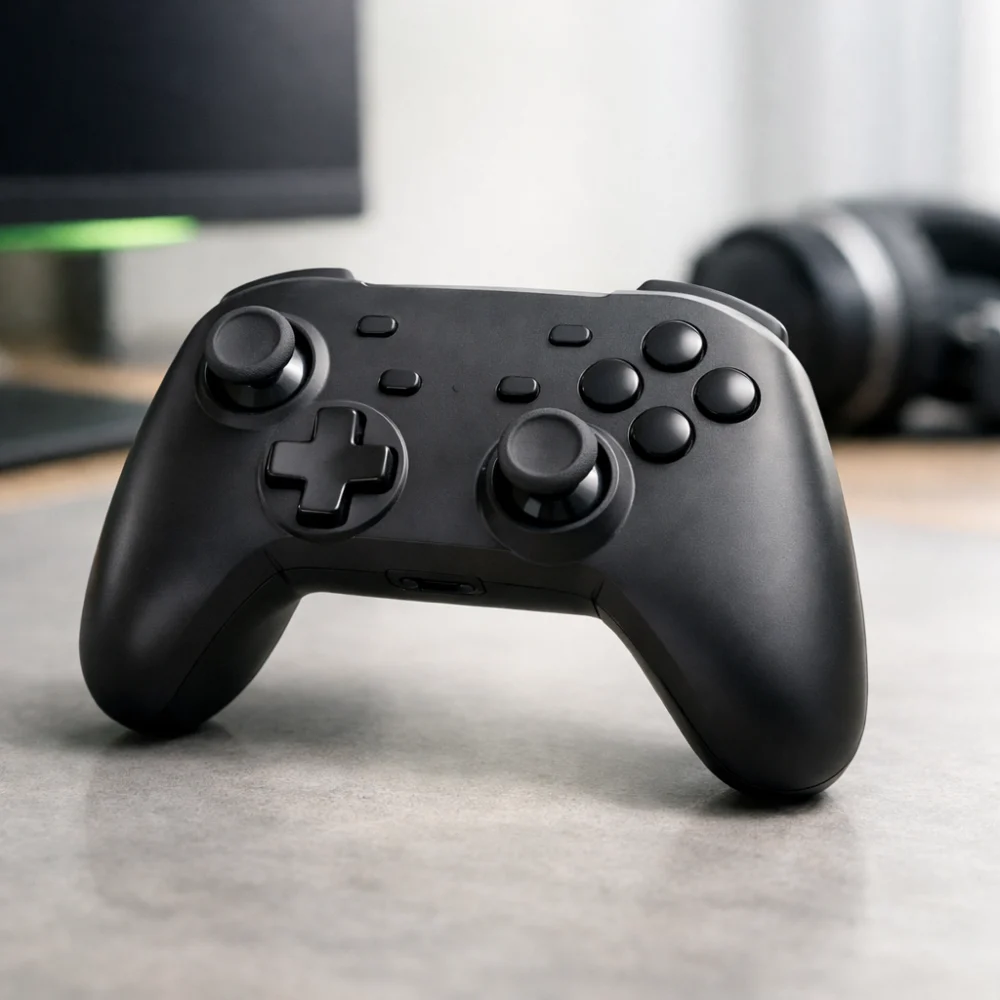
A game controller can offer a familiar handheld way to play, but controllers are not interchangeable across every computer, console or game. The right choice depends first on which device and games you want to use it with.
After checking compatibility, consider whether you prefer a wired or wireless connection, how the controls are arranged and which features matter to you. Compare the product information for the specific controller rather than relying on its general description.
Which game controller should you choose?
Start with the device and games you intend to use, then confirm that the controller explicitly supports them. Choose wired or wireless based on your setup and preference, and compare the control layout with what feels familiar. Features such as vibration, extra buttons or customisation can be useful, but only if they are supported for your intended use. Specifications vary by model, so always check the individual product page before buying.
Game controller comparison: what to check
| Feature | What it means | Why it matters | What to check |
|---|---|---|---|
| Platform compatibility | The devices or systems the controller is intended to work with. | A controller may support some platforms but not others. | Look for your exact device and, where relevant, the games or software you plan to use. |
| Connection type | Whether the controller connects by cable or wirelessly. | A cable may suit a fixed setup; wireless use may offer more freedom but can involve charging or batteries. | Check the connection method, any included cable and the power requirements. |
| Control layout | The positions and arrangement of buttons, sticks and directional controls. | A familiar layout can make a controller easier to use across the games you play. | Compare the product images and description with layouts you already know. |
| Additional controls and features | Options such as extra buttons, vibration or customisation, where provided. | They may suit particular games or preferences, but can add complexity you do not need. | Check which features are included and whether they work with your intended platform. |
| Size and shape | The controller’s overall form and how its controls are placed for the hands. | Comfort depends on personal preference and how long you expect to play. | Review dimensions if supplied, images, and any clear description of the shape. |
Choosing the features that matter
Compatibility comes first
Check the exact platform before comparing cosmetic details or extra functions. A controller described as compatible with a computer or a particular console may still have limits by model, connection method or software. If you play across multiple devices, verify each one individually rather than assuming that support for one means support for all.
Wired or wireless connection
A wired controller connects through a cable, so consider whether the cable length and connection suit your playing position and device. A wireless controller avoids a cable running to the device, but check how it pairs and how it is powered; some models may use a rechargeable battery and others may require replaceable batteries. Also confirm whether a cable is included if you expect to use one.
Control layout and feel
Compare the placement of the sticks, directional controls and face buttons with the games you play and layouts you already find comfortable. A layout that feels intuitive to one person may not suit another. Product images and any supplied dimensions can help you assess the shape, though they cannot guarantee how it will feel in your hands.
Extra buttons and features
Some controllers offer functions beyond the standard controls, such as vibration, extra buttons or configurable options. These can be worthwhile when a game or personal preference makes use of them, but they are not automatically an advantage. Check what each feature does, whether it can be adjusted, and whether it is supported on your chosen device.
Common types of game controller
- Wired controllers: Connect by cable and may suit a desk or other fixed setup. The cable can limit where you sit, so check its connection and length if stated.
- Wireless controllers: Connect without a cable to the device during use, subject to the specified pairing method and platform support. Remember to check power requirements and charging arrangements.
- Multi-platform controllers: Some are described as supporting more than one device type. This may suit someone switching between platforms, but confirm support for each specific device and any relevant connection mode.
Match the controller to your needs
| Your priority | What to focus on | Trade-off to consider |
|---|---|---|
| Replacing a controller for one device | Exact platform compatibility, connection and a familiar layout. | A controller that suits one setup may not work with other devices you own. |
| Playing at a desk | Whether a cable or wireless connection best suits your distance from the device. | A cable can restrict positioning; wireless models need a suitable power arrangement. |
| Using more than one platform | Explicit support for each device and the connection options available. | A broad compatibility description does not necessarily mean every feature works everywhere. |
| Trying a different control style | Button and stick placement, overall shape and any distinctive controls. | A less familiar layout may take time to get used to and may not suit every game. |
Buying mistakes to avoid
- Assuming a controller works with every device: Check the exact platform list and connection requirements before buying.
- Choosing by appearance alone: Compare the control layout and shape as well as the finish.
- Overlooking power needs: For wireless models, check whether charging or replaceable batteries are required and what is included.
- Paying attention only to extra features: Prioritise compatibility and comfortable controls; additional functions are useful only if they suit your games and setup.
- Assuming a cable is included or suitable: Check the product information for the connection and any included accessories.
Suitability and practical checks
Consider who will use the controller and whether its size, shape and controls seem suitable for them. If buying for someone else, a familiar layout and verified compatibility are often more useful starting points than a long list of features. Check any age or use guidance supplied with the individual product, rather than assuming one controller is suitable for everyone.
Power, care and storage
For a wireless controller, factor in its stated charging or battery requirements and where you will keep it between sessions. Follow the care guidance supplied with the product, and avoid assuming that a particular cleaning method or power accessory is suitable for every model. If the controller will travel between locations, consider how its size and shape fit your storage arrangements.
A simple game controller buying process
- Write down the device or devices you want to use and the games you have in mind.
- Shortlist controllers whose product information explicitly supports those devices.
- Choose a wired or wireless connection that suits your setup, including its power requirements.
- Compare control layouts, shape and any additional features you genuinely want.
- Review the individual product information for compatibility, included items and other relevant details before deciding.
Game controller buyer checklist
- Is my exact device listed as compatible?
- Does the connection method suit where I play?
- If wireless, have I checked how it is powered?
- Do the control layout and shape look suitable for my preferences?
- Are the extra features relevant to my games and platform?
- Have I checked what is included and any product-specific guidance?
Frequently asked questions
Will any game controller work with a computer?
No. Compatibility depends on the controller, computer, connection method and sometimes the game or software. Check the specific product information for your setup.
Is a wired or wireless controller better?
Neither is best for every player. A wired option may suit a fixed position, while wireless use avoids a cable during play but requires attention to pairing and power needs.
Can one controller work with multiple devices?
Some controllers are designed for more than one platform, but support varies. Confirm each device and any relevant connection method rather than relying on a broad compatibility claim.
What should I check when replacing a controller?
Confirm compatibility with your device and games, then compare the connection and control layout with the one you are used to. Check power requirements and included accessories too, especially if you expect to reuse a cable or other item.
Do extra buttons or vibration matter?
They can matter if you value those functions and they are supported by your device and games. If not, a simpler controller may better match your needs; verify the feature details for the specific model.
How can I judge whether a controller will feel comfortable?
Look at the shape, control placement and any dimensions supplied, and compare them with a layout you already know. Images can help with an initial assessment, but comfort is personal and cannot be guaranteed from a description.


