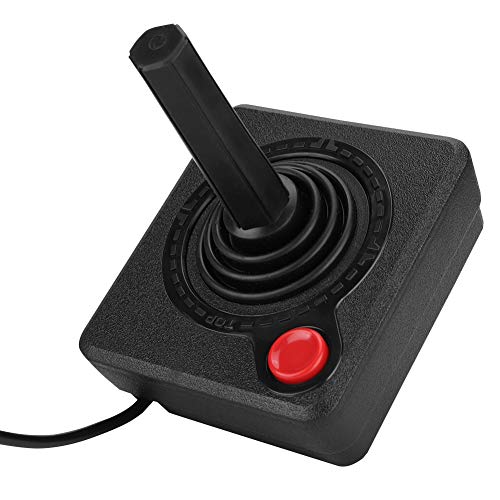
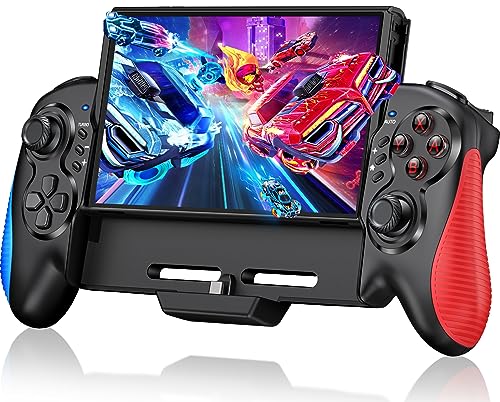
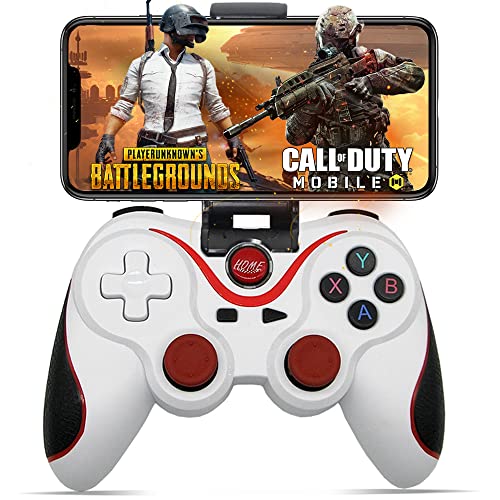
Game Controllers are used to control games on compatible consoles, computers, handheld devices and other gaming systems. Whether you are replacing a worn controller, adding a spare for multiplayer, improving comfort for longer sessions or choosing a more suitable control style for a particular game, the right controller can make playing feel easier and more enjoyable.
This category includes game controllers in different styles, layouts and connection types. Depending on the product, you may find wired controllers, wireless controllers, PC gamepads, console controllers, mobile controllers, arcade style controllers, racing wheels, joysticks and specialist gaming input devices where listed.
£15.99Original price was: £15.99.£9.99Current price is: £9.99.*View On Amazon*
What Are Game Controllers?
Game controllers are input devices designed for playing video games. They let players move characters, aim, steer, select menus, control cameras and interact with games using buttons, sticks, triggers, pads or other controls.
Different controllers suit different games and platforms. A standard gamepad may work well for many games, while racing, flight, fighting or retro games may feel better with more specialised controller styles where compatible.
Choosing a controller is mainly about comfort, compatibility and the type of games you play most often.
What Game Controllers Are Used For
Game controllers are used for console gaming, PC gaming, cloud gaming, mobile gaming, local multiplayer, racing games, sports games, platformers, fighting games, adventure games and relaxed living room play.
For casual gaming, a simple controller with a familiar layout may be enough. For competitive or regular play, grip, button feel, latency, connection type and battery life where listed may become more important.
Controllers can also be useful for accessibility and comfort, as some players prefer a controller over a keyboard and mouse for certain games or seating positions.
How To Choose The Right Game Controller
Start with the platform. Check whether the controller is suitable for the device you want to use, such as a PC, console, mobile phone, tablet or handheld system where listed. Compatibility should always come before style.
Next, think about the games you play. Racing games may suit a wheel or trigger focused controller, fighting games may suit an arcade style layout, and platform games often work well with a traditional gamepad.
Finally, consider comfort. A controller should feel natural in the hands, with buttons and sticks easy to reach. If you play for longer sessions, grip shape, weight and button layout can make a noticeable difference.
Key Features To Compare
Compatibility is the first feature to compare. A controller may look suitable but still not work with your device, game or operating system. Always check platform support where listed.
Connection type is also important. Wired controllers can be simple and avoid battery concerns, while wireless controllers offer more freedom of movement where compatible. Wireless options may use Bluetooth, a receiver or another connection method where listed.
Button layout matters too. Check the position of sticks, directional pads, triggers, shoulder buttons and menu controls. Some players prefer a familiar layout, while others may want extra buttons or adjustable controls where listed.
Battery life, charging method, cable length, vibration features, motion controls, headphone ports, grips, trigger feel and software support may also be worth comparing depending on the product.
Wired Controllers Compared With Wireless Controllers
Wired controllers connect directly to the device using a cable. They can be practical for PC desks, fixed gaming setups and players who do not want to worry about charging. Cable length and connector type should be checked carefully.
Wireless controllers give more freedom to sit back from the screen and reduce cable clutter. They can be useful for living rooms, shared spaces and relaxed play. They may need batteries, charging or a receiver depending on the product.
The trade off is convenience against simplicity. Wired controllers are often straightforward, while wireless controllers can feel tidier but need power and connection management.
Gamepads Compared With Keyboard And Mouse
A gamepad is usually comfortable for sofa gaming, racing, sports, platformers, adventure games and many console style games. It gives analogue stick control and easy access to triggers and buttons.
A keyboard and mouse setup can be better for some PC games, especially where precise aiming, typing, shortcuts or fast cursor movement are important.
The best choice depends on the game and personal preference. Many PC gamers keep both options available and switch between them depending on what they are playing.
Standard Controllers Compared With Specialist Controllers
Standard controllers are versatile and suitable for many types of games. They are often the most practical choice for everyday gaming, multiplayer and general use.
Specialist controllers are designed around specific play styles. Racing wheels, arcade sticks, flight sticks or mobile controller grips may feel more suitable for certain games where compatible.
The trade off is flexibility. A standard controller can handle many games, while a specialist controller may feel better for one category but less useful elsewhere.
Beginner Regular Gamer And Experienced Player Guidance
Beginners should focus on compatibility, comfort and a simple layout. A familiar gamepad style controller can be a practical starting point for many games and devices.
Regular gamers may want to compare connection reliability, grip comfort, battery life where listed, button feel and how well the controller works across several games.
Experienced players often look more closely at response, trigger travel, stick feel, remapping options, software support, build quality and specialist features where listed. Small details can make a big difference during frequent play.
Use Cases By Gaming Setup
For console gaming, choose a controller that is clearly suitable for the console generation and games you use where listed. Some controllers only work with specific systems.
For PC gaming, check whether the controller supports your operating system and connection type. USB, Bluetooth and receiver based options can vary by product.
For mobile gaming, look for phone or tablet compatibility where listed. Device size, case thickness and app support may affect whether a mobile controller works properly.
For local multiplayer, extra controllers can be useful for family games, party games and sports titles. Matching controller layouts may make play easier for guests.
For racing games, a controller with comfortable triggers or a racing wheel where compatible may feel more natural.
For fighting or retro games, directional pad quality, button layout or arcade style controls may be worth comparing.
Fit Comfort And Hand Feel
Game controllers should feel comfortable to hold. The grip should suit your hand size, and the main buttons should be easy to reach without strain.
Weight can affect comfort. A heavier controller may feel solid, while a lighter controller may be easier for longer sessions or younger players depending on the product.
Button feel is personal. Some players prefer firm buttons and responsive triggers, while others prefer softer controls. If the listing mentions adjustable parts or control options, check whether they suit the way you play.
For children or smaller hands, controller size and layout are especially important. A controller that is too large may feel awkward during longer play.
Compatibility With Devices Games And Software
Compatibility should always be checked carefully before buying a game controller. A controller may be suitable for one console, PC operating system or mobile device but not another.
Some games may support controllers automatically, while others may need settings changes, drivers or software where listed. Cloud gaming and mobile apps may also have specific controller support requirements.
If the controller uses Bluetooth, check whether your device supports the required connection. If it uses a USB receiver, make sure you have the right port available.
For PC users, check whether the controller works with the games and launchers you use most often where compatibility is stated.
Connection Charging And Battery Considerations
Wired controllers need the correct cable connection and enough cable length for comfortable play. Check connector type and whether the cable is included where listed.
Wireless controllers may use rechargeable batteries, replaceable batteries, charging docks or USB charging where listed. Battery life and charging time can vary, so compare product details if you play often.
If a controller is used in a living room, think about where it will be charged and stored. A controller that is always flat when you want to play can quickly become frustrating.
For travel, compact charging cables, spare batteries where suitable and a protective case may be useful.
Safety And Practical Considerations
Game controllers should be used with suitable cables, chargers and devices where compatible. Avoid using damaged cables, loose connectors or swollen battery packs.
For wired controllers, route cables so they do not create trip hazards or pull devices from shelves or desks. This is especially important in living rooms, bedrooms and shared spaces.
For children, check age suitability where listed and keep small accessories, detachable parts and batteries away from younger children.
Take breaks during longer gaming sessions. A comfortable controller helps, but hand, wrist and posture comfort still matter.
Care Cleaning And Storage
Game controllers are handled often, so regular light cleaning can be useful. Wipe the outside with a suitable soft cloth where appropriate and avoid getting moisture into buttons, sticks, ports or seams.
Store controllers somewhere dry and safe when not in use. Avoid leaving them on the floor, under heavy items, near drinks or where they may be knocked from a desk or sofa.
Keep cables loosely coiled and avoid sharp bends. If using wireless controllers, charge or store them according to the product guidance.
If buttons, sticks or triggers begin to feel unreliable, check the product guidance before attempting any cleaning or repair.
Useful Accessories To Consider
Useful accessories for game controllers may include charging cables, charging docks, batteries where suitable, controller grips, thumb stick covers, protective cases, USB adapters, Bluetooth receivers, headset adapters and storage stands where compatible.
For console setups, extra controllers can be useful for multiplayer. For PC setups, USB hubs, longer cables and desk cable management may help keep the area tidy.
For travel or handheld gaming, a carry case can help protect controllers and small accessories from damage in bags.
Why Buy From YPC?
At YPC, we understand active lifestyles and the need for practical products that work in real use. Game controllers should be chosen for compatibility, comfort, connection type, control layout and the way they will actually be used.
YPC brings together a wide range of computer, electronics and lifestyle products so you can compare available game controllers by platform, style, connection, features and practical suitability. Browse the Game Controllers category to compare the range and choose the right controller for PC gaming, console play, mobile gaming or multiplayer sessions.
FAQs
What are game controllers used for?
Game controllers are used to control video games on compatible consoles, computers, mobile devices and other gaming systems. They can be used for movement, aiming, menus, steering, actions and multiplayer play.
How do I choose the right game controller?
Start by checking compatibility with your console, PC, mobile device or gaming system. Then compare connection type, layout, comfort, button features and the types of games you play most often.
Are wired or wireless controllers better?
Wired controllers can be simple and do not need charging, while wireless controllers offer more freedom of movement. The better choice depends on your setup, seating distance and preference.
Can I use a console controller on a PC?
Some console controllers may work on PC where compatible, but support can vary by connection type, operating system and game. Always check the product details before buying.
Do game controllers work with mobile phones?
Some game controllers may work with mobile phones or tablets where listed. Check device compatibility, connection type, phone size and app support before choosing.
What controller is best for racing games?
Racing games can work with standard controllers, especially where triggers offer smooth input. Racing wheels may feel more realistic where compatible, but they need more space and setup.
What should I check before buying a wireless controller?
Check device compatibility, battery type, charging method, wireless connection method, range, included accessories and whether any receiver or software is required where listed.
How should I clean and store game controllers?
Wipe the outside gently with a suitable soft cloth, avoid moisture around buttons and ports, and store controllers in a dry safe place. Keep cables loosely coiled and avoid leaving controllers under heavy items.
Heading outdoors this winter? Take a look at our Outdoor Clothing.
Manage Consent
To provide the best experiences, we use technologies like cookies to store and/or access device information. Consenting to these technologies will allow us to process data such as browsing behaviour or unique IDs on this site. Not consenting or withdrawing consent, may adversely affect certain features and functions.
Functional
Always active
The technical storage or access is strictly necessary for the legitimate purpose of enabling the use of a specific service explicitly requested by the subscriber or user, or for the sole purpose of carrying out the transmission of a communication over an electronic communications network.
Preferences
The technical storage or access is necessary for the legitimate purpose of storing preferences that are not requested by the subscriber or user.
Statistics
The technical storage or access that is used exclusively for statistical purposes.The technical storage or access that is used exclusively for anonymous statistical purposes. Without a subpoena, voluntary compliance on the part of your Internet Service Provider, or additional records from a third party, information stored or retrieved for this purpose alone cannot usually be used to identify you.
Marketing
The technical storage or access is required to create user profiles to send advertising, or to track the user on a website or across several websites for similar marketing purposes.