

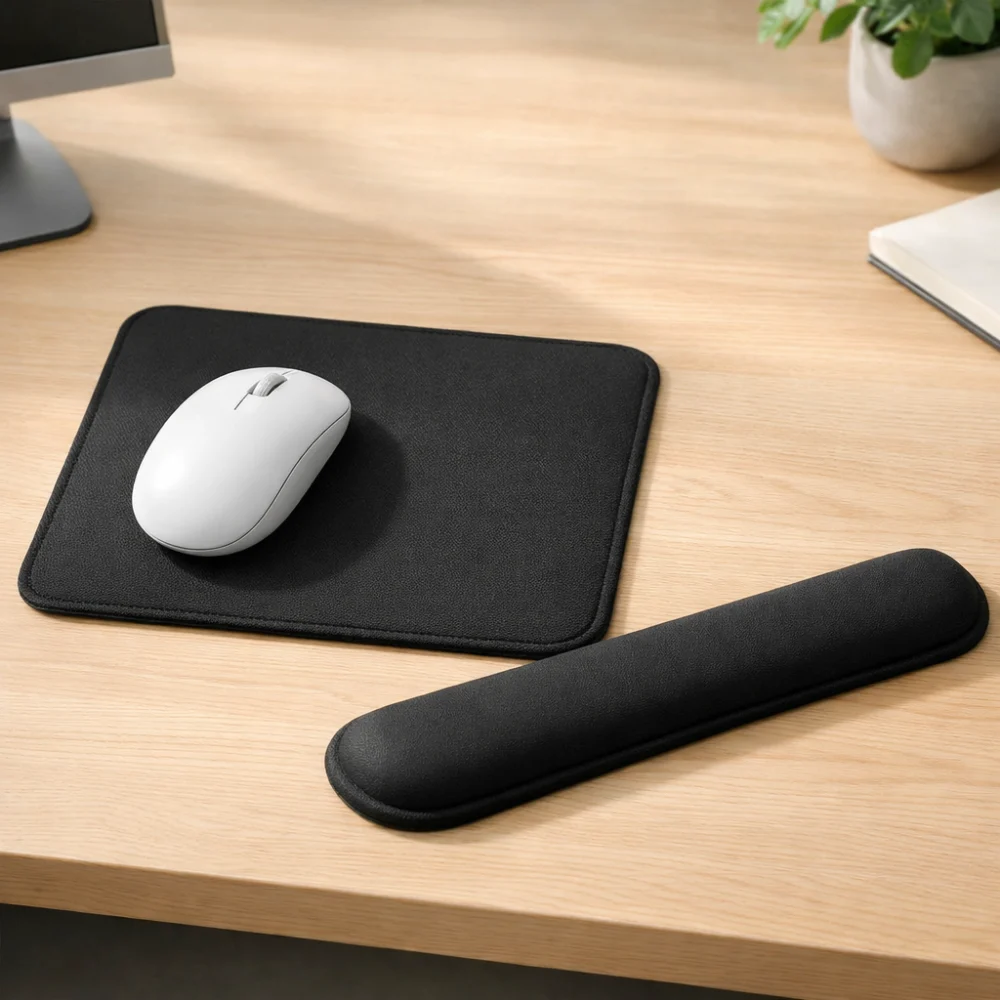
A mouse mat provides a defined surface for mouse movement, while a wrist rest adds a cushioned or shaped area beside or in front of the mouse. Some designs combine the two; others are separate accessories.
The right choice depends on how much desk space you can spare, how you move your mouse and whether a wrist rest feels comfortable at your setup. Focus on fit and practical details rather than assuming one style suits every desk or user.
Which mouse mat or wrist rest should you choose?
Start by measuring the clear desk area where the mat will sit and considering how far you move the mouse. Choose a surface and footprint that fit your routine without obstructing other desk items. Add a wrist rest only if its shape and height work with your mouse position and feel comfortable to you. Check the individual product information for dimensions, materials and care guidance.
Compare the main buying factors
| Feature | What it means | Why it matters | What to check |
|---|---|---|---|
| Footprint | The area the mat or rest occupies on the desk. | A larger mat can provide more room for mouse movement, but leaves less clear desk space. | Compare the listed dimensions with your available space and usual mouse movement. |
| Surface | The material and finish where the mouse moves. | Surface feel and movement can differ, affecting personal preference and how the mat fits your setup. | Look for a description of the surface and any stated care or compatibility guidance. |
| Thickness and edge | The mat’s profile and how its edges are finished. | These affect how it sits on the desk and how its edges meet the surrounding surface. | Check listed thickness and whether the product information describes its edge finish. |
| Underside grip | The design intended to help the mat stay in place. | A mat that shifts may be distracting during use. | Check whether a non-slip or other grip feature is explicitly stated, and consider your desk surface. |
| Wrist-rest design | A raised or cushioned area, integrated with a mat or supplied separately. | Its position and height may affect how naturally it fits your hand and desk arrangement. | Check its dimensions, materials and whether it is attached or separate. |
| Care | Instructions for cleaning and looking after the product. | Different surfaces and fills may need different care. | Read any care information supplied for the specific item before choosing. |
What to consider before buying
Size and desk layout
Measure the usable space, not just the full desk width: a monitor base, keyboard or other accessories may limit where a mat can go. A compact mat takes up less room, while a larger or extended design can leave more space for broad mouse movements. The trade-off is the desk area it occupies. If you also use a wrist rest, account for its footprint as well.
Surface and mouse movement
Mouse mats differ in surface material and finish, and people may prefer different levels of smoothness or texture. Consider how you move the mouse and whether you want a dedicated surface rather than using the bare desk. If a product page makes a claim about mouse compatibility or a particular surface characteristic, check that claim against your mouse and intended use rather than assuming it applies universally.
Thickness, edges and grip
A thicker mat sits differently from a thinner one, so consider how its edge will meet your desk and whether that profile suits your setup. Edge finishing and underside grip are also worth comparing, particularly if you want the mat to stay positioned during regular use. Do not assume a feature is present unless the individual product information specifies it.
Whether a wrist rest suits your setup
A wrist rest can be integrated into a mat or purchased as a separate piece. Compare its position and dimensions with where your mouse sits; a rest that takes up space or places your hand differently may not suit every arrangement. Comfort is personal, so a wrist rest should be treated as a preference rather than a guaranteed ergonomic or health benefit.
Specifications vary by model, so always check the individual product page before buying.
Common types and design options
- Compact mouse mats: Useful where desk space is limited or mouse movements are generally contained. Their smaller footprint may be restrictive for people who need more room.
- Larger or extended mats: Provide a broader surface area, which may suit wider mouse movement or a setup that benefits from one continuous mat. Check that the dimensions leave enough room for other desk items.
- Mats with an integrated wrist rest: Combine the mouse surface and rest in one design, which may make placement straightforward. The fixed arrangement may not suit every preferred hand position.
- Separate wrist rests: Can be positioned independently of a mouse mat. They are an additional item to fit into the available desk space.
Choosing for different needs
| If you need… | Consider… | Keep in mind… |
|---|---|---|
| To save desk space | A compact mat, with or without a separate rest. | Make sure its usable area is sufficient for how you move the mouse. |
| More room for mouse movement | A larger footprint, if your desk can accommodate it. | Check the full dimensions against the clear area around your other equipment. |
| A combined mat and rest | An integrated design with dimensions that suit your setup. | The rest’s position is fixed in relation to the mat. |
| Flexibility in positioning a rest | A separate wrist rest alongside a mat you choose independently. | Allow room for both and consider how their positions work together. |
Common buying mistakes
- Choosing by appearance alone: A colour or pattern does not tell you whether the mat fits your desk. Check dimensions and surface details first.
- Assuming a larger mat is always better: Extra area can help with mouse movement but may crowd a smaller desk. Measure the space you can actually use.
- Assuming every wrist rest will feel comfortable: Position, height and personal preference matter. Check the listed dimensions and treat comfort claims cautiously.
- Overlooking care information: Surfaces and materials can have different care requirements. Check the product guidance rather than assuming all mats can be cleaned the same way.
- Taking a feature in a product title as universal: Claims about grip, water resistance or construction apply only where stated for that product. Verify details on its individual page.
Safety and suitability
Choose a mat and rest that sit securely and suit the space and arrangement of your desk. A wrist rest is not a medical device, and no design can be assumed to prevent discomfort or injury. If a particular setup causes persistent discomfort, product choice alone may not address the cause.
Care and storage
Care requirements depend on the materials and construction. Follow the instructions supplied for the specific product, especially if it has a cushioned or layered design. If you plan to store a mat, check whether the maker provides guidance on handling or storage rather than assuming it can be folded or rolled without issue.
A simple buying process
- Decide whether you need a mouse mat, a wrist rest or a combined design.
- Measure the available desk area and note anything that limits placement.
- Choose a footprint that suits your mouse movement and leaves room for other items.
- Compare the surface, thickness, edge, grip and wrist-rest details that matter to you.
- Check the individual product information for dimensions, stated features and care guidance before deciding.
Buyer checklist
- Have I measured the space available for the mat and any separate wrist rest?
- Does the mat’s footprint suit the way I move my mouse?
- Have I checked the stated surface, thickness and edge details?
- If there is a wrist rest, do its position and dimensions suit my desk arrangement?
- Have I checked any stated grip, compatibility and care information rather than assuming it?
Frequently asked questions
Do I need a wrist rest with a mouse mat?
No. A mouse mat provides a surface for mouse movement; a wrist rest is an optional addition. Whether it suits you depends on your desk arrangement and personal comfort.
Is a larger mouse mat always the better choice?
No. A larger mat can provide more room to move the mouse, but it takes up more desk space. Match the footprint to both your movement and the room available.
Should I choose a mat with a built-in wrist rest or buy them separately?
An integrated design keeps the two parts together, while separate items allow more independent placement. Compare the dimensions and arrangement with your desk before choosing.
Can I use any mouse on any mouse mat?
Do not assume that every mouse and surface combination will suit every use. Check any compatibility guidance supplied for the mouse and mat, particularly if the product page specifies limitations.
How do I know whether a wrist rest will be comfortable?
Comfort depends on the individual and the setup. Check its dimensions and position, and avoid treating general comfort or ergonomic wording as a guaranteed result.
How should I clean a mouse mat or wrist rest?
Follow the care guidance for the specific product because surfaces and materials can differ. Avoid assuming that instructions for one design apply to another.


