
Mouse Mats and Wrist Rests
Mouse mats and wrist rests are practical desk accessories designed to improve everyday computer use, gaming, office work, study and home setups. Whether you need a smoother surface for your mouse, a larger desk mat for your keyboard area or wrist support for long typing sessions, the right accessories can make your workspace feel more organised and comfortable.
This category can include standard mouse mats, gaming mouse mats, large desk mats, keyboard wrist rests, mouse wrist rests, gel wrist rests, foam wrist rests and ergonomic desk accessories, depending on the products listed. Features vary by item, so always check the product details for size, material, surface type, base grip, thickness, care guidance and device compatibility before buying.
- Mouse Mats and Wrist Rests
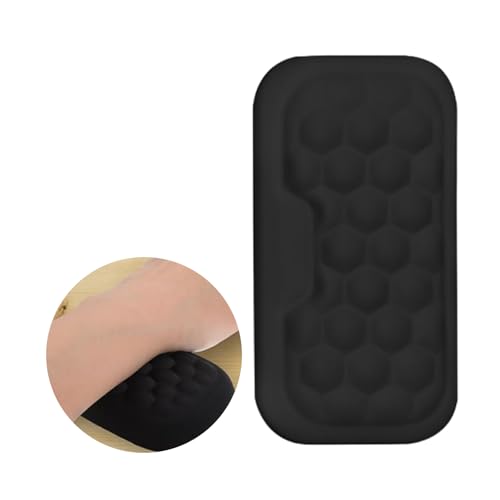
Ergonomic Wrist Rest and Armrest Pad with Anti-Slip Base
£9.90 *View On Amazon* - Mouse Mats and Wrist Rests
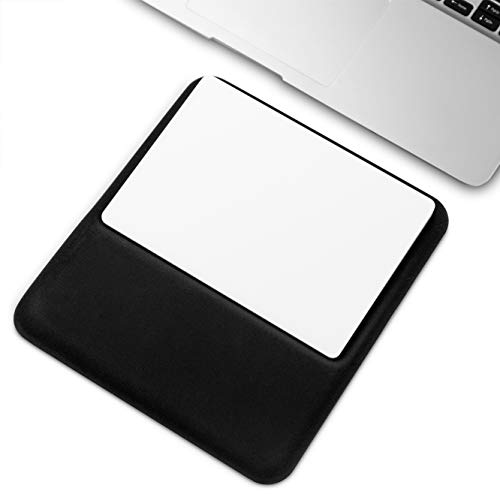
Vaydeer Slim Ergonomic Wrist Rest for Magic Trackpad, Black
£12.99 *View On Amazon* - Mouse Mats and Wrist Rests
MoKo Cloud Wrist Rest Set, Ergonomic Keyboard Wrist Rest, Mouse Rest and Mouse Pad, Purple
£20.99 *View On Amazon* - Mouse Mats and Wrist Rests
EGOSKY Ergonomic Keyboard Wrist Rest Pad Set, White
£14.17 *View On Amazon* - Mouse Mats and Wrist Rests
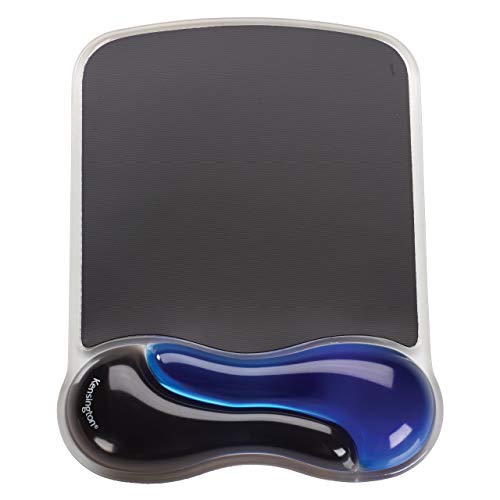
Kensington Duo Gel Mouse Pad with Wrist Rest Blue (K62401AM)
Original price was: £20.60.£19.74Current price is: £19.74. *View On Amazon* - Mouse Mats and Wrist Rests
2 Pcs Wrist Rest for Mouse Memory Foam Ergonomic Black Pad Set
£4.99 *View On Amazon* - Mouse Mats and Wrist Rests
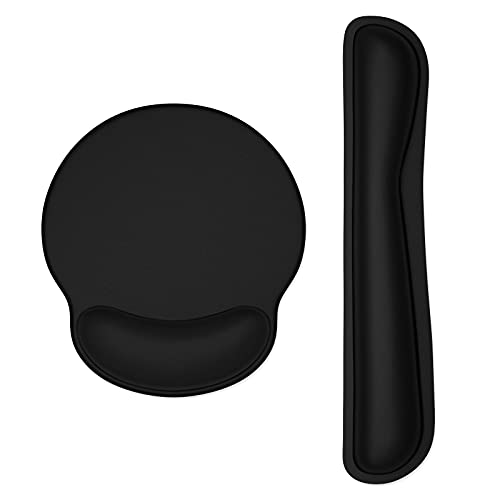
Jahosin Mouse Pad with Wrist Support Rest, Pure Black, 25 x 23 cm
£5.47 *View On Amazon* - Mouse Mats and Wrist Rests
Dapesuom Keyboard Wrist Rest and Mouse Pad Set, Memory Foam Wrist Supports, Jet Black
£13.99 *View On Amazon* - Mouse Mats and Wrist Rests
MOSISO Wrist Rest Support Mouse Pad and Keyboard Set, Antique Green
Original price was: £18.99.£14.98Current price is: £14.98. *View On Amazon* - Mouse Mats and Wrist Rests
Dapesuom Enlarge Keyboard Wrist Rest Pad Set, Green Leaf
£15.99 *View On Amazon* - Mouse Mats and Wrist Rests
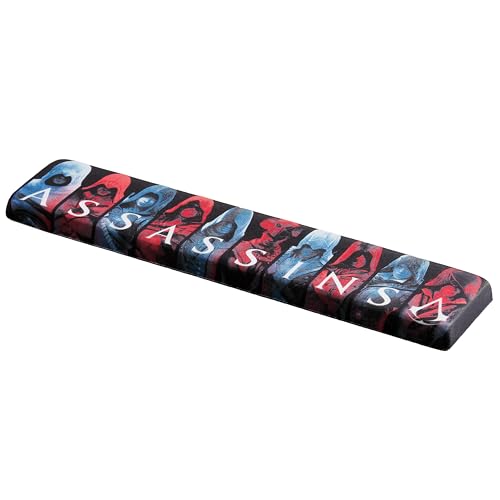
Subsonic Assassin’s Creed Shadow Wrist Rest with Memory Foam
£14.99 *View On Amazon* - Mouse Mats and Wrist Rests
VAYDEER Keyboard Wrist Rest Pad, Memory Foam Hand Rest Support, Black
£16.99 *View On Amazon* - Mouse Mats and Wrist Rests
Sushret Cloud Wrist Rest Keyboard and Mouse Set, White
£9.99 *View On Amazon* - Mouse Mats and Wrist Rests
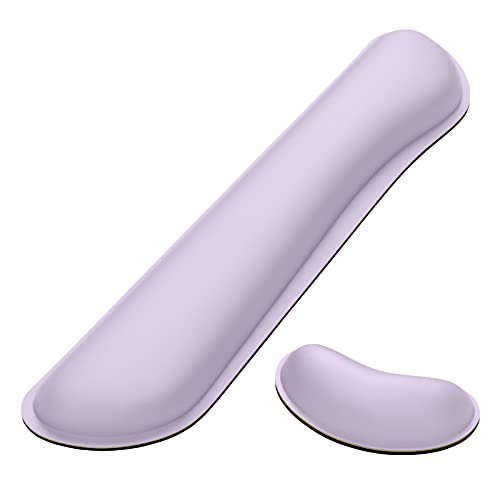
Dapesuom Enlarge Keyboard Rest Pad Memory Foam Wrist Cushion Support Set, Vanilla Purple
£15.99 *View On Amazon* - Mouse Mats and Wrist Rests
ELZO 2PCS Mouse Wrist Rest Support with Memory Foam Padding and Non-slip Rubber Base
£9.99 *View On Amazon* - Mouse Mats and Wrist Rests
Sushret Cloud Wrist Rest for Keyboard and Mouse Pad Set, 4-in-1 Memory Foam Leather, Rainbow
£17.99 *View On Amazon* - Mouse Mats and Wrist Rests
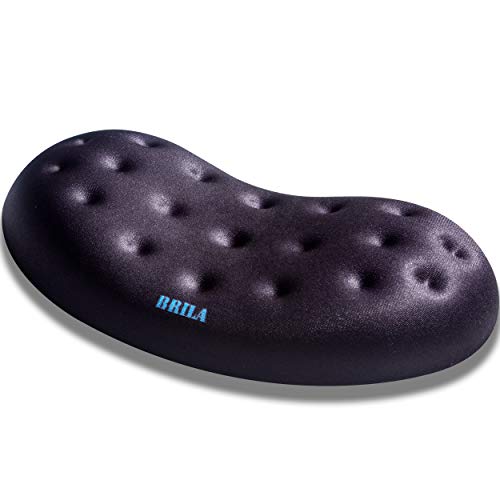
BRILA Ergonomic Memory Foam Mouse Wrist Rest Support Pad with Massage Holes
£8.59 *View On Amazon* - Mouse Mats and Wrist Rests
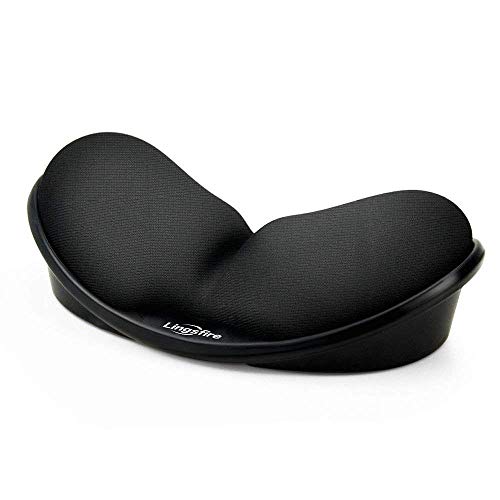
LINGSFIRE Memory Foam Mouse Wrist Rest Pad, Anti-skid Mousepad Support Mat, Black
£18.89 *View On Amazon* - Mouse Mats and Wrist Rests
Fellowes Memory Foam Keyboard Wrist Rest, Sapphire
£9.99 *View On Amazon* - Mouse Mats and Wrist Rests
Q-Connect Mouse Mat Black KF04517
Original price was: £3.79.£3.26Current price is: £3.26. *View On Amazon* - Mouse Mats and Wrist Rests
CSL White Anti-Slip Comfort Mouse Pad with Gel Foam Wrist Support
£7.99 *View On Amazon* - Mouse Mats and Wrist Rests
ProElife Premium PU Leather Mouse Pad 250mm x 200mm, White
£5.99 *View On Amazon* - Mouse Mats and Wrist Rests
Logitech G G440 Hard Gaming Mouse Pad, Black, 340 x 280 x 5 mm
£16.99 *View On Amazon*












What Are Mouse Mats and Wrist Rests?
Mouse mats are flat surfaces placed under a computer mouse to help it move smoothly and consistently. They can also protect the desk surface from scratches, marks and everyday wear.
Wrist rests are padded supports used near a keyboard or mouse to help support the wrist or palm area during computer use. Depending on the design, they may sit in front of a keyboard, beside a mouse mat or be built into a mouse mat where listed.
These accessories are simple, but they can make a desk setup feel more complete and easier to use.
What Are Mouse Mats and Wrist Rests Used For?
Mouse mats are used for office work, gaming, browsing, design, study, data entry and general computer control. They help create a more predictable surface for mouse movement, especially on desks that are glossy, uneven, dusty or too rough.
Wrist rests are used to support a more comfortable hand position during typing or mouse use where suitable. They may be useful for people who spend long periods at a desk, although they should be used as part of a sensible setup rather than relied on alone.
For gaming, a large mouse mat may support wider mouse movements. For office use, a wrist rest may help make regular typing feel more comfortable. For home desks, a simple mat can help keep the workspace tidier and more practical.
How To Choose The Right Mouse Mat or Wrist Rest
Start by thinking about how you use your computer. If you mostly work with documents, email and browsing, a standard mouse mat or keyboard wrist rest may be enough. If you game or use low mouse sensitivity, a larger mouse mat or desk mat may be more practical.
Next, consider size. A small mouse mat suits compact desks and basic use, while a large mouse mat gives more room for wider movements. A desk mat can sit under both keyboard and mouse, helping create one smooth working area.
For wrist rests, check the shape, length, height and material. A keyboard wrist rest should suit the width of your keyboard where possible. A mouse wrist rest should sit comfortably next to the mouse area without restricting movement.
Key Features To Compare
Surface material is one of the most useful features to compare. Fabric surfaces may feel soft and controlled, while harder surfaces may feel faster or easier to wipe clean, depending on the product.
Base grip also matters. A mouse mat that slides around can be distracting, so check whether the product has a rubber, textured or anti slip style base where listed.
Thickness can affect comfort and desk feel. Thinner mats may feel low profile, while thicker mats or padded rests may feel softer under the hand. The right choice depends on desk height, typing style and personal preference.
Other useful features to compare include stitched edges, water resistant wording where listed, washable surfaces, gel padding, memory foam style padding where stated, size, shape, colour, lighting features where included, cable cut outs and whether the item is designed for office, gaming or general home use.
Mouse Mats Compared With Desk Mats
A standard mouse mat is usually smaller and designed mainly for the mouse. It is a simple choice for everyday computer use, small desks and basic setups.
A desk mat is larger and may sit under the keyboard, mouse and other desk items. It can help create a cleaner looking workspace and give more movement room for the mouse.
The main trade off is compactness versus coverage. A mouse mat takes up less space, while a desk mat can make a wider area feel smoother and more organised.
Standard Mouse Mats Compared With Gaming Mouse Mats
Standard mouse mats are usually designed for general home and office use. They can be a practical choice for browsing, admin, work tasks and everyday computer control.
Gaming mouse mats may be larger, smoother or designed for more consistent tracking where listed. Some may also include stitched edges, thicker bases, extended sizes or lighting features where stated.
The right choice depends on how you use the mouse. For everyday use, a simple mat may be enough. For gaming or design work, surface feel, size and movement space may matter more.
Wrist Rests Compared With Ergonomic Keyboards and Mice
Wrist rests are simple accessories that can support the hands during pauses or light use. They can help make a standard keyboard or mouse setup feel more comfortable where suitable.
Ergonomic keyboards and mice are designed around hand position, grip style and posture where listed. They may be more suitable for users who want a fuller change to their desk setup.
The main trade off is support accessory versus equipment change. A wrist rest can be a simple addition, while an ergonomic keyboard or mouse may change the way you type or navigate more significantly.
Guidance For Home Users, Office Users and Gamers
Home users may want a simple mouse mat that protects the desk and gives reliable mouse movement. A compact size and easy clean surface may be enough for occasional use.
Office users may benefit from comparing wrist rest height, keyboard width, mouse mat surface and desk layout. If you type or use a mouse for long periods, small comfort details can make the setup feel easier.
Gamers may want a larger mat with enough space for fast or wide mouse movement. Surface texture, edge finish and base grip may be more important for gaming than for occasional browsing.
Use Cases By Desk Setup
For laptop setups, a mouse mat can make using an external mouse more comfortable, especially if the desk surface is uneven or glossy. A compact wrist rest may also be useful where suitable.
For desktop computers, a mouse mat and keyboard wrist rest can help create a more complete working area. Larger desks may suit extended mats, while smaller desks may need compact options.
For gaming desks, large mouse mats or full desk mats can give more room for keyboard and mouse movement. Check size carefully so the mat fits around monitors, speakers and other accessories.
For study spaces, simple accessories can help make homework, coursework and online learning more comfortable. Easy clean surfaces and low profile designs may be useful.
For shared family computers, durable and easy to clean mouse mats may be more practical than delicate materials.
Fit, Compatibility and Size Considerations
Mouse mats should fit the desk space and the way the mouse is used. A small mat may be fine for basic tasks, but it may feel restrictive for gaming, design work or lower sensitivity mouse settings.
Wrist rests should match the keyboard or mouse position. A full size keyboard may need a longer wrist rest, while a compact keyboard may suit a shorter one. Do not assume every wrist rest fits every keyboard layout.
Desk height and chair position also matter. A wrist rest that is too high or too low may feel awkward. The accessory should support comfort, not force the hand into an unnatural position.
Comfort, Posture and Practical Desk Setup
Mouse mats and wrist rests work best as part of a sensible desk setup. The keyboard, mouse, monitor, chair and desk height should all feel comfortable together.
A wrist rest should usually support the hand during pauses rather than encourage heavy pressure while actively typing. If it feels like it is forcing your wrists upwards or making movement harder, it may not be the right shape or height for your setup.
Regular breaks, relaxed shoulders and a comfortable arm position are also important during long computer sessions. If you experience ongoing pain, numbness or discomfort, it is sensible to seek appropriate advice rather than relying only on desk accessories.
Safety and Practical Use
Mouse mats and wrist rests should sit flat and stable on the desk. If a mat curls, slips or lifts at the edges, it may interfere with mouse movement or desk use.
Keep drinks away from computer accessories where possible. Some products may be easy to wipe clean where listed, but spills can still affect nearby keyboards, mice and electronics.
If the product includes lighting, USB connections or powered features where listed, follow the instructions carefully and avoid using damaged cables or connectors.
Care, Cleaning and Maintenance
Always follow the product care guidance. Fabric mats, hard mats, gel wrist rests and foam wrist rests may all need different cleaning methods.
For everyday care, remove dust, crumbs and surface marks regularly. A soft cloth may be suitable for many surfaces, but avoid harsh cleaners unless the product instructions say they are safe.
Let cleaned items dry fully before using them again. If a wrist rest becomes split, sticky, misshapen or uncomfortable, it may need replacing.
Storage and Desk Organisation Tips
Keep mouse mats and wrist rests flat where possible. Avoid folding or bending mats unless the product is clearly designed to be rolled or packed away.
If you use a large desk mat, lift it occasionally to clean dust from the desk underneath. This can help keep the workspace fresher and prevent grit from building up.
For spare accessories, store them clean and dry away from heat, damp and heavy objects. Avoid placing sharp items on top of soft wrist rests or fabric surfaces.
Useful Accessories To Consider
Useful accessories may include computer mice, keyboards, keyboard covers where compatible, desk mats, laptop stands, monitor stands, wrist supports, cleaning cloths, cable organisers and desk lamps.
For a more comfortable desk setup, a mouse mat and wrist rest can work well with a suitable keyboard, mouse and chair position. For gaming, a large mat, gaming mouse and suitable keyboard may help create a more consistent control area where compatible.
Why Buy From YPC?
At YPC, we understand active lifestyles and the need for practical products that work in real use. Mouse mats and wrist rests can vary by size, surface texture, padding, base grip, material, cleaning needs, comfort and intended use, so it helps to compare the details carefully before choosing.
YPC makes it easier to browse mouse mats and wrist rests in a practical way, with options that can be compared by listed features, desk setup and everyday needs. Whether you are buying for work, study, gaming, home use or a more comfortable computer setup, you can browse and compare mouse mats and wrist rests at YPC to find suitable options for your workspace.
FAQs
What is a mouse mat used for?
A mouse mat provides a smoother and more consistent surface for a computer mouse. It can also help protect the desk from marks, scratches and everyday wear.
Do I need a mouse mat for an optical mouse?
Some optical mice work on many surfaces, but a mouse mat can still improve consistency and comfort, especially on glossy, uneven or textured desks.
What is a wrist rest used for?
A wrist rest is used to support the wrist or palm area near a keyboard or mouse. It may help make desk use feel more comfortable where suitable, especially during long computer sessions.
Are wrist rests good for typing?
They can be useful for some users, especially during pauses, but they should not force your wrists into an awkward position. Desk height, keyboard position and regular breaks also matter.
What size mouse mat should I choose?
Choose a size based on your desk space and mouse movement. A small mat may suit basic use, while a larger mat may be better for gaming, design work or wider mouse movements.
What is the difference between a mouse mat and a desk mat?
A mouse mat is usually smaller and used mainly under the mouse. A desk mat is larger and may sit under both the keyboard and mouse for a wider working surface.
Are gaming mouse mats different?
Gaming mouse mats may be larger or designed for smoother, more consistent movement where listed. Some may include stitched edges, thicker bases or lighting features depending on the product.
Can mouse mats be washed?
Some mouse mats may be washable where listed, while others should only be wiped clean. Always follow the care instructions for the specific product.
How do I clean a wrist rest?
Follow the product guidance. Wipe away dust and marks with a suitable cloth, avoid soaking unless instructed and let it dry fully before using it again.
How do I stop a mouse mat slipping?
Choose a mat with a grippy or anti slip style base where listed. Make sure the desk surface is clean and dry before placing the mat down.
 Getting ready for Summer? View our Home and Garden Products

Heading outdoors this winter? Take a look at our Outdoor Clothing.