

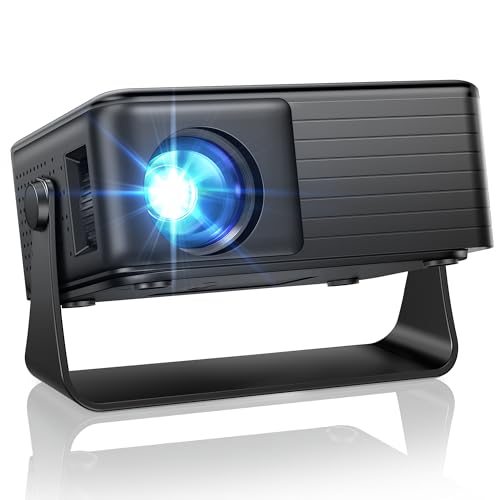
Quick Summary
The AKIYO O1 Mini Projector is a portable projector with a 360° rotating stand and auto keystone correction. It supports 1080P content, uses a native 1280 × 720 resolution, and is described with 15,000 lumens brightness.
It also includes 50% to 100% zoom, HDMI and USB connections, and support for iOS, Android, TV Stick and Switch use through compatible wired connections and external devices.
Key Details
| Detail | Verified information and buyer relevance |
|---|---|
| Brand | AKIYO. Useful for matching the projector with the correct product family. |
| Model | O1. Helps distinguish this mini projector from other versions. |
| Projection features | 360° rotating stand and auto keystone correction. These features affect placement and image alignment. |
| Resolution | Native 1280 × 720, with support for 1080P content. |
| Brightness | 15,000 lumens. |
| Contrast ratio | 5000:1. |
| Zoom | 50% to 100% zoom. |
| Connections | HDMI, USB, 3.5 mm audio and TF card ports. |
| Compatibility | Supports use with iOS, Android, TV Stick and Switch through compatible connections and external devices. |
| Size and weight | 4.8 × 3.7 × 2.1 inches and 320 g. |
What to Compare Before Buying
- Placement: The rotating stand and auto keystone correction are the main setup features. Compare them with the room or surface where you plan to use the projector.
- Image size and distance: The projector is described as able to produce a 35-inch image from 60 cm away, with a claimed screen size of up to 200 inches. Check whether that suits your space.
- Connections: Confirm that your device or external player works with the available HDMI, USB, audio or TF card connections.
- Phone connection method: iOS uses a compatible Lightning or USB-C to USB data cable, while some Android phones need MHL support and a USB-C to HDMI cable.
Compatibility, Size and Fit
This projector is intended for buyers who want a compact unit that can be positioned on a table, beside a bed or in another small viewing space. Its size and 320 g weight make it easy to move, while the 360° rotating stand gives more placement flexibility.
If you plan to mirror a phone, check the connection method carefully. The iOS connection uses a data-transfer cable, and charging-only cables are not supported. For Android phones, wired screen mirroring depends on device support, so MHL compatibility matters before buying.
What Else You May Need
A compatible data cable is required for iOS screen mirroring. Some Android devices also need a USB-C to HDMI cable, and not every Android phone supports wired screen mirroring. For streaming services, an external compatible device such as a TV stick is needed.
Using It in Practice
The compact size makes this projector easier to place in a bedroom, living room or other small viewing area. The rotating stand and zoom range give you more control over placement without moving the projector as much, which is useful when the room layout is fixed.
For the best picture quality, it is described for use in a dark or dimly lit environment.
Before You Decide
Check the native resolution, connection method and device compatibility before choosing this projector. Confirm whether you need iOS cabling, Android MHL support or an external streaming device for the way you plan to use it.
Also compare the size, weight and placement features with your available space, especially if you want a projector that will sit beside a bed, on a table or in a similar small area.


