

Quick Summary
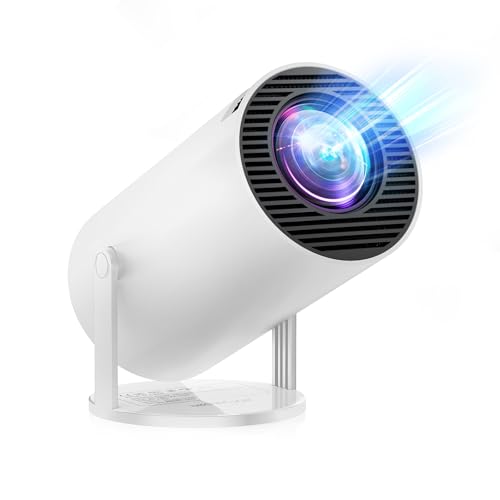
This Android 14 mini projector is a portable projector with built-in apps, 1080P resolution support and Bluetooth 5.2 connectivity. It is described as supporting 4K input and a maximum 300″ display size, with 30000 lux brightness stated in the product name.
The built-in Android 14 system is listed alongside 5,000+ apps, while Wi-Fi 6 support and 180° rotatable projection are also stated. For buyers, the main checks are the exact brightness claim, the image size you want to use and the connections you need for your devices.
Key Details
| Detail | Verified information and buyer relevance |
|---|---|
| Product type | Mini projector for home viewing and screen projection. |
| Operating system | Android 14 is built in, with access to 5,000+ apps as stated. |
| Resolution | 1920 x 1080P resolution support is stated. |
| Brightness | 30000 lux is stated in the product name. Compare this carefully if brightness matters to your setup. |
| Screen size | Maximum 300″ display size is stated. |
| Wireless connectivity | Wi-Fi 6 support is stated, including 2.4G and 5G network compatibility. |
| Bluetooth | Bluetooth 5.2 is stated for external device connection. |
| Rotation | 180° rotatable projection is stated for directing the image onto different surfaces. |
| Audio | Built-in 3W Hi-Fi speaker is stated. |
What to Compare Before Buying
- Brightness: 30000 lux is stated in the name. Compare that with the room lighting and the kind of image you want.
- Display size: The stated maximum is 300″. Check the space available for your wall or screen.
- Operating system and apps: Android 14 and 5,000+ apps are listed, so compare this with the content access you want from the projector itself.
- Connections: Wi-Fi 6 and Bluetooth 5.2 are stated. Check whether these fit the way you plan to stream or connect audio.
Using It in Practice
The 180° rotatable design means the projector can be aimed at different surfaces, including a wall, ceiling or floor, depending on how you set it up. That makes placement a key part of the buying decision, especially if you want to use it in a small room or in a more flexible viewing position.
The stated auto keystone correction is useful when the projector cannot sit squarely in front of the screen. If that matters to you, consider how much adjustment you want from the image before choosing an offer.
Before You Decide
Check that Android 14, the built-in apps and the stated wireless connections match how you want to use the projector. Confirm the 30000 lux brightness claim, the 300″ maximum display size and the 180° rotatable setup against your space and viewing plans.


