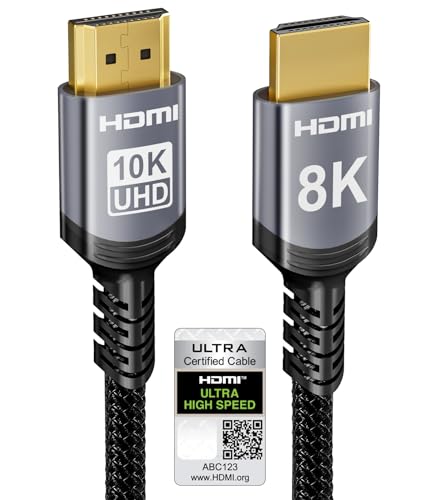
Quick Summary
The Anker Ultra High Speed HDMI Cable is an HDMI to HDMI cord for devices that need a high-bandwidth connection. It is stated to support 8K@60Hz, 4K@120Hz and 48 Gbps, with Dynamic HDR, eARC and Dolby Atmos also listed.
The cable length is 6.6 ft. It is described as compatible with PlayStation 5, Xbox Series X and Series S, plus other HDMI devices that support the stated HDMI 2.1 features.
Key Details
| Detail | Verified information and buyer relevance |
|---|---|
| Brand | Anker, which identifies the cable clearly. |
| Product type | HDMI to HDMI cable for connecting compatible HDMI devices. |
| Length | 6.6 ft, which helps when checking reach between equipment. |
| Bandwidth | 48 Gbps, a key figure for comparing against the needs of the connected devices. |
| Resolution support | 8K@60Hz and 4K@120Hz are listed for the cable. |
| Listed features | Dynamic HDR, eARC and Dolby Atmos are named. |
| Compatibility | PlayStation 5 and Xbox Series X/S are specifically named, along with other HDMI 2.1 devices that support the stated features. |
| Included items | Ultra High Speed HDMI Cable, welcome guide and 18-month warranty are stated. |
What to Compare Before Buying
- Connection standard: This cable is described as Ultra High Speed HDMI. Check that your equipment uses HDMI and needs the stated feature set.
- Length: The cable is 6.6 ft. Compare that with the distance between your devices and allow for routing.
- Resolution and refresh rate: 8K@60Hz and 4K@120Hz are listed. Match these figures to the display and device setup you plan to use.
- Compatibility: PlayStation 5, Xbox Series X and Series S are named. If you are using different equipment, confirm the exact HDMI requirements.
- Included contents: The welcome guide is included. Check whether any additional leads or adapters are needed for your setup.
Before You Decide
Confirm the 6.6 ft length suits your setup, and check that your devices need the stated HDMI features before choosing an offer. If you want the cable for a console or display setup, make sure the exact HDMI version and connection layout match your equipment.
Planning Your HDMI Setup
For a console, TV or monitor arrangement, this cable is the kind of lead to place after you have measured the gap between devices and confirmed the ports on each end. That keeps the cable choice tied to the real layout rather than to the product name alone.