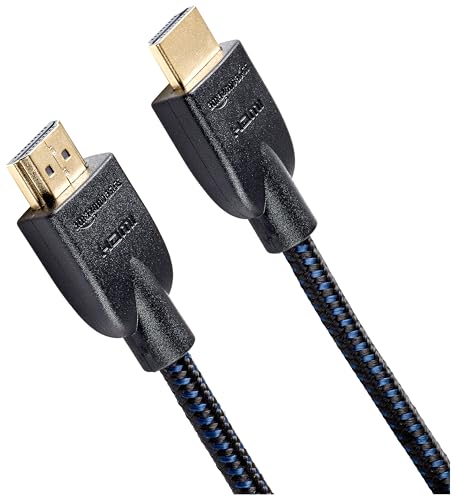
Quick Summary
The UGREEN HDMI 2.1 Cable is a 2 m HDMI cable described as Ultra High Speed, with 48Gbps bandwidth, eARC, HDR, HDCP 2.3 and Dolby Atmos Vision compatibility. It is presented for use with devices such as PS5, PS4, Xbox Series S/X, soundbars, TVs, gaming monitors, laptops, PCs and DVD players.
The cable is also described as supporting 10K, 8K, 4K and 1440p at a range of refresh rates. If these features matter to your setup, check the HDMI version and available ports on each device before choosing a lead.
Key Details
| Detail | Verified information and buyer relevance |
|---|---|
| Brand | UGREEN. Useful for matching the cable with the product range you are comparing. |
| Product type | HDMI 2.1 cable. Check this is the connection type you need. |
| Length | 2 m. Compare this with the distance between your devices. |
| Bandwidth | 48Gbps. This is one of the main figures buyers compare on HDMI leads. |
| Features named | eARC, HDR, HDCP 2.3 and Dolby Atmos Vision compatibility. Check that the devices and setup you use need these features. |
| Supported uses named | PS5, PS4, Xbox Series S/X, soundbar, TV, gaming monitor, laptop, PC and DVD player. Confirm the cable matches your exact equipment and port type. |
What to Compare Before Buying
- Length: This version is 2 m, so compare it with the spacing between source device and display or sound system.
- HDMI version support: The cable is described as HDMI 2.1. Check that your equipment has the HDMI version needed for the features you want to use.
- Feature support: eARC, HDR and HDCP 2.3 are named. Compare these with the features your TV, console, monitor or soundbar actually uses.
- Device match: The product is listed for several device types, including consoles, TVs, soundbars, laptops and PCs. Confirm the connection on your own equipment before choosing.
What Else You May Need
To use the cable for the named HDMI 2.1 features, the connected devices need suitable HDMI ports. Check both ends of the setup before purchase.
Before You Decide
Confirm the 2 m length suits your layout, check that your devices have the HDMI version needed for the features you want, and make sure the selected lead matches the equipment you plan to connect.