






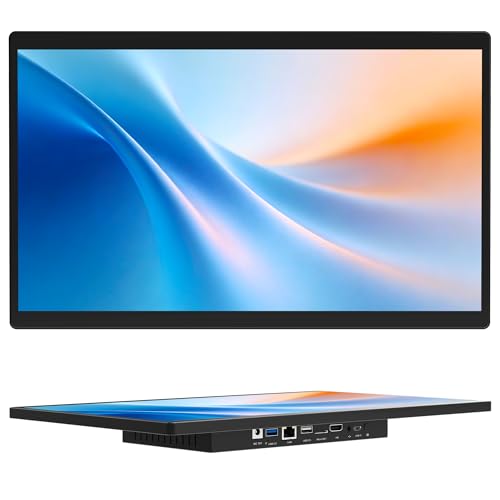

Compact and Reliable Everyday Computing
The Lenovo C320 is a 20-inch all-in-one desktop PC that combines affordability with practical features for everyday tasks. With its Intel Core i3-2120 processor running at 3.3GHz, 6GB of RAM, and a 1TB hard drive, it delivers reliable performance for web browsing, document editing, media playback, and casual applications.
The system’s design integrates the computer into the monitor, reducing desk clutter while maintaining essential features like a DVDRW drive, webcam, LAN/WLAN connectivity, and integrated graphics. Running on Windows 7 Home Premium 64-bit, it provides a familiar environment for users who prefer legacy systems.
Pros and Cons
Pros:
Compact all-in-one design saves desk space
Large 1TB HDD for storing documents, music, and videos
Built-in webcam and microphone for video calls
DVDRW optical drive for discs and backups
Lenovo Rescue System simplifies recovery and backup
Includes health and fun-focused tools like Eye Distance and YouCam
Cons:
Windows 7 is no longer supported, which limits security updates
HDD storage is slower than modern SSDs
Older integrated graphics not suitable for demanding media or gaming
Limited upgrade potential
What This Product Is Used For
The Lenovo C320 is suited for basic computing, home office admin, media playback, and casual internet use. It’s also ideal for educational use and family environments where simplicity and built-in software tools matter.
Why We Like This Product (YPC Team Review)
At YPC, we value the Lenovo C320 for its user-friendly features that go beyond raw performance. The Eye Distance System and Dynamic Brightness System are clever touches that show Lenovo’s focus on health-conscious computing. The Camera Fun Zone was surprisingly entertaining during testing, turning the webcam into a fun, interactive tool. For households or light office setups, it still has value.
Alternatives Worth Considering
Lenovo IdeaCentre I (2024 Business AIO) – A modern alternative with touchscreen, DDR5 memory, and wireless charging.
Acer Aspire C27-A (13th Gen) – A stylish 27-inch all-in-one with a 120Hz display for smoother visuals.
HP Pavilion 24 AIO – Mid-range alternative with newer hardware, suitable for light creative work.
Tips on How to Use Correctly
Keep data backed up using the Lenovo Rescue System.
Use the Eye Distance System regularly to promote healthy screen habits.
Maintain Windows 7 with security tools or consider upgrading to a newer OS if supported.
Leverage the YouCam software and webcam for engaging video calls or family fun.
Comparisons with Alternatives
Compared to the Lenovo IdeaCentre I (2024), the C320 is much less powerful but offers a low-cost, basic solution for light use.
Against the Acer Aspire C27-A, it lacks modern CPU power, faster SSD storage, and higher refresh displays, but still delivers essential functionality.
The HP Pavilion 24 AIO bridges the gap, offering newer specs without the premium of top-tier models.
Full Technical Specification
Display: 20-inch panel (resolution not specified)
Processor: Intel Core i3-2120, dual-core, 3.3GHz
Graphics: Integrated Intel HD Graphics (Sandy Bridge)
Memory: 6GB RAM (DDR3)
Storage: 1TB HDD
Optical Drive: DVDRW
Connectivity: LAN, WLAN
Camera: Integrated webcam with YouCam features
Audio: Integrated stereo speakers
Features:
Lenovo Rescue System for data backup and recovery
Eye Distance System for healthier viewing habits
Dynamic Brightness System for eye comfort
Camera Fun Zone and interactive webcam apps
Operating System: Windows 7 Home Premium 64-bit
Dimensions/Weight: Not specified
Colour: Black
FAQs
Q1: Does the Lenovo C320 include a DVD drive?
Yes, it has a built-in DVDRW optical drive.
Q2: Can I upgrade the storage to SSD?
Yes, the HDD can be replaced with an SSD for faster performance.
Q3: Is the webcam included?
Yes, the system has an integrated webcam with YouCam software.
Q4: What version of Windows does it run?
It ships with Windows 7 Home Premium 64-bit.
Q5: Does it support Wi-Fi?
Yes, it includes WLAN connectivity.
Q6: Can I use it for gaming?
It supports very light, older games but is not designed for modern titles.
Q7: Is Windows 7 still supported?
No, Microsoft ended support in 2020. Consider upgrading for better security.
Q8: How much RAM does it come with?
It comes with 6GB RAM installed.
Q9: Is the screen touchscreen?
No, this model has a standard display.
Q10: What makes this model unique?
Lenovo’s health-focused tools like Eye Distance and Dynamic Brightness set it apart from basic PCs of its time.
Buyer’s Guide – YPC Recommendation:
The Lenovo C320 is best for users who want a budget all-in-one with simple functionality and aren’t concerned about the latest operating systems or hardware. While outdated for power users, its family-friendly features and built-in recovery system still make it a practical choice in certain environments.
Looking for more options?
Browse our full range of All In One PC's for other great choices to suit your space, goals, and budget.


