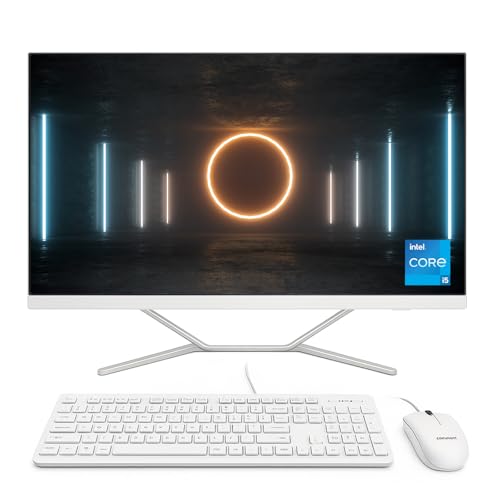
Stylish Design Meets Big-Screen Productivity
The Lenovo IdeaCentre AIO 27″ is built to combine power, space efficiency, and style in one complete package. Finished in elegant Luna Grey, it adds a premium look to any workspace. The 27-inch Full HD IPS display with 300 nits brightness ensures vibrant visuals and wide viewing angles, making it ideal for collaboration, video calls, and entertainment.
At its core, the AMD Ryzen 5 7535HS processor delivers 6-core power for seamless multitasking. With 16GB of RAM and a generous 1TB SSD, you’ll experience smooth performance and plenty of storage for documents, photos, and large media projects. Pre-installed with Windows 11 Home and paired with Wi-Fi 6, this all-in-one runs your daily tasks efficiently, from Microsoft Office to Zoom and Teams.
Pros and Cons
Pros
Large 27″ Full HD IPS screen with 300 nits brightness
Ryzen 5 7535HS handles multitasking with ease
16GB RAM supports heavy workloads
1TB SSD offers both speed and storage space
5MP AI-tuned webcam provides excellent video call quality
Sleek Luna Grey design with cable tidy keeps desks organised
Wireless keyboard and mouse included
Cons
Resolution is Full HD, not QHD or 4K
Integrated graphics limit performance for demanding gaming or 3D rendering
Fixed design without height adjustment (tilt only)
What This Product Is Used For
The IdeaCentre AIO 27 is perfect for:
Office productivity: Running Microsoft Office, Teams, and web apps smoothly
Video meetings: The 5MP AI webcam ensures crystal-clear calls
Entertainment: Enjoy films and media on a big 27-inch display
Family use: A centralised home PC with tidy cable management
Creative projects: Handles photo editing and light video editing comfortably
Why We Like This Product (YPC Team Review)
At YPC, we tested the Lenovo IdeaCentre AIO 27″ in one of our meeting rooms and found it to be an excellent balance of performance and practicality. The Ryzen 5 7535HS paired with 16GB RAM handled multitasking smoothly, even with multiple apps and video calls running together.
We also loved the 27-inch IPS display—the extra screen space made a real difference for productivity. The 5MP AI webcam gave sharp, professional-quality video, which stood out compared to most standard AIO webcams. The fact it includes a matching Luna Grey wireless keyboard and mouse was the finishing touch, keeping the setup stylish and clutter-free.
Alternatives Worth Considering
Lenovo ThinkCentre Neo 50a 27 Gen 5 – Professional-grade AIO with DDR5 RAM and Windows 11 Pro.
HP Pavilion 27 All-in-One – A stylish competitor with optional touch displays.
ASUS Vivo AIO 27″ – Slim design with a focus on premium visuals and sound.
Tips for Using Correctly
Keep Windows 11 Home updated for security and the latest features.
Use cloud storage to complement the 1TB SSD for easy backup.
Position the display where natural light won’t cause reflections.
Make use of the large screen by running apps side by side for multitasking.
Comparisons
IdeaCentre AIO 27 vs IdeaCentre AIO 24: The 27″ offers more workspace and brightness, while the 24″ is more compact.
IdeaCentre AIO 27 vs ThinkCentre Neo 50a 27: The Neo is more business-focused, while the IdeaCentre blends style with home and office versatility.
IdeaCentre AIO 27 vs HP Pavilion 27: HP offers touchscreen options, Lenovo wins with a bigger storage capacity out of the box.
Full Technical Specification
Model: Lenovo IdeaCentre AIO 27 (Luna Grey)
Display: 27″ Full HD IPS (1920 x 1080), 300 nits brightness
Processor: AMD Ryzen 5 7535HS (6 cores, up to 4.55GHz)
Graphics: Integrated AMD Radeon Graphics
Memory: 16GB RAM
Storage: 1TB SSD
Operating System: Windows 11 Home
Camera: 5MP AI-tuned webcam
Audio: Integrated stereo speakers
Connectivity: Wi-Fi 6, Bluetooth (version not specified)
Ports: USB, HDMI, LAN, audio jack (full list not specified)
Accessories: Wireless EOS keyboard and mouse included
Colour: Luna Grey
EAN: Not specified
10 Frequently Asked Questions (FAQs)
1. Is the display touchscreen?
No, this model does not support touch input.
2. Can I upgrade RAM or storage?
Yes, both are upgradeable depending on configuration.
3. How bright is the screen?
It reaches 300 nits, which is bright enough for most indoor spaces.
4. Is Windows 11 included?
Yes, it comes pre-installed with Windows 11 Home.
5. Does it support multiple monitors?
Yes, via HDMI output.
6. Is a keyboard and mouse included?
Yes, a Luna Grey wireless EOS keyboard and mouse are included.
7. Is this good for video calls?
Yes, the 5MP AI webcam provides clear, sharp video quality.
8. Can it handle gaming?
It’s fine for casual games but not designed for demanding modern titles.
9. How is the sound quality?
Good for everyday use and video calls, though external speakers improve entertainment.
10. Is the design ergonomic?
The stand allows tilt adjustment but not height adjustment.
Looking for more options?
Browse our full range of All In One PC's for other great choices to suit your space, goals, and budget.