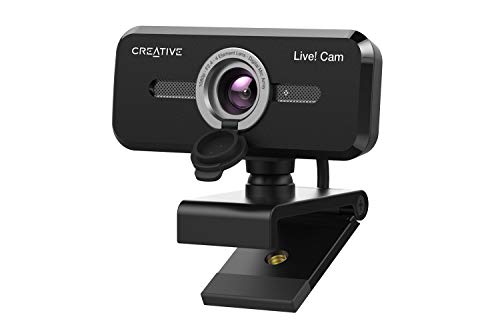
Quick Summary
The Logitech C930-E Business Webcam is a Full HD 1080p webcam for video calling and conference use, with 30fps video, light correction, autofocus, 4X zoom and a privacy shade. It is described as working with Skype Business, WebEx, Lync, Cisco, PC, Mac, laptop, Macbook and Chrome.
The opening summary also notes a 90-degree diagonal field of view, UVC 1.5 H.264 encoding, HDR and two omni-directional microphones, so it combines several verified calling features in one camera.
Who It Is Best For
This webcam is aimed at buyers who need a business webcam for online meetings, conference rooms or regular video calling. It is also a fit for anyone who wants compatibility across a range of listed platforms and devices, and who wants a privacy shade for use when the camera is not needed.
Key Details
| Detail | Verified information and buyer relevance |
|---|---|
| Product type | Business webcam for video calling and conferencing. |
| Video resolution | Full HD 1080p, giving a clear recorded video and calling format. |
| Frame rate | 30fps, which sets the stated video motion rate. |
| Field of view | 90-degree diagonal field of view for a wider camera view. |
| Image features | Light correction, autofocus and HDR are listed for image handling. |
| Zoom | 4X zoom is stated, with remote control pan, tilt and zoom mentioned in the long description. |
| Privacy feature | Privacy shade for covering the camera when not in use. |
| Connectivity and use | Works with Skype Business, WebEx, Lync, Cisco, PC, Mac, laptop, Macbook and Chrome. |
| Audio | Two omni-directional microphones are mentioned in the long description. |
| Encoding | UVC 1.5 H.264 encoding is stated. |
Why Buyers Choose It
- 1080p at 30fps gives a clearly defined video specification for meetings and calls.
- Light correction and autofocus are useful when the lighting is not consistent.
- The 90-degree diagonal field of view gives a wider frame than a narrow camera view.
- The privacy shade gives a simple physical cover for the lens when the webcam is not in use.
- The listed compatibility across several conferencing platforms and devices supports wider setup checking before purchase.
What To Know Before You Buy
Check that the platform or device you plan to use is one of the listed options before ordering. The camera is described as working with Skype Business, WebEx, Lync, Cisco, PC, Mac, laptop, Macbook and Chrome, so compatibility should be reviewed against your exact setup.
If you want the wider framing and zoom functions mentioned here, confirm that the selected use case matches the stated 90-degree diagonal field of view and 4X zoom.
Pros: It combines Full HD 1080p video, light correction, autofocus, a privacy shade and broad listed conferencing compatibility.
Cons: Check your exact device or platform match before ordering, as the compatibility list is specific.
Common Buyer Questions
Does it support Full HD video?
Yes, it is listed as Full HD 1080p at 30fps.
Can it be used for conference calls?
Yes, it is described as a business webcam for video calling and conferencing, with listed compatibility for Skype Business, WebEx, Lync and Cisco.
Does it have a privacy cover?
Yes, a privacy shade is included in the listed features.
What image features are mentioned?
Light correction, autofocus and HDR are all listed.
Final Buying View
If you need a business webcam with Full HD 1080p video, light correction and a privacy shade, the Logitech C930-E gives a clear set of verified features to compare. Confirm that your chosen platform or device is on the compatibility list before making your choice.
Real World Use
In day-to-day use, the webcam can be mounted on an LCD screen, notebook, tabletop or tripod, according to the long description. The privacy shade gives a simple way to cover the camera between calls, and the listed image features are relevant when lighting changes during video meetings.