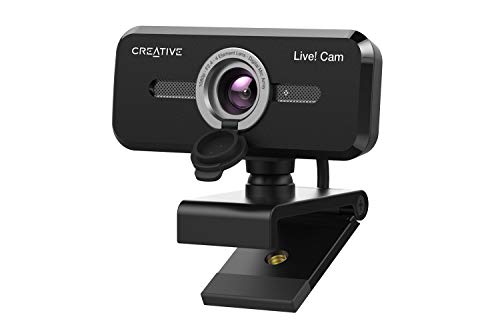
Quick Summary
The LYCANDER USB webcam is a black desktop and laptop camera with a built-in microphone, 1080p Full HD resolution and 30fps. It is set up for online meetings, video chats and streaming, with a standard USB 2.0 interface and default system drivers for Windows, Mac and Linux.
The camera also includes a 75 degree field of vision, low light and auto contrast correction, and noise reduction technology in the microphone. Those features are useful if you want a webcam that supports clearer picture and audio in everyday calls.
Who It Is Best For
This webcam suits buyers looking for a USB camera for a computer setup, especially where online classes, company meetings, live streaming or keeping in touch with family and friends are the main uses. It is also relevant if you want compatibility across Windows, Mac and Linux without additional software or drivers.
Key Details
| Detail | Verified information and buyer relevance |
|---|---|
| Brand | LYCANDER, which identifies the product for search and comparison. |
| Product type | USB webcam with microphone for desktop and laptop use. |
| Video resolution | 1080p Full HD, listed as 1920 x 1080 pixels. |
| Frame rate | 30fps for the stated video output. |
| Microphone | Built-in microphone with noise reduction technology. |
| Connection | Standard USB 2.0 interface. |
| Compatibility | Compatible with Windows, Mac and Linux with default system drivers. |
| Field of vision | 75 degree field of vision, giving a wider stated viewing area. |
| Image adjustment | Low light and auto contrast correction technology. |
Why Buyers Choose It
- 1080p Full HD at 30fps gives a clear stated video specification for calls and streaming.
- The built-in microphone with noise reduction technology supports the audio side of video chats.
- The USB 2.0 connection with default system drivers reduces setup steps on supported systems.
- The 75 degree field of vision provides a wider stated camera view for the frame.
- Low light and auto contrast correction help the camera adjust in dimmer conditions.
What To Know Before You Buy
Confirm that your device has a standard USB 2.0 connection and that you are using Windows, Mac or Linux if you want the stated driver-free setup. Check whether a 75 degree field of vision matches the framing you want for calls or streaming.
The webcam is listed for desktop and laptop use, so review your setup before ordering to make sure the camera position and connection suit your equipment.
Common Buyer Questions
Does it need extra drivers?
No, it uses default system drivers on Windows, Mac and Linux.
What picture quality is stated?
It is listed as 1080p Full HD, with 1920 x 1080 pixel resolution and 30fps.
Does it have a microphone?
Yes, it has a built-in microphone with noise reduction technology.
What kind of USB connection does it use?
It uses a standard USB 2.0 interface.
Final Buying View
This webcam combines a built-in microphone, 1080p Full HD video and USB 2.0 connectivity in one desktop or laptop camera. It is a straightforward option for calls, online classes and streaming if the listed compatibility matches your device. Check the USB connection and your preferred field of view before ordering.