


Quick Summary
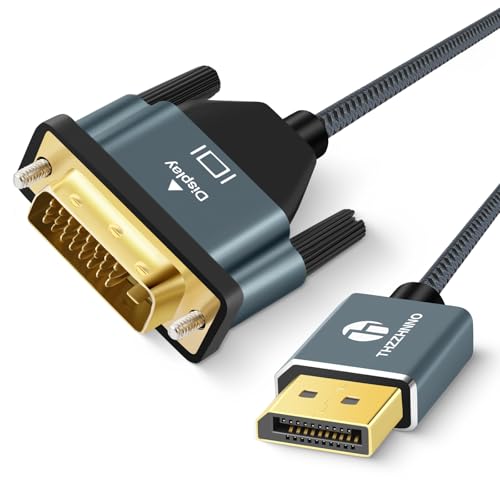
The Nersligek DisplayPort 2.1 Cable is a 5 m DP cable for connecting a graphics card, PC or gaming monitor with DisplayPort ports. The stated cable supports 16K@60Hz, 10K@60Hz, 8K@120Hz, 4K@240Hz/165Hz/144Hz and 2K@360Hz/240Hz, with up to 80Gbps bandwidth.
It is described as backwards compatible with DisplayPort 2.0, 1.4, 1.3 and 1.2, and it also mentions HDR, HDCP 2.2, FEC, UHBR10, FreeSync, G-Sync, VRR, ALLM, DSC 1.2a, MST and 32-bit audio pass-through.
Key Details
| Detail | Verified information and buyer relevance |
|---|---|
| Product type | DisplayPort cable for DisplayPort connections. |
| Length | 5 m, which matters if the display and source device are spaced apart. |
| Bandwidth | Up to 80Gbps. |
| Stated resolution support | 16K@60Hz, 10K@60Hz, 8K@120Hz, 4K@240Hz/165Hz/144Hz and 2K@360Hz/240Hz. |
| Compatibility notes | Described as compatible with DisplayPort, DP++ and DisplayPort++ ports, and not compatible with HDMI or Mini DP. |
| Extra stated features | HDR, HDCP 2.2, FEC, UHBR10, FreeSync, G-Sync, VRR, ALLM, DSC 1.2a, MST and 32-bit audio pass-through are mentioned. |
What to Compare Before Buying
- Port type: This cable is for DisplayPort connections only. Check both devices have the matching port type before choosing it.
- Length: The cable is 5 m long, so compare that with the distance between your devices and how you plan to route the cable.
- Resolution and refresh rate: The stated support includes 16K, 8K, 4K and 2K modes. Match this with the display mode you expect to use.
- Compatibility: The cable mentions DisplayPort, DP++ and DisplayPort++ support, so check the exact ports on your graphics card and monitor.
- Extras you need: If HDR, MST, FreeSync, G-Sync or other named features matter, make sure your equipment also supports them.
Compatibility, Size and Fit
This cable is intended for devices with DisplayPort ports. The 5 m length gives more reach than a short desk cable, but it is still worth checking the planned cable run, bends and routing before buying.
It is stated as not compatible with HDMI or Mini DP, so the port on each device needs to match the cable type.
What Else You May Need
You need a source device and display with compatible DisplayPort ports. If you want to use the named gaming and video features, those must also be supported by the connected hardware and display.
Before You Decide
Confirm the port type on both devices, especially if you are comparing it against HDMI or Mini DP connections. Check that 5 m is the right length for your setup, and match the stated resolution and refresh rate with your monitor and graphics card. If you are choosing it for a named gaming feature, make sure the rest of your equipment supports that feature too.


