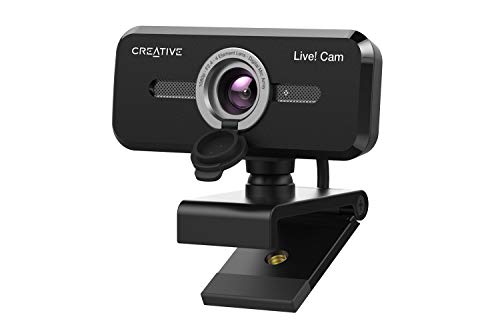
Quick Summary
The Nolansend 4K webcam is a USB webcam for video conferencing, online teaching and streaming. It offers 4K 3840 x 2160 video, built-in stereo microphones, a remote control with zoom and movement functions, and an external privacy cover.
It connects through a USB-A port and is described as plug and play, with no additional drivers required.
Who It Is Best For
This webcam suits buyers who want a camera for PC, laptop or Mac use, and who need compatibility with conferencing, teaching or live streaming setups. It is also relevant if you want remote control access to zoom and pan the view while using lower resolutions.
Key Details
| Detail | Verified information and buyer relevance |
|---|---|
| Brand | Nolansend, as named in the product information. |
| Product type | 4K webcam for video conferencing, online teaching and streaming. |
| Video resolution | 4K 3840 x 2160 pixels for Ultra HD video. |
| Camera control | Remote control supports zoom and movement functions when using 2K and below resolution. |
| Microphones | Built-in stereo microphones are included. |
| Privacy cover | External privacy cover is included for covering the lens. |
| Connection | USB-A plug and play connection with no additional drivers required. |
| Compatibility | Windows, Mac OS 10.10 or higher, Google Chromebook version 29.0.1547.70 or higher, and Linux with UVC support. |
| Listed platform support | Works with Zoom, Skype, Slack, Google Hangouts, OBS, Twitch, Facebook Live and YouTube Live. |
Why Buyers Choose It
- 4K 3840 x 2160 video gives a clearly stated Ultra HD capture option for call and streaming use.
- Remote control zoom and movement functions support repositioning the view when using 2K and below resolution.
- Built-in stereo microphones and an external privacy cover add two useful everyday features for calls and privacy.
- USB-A plug and play setup keeps the connection straightforward for supported devices.
How It Works
- Connect the webcam to a computer with a USB-A port.
- Use it as a plug and play device without additional drivers.
- For 2K and below resolution, enable the EPTZ function and use the remote control to zoom in or out.
- When zoomed in, the remote also allows the view to move up, down, left and right.
- Cover the lens with the privacy cover when you want to block the camera and sound.
Real World Use
The camera is set out for video conferencing, online teaching, live broadcasts and video calls. It is also listed for use with remote learning, teaching and live-streaming platforms, which makes compatibility checks important if you are setting it up with a specific computer or service.
What To Know Before You Buy
Check that your device has a USB-A port and that your operating system matches the listed compatibility range. If you want to use the remote control zoom and movement functions, note that they are described for 2K and below resolution. Review the selected setup carefully if you plan to use it with Linux, because UVC support is stated as required.
Common Buyer Questions
Does it work without drivers?
Yes. It is described as plug and play with no additional drivers required.
Which devices is it compatible with?
It is listed for Windows, Mac OS 10.10 or higher, Google Chromebook version 29.0.1547.70 or higher, and Linux with UVC support.
Can the remote zoom the image?
Yes. The remote control supports zooming in and out, and also moving the view when using 2K and below resolution.
Does it include a privacy cover?
Yes. An external privacy cover is included for covering the lens.
Final Buying View
If you need a 4K webcam with USB-A plug and play connection, remote zoom control and a privacy cover, this model gives you those stated features in one unit. Check your device compatibility and the resolution level you plan to use before ordering.