Quick Summary
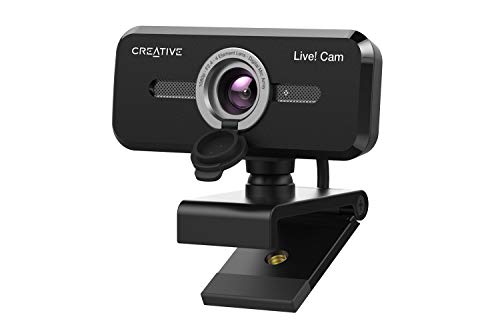
The TOALLIN 2K QHD Webcam is a computer camera with Windows Hello facial recognition, a 5 Million Pixels image sensor, auto-focus, a built-in microphone and a privacy shutter. It is set out for fast facial recognition login on compatible Windows systems, and it also supports clear image capture at up to 2592×1944 at 30fps.
The 84° wide field of view is stated as suitable for multiple people and meeting rooms of various sizes. The auto-focus function is described as helping keep a face or close-up product in focus when you move nearer to the camera.
Who It Is Best For
This webcam suits buyers who want facial recognition login on a compatible Windows PC, along with a camera for video calls, meetings or close-up product viewing. It is also a sensible check for anyone who needs the stated field of view for a wider frame.
Key Details
| Detail | Verified information and buyer relevance |
|---|---|
| Brand | TOALLIN, helping identify the exact webcam being listed. |
| Product type | Webcam / computer camera for PC use. |
| Windows Hello | Includes a separate built-in infrared camera for Windows Hello Face login on compatible systems. |
| Image sensor | 2K QHD CMOS sensor with 5 Million Pixels. |
| Video output | Up to 2592×1944 at 30fps, which is the stated capture specification. |
| Field of view | 84° wide field of view for a wider frame. |
| Focus | Auto-focus for keeping faces or close-up items clear when positioned near the camera. |
| Microphone | Built-in noise-cancellation microphone with noise-reduction algorithm. |
| Privacy feature | Privacy shutter included for covering the camera when not in use. |
Why Buyers Choose It
- The separate built-in infrared camera supports Windows Hello Face login on compatible Windows systems.
- The stated 2592×1944 at 30fps output gives a clear reference point for video resolution.
- The 84° field of view is useful when a wider view is needed for meetings or multiple people.
- The auto-focus function helps keep a face or nearby product in focus during closer use.
- The built-in microphone with noise-reduction is relevant for buyers who want audio captured through the camera itself.
- The privacy shutter gives a simple way to cover the lens when the camera is not being used.
How It Works
- Connect the webcam to your computer using USB.
- Use it for Windows Hello Face only on the official Windows version, Windows 10 or above, with Windows Hello Face installed.
- For Windows Hello unlocking, stay within 2ft or 60cm of the camera.
- If the camera is not recognised for Windows Hello, reboot the computer and try again.
- Use the auto-focus and microphone features during calls, meetings or close-up camera use as required.
Real World Use
In everyday use, this camera gives a wider 84° frame that can suit shared spaces such as meeting rooms. The auto-focus is useful when a person moves closer to the camera or when a product needs to be shown in close-up. The privacy shutter is a practical check for buyers who want to cover the lens between uses.
What To Know Before You Buy
Confirm that your computer is the official Windows version, Windows 10 or above, and has Windows Hello Face installed if you want facial recognition login. For Windows Hello unlocking, the stated working distance is within 2ft or 60cm of the camera. Review the 84° field of view, 2K QHD specification and privacy shutter to make sure they match your intended use.
Common Buyer Questions
Does this webcam support Windows Hello?
Yes. It includes a separate built-in infrared camera for Windows Hello Face on compatible Windows systems.
What video resolution does it output?
It is stated to output up to 2592×1944 at 30fps.
Does it have a microphone?
Yes. It has a built-in noise-cancellation microphone with a noise-reduction algorithm.
Is there a privacy cover?
Yes. A privacy shutter is included.
Final Buying View
Choose this webcam if you want a USB computer camera with Windows Hello facial recognition, a 2K QHD image specification, a built-in microphone and a privacy shutter. Confirm your Windows version and Hello Face setup before ordering, and check the 84° field of view against your intended use.