

Quick Summary
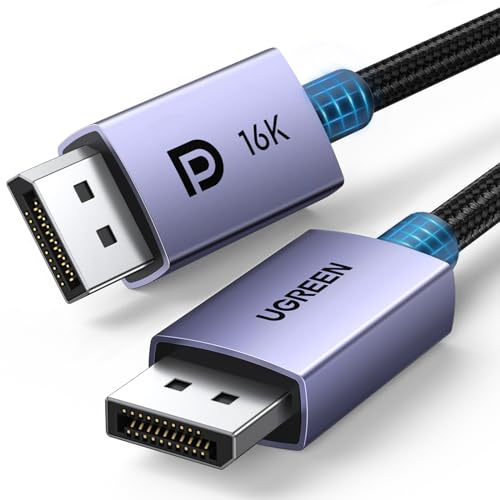
The UGREEN 16K DisplayPort Cable is a DP 2.1 to DP lead in a 2 m length. It is described as VESA Certified and supports high resolutions up to 16K@30Hz, with additional support listed for 8K@240Hz and 4K@240Hz.
The cable is also described with 54Gbps, HDR, DSC 1.2a, MST, FreeSync, G-Sync and HDCP 2.3. As a DisplayPort to DisplayPort lead, it is intended for devices with matching DisplayPort connections.
Key Details
| Detail | Verified information and buyer relevance |
|---|---|
| Brand | UGREEN. Useful for matching the product line and checking the exact item. |
| Product type | DisplayPort cable, DP 2.1 to DP lead. Check that both devices use DisplayPort connections. |
| Length | 2 m / 6.6 ft. Compare this with the distance between your devices. |
| Certification | VESA Certified. This may matter if you want an officially certified cable. |
| Resolution support | Up to 16K@30Hz, with 8K@240Hz and 4K@240Hz also stated. Compare this with the display setup you plan to use. |
| Bandwidth | 54Gbps is stated. Check that this matches the performance requirement for your setup. |
| Listed features | HDR, DSC 1.2a, MST, FreeSync, G-Sync and HDCP 2.3 are named on the product. Confirm these are the features you need. |
What to Compare Before Buying
- Connection type: This is a DisplayPort to DisplayPort cable, so both devices need the same type of port.
- Length: The cable is 2 m long, which matters if your monitor, PC or video card sits farther away.
- Resolution and refresh rate: The stated support includes 16K@30Hz, 8K@240Hz and 4K@240Hz. Compare that with the display mode you want to use.
- Feature support: HDR, DSC 1.2a, MST, FreeSync, G-Sync and HDCP 2.3 are all listed, so check which of these matter in your setup.
- Certification: If certification is important to your purchase, this model is described as VESA Certified.
Compatibility, Size and Fit
This cable is described as compatible with devices that have DisplayPort connectors. The listing also names TV, PC, video card and monitor use cases, along with DisplayPort, DP++ and DisplayPort++ modes.
For the right fit, check the port type on both devices, the 2 m cable length, and whether the display or graphics setup needs any of the listed features such as HDR, MST, FreeSync, G-Sync or HDCP 2.3.
Before You Decide
Confirm that both devices use DisplayPort connections and that 2 m is the right length for your setup. If the listed resolution support, bandwidth or feature set matters, match those details with the display and graphics hardware you plan to use.