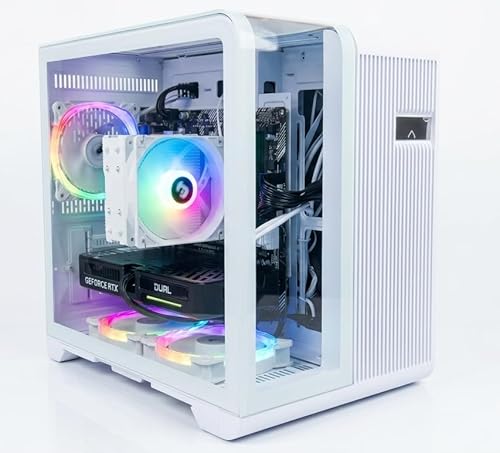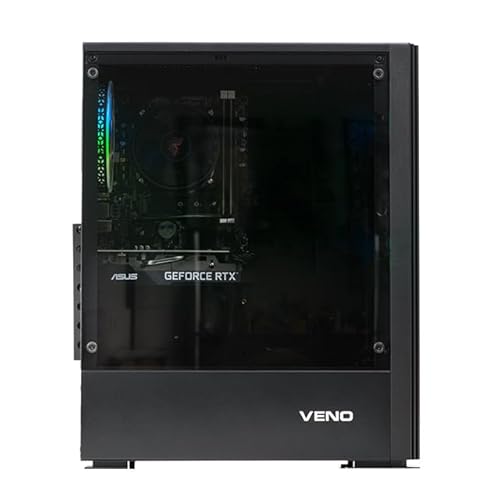

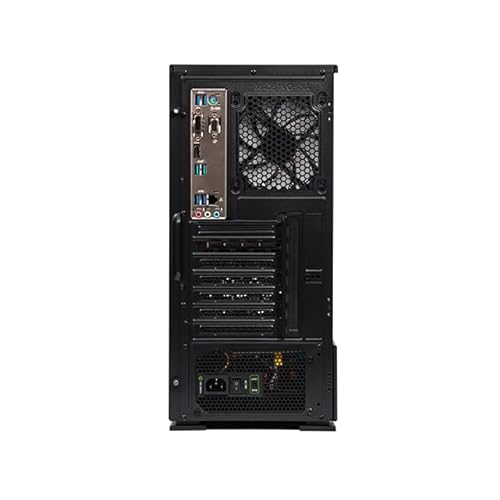

The Veno Scorp Dual Monitor Gaming PC Bundle is the ultimate plug-and-play setup for gamers, students, and home office users seeking both performance and value. Powered by the reliable Intel Core i5-3470 processor and AMD Radeon RX 550 4GB graphics card, this PC delivers smooth 1080p gaming and multitasking capabilities in a budget-friendly package.
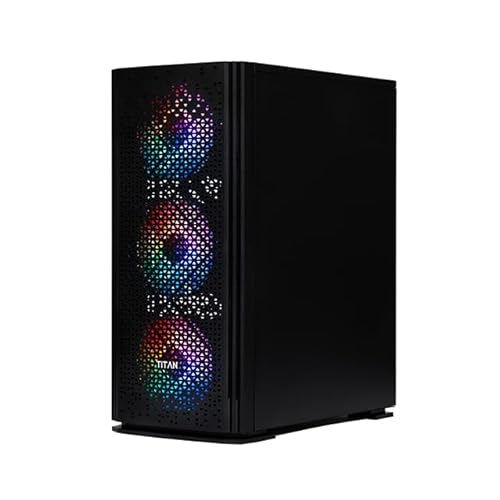
With 16GB of dual-channel RAM, a 120GB SSD for fast boots, and a 1TB HDD for mass storage, it balances speed and capacity for gaming, streaming, productivity, and everyday computing. All of this is housed in the bold Titan 4 Gaming Case, featuring 4 x ARGB fans and tempered glass.
What makes this bundle special is what’s included: TWO 22″ refurbished monitors, a new gaming keyboard and mouse, Wi-Fi, and Windows 10 Pro pre-installed. Whether you’re setting up your first gaming station or upgrading your remote work space, this all-in-one solution is ready to go out of the box.
Technical Specifications
| Component | Specification |
|---|---|
| CPU | Intel Core i5-3470 – 4 Cores / 4 Threads, 3.2GHz Base, 3.6GHz Turbo |
| GPU | AMD Radeon RX 550 4GB GDDR5 (Brand New) |
| RAM | 16GB DDR3 (2 x 8GB Dual Channel, High-Speed, Brand New) |
| SSD | 120GB 2.5″ SATA SSD – Fast OS and program boot times |
| HDD | 1TB 7200RPM SATA HDD – Great for file and game storage |
| Motherboard | LGA 1155 Compatible (Model may vary, Refurbished Grade A) |
| Power Supply | 550W ATX PSU (80+ Certified, Brand New) |
| Case | Titan 4 ARGB Gaming Case – 4 x ARGB Fans, Glass Panel |
| Monitors | Dual 22” Refurbished Monitors (Resolution: 1080p, Brands May Vary) |
| Peripherals | New Gaming Keyboard + Mouse |
| Operating System | Windows 10 Pro 64-bit (Pre-installed & Activated) |
| Networking | Wi-Fi Adapter Included (802.11 b/g/n) |
| Audio | HD Audio with Mic & Headphone Support |
| Video Outputs | HDMI, DVI, VGA (Varies by RX 550 model – Dual Monitor Supported) |
| Warranty | 2 Years Labour, 1 Year Parts, Lifetime Tech Support |
| Software | 90 Days Norton 360 for Gamers – VPN + Antivirus Protection |
What This Product Is Used For
Casual & entry-level 1080p gaming
Dual-screen productivity (coding, spreadsheets, writing, design)
School, college, or university work
Streaming, browsing, and multitasking
Home office with multitasking setups (Zoom, Docs, Email on separate screens)
Great for games like:
Fortnite, Minecraft, League of Legends
CS:GO / CS2, Valorant, Rocket League
Roblox, World of Warcraft, Sims 4
Light AAA gaming on low-medium settings
Why We Like This Product (Reviewed by the YPC Team)
This Veno Scorp Dual Monitor Bundle is an unbeatable value for gamers and power users on a budget. We love how it delivers solid 1080p performance with the RX 550, while offering everything you need in one box: PC, dual monitors, peripherals, and OS.
Whether you’re building your first setup or upgrading from an old laptop, this system handles modern tasks with ease. The Titan 4 case isn’t just for looks—it offers excellent airflow and room for future upgrades. Plus, with Windows 10 Pro, you get advanced security and remote desktop features out of the box.
Pros and Cons
✅ Pros:
Dual 1080p monitors included – great for gaming and productivity
RX 550 handles modern games at medium settings
Fast boot-up and performance from 120GB SSD
Extra 1TB HDD for game and media storage
Excellent airflow and design with Titan 4 ARGB case
Comes with Wi-Fi, activated Windows 10 Pro, keyboard & mouse
Outstanding value for students and home users
❌ Cons:
RX 550 is entry-level – not suitable for high-end AAA gaming
Intel i5-3470 is older (but still capable for most tasks)
No USB-C or PCIe Gen4 support
Monitors are refurbished (cosmetic condition may vary)
Alternatives Worth Considering
Veno Scorp RX 580 Bundle – i7 + RX 580 + Dual Monitor
Higher price, but much stronger GPU for modern games.Skytech Blaze 3.0 – Ryzen 5 + GTX 1650
Newer platform, better gaming potential, but no monitors included.Refurb Dell OptiPlex Bundle – i5 + GT 1030 + 2 Monitors
Lower price, smaller form factor, suitable for work and light gaming.
Tips on How to Use Correctly
Use SSD for Windows and key apps; store games and files on HDD.
Keep GPU drivers updated via AMD Adrenalin software.
Clean the case every few months to prevent dust build-up in fans.
Use DisplayPort or HDMI where possible for best monitor performance.
Set up dual monitors via Windows display settings (Win+P to configure).
Comparison: RX 550 vs GT 1030 vs RX 580
| Feature | RX 550 4GB | GT 1030 2GB | RX 580 8GB |
|---|---|---|---|
| VRAM | 4GB GDDR5 | 2GB GDDR5 | 8GB GDDR5 |
| Gaming Performance | 1080p Low–Med | 1080p Low | 1080p High–Ultra |
| Average FPS (Fortnite) | 50–60 FPS | 35–45 FPS | 90–100 FPS |
| Power Efficiency | Very Efficient | Most Efficient | High Power Draw (185W) |
| Ideal Use Case | Budget Gaming | Ultra Budget/Office | High-Performance Gaming |
What This Product Is Used For
Casual & entry-level 1080p gaming
Dual-screen productivity (coding, spreadsheets, writing, design)
School, college, or university work
Streaming, browsing, and multitasking
Home office with multitasking setups (Zoom, Docs, Email on separate screens)
Great for games like:
Fortnite, Minecraft, League of Legends
CS:GO / CS2, Valorant, Rocket League
Roblox, World of Warcraft, Sims 4
Light AAA gaming on low-medium settings
Why We Like This Product (Reviewed by the YPC Team)
This Veno Scorp Dual Monitor Bundle is an unbeatable value for gamers and power users on a budget. We love how it delivers solid 1080p performance with the RX 550, while offering everything you need in one box: PC, dual monitors, peripherals, and OS.
Whether you’re building your first setup or upgrading from an old laptop, this system handles modern tasks with ease. The Titan 4 case isn’t just for looks—it offers excellent airflow and room for future upgrades. Plus, with Windows 10 Pro, you get advanced security and remote desktop features out of the box.
Pros and Cons
✅ Pros:
Dual 1080p monitors included – great for gaming and productivity
RX 550 handles modern games at medium settings
Fast boot-up and performance from 120GB SSD
Extra 1TB HDD for game and media storage
Excellent airflow and design with Titan 4 ARGB case
Comes with Wi-Fi, activated Windows 10 Pro, keyboard & mouse
Outstanding value for students and home users
❌ Cons:
RX 550 is entry-level – not suitable for high-end AAA gaming
Intel i5-3470 is older (but still capable for most tasks)
No USB-C or PCIe Gen4 support
Monitors are refurbished (cosmetic condition may vary)
Alternatives Worth Considering
Veno Scorp RX 580 Bundle – i7 + RX 580 + Dual Monitor
Higher price, but much stronger GPU for modern games.Skytech Blaze 3.0 – Ryzen 5 + GTX 1650
Newer platform, better gaming potential, but no monitors included.Refurb Dell OptiPlex Bundle – i5 + GT 1030 + 2 Monitors
Lower price, smaller form factor, suitable for work and light gaming.
Tips on How to Use Correctly
Use SSD for Windows and key apps; store games and files on HDD.
Keep GPU drivers updated via AMD Adrenalin software.
Clean the case every few months to prevent dust build-up in fans.
Use DisplayPort or HDMI where possible for best monitor performance.
Set up dual monitors via Windows display settings (Win+P to configure).
Comparison: RX 550 vs GT 1030 vs RX 580
| Feature | RX 550 4GB | GT 1030 2GB | RX 580 8GB |
|---|---|---|---|
| VRAM | 4GB GDDR5 | 2GB GDDR5 | 8GB GDDR5 |
| Gaming Performance | 1080p Low–Med | 1080p Low | 1080p High–Ultra |
| Average FPS (Fortnite) | 50–60 FPS | 35–45 FPS | 90–100 FPS |
| Power Efficiency | Very Efficient | Most Efficient | High Power Draw (185W) |
| Ideal Use Case | Budget Gaming | Ultra Budget/Office | High-Performance Gaming |