BUYERS GUIDE
Gaming PC Buyers Guide
A gaming PC is a desktop computer built to run games smoothly at suitable visual settings and resolutions. It can also handle streaming, video editing, content creation and everyday computing, depending on the specification.
Choosing one is not simply a matter of buying the system with the brightest lighting or the largest case. The graphics card, processor, RAM, storage, cooling, power supply and monitor all need to work together.
This guide explains how to compare gaming PCs in practical terms. It covers the components that matter, common buying mistakes, realistic trade offs and the checks to make before placing an order.
Quick Answer
Choose a gaming PC by starting with the games you want to play, your monitor resolution and the level of visual performance you expect. The graphics card usually has the greatest influence on gaming performance, but it must be supported by a suitable processor, enough RAM, fast storage, effective cooling and an appropriate power supply. Check whether the monitor, keyboard, mouse and operating system are included, as many listings supply only the computer tower. Specifications vary by model, so always check the individual product page before buying.
Quick Product Comparison Framework
| Feature | What It Means | Why It Matters | What To Check |
|---|---|---|---|
| Graphics card | Dedicated hardware that processes game visuals | Usually has the greatest effect on gaming resolution, detail and frame rate | Exact graphics model and installed memory |
| Processor | Handles game logic, background tasks and system instructions | Affects performance, responsiveness and some games more than others | Processor family, generation and exact model |
| RAM | Working memory used by games and active applications | Helps with multitasking, modern games and background software | Installed capacity, speed and available slots |
| Storage | Space for games, software and files | Affects game capacity and loading times | SSD type, capacity and additional drive options |
| Cooling | Removes heat from the processor, graphics card and case | Helps maintain stable performance during longer sessions | Case airflow, fan layout and processor cooling |
| Power supply | Provides electricity to all internal components | Important for stability, efficiency and future upgrades | Rated output, connectors and suitability for the components |
| Case size | Physical enclosure containing the hardware | Affects airflow, desk space and upgrade room | Dimensions, ventilation and supported component sizes |
| Motherboard | Connects the main components together | Determines ports, upgrade paths and compatibility | Memory slots, storage connections and expansion slots |
| Connectivity | Wired and wireless connections | Needed for internet access, headsets, controllers and accessories | Ethernet, WiFi, Bluetooth, USB and audio ports |
| Operating system | Software platform used to run games and applications | Affects compatibility and whether the PC is ready to use | Whether an operating system is installed and activated |
Key Decision Criteria Explained
Start With The Games You Want To Play
Different games place different demands on a computer. Competitive multiplayer games may prioritise high frame rates, while visually detailed story games may benefit more from stronger graphics performance.
Check the recommended requirements for your most demanding games rather than only looking at minimum requirements. Minimum specifications may run a game, but they may not provide the experience you expect.
Also consider future games. Buying a system that only just meets today’s needs may leave less room for newer releases.
Graphics Card And Gaming Performance
The graphics card processes the visual side of games. It has a major influence on resolution, visual quality, lighting effects and frame rate.
A more powerful graphics card may allow higher settings or smoother performance, but it also increases cost, power use and cooling requirements. The right choice depends on your monitor and the games you play.
Check the exact graphics card model. Vague wording such as gaming graphics or dedicated graphics is not enough to make a useful comparison.
Matching The PC To Monitor Resolution
Your monitor resolution changes how much work the graphics card must perform. Running games at a higher resolution generally requires more graphics processing than running them at a lower resolution.
A system intended for a standard Full HD monitor may not provide the same performance when connected to a higher resolution display. Check the gaming PC and monitor together rather than treating them as separate decisions.
Refresh rate also matters. A high refresh monitor is most useful when the computer can produce enough frames to take advantage of it.
Processor Performance
The processor handles game logic, artificial intelligence, physics, background programmes and general system tasks.
Some games depend heavily on the processor, particularly simulation, strategy and competitive titles. A stronger processor can also help if you plan to stream, record gameplay or run several applications at once.
Do not choose by core count alone. Processor generation, architecture and exact model all influence real performance.
RAM Capacity And Upgradeability
RAM supports active games, browser tabs, chat software, launchers, streaming tools and other open applications.
Too little memory can result in slowdowns or frequent loading from storage. More memory can help with multitasking, but buying far more than you need may provide little benefit.
Check whether the system uses one or several memory modules and whether spare slots are available. This can affect future upgrade options.
SSD Storage And Game Libraries
Modern games can use a substantial amount of storage. A small drive can fill quickly once the operating system, launchers, updates and several games are installed.
An SSD can help with system responsiveness and loading times. Different SSD types may offer different performance, but capacity is often just as important for a gaming library.
Check whether the case and motherboard support additional storage if you expect your collection to grow.
Cooling And Case Airflow
Gaming components can produce significant heat during demanding sessions. Effective cooling helps maintain stable performance and reduces the chance of excessive fan noise or thermal slowdowns.
Look at the case ventilation, intake fans, exhaust fans and processor cooler. A case covered in glass with limited airflow may look attractive but still need a sensible ventilation design.
Larger cooling systems are not automatically better. They must be properly installed, supported by the case and suitable for the processor.
Air Cooling And Liquid Cooling
Air cooling uses a heatsink and fan to remove processor heat. It can be simple, reliable and suitable for many gaming systems.
Liquid cooling uses a pump, radiator and fans. It may suit higher performance processors or particular case layouts, depending on the system.
Do not assume liquid cooling is required for gaming. Check the processor, expected workload, radiator size and maintenance guidance.
Power Supply Quality And Capacity
The power supply supports every component in the system. It needs enough capacity for the graphics card, processor, drives, fans and any future additions.
A larger number on the label does not automatically mean better quality. The power supply must provide the correct connections and be suitable for the installed hardware.
Power supply details are especially important if you plan to upgrade the graphics card later.
Motherboard Features
The motherboard determines which processors, memory, storage drives and expansion cards can be used.
A basic motherboard may run the supplied system perfectly well but offer fewer future options. Buyers planning upgrades should check memory slots, storage connections, expansion slots, networking and rear ports.
The motherboard size can also affect the number of available expansion options.
Ports And Connectivity
A gaming PC may need connections for a monitor, keyboard, mouse, headset, microphone, controller, webcam, external drive and other accessories.
Check which display connections come from the graphics card. The monitor should normally connect to the graphics card rather than an unsuitable motherboard display output where dedicated graphics are installed.
WiFi and Bluetooth are not guaranteed. Check whether they are built in if you need wireless internet, controllers or headphones.
Product Type Differentiation And Variants
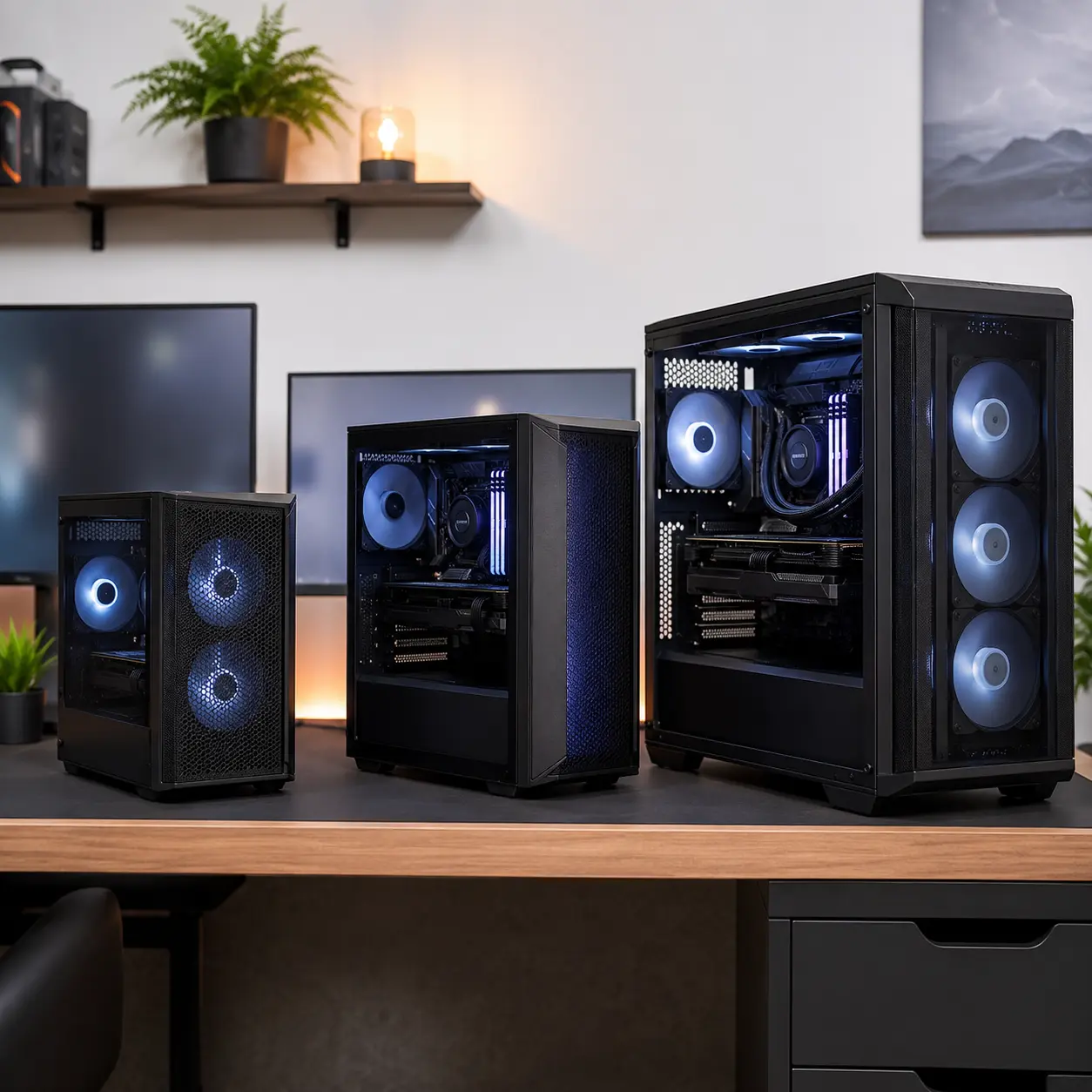
Entry Level Gaming PCs
Entry level gaming PCs are designed for lighter games, older titles, esports games or lower visual settings, depending on their specifications.
They can be a sensible starting point for new players, but upgrade limits should be checked carefully. A weak power supply, compact case or basic motherboard may restrict future component changes.
Mid Range Gaming PCs
Mid range systems aim to balance gaming performance, cost and future flexibility. They may suit a wide variety of games at commonly used monitor resolutions.
The exact specification still matters. Two systems sold at a similar price can prioritise different components, such as a stronger processor in one and a stronger graphics card in another.
High Performance Gaming PCs
High performance systems are built for demanding games, higher resolutions, strong frame rates, streaming or more advanced visual settings.
They usually require better cooling and a suitable power supply. They may also use more electricity and produce more heat than simpler systems.
Make sure the performance matches your monitor and actual gaming needs before paying for components you may not use.
Compact Gaming PCs
Compact gaming PCs reduce the amount of desk or floor space required. They can look tidy and work well in smaller rooms.
The trade off is usually internal space. Compact cases can make cooling, cable management and future upgrades more difficult.
Check component size limits, ventilation and access before choosing a small system.
Gaming PCs With Tempered Glass And Lighting
Many gaming cases include glass side panels and internal lighting. These features can make the components visible and allow the setup to match other gaming accessories.
Lighting does not improve gaming performance. Prioritise airflow, component quality and useful specifications before decorative features.
Prebuilt Gaming PCs
A prebuilt gaming PC arrives assembled and may include an installed operating system, tested components and seller support where stated.
This can be convenient for buyers who do not want to select and assemble individual parts. However, check the exact motherboard, power supply, cooling and memory configuration rather than focusing only on the processor and graphics card.
Custom Built Gaming PCs
A custom system allows components to be selected around a specific budget, game library, appearance or upgrade plan.
It requires careful compatibility checks. The processor, motherboard, RAM, power supply, cooling, case and graphics card all need to work together.
Custom does not automatically mean better. The quality depends on the selected parts and how well they are assembled.
Gaming And Streaming PCs
Gaming and streaming systems are intended to run games while also handling broadcasting, recording, chat and other background software.
They may benefit from stronger processor performance, more RAM and additional storage. Internet upload speed and streaming platform requirements also matter.
Gaming And Creative Workstations
Some buyers want one computer for games, editing, design, music or other creative applications.
Check the requirements of both the games and the professional software. A component that performs well in games may not be the ideal choice for every creative workload.
Suitability By Buyer Type Or Need
| Buyer Type Or Need | What To Prioritise | What To Be Careful About |
|---|---|---|
| New PC gamer | Balanced graphics, processor and SSD storage | Avoid paying mainly for lighting and appearance |
| Competitive gamer | Strong frame rate performance, suitable processor and monitor | Check that the monitor can use the expected frame rate |
| Story driven games | Graphics performance, storage and monitor quality | Higher visual settings can require more powerful hardware |
| Simulation and strategy | Processor performance, RAM and cooling | Do not focus only on the graphics card |
| Streaming | Processor, RAM, storage and network connection | Check upload speed and platform requirements |
| Creative work and gaming | Processor, graphics, RAM and colour suitable monitor | Check professional software compatibility |
| Small bedroom setup | Compact case and controlled noise | Small cases may restrict airflow and upgrades |
| Future upgrades | Standard components, strong power supply and spacious case | Proprietary systems can limit component choices |
| Large game library | High capacity SSD and extra drive support | Check how much usable space remains after setup |
| Virtual reality | Graphics performance, ports and headset requirements | Confirm compatibility with the exact headset |
Common Mistakes And Misunderstandings
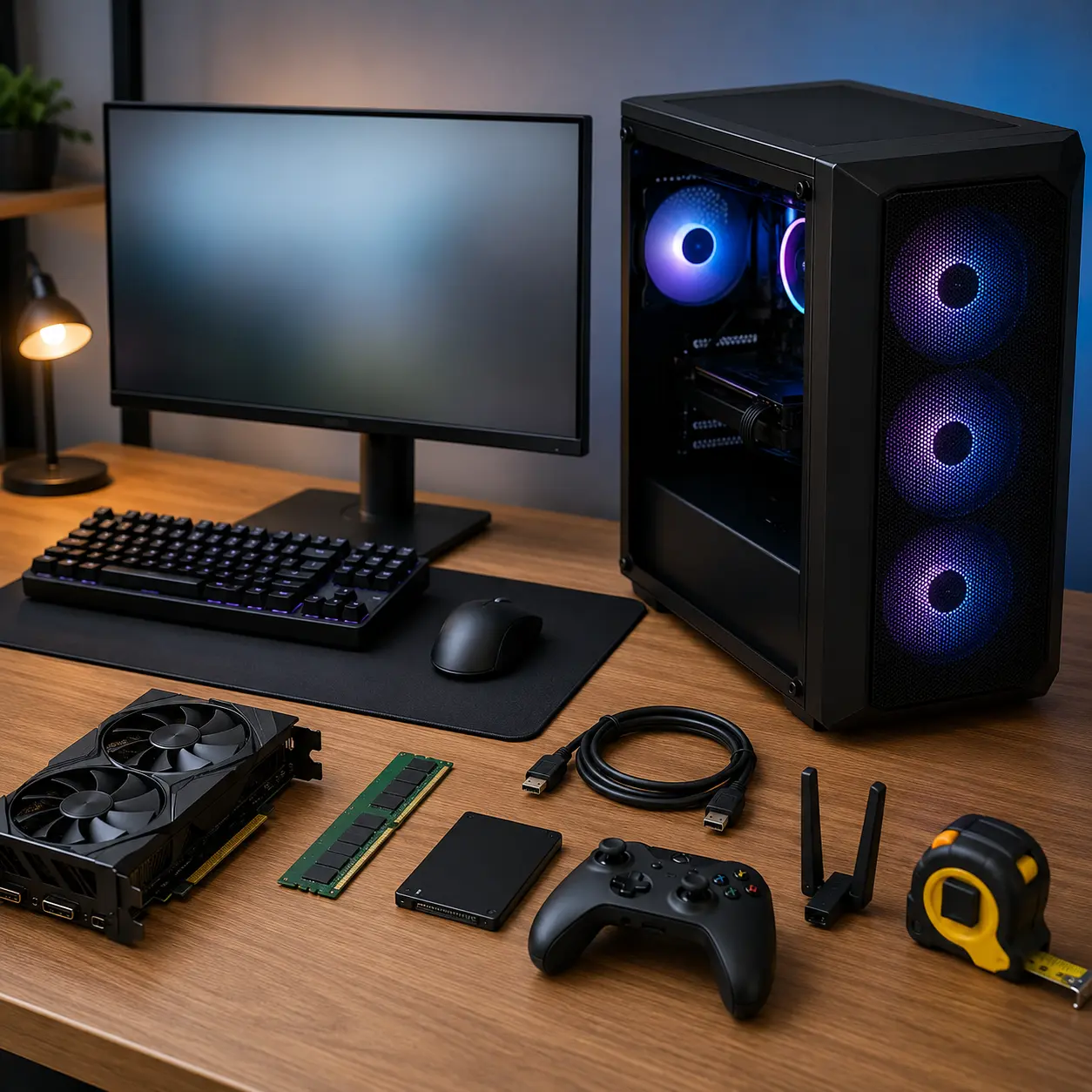
Buying The Most Expensive Graphics Card Without Considering The Rest
A very powerful graphics card may be held back by an unsuitable processor, weak power supply, limited cooling or low memory capacity.
Choose a balanced system. The components should support one another and match the monitor you intend to use.
Assuming Gaming Appearance Means Gaming Performance
Bright lighting, glass panels and angular cases can make a PC look powerful without revealing what is inside.
Check the exact graphics card, processor, RAM and storage. Appearance should come after performance and reliability.
Ignoring Monitor Resolution And Refresh Rate
A gaming PC and monitor form one system. A computer designed for one display target may not give the same results at a higher resolution.
Check both together. There is little benefit in paying for extremely high frame rates if the monitor cannot display them.
Choosing Too Little Storage
Games, updates, downloadable content and recorded footage can fill storage quickly.
Check the SSD capacity and whether additional drives can be added. Removing and reinstalling games repeatedly can become frustrating.
Forgetting About Cooling
Powerful components can generate heat. Poor case airflow may increase fan noise or reduce performance during longer gaming sessions.
Look beyond the number of fans. Their positions and airflow direction matter too.
Overlooking The Power Supply
Some listings advertise the graphics card and processor prominently but provide little information about the power supply.
Check its capacity and suitability. This is particularly important for future graphics upgrades.
Assuming Every Component Is Easily Upgradeable
Some prebuilt systems use compact layouts or proprietary components. These may work well as supplied but limit later changes.
Check the motherboard, power supply, case dimensions and available slots before relying on future upgrades.
Connecting The Monitor To The Wrong Port
Where a dedicated graphics card is installed, the monitor normally needs to connect to the outputs on that graphics card.
Connecting it to an unsuitable motherboard output may prevent the dedicated graphics card from being used correctly. Follow the setup guidance provided with the PC.
Ignoring Noise
A gaming PC may be used for hours at a time. Loud fans can become distracting in a quiet room or when using speakers rather than headphones.
Check available noise information, fan controls and cooling layout where provided.
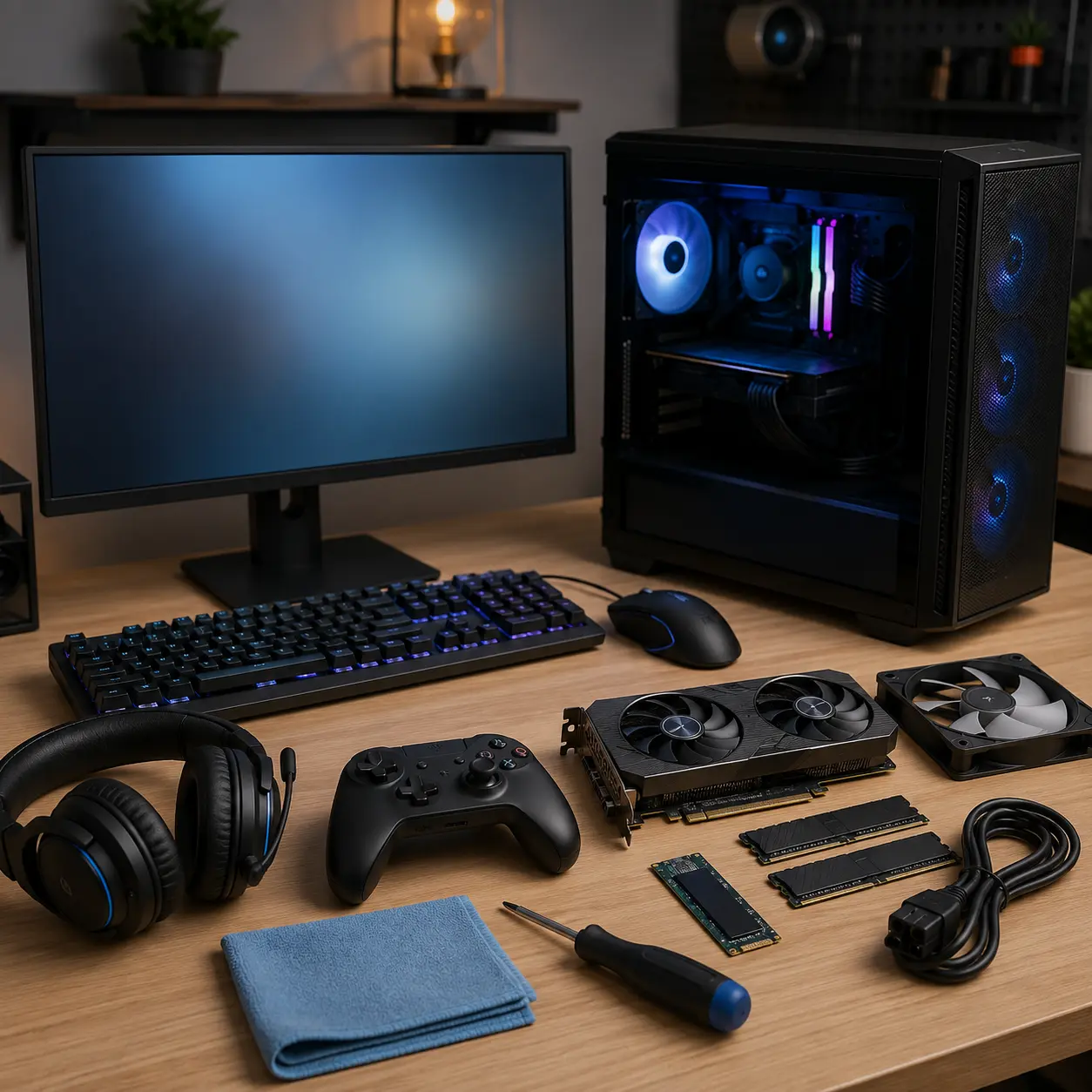
Assuming The Whole Setup Is Included
Product images may show monitors, keyboards, mice and headsets even when only the tower is supplied.
Read the included items carefully and calculate the cost of the complete setup.
Safety And Suitability Caveats
Use the gaming PC only as intended and follow the manufacturer instructions. Check the product page for power requirements, cooling guidance, operating system, included accessories and supported upgrades.
Place the PC on a stable surface with clear access to its vents. Avoid enclosing it in a tight cupboard or placing it directly against a wall if this blocks airflow.
Disconnect the PC from power before opening the case where access is permitted. Internal work can involve sharp edges, static electricity and sensitive components.
Never open the power supply unit. Repairs involving power, liquid cooling or damaged components should be handled by a suitably experienced technician.
Keep drinks away from the computer and accessories. Check cables regularly and replace damaged power leads or plugs.
Maintenance, Storage And Lifespan Considerations
Dust can collect on filters, fans, heatsinks and vents. Follow the manufacturer guidance for cleaning and avoid using unsuitable tools or liquids inside the computer.
Keep the operating system, graphics drivers and security software updated where appropriate. Create backups of important files and save games rather than relying on a single drive.
Gaming PC lifespan depends on the games played, monitor expectations, component quality, cooling and future requirements. A system can remain useful even when newer games require reduced settings.
A well chosen case, motherboard and power supply can make future upgrades easier, but compatibility must always be confirmed first.
How To Compare Models Efficiently
- List the games you play or intend to buy.
- Check their recommended system requirements.
- Decide on a monitor resolution and refresh rate.
- Compare graphics cards using the exact model names.
- Compare processors by exact model and generation.
- Check RAM capacity and available upgrade slots.
- Check SSD capacity and additional drive support.
- Review case airflow and processor cooling.
- Check the power supply details.
- Confirm WiFi, Bluetooth and required ports.
- Check whether the operating system is installed.
- Confirm whether the monitor and accessories are included.
- Read the individual product page before buying.
Summary Buyer Decision Checklist
| Buying Check | Why It Matters |
|---|---|
| Target games | Defines the required level of performance |
| Monitor resolution | Changes graphics demands |
| Refresh rate | Helps determine the useful frame rate target |
| Graphics card | Has a major effect on gaming visuals and performance |
| Processor | Supports game logic, multitasking and streaming |
| RAM | Helps games and background applications run together |
| SSD capacity | Provides space for games and faster loading |
| Cooling | Supports stable performance during long sessions |
| Power supply | Provides safe and suitable power for the components |
| Case size | Affects airflow, desk space and upgrades |
| Connectivity | Supports monitors, controllers, internet and accessories |
| Upgrade options | Helps the PC adapt to future needs |
| Included items | Confirms the true cost of the complete setup |
| Product page details | Confirms the exact model specification |
Frequently Asked Questions
A gaming PC is a desktop computer with components selected to run computer games. It normally includes dedicated graphics hardware, a suitable processor, enough RAM, fast storage and cooling designed for demanding workloads.
The graphics card often has the greatest influence on game resolution, visual settings and frame rate. However, the processor, RAM, cooling and power supply must also be suitable.
The right amount depends on the games, background applications and whether you stream or create content. Check the recommended requirements for the games and software you intend to use.
An SSD can improve system responsiveness and reduce loading times in supported games. Capacity is also important because modern game libraries can use substantial storage space.
Not always. Many gaming PC listings supply only the tower, even when product images show a full setup. Check whether the monitor, keyboard, mouse or headset are included.
No. Many gaming PCs work well with suitable air cooling. Liquid cooling may be useful for certain processors, compact builds or appearance preferences, but it is not automatically required.
Many gaming PCs allow RAM, storage, graphics and other components to be changed. Upgrade options depend on the case, motherboard, power supply and manufacturer design.
Choose a monitor resolution and refresh rate that suit the computer’s gaming performance and the types of games you play. Also check the available display connections.
Yes, a gaming PC can handle general work, browsing, study and many creative applications. However, gaming focused features may cost more than a standard desktop with similar everyday performance.
Check the exact graphics card, processor, RAM, SSD capacity, cooling, power supply, case size, ports, wireless connectivity, operating system, upgrade options and included accessories. Match the system to your games and monitor rather than buying based on appearance alone.