
Gaming PC's
Gaming PC’s are desktop computers designed for playing games, running demanding software and supporting more flexible home entertainment or work setups. They can be used for PC gaming, streaming, school work, creative software, browsing, video calls and general everyday computing, depending on the specification and product features listed.
The right gaming PC should match the games you want to play, the monitor you use, your desk space and any future upgrade plans. Processor, graphics card, memory, storage, cooling, connectivity and compatibility are all worth checking carefully before buying.
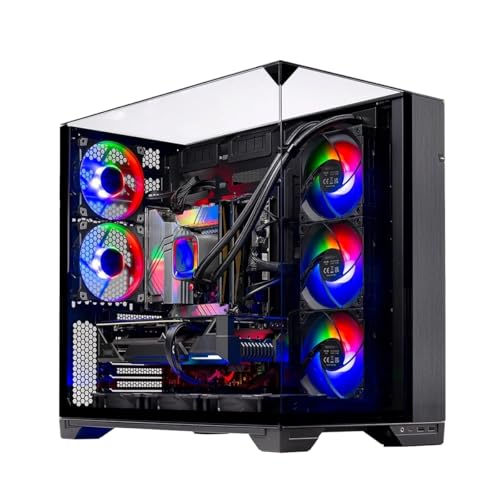


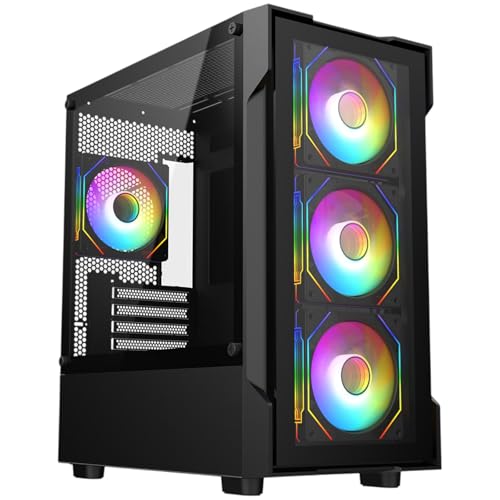


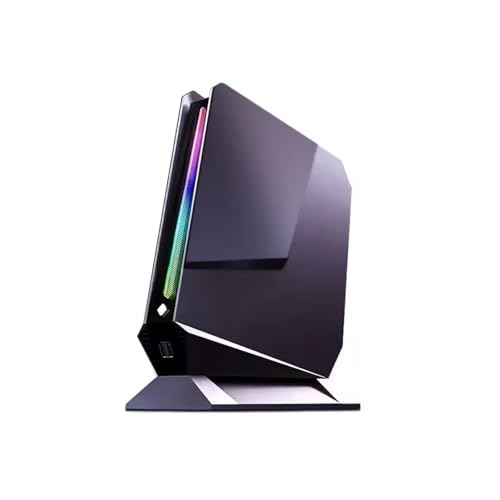


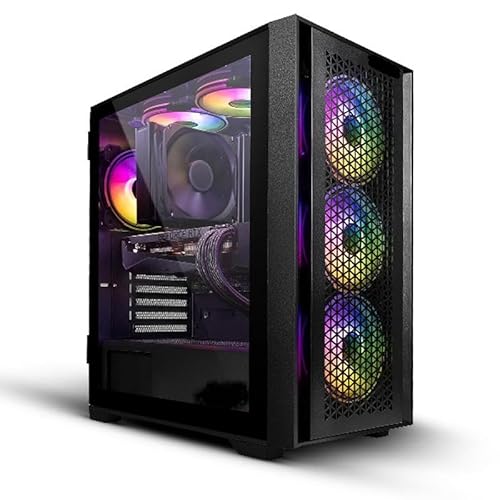


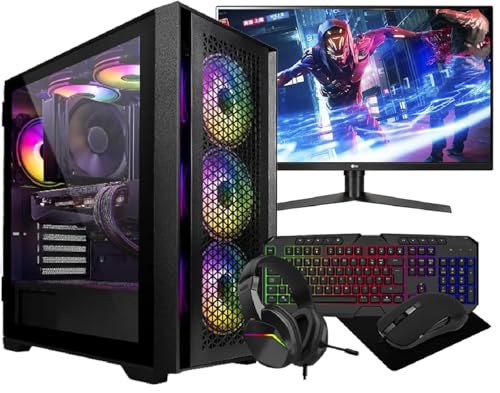

What Are Gaming PC’s?
Gaming PC’s are desktop computers built with gaming performance in mind. Compared with a basic office desktop, they usually include stronger graphics capability, more suitable processors, faster storage or improved cooling where listed.
Products in this category may include entry level gaming desktops, mid range gaming PC’s, higher performance systems, compact gaming towers, RGB gaming setups, prebuilt systems and upgrade friendly desktops, depending on what is listed.
A gaming PC is not just one component. The processor, graphics card, RAM, storage, motherboard, power supply, cooling and case all work together. This is why comparing the full specification is more useful than focusing on one headline feature.
What Are Gaming PC’s Used For?
Gaming PC’s are used for playing PC games, streaming, recording gameplay, video editing, school or college work, online browsing, media playback, office tasks and creative projects where suitable.
For casual players, a gaming PC can provide access to a wide range of games and everyday computer functions. For regular players, the right specification can support smoother gameplay, faster loading and more consistent performance depending on the game and setup. For creators, a gaming PC may also help with editing, content work and multitasking where the components are suitable.
They can also be used as family computers, study machines or entertainment systems, provided the specification matches the intended use.
How To Choose The Right Gaming PC
Start by thinking about the games or software you want to use. Some games are light and easy to run, while others need stronger graphics, more memory or faster processors. Always check the recommended requirements for the games or software that matter most to you.
Next, consider the monitor. A gaming PC used with a basic monitor may not need the same specification as one paired with a high resolution or high refresh monitor. The graphics card and processor should suit the screen and the type of games being played.
Storage is also important. Games can take up a lot of space, so compare SSD capacity and any extra storage options where listed. A faster SSD can help with system responsiveness and loading, depending on the full setup.
Also think about future upgrades. Some gaming PC’s may be easier to upgrade than others, depending on case size, motherboard, power supply, cooling and internal space. Do not assume every prebuilt system can be upgraded easily.
Key Features To Compare
When comparing gaming PC’s, look at the processor, graphics card, RAM, storage type, storage capacity, cooling, power supply, case size, operating system, wireless connectivity and included accessories where listed.
The graphics card is especially important for gaming because it handles much of the visual workload. The right choice depends on game type, screen resolution and performance expectations.
The processor affects general performance, multitasking and some game performance. It should be balanced with the graphics card, memory and cooling rather than chosen in isolation.
RAM affects how comfortably the system handles games, apps and background tasks. Storage affects how many games and files can be kept on the PC and how quickly the system responds where suitable.
Cooling and airflow are also worth checking. Gaming systems can generate heat under load, so a well ventilated case and suitable cooling setup can matter for comfort, noise and long sessions.
Gaming PC’s Compared With Consoles Laptops And Standard Desktop PCs
A gaming PC offers more flexibility than many consoles because it can be used for games, work, upgrades, software, streaming and general computing. It may also allow more choice over graphics settings, accessories and future component changes, depending on the system.
A console can be simpler for plug in living room gaming and may suit buyers who want a straightforward setup. A gaming PC usually needs more thought around monitors, peripherals, software and compatibility.
A gaming laptop is portable and convenient, but it can be more limited for upgrades and cooling compared with many desktop gaming PC’s. A desktop PC may take up more space, but it can offer more flexibility for desk setups.
A standard desktop PC may be fine for browsing, office work and light tasks, but it may not have the graphics performance needed for modern gaming unless the specification supports it.
Guidance For Beginner Regular And Experienced Buyers
Beginners should choose a gaming PC that clearly matches the games they want to play and includes the basics needed for a complete setup. Compatibility, warranty wording where listed, operating system and included accessories should all be checked carefully.
Regular gamers may want to compare graphics performance, cooling, RAM, SSD capacity and monitor pairing more closely. A balanced system is usually more practical than one strong component matched with weak supporting parts.
Experienced users may look more closely at motherboard features, upgrade routes, case airflow, power supply capacity, GPU clearance, cooling support, storage expansion and BIOS or software tools where listed.
For all buyers, it is sensible to compare the full specification and avoid choosing only by appearance, RGB lighting or case design.
Use Cases By Player Type And Setup
For casual gaming, a practical gaming PC can support lighter games, online play, everyday browsing and media use where the specification is suitable. Simple setup and reliable everyday performance may matter most.
For competitive gaming, players may care more about frame rate, display support, input responsiveness and network connection. The monitor, mouse, keyboard and internet setup also matter.
For open world and graphically demanding games, graphics card, processor, RAM and storage become more important. Check the game requirements before choosing.
For streaming, a gaming PC may need enough processing power, memory and storage to handle games and streaming software together where suitable. Microphones, webcams and network quality also affect the setup.
For creative users, a gaming PC can sometimes double as a video editing, photo editing or design machine where the components are suitable for the software.
For family use, storage space, parental controls, desk placement, noise level and account setup may also be worth thinking about.
Fit Compatibility And Setup Checks
Before buying a gaming PC, check the space available on or under your desk. Case height, width, depth and airflow space can all matter. A large tower may look impressive but may not suit every room.
Monitor compatibility is important. Check the display outputs on the graphics card and the inputs on your monitor. HDMI, DisplayPort and other connections vary by product, and adapters may be needed where compatible.
Peripherals should also be considered. You may need a keyboard, mouse, headset, speakers, webcam, monitor, mouse mat or controller, depending on what is included with the PC.
Network connection matters for online gaming. Some systems may include WiFi where listed, while others may rely on Ethernet or require an adapter. A wired connection can be useful for stability where suitable, but your setup will depend on your home network.
Power sockets and cable management should be planned before setup. Gaming PC’s, monitors and accessories can use several plugs, so a safe and tidy desk layout is important.
Cooling Noise And Everyday Practicality
Gaming PC’s can produce heat and fan noise, especially during demanding games or software use. Cooling design, case airflow, fan layout and room temperature can all affect day to day comfort.
A compact case may save space but may have less room for large components or airflow, depending on the design. A larger case may offer more room, but it takes up more desk or floor space.
Dust can affect airflow over time, so regular cleaning is useful. Keep vents clear and avoid placing the PC in enclosed spaces where warm air cannot escape.
Noise levels vary by system, load and fan design. If quiet operation matters, compare cooling details and case design where listed, but remember that performance use can still create fan noise.
Software Updates And Storage Planning
Gaming PC’s need software management like any other computer. Operating system updates, graphics driver updates, game launcher updates and security software can all affect the experience.
Storage planning is useful because games, recordings and creative files can take up space quickly. Check SSD capacity and whether extra drives can be added where listed. An external drive may be useful for backups, but game performance may depend on the storage type and connection.
If the PC comes with an operating system where listed, check which version is supplied. If no operating system is included, you may need to install one yourself where suitable.
For families or shared PCs, separate user accounts can help organise files, settings and access.
Safety Care Maintenance And Storage
Gaming PC’s should be placed on a stable surface with good airflow. Keep the case away from damp areas, direct heat, thick carpet blocking vents and places where drinks could be spilled.
Switch off and unplug the PC before cleaning around vents or moving the system. Do not open the case or change parts unless you are confident and the product guidance allows it.
Keep cables tidy and away from chair wheels, pets and walking routes. Loose cables can create trip hazards and may strain ports if pulled.
Back up important files regularly. A gaming PC may store saves, school work, photos, videos and documents, so a separate backup drive or cloud backup can be useful.
Clean dust from vents and filters where suitable, following the product instructions. If the system becomes unusually noisy, hot or unstable, stop using demanding software and check the setup or seek suitable technical support.
Useful Accessories To Consider
Useful accessories can include gaming monitors, keyboards, mice, mouse mats, headsets, speakers, webcams, controllers, Ethernet cables, surge protectors, UPS battery backup units, external drives, desk stands and cable organisers.
For gaming, a suitable monitor, mouse and keyboard can make a big difference to the overall setup. For streaming, a microphone, webcam and lighting may be useful where suitable.
For long term care, cable management, dust cleaning tools and a backup drive can help keep the system organised and protected.
Why Buy Gaming PC’s From YPC?
At YPC, we understand active lifestyles and the need for practical products that work in real use. Gaming PC’s can vary by processor, graphics card, memory, storage, cooling, case size, connectivity, software and upgrade potential, so comparing the details helps you choose with more confidence.
YPC helps you browse gaming computers with real everyday setups in mind, whether you are buying for casual gaming, competitive play, streaming, study, creative work or a home entertainment desk. Explore the Gaming PC’s category to browse the available options and compare the features that matter most for your games, space and routine.
FAQs
What should I look for in a gaming PC?
Look for a suitable processor, graphics card, RAM, SSD storage, cooling, connectivity, operating system where listed and compatibility with your monitor, games and accessories.
Is a gaming PC better than a console?
A gaming PC can offer more flexibility, upgrade options and general computer use, while a console can be simpler for living room gaming. The better choice depends on your budget, games, space and how you prefer to play.
Do gaming PC’s come with monitors?
Some gaming PC bundles may include a monitor where listed, but many systems are sold as the tower only. Always check what is included before buying.
How much storage do I need for a gaming PC?
The right storage depends on how many games, files and apps you use. Modern games can take up significant space, so compare SSD capacity and expansion options where listed.
Do I need WiFi on a gaming PC?
You need WiFi only if you plan to connect wirelessly. Some gaming PC’s may include WiFi where listed, while others may need Ethernet or a separate adapter. Check the product details carefully.
Can I upgrade a gaming PC later?
Some gaming PC’s can be upgraded where the case, motherboard, power supply and cooling allow it. Upgrade options vary by product, so check the specification and internal space before buying.
What is the most important part of a gaming PC?
The graphics card is very important for gaming, but the processor, RAM, storage and cooling also matter. A balanced system is usually better than focusing on one part alone.
Are gaming PC’s good for work and study?
Yes, gaming PC’s can also be used for work, study, browsing, video calls and creative tasks where the software and specification are suitable.
How do I look after a gaming PC?
Keep it clean, dry and well ventilated. Do not block vents, manage cables safely, back up important files, update software where appropriate and follow the product care guidance.
Do gaming PC’s use a lot of power?
Power use depends on the components and workload. Demanding games and high performance parts may use more power than basic office tasks. Check the product details and plan your power setup safely.
Find out more with our Gaming PC Buyers Guide.
 Getting ready for Summer? View our Home and Garden Products

Heading outdoors this winter? Take a look at our Outdoor Clothing.