


Quick Summary
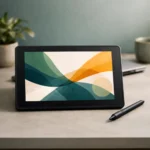
Wacom Cintiq Pro 24 is a 23.6 inch pen display for drawing, designing and retouching directly on screen. It includes the battery-free Wacom Pro Pen 2, and the display is listed with 4K resolution for detailed on-screen work.
The unit also comes with integrated foldable legs, a pen holder, replacement tips and an ExpressKey Remote, giving you the main accessories needed to start working with the display.
Who It Is Best For
This pen display is aimed at buyers who want to create ideas directly on a screen rather than on a separate tablet surface. It suits users who need a large 23.6 inch display and who want to check compatibility with a Windows or Mac computer before ordering.
Key Details
| Detail | Verified information and buyer relevance |
|---|---|
| Product type | Pen display with screen for drawing, designing and retouching. |
| Screen size | 23.6 inch display for working directly on a larger on-screen area. |
| Resolution | 4K resolution listed as 3,840 x 2,160 for detailed image work. |
| Pen | Includes the battery-free Wacom Pro Pen 2 stylus. |
| Pen features | 8,192 pen pressure levels and 60° tilt recognition are stated for precise input control. |
| Included accessories | Pen holder, replacement tips, foldable legs, ExpressKey Remote, cables, AC adaptor, power cord and quick start guide are included. |
| Compatibility | Compatible with Windows and Mac, with Mac OS X 10.11 and Windows 7 or later versions listed. |
| Connection | Connection is listed via HDMI and USB-C cable, with USB to C, USB to A and HDMI cables included. |
Why Buyers Choose It
- The 23.6 inch screen gives you a large drawing area for on-screen creative work.
- 4K resolution and 3,840 x 2,160 detail support clearer viewing of artwork and edits.
- The battery-free Pro Pen 2 with 8,192 pressure levels is specified for fine pen input control.
- Included foldable legs and ExpressKey Remote add practical setup and control options.
How It Works
- Connect the display to a PC or laptop using the listed HDMI and USB-C connection options.
- Use the included stylus to draw, design or retouch directly on the 23.6 inch screen.
- Adjust your working position with the integrated foldable legs.
- Use the ExpressKey Remote and on-screen keypad for handling tasks.
- Keep the spare nibs and pen holder available for pen maintenance and storage.
What To Know Before You Buy
Check that your Windows or Mac setup matches the stated compatibility before ordering. Review the 23.6 inch screen size to make sure it suits your desk space and working style. The package includes several cables and accessories, so it is worth confirming that the full set meets your setup needs.
Common Buyer Questions
Does it include a stylus?
Yes. The Wacom Pro Pen 2 stylus is included, along with a pen holder and replacement tips.
Which computers is it compatible with?
It is listed as compatible with Windows and Mac, with Mac OS X 10.11 and Windows 7 or later versions stated.
What comes in the box?
The package includes the tablet, stylus pen, foldable legs, ExpressKey Remote, pen nibs, cables, AC adaptor, power cord and quick start guide.
How is it connected?
It is connected using HDMI and USB-C, and the included cable set covers USB to C, USB to A and HDMI.
Final Buying View
Wacom Cintiq Pro 24 is a large 23.6 inch pen display for direct on-screen creative work, and the strongest buying checks are computer compatibility and screen size. Review the listed connections and operating system support before choosing it for your setup.


