


A dash cam is an in-vehicle video recorder designed to continuously capture driving footage for evidential purposes. This guide helps you understand the core differences between dash cam options and what matters most when choosing one. It focuses on practical aspects that affect compatibility, ease of use, and reliability.
Compare Dash Cams

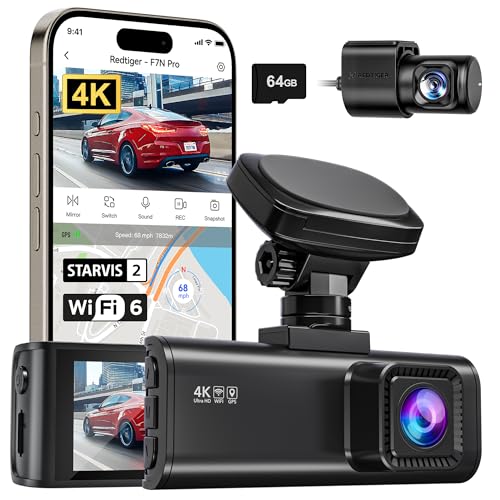


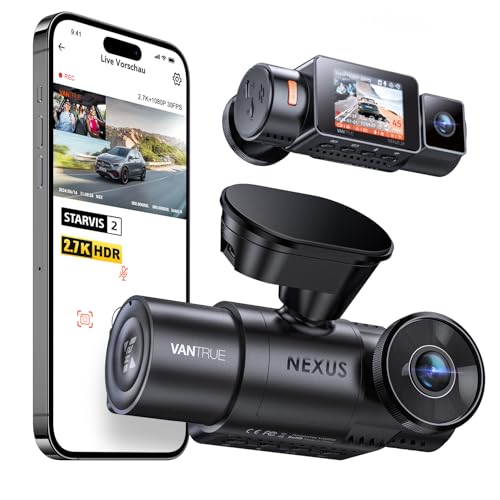

As an Amazon Associate we earn from qualifying purchases.
Quick Product Comparison Framework
| Core Factor | What It Means | Why It Matters |
|---|---|---|
| Power Source | How the dash cam receives power (cigarette socket, hardwired) | Affects installation complexity and continuous operation |
| Mounting Style | Fixing method to the windscreen or dashboard | Influences ease of setup and field of view |
| Recording Resolution | Video quality capability (e.g. 1080p, 2K) | Determines clarity of footage for evidential use |
| Storage Type | Memory card formats supported | Impacts file handling and storage capacity |
| Parking Mode Support | Whether it records while parked | Useful for incidents when vehicle is stationary |
| Connectivity Features | Built-in Wi-Fi or app control | Affects ease of playback and configuration |
Key Decision Criteria Explained
Power Source Compatibility
Dash cams require power from your vehicle. Some plug into a 12 V accessory outlet, while others hardwire into the vehicle’s electrical system. Consider whether you want a simple plug-in or a more integrated installation.
Mounting Style and Placement
Most dash cams mount to the windscreen or dashboard via adhesive or suction. The mounting affects where the camera sits relative to the driver’s view and how discreet it appears. Ensure your chosen mount suits your vehicle’s layout.
Video Recording Resolution
Higher resolution can capture clearer detail, particularly important for evidence. Indicators like 1080p or 2 K give a general idea of capability. Specifications vary — see individual product pages for details.
Storage and Memory Cards
Dash cams record to removable storage such as micro-SD cards. Check the range of sizes supported and ease of card access when transferring footage.
Parking Mode and Motion Detection
Some dash cams can continue to record when the vehicle is parked, triggered by movement or impact. This can add peace of mind, but availability and performance vary — see individual product pages for details.
Connectivity Options
Features such as built-in Wi-Fi and companion apps can make reviewing and downloading footage easier. These are convenience features rather than essential functions.
Product Type Differentiation and Variants
Dash cams come in a few common forms. Specifications vary — see individual product pages for details.
Single-Lens Dash Cams
These cameras record from a single front-facing perspective. They are straightforward and often easiest to install.
Dual-Lens Dash Cams
Units with front and rear cameras capture both forward and backward views. This can provide a broader context around incidents.
Integrated Display Models
Some dash cams include a screen on the device itself. This can simplify setup and viewing without a phone or computer.
Wireless and App-Connected Models
These offer connectivity to a smartphone application for configuration and footage access. Specifications vary — see individual product pages for details.
Suitability by Reader Type or Need
Everyday Commuter
A basic front-facing single-lens dash cam with simple plug-in power and automatic recording meets most needs. Focus on ease of installation and reliable recording.
Drivers Who Park Frequently in Public Spaces
Consider units that support parking mode to capture incidents while the vehicle is stationary. Ensure the installation method and power source support this mode.
Drivers Requiring Rear Coverage
A dual-lens system can capture activity behind the vehicle as well as in front. Ensure you understand how the additional camera is powered and mounted.
Common Mistakes and Misunderstandings
Assuming All Dash Cams Are Plug-and-Play
Compatibility varies between vehicles. Not all power sources are the same, and some cars may require adapters or hardwiring for optimum use.
Overlooking Storage Needs
Memory card capacity and access can affect usability. Choosing the wrong type or size may limit recording time.
Confusing Resolution Numbers With Performance
Higher numbers do not automatically guarantee better footage in all conditions. Consider low-light performance and lens quality alongside resolution.
Safety and Suitability Caveats
Dash cams should be positioned to avoid obstructing the driver’s view. Legality of placement and recording may vary by region; always ensure compliance with local laws regarding windscreen obstruction and audio recording. Avoid drawing conclusions about legal outcomes from footage alone — video evidence should complement official procedures.
Maintenance Expectations and Lifespan Considerations
Dash cams are generally designed for continuous use. Over time, heat and vibration inside the vehicle can affect electronic components. Periodically check that the mount remains secure and cables are undamaged. Memory cards have a finite lifecycle; consider replacing cards after significant use.
How to Compare Models Efficiently
To compare options:
- Confirm power source type matches your vehicle’s outlets.
- Identify mounting style and how it aligns with your vehicle’s windscreen shape.
- Compare video resolution and storage support for clarity and capacity.
- Check whether additional features such as parking mode or connectivity are useful to your needs.
- Review user feedback on reliability and ease of use.
Summary Buyer Decision Checklist
- Confirm how the dash cam will be powered in your vehicle.
- Check mounting style and ease of installation.
- Compare recording resolution capabilities.
- Confirm supported memory card types and capacities.
- Decide whether parking mode support is needed.
- Consider whether connectivity features will benefit you.
Frequently Asked Questions
What does a dash cam do
A dash cam continuously records video from inside a vehicle’s viewpoint while driving. Some units also support recording while parked. Specifications vary — see individual product pages for details.
Can I install a dash cam myself
Installation depends on the power source and mount type. Some plug-in units are straightforward, while others may require routing cables or professional help. See product details for guidance.
Do dash cams need a memory card
Most dash cams use removable memory cards to store footage. The size and type supported vary between models, so check individual product listings.
Will a dash cam work in my car
Power compatibility and mounting surfaces differ between vehicles. Confirm the power connection and mount type are suitable for your specific vehicle.
Is dash cam footage legal evidence
Footage may be used to support claims or complaints, but admissibility is determined by authorities and local regulations. Check legal frameworks in your region.
For products in this category, visit:
https://www.ypc.co.uk/product-category/outdoor-tech/cameras-and-imaging/dash-cams/
More Dash Cams
See all 223 Dash Cams →


As an Amazon Associate we earn from qualifying purchases.