

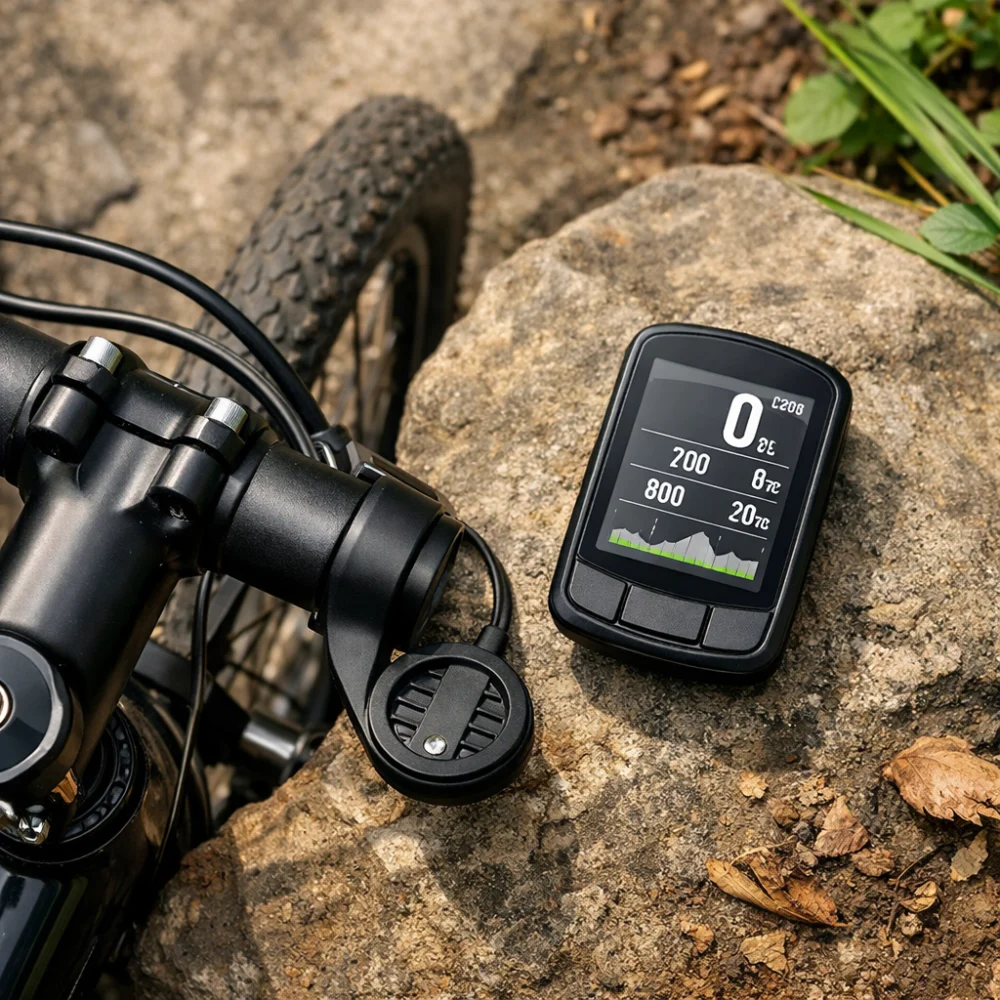
Cycling computers range from straightforward ride data displays to GPS devices with navigation and training functions. That makes the category useful for a wide mix of riders, including commuters, leisure cyclists, club riders and people upgrading from a basic speedometer-style unit.
The right choice depends less on brand names and more on how you ride. Some buyers want a simple screen that is easy to read at a glance, while others need mapping, sensor support or longer battery life for bigger rides.
This guide helps you compare those choices without overcomplicating the decision. It focuses on the features that usually matter most, the trade-offs behind them and the checks worth making on each individual product page.
Compare Cycling Computers


As an Amazon Associate we earn from qualifying purchases.
What should you look for in a cycling computer?
Start with the way you ride and the information you actually want to see. A basic cycling computer can be enough if you mainly want speed, distance and trip time, while a GPS-based model may suit riders who need route tracking, navigation or training data. The main trade-off is usually simplicity versus features, with more functions often bringing a higher price or a more complex interface.
Specifications vary by model, so always check the individual product page before buying.
| Feature | What It Means | Why It Matters | What To Check |
|---|---|---|---|
| Display | The screen size, layout and how easy it is to read while riding. | A clear display reduces distraction and helps you glance down quickly. | Look for screen readability, layout and whether the information you want fits your riding style. |
| Navigation | Whether the unit can guide you along routes or help you follow a course. | Useful for longer rides, new routes and touring. | Check whether it offers mapping, turn prompts or only basic breadcrumb-style guidance. |
| Sensor support | Compatibility with add-ons such as cadence, heart rate or speed sensors. | Important if you track training more closely than casual distance data. | Confirm which sensors are supported and whether they are included or bought separately. |
| Battery life | How long the computer can run between charges or battery changes. | Matters for long rides, multi-day use and reduced charging hassle. | Compare stated runtime with your usual ride length and how often you want to charge. |
| Mounting and fit | How the computer attaches to the bike and how securely it sits. | A stable mount improves visibility and confidence on rougher roads or trails. | Check mount type, bar space and whether the design suits your handlebar setup. |
| Durability | General resistance to weather, dust and everyday use. | Useful if you ride in mixed conditions or leave the bike outside briefly. | Review the product page for any stated water resistance or other protection details. |
Key decision criteria
1. Decide how much information you need
Some riders only want the essentials: speed, distance and ride time. Others want elevation, heart rate, cadence, route prompts or training summaries. The more data you expect, the more important it is to think about screen layout and menu clarity as well as feature count.
2. Choose between simple and GPS-led models
Basic computers are usually best when you want a straightforward display and minimal setup. GPS computers are more suitable if you care about route recording, navigation or structured training. The trade-off is that GPS models often involve more features to learn and may depend more heavily on charging and app setup.
3. Check sensor and accessory compatibility
If you already use heart rate straps, cadence sensors or speed sensors, make sure the computer supports them. If you do not plan to use accessories, there is no need to pay for features you will ignore. Compatibility details matter here because not every computer supports the same sensor types or connection methods.
4. Think about battery and charging habits
Battery life matters more than many buyers expect. A unit that is fine for short local rides may be less convenient for touring or all-day events. Check whether the battery life is quoted for real riding conditions and whether the charging method suits your routine.
5. Make sure the screen suits where you ride
Bright daylight, wet weather and rough roads all affect how easily you can read a screen. A larger or brighter display can help, but it may also make the unit physically bigger. Balance visibility against size and the amount of handlebar space you have.
Common types and variants
Wired cycling computers
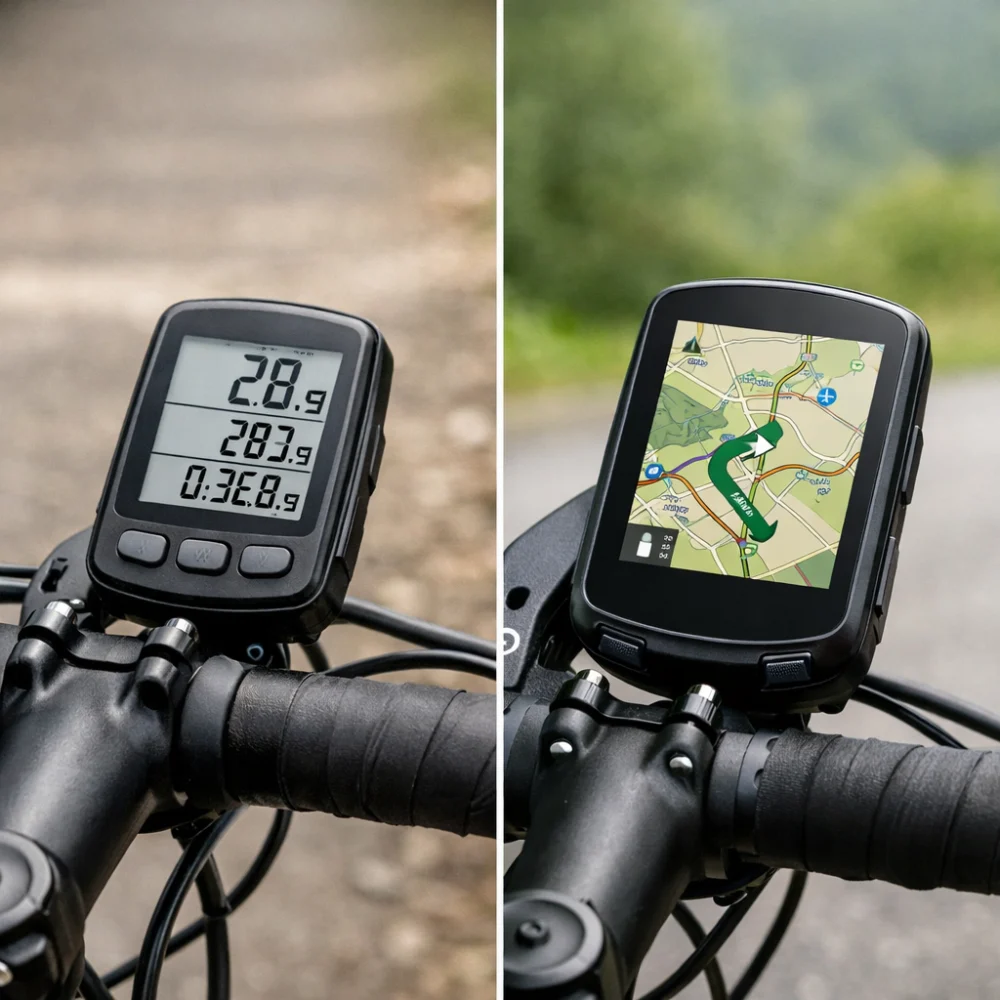
These are often straightforward and can suit buyers who want a basic, low-fuss display. They tend to appeal to riders who are more interested in simple ride data than advanced features. Their limitation is that they are less flexible and usually offer fewer functions than GPS models.
Wireless cycling computers
Wireless models remove the cable between the sensor and the head unit, which can make the bike look tidier and reduce setup hassle. They are a natural step up for many casual and regular riders. The main thing to check is whether the wireless system matches the sensor setup you expect to use.
GPS cycling computers
These are aimed at riders who want route tracking, navigation and broader ride data. They are popular with endurance riders, commuters who follow routes and cyclists who like training analysis. Their main limitation is that they can be more complex than basic computers and may not suit buyers who only need simple trip information.
Which cycling computer suits different riders?
| Buyer need | What usually matters most | What to prioritise |
|---|---|---|
| Commuting | Quick reading, reliability and easy mounting. | Clear display, simple operation and weather-suitable construction. |
| Leisure riding | Easy ride tracking without lots of setup. | Basic speed and distance features, with optional wireless convenience. |
| Training | More detailed data and accessory support. | Sensor compatibility, data fields and structured ride summaries. |
| Navigation-led rides | Following routes and staying on course. | GPS functions, route guidance and screen readability. |
| Long-distance or touring use | Battery life and dependable ride recording. | Long runtime, secure mounting and easy charging. |
Common mistakes and misunderstandings
Buying too much feature set. A computer with every option may look attractive, but it is not always the most useful choice. If you only need speed and distance, extra functions can add cost and complexity without improving your ride.
Ignoring the display. A feature list can be impressive, but the screen still needs to be easy to read while moving. It is worth considering font size, layout and whether you can see the information at a glance.
Forgetting about sensor support. Some buyers assume every computer will work with every accessory. That is not a safe assumption, so check the exact compatibility details before relying on add-on sensors.
Overlooking mounting space. A unit may be a good fit electronically but awkward on the bike if the handlebar area is already busy. Always think about mounting position alongside the computer itself.
Safety and suitability caveats
Choose a cycling computer that matches your intended riding conditions and avoid assuming that one model suits every bike or rider. If you ride in poor weather, on rough surfaces or for long periods, check the product page carefully for the relevant durability and mounting information. Specifications vary by model, so always check the individual product page before buying.
Maintenance, storage and lifespan considerations
Most cycling computers need little day-to-day care beyond keeping the screen clean, checking the mount is secure and managing charging or battery changes as required. If the unit is removable, storing it indoors when not in use can help reduce wear from weather and theft risk. For models that pair with sensors or apps, it is also sensible to check whether any ongoing setup or syncing is part of normal use.
How to compare options efficiently
- Start with your main use: commuting, leisure riding, training or navigation.
- Choose the simplest type that covers that use comfortably.
- Compare the display, battery life, mounting and sensor support.
- Weigh convenience against extra features you may not use often.
- Check the individual product page for compatibility and included accessories.
Summary buyer decision checklist
- Do I only need basic ride data, or do I want GPS and navigation?
- Is the screen easy to read for the way and place I ride?
- Will it support any sensors or accessories I already use?
- Is the battery life suitable for my usual ride length?
- Will the mount work with my handlebars and setup?
- Have I checked the product page for the exact model details?
Frequently asked questions
Do I need GPS in a cycling computer?
Not necessarily. If you mainly want speed, distance and ride time, a basic computer may be enough. GPS becomes more useful when you want route tracking, navigation or a fuller record of your rides.
Are wired or wireless cycling computers better?
Neither is automatically better for everyone. Wired models can suit riders who want a simple, familiar setup, while wireless models are often neater and easier to live with. The better choice depends on how much convenience and feature flexibility you want.
Can a cycling computer work with heart rate or cadence sensors?
Some can, but not all. If training data matters to you, check compatibility carefully rather than assuming add-on support. It is also worth confirming whether any sensor is included or sold separately.
How important is battery life?
Very important if you ride for long periods or do not want to charge often. Short commuting rides place less demand on battery life than long sportives, touring or multi-day use. Compare the stated runtime with your normal riding pattern.
Will a larger screen always be better?
Not always. A larger display can be easier to read, but it may also make the unit bulkier or less discreet on the bars. The best screen is the one that balances visibility with the size and layout you prefer.
What should I check before fitting one to my bike?
Check the mounting style, available handlebar space and whether the computer will sit where you can see it comfortably. If you use lights, bells or bags near the bars, space can become tight. It is worth thinking about the whole front-end setup, not just the computer alone.
Are cycling computers only for serious cyclists?
No. Many casual riders use them simply to see speed, distance and ride time. More advanced features are there if you want them, but you do not need a complex setup to benefit from a basic computer.
Controls and connected features
Consider how you will interact with the computer as well as what it displays. Touchscreen controls can make maps and menus easier to explore, while physical buttons may suit riders who prefer tactile controls or expect to use the device in wet conditions or with gloves. Neither style is universally better, so check the control layout and whether it seems practical for your usual rides.
Some computers connect with phone apps or online services for route planning, ride records, syncing or notifications. These connections can be useful, but they may add setup steps and depend on a compatible phone, app or account. Before choosing a connected model, check which functions work independently on the device, what needs an app, and whether the required connection suits your preferences.
More Cycling Computers
See all 259 Cycling Computers →


As an Amazon Associate we earn from qualifying purchases.