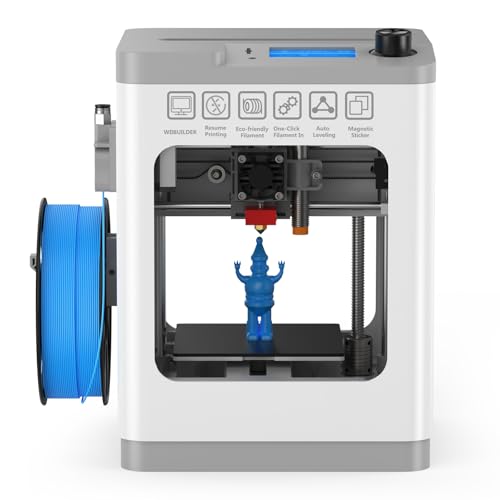
Quick Summary
The ANYCUBIC Kobra 3 V2 Combo is an FDM 3D printer with multicolour printing, drying while printing, and a stated print speed of up to 600 mm/s. It also includes LeviQ 3.0 auto-levelling and AI monitoring for checking print anomalies such as spaghetti.
The combo is described as supporting 4-colour printing with the ACE PRO unit as standard, and up to 8 colours when 2 ACE PRO units work with an 8-colour Filament Hub. It is also stated to work with ASA, ABS, TPU, PLA and PETG, with a note that TPU filament cannot be printed with ACE PRO.
Who It Is Best For
This printer suits buyers who want a desktop 3D printer with multicolour output, drying during printing, and remote monitoring. It will also suit people who want to check model progress through a mobile phone and use the app-based model library.
It is worth checking the chosen printing setup before ordering, especially if you want to use the multicolour functions or specific filament types.
Key Details
| Detail | Verified information and buyer relevance |
|---|---|
| Product name | ANYCUBIC Kobra 3 V2 Combo FDM 3D Printer. This identifies the exact model family being sold. |
| Printing colours | 4-colour printing is stated with ACE PRO as standard, and up to 8 colours are stated when 2 ACE PRO units join with an 8-colour Filament Hub. |
| Print speed | Up to 600 mm/s is stated, which is a key figure for buyers comparing print speed. |
| Acceleration | 20,000 mm/S² acceleration is stated alongside the speed figure. |
| Print volume | 255 x 255 x 260 mm print volume is stated, which affects the size of objects you can print. |
| Drying while printing | ACE PRO enables printing while drying with one click, which is part of the combined workflow. |
| Auto-levelling | LeviQ 3.0 automatic bed levelling is included, with a stated aim of removing the need for Z-axis compensation. |
| Monitoring | AI monitoring is stated to detect anomalies such as spaghetti and notify for inspection. |
| Filament support | ASA, ABS, TPU, PLA and PETG are stated as supported filaments, with a note that TPU filament cannot be printed with ACE PRO. |
| Recovery feature | Automatic resume printing after power loss and interruptions is stated. |
| Remote control | App remote control through a mobile phone is stated, along with elapsed-time recording and access to model resources. |
Why Buyers Choose It
- Up to 8-colour printing is stated for setups that use 2 ACE PRO units with an 8-colour Filament Hub, which broadens colour options for compatible projects.
- Printing while drying is stated, so the filament workflow is combined rather than separated into different steps.
- AI monitoring is stated to check for printing anomalies, giving the user a way to watch for issues during a job.
- Automatic resume after power loss or interruptions is stated, which supports continuing a print after an interruption.
How It Works
- Use ACE PRO for standard 4-colour printing, or combine 2 ACE PRO units with the 8-colour Filament Hub for up to 8 colours.
- Start the print with the drying function enabled if you want printing and drying at the same time.
- Use LeviQ 3.0 automatic bed levelling before printing.
- Monitor the print through AI monitoring and respond if an anomaly is detected.
- Use the mobile app for remote control, elapsed-time recording, and model resources.
- If power is lost or the process is interrupted, the printer is stated to resume automatically afterwards.
Real World Use
The printer is set up for users who want to manage prints from a phone, check the printing process remotely, and work with multicolour models. The stated print volume of 255 x 255 x 260 mm also matters when planning the size of the object you want to produce.
If you want to use TPU, check the stated note carefully because TPU filament cannot be printed with ACE PRO.
What To Know Before You Buy
Check whether you want 4-colour printing with the standard ACE PRO setup or up to 8 colours using 2 ACE PRO units with an 8-colour Filament Hub. Confirm that your chosen filament is compatible with the stated setup, especially if you plan to use TPU. Review the 255 x 255 x 260 mm print volume against the size of your intended project. The app-based remote control and AI monitoring are useful if you want more oversight of the print process.
Common Buyer Questions
How many colours can it print?
It is stated as 4-colour printing with ACE PRO as standard, and up to 8 colours when 2 ACE PRO units work with an 8-colour Filament Hub.
What filaments are stated as supported?
ASA, ABS, TPU, PLA and PETG are stated as supported, with the note that TPU filament cannot be printed with ACE PRO.
Does it have auto-levelling?
Yes, LeviQ 3.0 automatic bed levelling is stated, with the aim of removing the need for Z-axis compensation.
Can it recover after a power cut?
Yes, automatic resume printing after power loss and interruptions is stated.
Final Buying View
If you want a multicolour FDM 3D printer with drying while printing, app control, and AI monitoring, the Kobra 3 V2 Combo offers a clearly defined feature set. Check the colour setup, filament choice, and print volume before ordering so the configuration matches your intended projects.