BUYERS GUIDE
3D Printer Buyers Guide
A 3D printer turns a digital model into a physical object by building it layer by layer. It can be used for prototypes, replacement parts, models, miniatures, tools, school projects, workshop organisers and creative designs.
However, 3D printers vary considerably. Fused filament printers melt plastic filament through a heated nozzle, while resin printers use light to cure liquid resin. Each system has different strengths, running costs, maintenance needs and safety requirements.
Build volume, material compatibility, print speed, calibration, enclosure, software and replacement parts can all affect how useful a machine feels in practice. A printer that produces highly detailed miniatures may not be the most convenient option for large functional parts, and a large printer may need more room, power and supervision than expected.
This guide explains how to compare 3D printers, understand the main technologies and choose a machine that suits your projects, workspace and experience level.
Quick Answer
Choose a 3D printer by first deciding what you want to make. An FDM or FFF filament printer is commonly chosen for functional parts, prototypes, organisers and larger models. A resin printer can produce finer detail for miniatures, jewellery patterns and display models but normally requires careful handling, washing, curing, ventilation and protective equipment.
Check the build volume, supported materials, nozzle or resin system, heated bed, enclosure, levelling features, print speed, software, connectivity and replacement part availability. Also allow for ongoing costs such as filament or resin, build surfaces, nozzles, release film, cleaning supplies and safety equipment. Specifications vary by model, so always check the individual product page before buying.
Quick Product Comparison Framework
| Feature | What It Means | Why It Matters | What To Check |
|---|---|---|---|
| Printing technology | Method used to create the object | Determines materials, detail, maintenance and safety | FDM, FFF, resin, MSLA, SLA, DLP or another listed system |
| Build volume | Maximum printable dimensions | Limits the size of a single object | Width, depth and height |
| Layer height | Thickness of each printed layer | Affects detail, surface finish and printing time | Supported layer range |
| Material support | Filaments or resins the printer can use | Determines what types of parts can be produced | Material types, temperature limits and manufacturer guidance |
| Nozzle or light source | Component that deposits or cures material | Influences detail, speed and replacement needs | Nozzle size, screen type, laser or projector system |
| Heated bed | Warm build surface used by many filament printers | Helps adhesion and reduces warping | Maximum bed temperature and surface type |
| Enclosure | Housing around the print area | Helps control temperature, fumes and physical access | Fully enclosed, partly enclosed or open frame |
| Levelling system | Method used to align the build surface | Affects first layer quality | Manual, assisted or automatic levelling |
| Print speed | Rate at which the printer builds parts | Influences productivity | Realistic speed range and acceleration claims |
| Software | Programmes used to prepare and control prints | Affects workflow and file compatibility | Supported slicers, file formats and operating systems |
| Connectivity | How print files are transferred | Determines convenience and network use | USB, memory card, WiFi, Ethernet or cloud features |
| Maintenance | Cleaning and replacement work required | Affects long term convenience and cost | Nozzles, build plates, belts, screens, vats and release film |
| Safety requirements | Measures needed for heat, motion, resin and fumes | Determines workspace suitability | Ventilation, supervision and protective equipment |
Key Decision Criteria Explained
Start With What You Want To Print
The intended project should guide almost every buying decision.
A printer for simple household parts has different requirements from one used for detailed gaming miniatures, engineering prototypes or classroom projects.
Consider whether you want to print:
- Functional brackets and replacement parts
- Workshop organisers
- Decorative models
- Miniatures and figurines
- Cosplay components
- Architectural models
- Educational projects
- Product prototypes
- Flexible items
- Large single-piece parts
- Multi-colour models
- High-temperature components
List the largest object, finest detail and strongest material you expect to need. This helps narrow down the suitable printer technology and build size.
FDM And FFF Printing
FDM and FFF printers melt thermoplastic filament and deposit it through a nozzle.
They are commonly used for practical parts, prototypes, models and larger objects. Filament is generally cleaner to handle than uncured resin, although the printer still contains hot and moving components.
Advantages can include:
- Wide material selection
- Relatively straightforward material storage
- Larger build volumes
- Strong functional parts
- Lower post-processing requirements
- Accessible replacement parts
- A broad choice of machines
Limitations can include visible layer lines, slower fine-detail production and support removal on complex models.
Resin Printing
Resin printers cure liquid photopolymer using ultraviolet or near-ultraviolet light.
They can produce fine details and smooth surfaces, making them popular for miniatures, jewellery patterns, dental-style models, display pieces and detailed prototypes where an appropriate resin is used.
However, resin printing normally requires:
- Chemical-resistant gloves
- Eye protection where advised
- Suitable ventilation
- A washable work area
- Washing supplies
- A curing system
- Careful waste handling
- Replacement vat film
- Protection from uncured resin exposure
Uncured resin should not be handled with bare skin. Follow the resin and printer manufacturers’ safety instructions.
Build Volume
Build volume determines the maximum size of an object that can be produced in one piece.
A larger build area can be useful for helmets, enclosures, props and workshop components. It may also allow several smaller items to print at once.
However, a large printer can require:
- More desk or floor space
- A stronger frame
- Longer heat-up times
- More material
- Increased power use
- More careful calibration
- Greater clearance around moving parts
Do not buy a very large machine solely because it seems more capable. Smaller printers can be easier to maintain and may suit most everyday projects.
Printer Footprint And Working Space
The printer’s external dimensions can be much larger than its build volume.
Allow room for:
- Moving beds or gantries
- Opening doors and lids
- Filament spools
- Resin covers
- Power connections
- Ventilation ducts
- Tools and maintenance
- Removing finished prints
- Wash and cure equipment
A bed-slinger printer may need extra front and rear clearance because the build plate moves during printing.
Layer Height And Detail
Layer height affects surface finish, detail and print duration.
Thinner layers can produce smoother curves and finer vertical detail but take longer. Thicker layers reduce print time and may suit prototypes or practical parts.
Layer height is only one factor. Nozzle size, resin pixel size, model orientation, material and printer rigidity also affect the finished result.
Do not assume the smallest advertised layer height automatically provides the best practical print quality.
XY Resolution In Resin Printers
Resin printer detail is often influenced by the screen’s pixel dimensions and the physical size of the build area.
A higher screen resolution does not automatically mean finer detail if the screen is also much larger. Pixel size is often more useful when comparing similar resin machines.
Optics, exposure control, resin, model preparation and mechanical stability also affect accuracy.
Nozzle Size
Many filament printers use a standard nozzle suitable for general printing.
A smaller nozzle can produce finer details but may print more slowly and clog more easily. A larger nozzle can produce stronger, wider lines and reduce print time, although small details may be lost.
Check:
- Standard nozzle size
- Supported alternative sizes
- Nozzle thread and compatibility
- Maximum flow rate
- Replacement availability
Changing nozzle size normally requires slicer settings to be updated.
Nozzle Material
Brass nozzles are common for standard unfilled materials.
Abrasive filaments such as carbon fibre-filled, glass fibre-filled and glow-in-the-dark materials can wear brass nozzles quickly. These may require hardened steel or another wear-resistant nozzle.
Specialist nozzles can have different thermal characteristics, so temperature adjustments may be needed.
Hotend Temperature
A filament printer’s maximum hotend temperature influences which materials it can process.
PLA can normally be printed at comparatively accessible temperatures. Nylon, polycarbonate and some engineering filaments may require much higher temperatures and an appropriate hotend design.
Check:
- Maximum advertised temperature
- Safe continuous temperature
- Hotend liner material
- Nozzle compatibility
- Firmware limits
- Manufacturer-approved filaments
A high temperature number alone does not confirm that the rest of the printer can handle demanding materials reliably.
Heated Bed
A heated bed helps the first layer adhere and can reduce warping.
Different materials need different bed temperatures and surfaces. Some filament may print on an unheated bed, while engineering materials can require substantial heat.
Check:
- Maximum bed temperature
- Heat-up time
- Temperature uniformity
- Removable build plate
- Surface material
- Replacement surface availability
A flexible removable build plate can make part removal easier, but the correct surface depends on the filament.
Enclosed Or Open Frame
An open-frame printer gives easy access and can suit PLA and other straightforward materials.
An enclosed machine can help maintain a stable environment for materials that warp when cooling. It can also reduce access to moving and hot components, which may be useful in shared spaces.
An enclosure does not automatically provide safe fume control. Ventilation and filtration requirements depend on the material and printer design.
Check whether electronics and power supplies are designed to operate within the enclosed temperature.
Manual, Assisted And Automatic Levelling
The build surface must be correctly aligned with the printer’s motion system.
Manual levelling uses adjustment points and requires the user to set the bed position. Assisted systems provide prompts or measurements. Automatic systems probe the bed and create a compensation map.
Automatic levelling can make setup easier, but it does not remove every calibration task. The nozzle offset, build surface condition and mechanical assembly still need to be correct.
First Layer Reliability
The first layer is critical because the rest of the print depends on it.
Reliable first layers require suitable:
- Bed levelling
- Nozzle offset
- Build surface cleanliness
- Temperature
- Adhesion method
- Print speed
- Material condition
A printer with sophisticated levelling features can still fail if the plate is contaminated or the nozzle offset is incorrect.
Extruder Design
The extruder pushes filament towards the hotend.
Direct-drive extruders place the drive mechanism close to the nozzle. They can make flexible filament easier to control and shorten the filament path.
Bowden systems place the extruder farther away and feed filament through a tube. This can reduce moving weight but may make very soft filament more difficult to print.
Neither design is automatically superior. Suitability depends on print speed, materials and machine construction.
Motion System
Common filament printer layouts include Cartesian, CoreXY and delta systems.
Cartesian printers move components along conventional X, Y and Z axes. Many entry-level printers use a moving bed.
CoreXY printers use a belt arrangement designed for fast movement while keeping the bed movement limited or vertical.
Delta printers use three vertical towers and long arms to position the hotend. They can be fast and visually distinctive but may require different calibration.
The mechanical layout can influence speed, footprint, maintenance and build shape.
Print Speed
Advertised print speed should be treated carefully.
A printer may be physically capable of very rapid movement, but acceptable quality depends on:
- Hotend flow
- Material
- Layer height
- Nozzle size
- Acceleration
- Model geometry
- Cooling
- Vibration control
- Slicer settings
Maximum travel speed is not the same as a realistic printing speed.
For volume production, consistent output can be more valuable than a high headline number.
Acceleration And Input Shaping
Acceleration controls how quickly the printer changes speed.
High acceleration can reduce print times but may create vibration, ringing or mechanical stress. Some printers use input shaping or vibration compensation to improve quality at faster settings.
These systems still require a rigid frame, suitable belts and correct calibration.
Print Accuracy And Dimensional Tolerance
Accuracy depends on the complete workflow rather than one specification.
Factors include:
- Frame rigidity
- Motion components
- Belt tension
- Lead screws
- Material shrinkage
- Extrusion calibration
- Resin exposure
- Model design
- Slicer settings
- Temperature
A printer may produce attractive models without meeting strict engineering tolerances. Functional parts should be measured and test fitted.
Material Compatibility
Check the supported filament or resin types before buying.
For filament printers, possible materials include:
- PLA
- PETG
- ABS
- ASA
- TPU
- Nylon
- Polycarbonate
- Support filament
- Fibre-filled composites
- Decorative blends
For resin printers, materials may include:
- Standard resin
- Water-washable resin
- Tough resin
- Flexible resin
- High-temperature resin
- Castable resin
- Specialist engineering resin
Material names do not guarantee identical properties. Check the individual product and printer guidance.
Multi-Material And Multi-Colour Printing
Some printers can switch between several filaments or print from multiple extruders.
Possible systems include:
- Dual independent nozzles
- Two filaments feeding one nozzle
- Automated spool changers
- Tool-changing systems
- Manual colour changes
Multi-material printing can add colour, soluble supports or different properties, but it may increase:
- Waste
- Print time
- Calibration needs
- Purge requirements
- Mechanical complexity
- Material compatibility issues
Check whether the system is included or sold separately.
Resin Vat And Release Film
Resin printers use a vat with a transparent film at the base.
This film flexes as each layer separates. It is a consumable part and may eventually become cloudy, damaged or punctured.
Check:
- Replacement film type
- Availability
- Vat replacement cost
- Installation process
- Compatible resin
- Cleaning guidance
A damaged release film can allow resin to leak onto the screen or light source area.
Resin Screen Lifespan
Many resin printers use a masking screen as a consumable component.
The screen can deteriorate after prolonged exposure. Lifespan depends on the machine, exposure settings, cooling and usage.
Check replacement cost and availability before buying, particularly for an older or uncommon printer.
Wash And Cure Requirements
Most resin prints require washing to remove uncured resin and curing to complete the material’s intended properties.
A dedicated wash and cure unit can make the process more controlled, but it adds cost and workspace requirements.
Check the resin manufacturer’s recommended cleaning liquid, wash time and curing process. Water-washable resin still requires controlled disposal of contaminated water.
Slicer Software
Slicer software converts a 3D model into instructions for the printer.
A good slicer can affect support placement, print quality, speed and reliability.
Check:
- Supported operating systems
- Printer profiles
- Material profiles
- File formats
- Automatic support tools
- Remote monitoring
- Update frequency
- Subscription requirements
- Whether third-party slicers are supported
A printer tied to unreliable or restricted software may be frustrating even if its hardware is capable.
File Compatibility
Most workflows begin with a 3D model file, which the slicer converts into printer instructions.
Common model formats include STL, 3MF and OBJ, depending on the software.
Printer-specific output formats can vary. A file prepared for one machine may not work correctly on another.
Connectivity
Print files may be transferred using:
- Memory card
- USB drive
- Direct USB connection
- WiFi
- Ethernet
- Mobile app
- Cloud platform
Network features can improve convenience, but they should be secured appropriately. Cloud-dependent functions may rely on an internet service that could change over time.
Built-In Cameras
A built-in camera can help monitor progress remotely or create time-lapse recordings.
Check:
- Camera resolution
- Lighting
- Remote access method
- Privacy controls
- Local or cloud storage
- Whether remote stopping is supported
A camera does not make an unattended printer safe. Appropriate supervision and fire precautions are still required.
Noise
Printers can produce noise from fans, stepper motors, pumps, movement and resin release.
A printer in a bedroom, classroom or shared office may need quieter operation than one in a workshop.
Check fan behaviour as well as motor noise. Some printers remain noisy while idle because cooling fans continue to run.
Power Failure Recovery
Some printers can resume after a power interruption.
This may save a long print, but successful recovery is not guaranteed. The print may detach, cool unevenly or leave a visible line.
A compatible uninterruptible power supply may provide additional protection where suitable, but it must be correctly rated.
Filament Runout Detection
A runout sensor pauses the printer when filament is no longer detected.
This can be useful for long prints, although sensor reliability and filament path design vary.
Check whether the printer can resume cleanly after material is replaced.
Replacement Parts And Support
A printer is easier to keep running when common parts are readily available.
Check availability of:
- Nozzles
- Hotends
- Build plates
- Belts
- Extruder gears
- Fans
- Sensors
- Resin vats
- Release film
- Screens
- Power supplies
- Replacement cables
Also consider firmware updates, technical documentation, community support and warranty information.
Product Type Differentiation And Variants
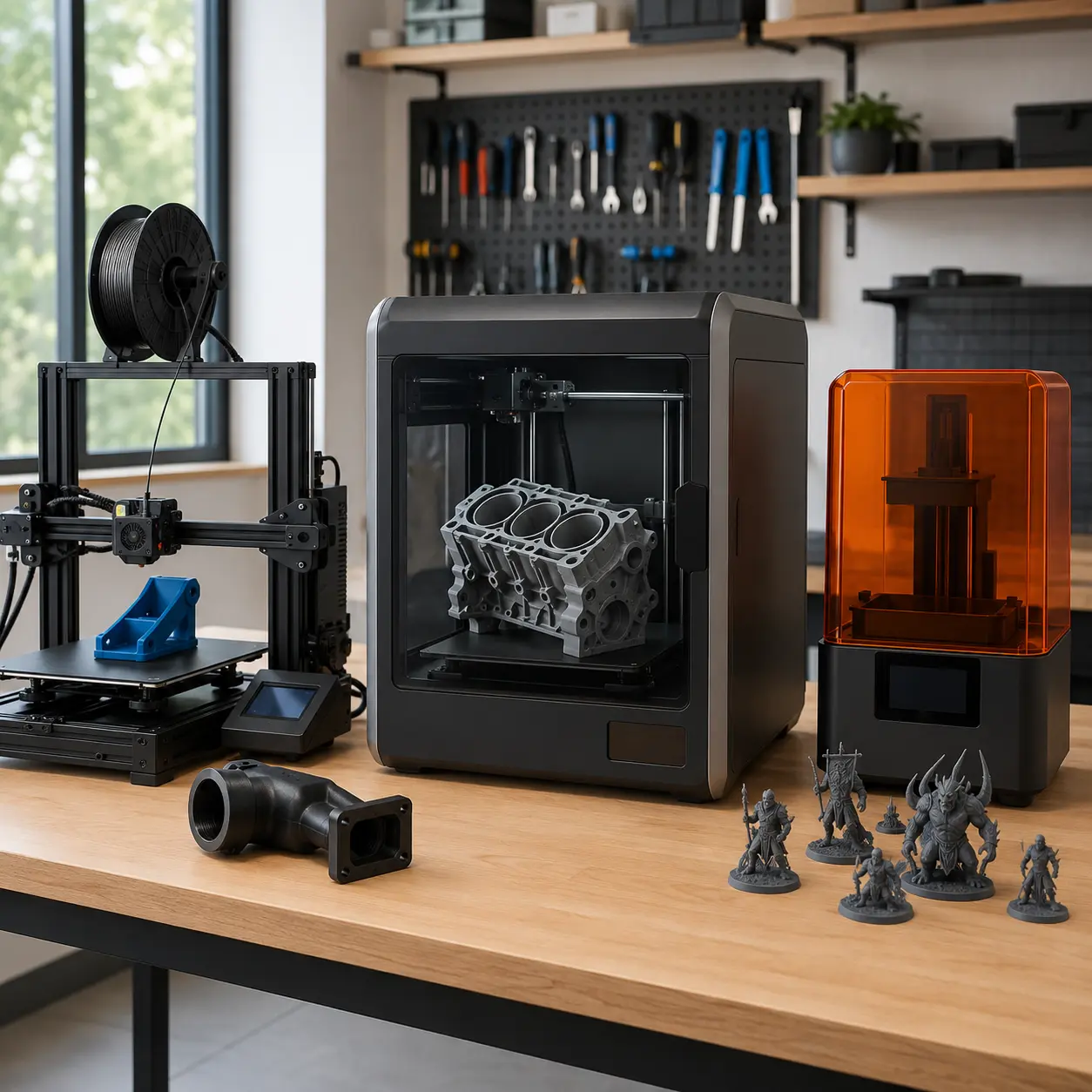
Entry-Level FDM Printers
Entry-level filament printers are commonly designed for PLA, PETG and general hobby projects.
They can offer good value and provide a practical way to learn slicing, calibration and basic maintenance.
Some require assembly and manual adjustment. Check whether levelling, filament detection and a removable build surface are included.
Enclosed FDM Printers
Enclosed FDM printers surround the build area with panels or a cabinet.
They can help with materials prone to warping and may reduce accidental access to moving components.
Check whether the enclosure is actively heated, passively warmed or mainly decorative. Ventilation may still be required for certain materials.
High-Speed FDM Printers
High-speed printers use rigid frames, advanced motion control and high-flow hotends to reduce print times.
They can suit frequent production, prototypes and larger parts.
Realistic speed depends on material, quality settings and model geometry. Very fast printing can increase noise and wear.
Large-Format FDM Printers
Large-format printers are designed for substantial single-piece objects.
They can suit cosplay, furniture prototypes, signage and large workshop components.
They require more space, material and calibration. Long prints also increase the consequences of a late-stage failure.
CoreXY Printers
CoreXY printers use a belt-driven motion system that can support fast, controlled movement.
They often keep the build plate stationary in the horizontal plane and move it vertically as the print grows.
They can provide a compact footprint relative to build volume, but belt routing and mechanical maintenance may be more complex.
Bed-Slinger Printers
Bed-slinger printers move the build plate forwards and backwards during printing.
They are common, accessible and often simple to maintain.
Tall or heavy prints may be affected by bed movement at high speed. Extra front and rear clearance is also required.
Delta Printers
Delta printers use three vertical towers and coordinated arms.
They can offer fast movement and tall cylindrical build volumes.
Calibration, bed shape and software workflow differ from conventional Cartesian printers, making them more specialised.
Multi-Colour Filament Printers
Multi-colour printers change between filament spools during a print.
They can produce detailed coloured models without painting, although they may create purge waste and take longer.
Check spool compatibility, material switching limits and whether the multi-colour system is included.
Dual-Extrusion Printers
Dual-extrusion printers use two filament paths or toolheads.
They may print two colours, two materials or soluble supports.
Nozzle alignment, oozing and material temperature compatibility can make dual extrusion more demanding than single-nozzle printing.
Entry-Level Resin Printers
Entry-level resin printers can provide fine detail at an accessible purchase price.
They suit miniatures, small models and detailed display pieces.
The printer cost is only part of the setup. Budget for resin, gloves, cleaning supplies, release film, ventilation and curing equipment.
Large-Format Resin Printers
Large resin printers provide more build area for bigger models or several parts at once.
They use more resin and can make vat handling, cleaning and failed print removal more demanding.
The screen, vat and replacement components can also cost more.
Professional And Engineering 3D Printers
Professional printers may offer controlled chambers, validated materials, advanced monitoring and service support.
They can suit engineering, dental-style workflows, education and production where the system is approved for the intended use.
These machines may use proprietary materials or software and can have higher ongoing costs.
Educational 3D Printers
Educational printers often prioritise enclosure, simple controls and managed software.
They can suit schools, libraries and training environments.
Adult supervision, ventilation, safeguarding and maintenance arrangements remain essential.
DIY And Kit Printers
Kit printers require assembly and can help users understand the mechanics of 3D printing.
They may provide flexibility and upgrade potential.
However, assembly quality affects electrical safety, accuracy and reliability. Buyers should be comfortable with wiring, calibration and troubleshooting.
Suitability By Buyer Type Or Need
| Buyer Type Or Need | What To Prioritise | What To Be Careful About |
|---|---|---|
| Beginner | Reliable levelling, good profiles and strong documentation | Avoid overly complex multi-material systems initially |
| Functional parts | FDM printing, suitable materials and dimensional control | Check heat, load and layer orientation |
| Miniatures | Resin detail, small pixel size and good supports | Resin handling and post-processing are essential |
| Cosplay | Large build volume and affordable filament | Long prints can fail and use substantial material |
| School use | Enclosure, simple controls and supervision | Ventilation and safeguarding still matter |
| Workshop use | Durable build plate, replacement parts and engineering materials | Abrasive filament may need hardened nozzles |
| Multi-colour models | Automated material switching | Purge waste and longer print times |
| Rapid prototypes | High-speed motion and reliable first layers | Maximum speed claims may not reflect usable quality |
| Flexible parts | Direct-drive extruder and suitable filament path | Very soft filament may need slow settings |
| Outdoor parts | ASA or another suitable weather-resistant material | Enclosure and ventilation may be required |
| Jewellery patterns | Fine resin detail and castable material support | Check the complete casting workflow |
| Small business | Repeatability, monitoring and replacement support | Consider downtime and consumable costs |
| Large parts | Large-format build volume | Measure footprint and allow for lengthy prints |
| Home user | Compact footprint, manageable noise and clear safety guidance | Avoid resin in unsuitable living spaces |
Common Mistakes And Misunderstandings
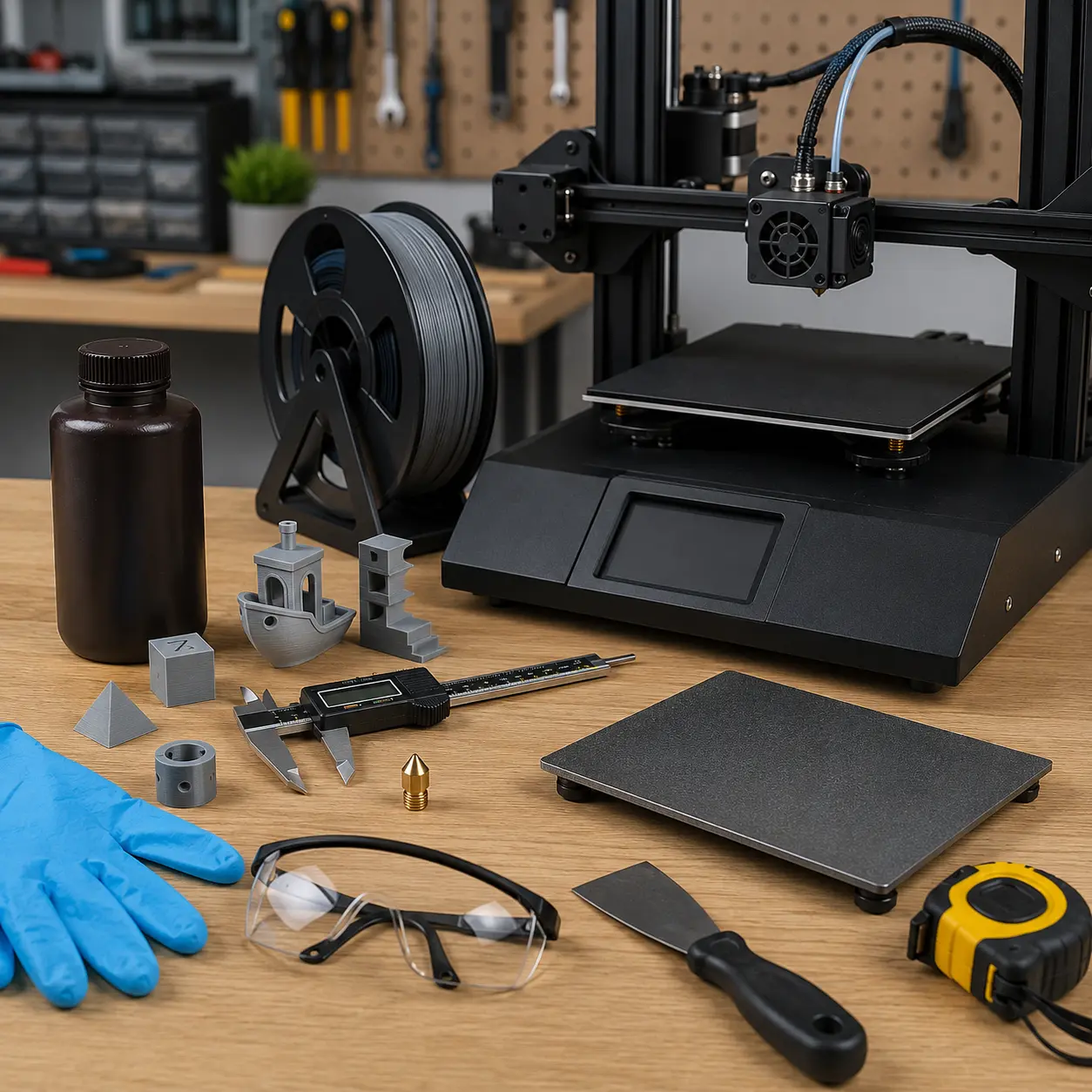
Choosing Technology By Price Alone
A low-cost resin printer and a low-cost filament printer may suit completely different projects.
Choose the process first, then compare machines within that category.
Ignoring The Total Setup Cost
The printer is only one part of the purchase.
Additional costs may include:
- Filament or resin
- Nozzles
- Build surfaces
- Release film
- Resin vats
- Wash and cure equipment
- Gloves
- Cleaning materials
- Ventilation
- Tools
- Replacement screens
- Storage containers
Calculate the complete setup before comparing prices.
Buying The Largest Build Volume
A large printer takes more space and can be harder to heat and calibrate.
Choose a build size based on real projects rather than the largest advertised dimensions.
Believing Maximum Speed Claims
Maximum movement speed does not equal useful printing speed.
Quality, extrusion flow and model geometry all affect realistic print time.
Assuming Automatic Levelling Solves Every First Layer Problem
Automatic probing cannot correct a dirty build plate, damaged nozzle or badly assembled frame.
The nozzle offset and mechanical setup still need attention.
Assuming Resin Is Easier Because Prints Look Better
Resin can produce fine detail, but the workflow includes washing, curing, waste handling and protective equipment.
It may be less convenient than filament printing in a shared home environment.
Handling Uncured Resin Without Protection
Uncured resin can irritate or sensitise skin.
Use suitable gloves and follow the safety documentation. Contaminated items and waste must be handled correctly.
Underestimating Ventilation
Both filament and resin printing can release fumes or particles, depending on the material and conditions.
Follow manufacturer guidance and use the printer in a suitable environment.
Expecting Finished Strength From Appearance
A visually perfect print can still fail under load.
Material, orientation, walls, infill and layer bonding all matter.
Ignoring Material Requirements
A printer may advertise a high nozzle temperature but lack the enclosure or bed performance needed for a particular filament.
Check the full material workflow.
Buying Proprietary Systems Without Checking Costs
Proprietary cartridges, resins, build plates or software may simplify setup but increase long-term expense.
Check availability and ongoing pricing before buying.
Ignoring Replacement Part Availability
A cheap printer can become unusable if a damaged screen, hotend or build plate is difficult to replace.
Check common spares before ordering.
Leaving Prints Unsupervised Without Precautions
3D printers contain heaters, motors, wiring and flammable materials.
Follow manufacturer guidance, maintain the printer and use appropriate monitoring and fire precautions.
Assuming A Printed Object Is Food Safe
Filament or resin composition alone does not prove a printed object is suitable for food contact.
Layer lines, additives, nozzle contamination and cleaning all matter.
Printing Safety-Critical Components Without Testing
3D prints should not be assumed suitable for lifting, protective equipment, mains electricity, vehicle safety or medical use.
Regulated and safety-critical parts require appropriate design, materials, testing and professional assessment.
Safety And Suitability Caveats
Use the 3D printer according to the manufacturer instructions.
Filament printer nozzles and build plates can reach temperatures capable of causing serious burns. Keep hands, hair, clothing, children and pets away from moving and heated components.
Use suitable ventilation. Emissions vary by filament, resin, additives, temperature and printer design.
Uncured resin requires particular care. Wear suitable chemical-resistant gloves, use eye protection where advised and prevent contact with skin, clothing and household surfaces. Keep resin away from children, pets, food preparation areas and drains.
Resin-contaminated liquid should not be poured into sinks or the environment. Follow local disposal guidance and the material safety documentation.
Do not look directly into exposed curing light sources. Keep protective covers and interlocks in place.
Inspect power cables, connectors and heaters regularly. Stop using a printer that shows signs of overheating, electrical damage, loose wiring or repeated unexplained shutdowns.
Do not leave a printer operating without the level of supervision and fire protection recommended by the manufacturer.
Maintenance, Storage And Lifespan Considerations
Keep the printer clean and inspect moving parts regularly.
For filament printers, maintenance may include:
- Cleaning the build surface
- Replacing nozzles
- Checking belts
- Lubricating approved motion components
- Inspecting extruder gears
- Clearing filament debris
- Checking fans
- Tightening loose hardware
- Updating firmware carefully
For resin printers, maintenance may include:
- Filtering resin
- Inspecting release film
- Cleaning the vat
- Checking the build plate
- Removing cured debris
- Protecting the screen
- Replacing release film
- Cleaning spills immediately
- Checking cover condition
Store filament sealed with suitable desiccant. Store resin according to the manufacturer’s temperature and light guidance.
Useful printer lifespan depends on maintenance, component quality, heat exposure, print hours and replacement part availability. Consumable parts should be expected to wear over time.
How To Compare Models Efficiently
- List the objects you expect to print.
- Decide between filament and resin technology.
- Measure the largest intended object.
- Check the printer’s external footprint and moving clearance.
- Compare usable build volume.
- Review supported materials.
- Check nozzle, hotend, bed or resin system limits.
- Decide whether an enclosure is required.
- Compare levelling and first layer features.
- Review realistic print speed rather than maximum travel speed.
- Check slicer software and file compatibility.
- Review connectivity and monitoring features.
- Check consumable and replacement part availability.
- Calculate filament, resin and accessory costs.
- Plan ventilation and safety equipment.
- Confirm warranty and support information.
- Read the individual product page before buying.
Summary Buyer Decision Checklist
| Buying Check | Why It Matters |
|---|---|
| Intended projects | Determines the suitable printer technology |
| FDM or resin | Defines materials, detail and workflow |
| Build volume | Limits object size |
| Printer footprint | Determines workspace requirements |
| Layer capability | Influences detail and print time |
| Material support | Determines functional properties |
| Nozzle size | Affects detail, strength and speed |
| Hotend temperature | Controls filament compatibility |
| Heated bed | Supports adhesion and reduces warping |
| Enclosure | Helps with temperature control and access |
| Levelling system | Influences first layer setup |
| Extruder type | Matters for flexible filament |
| Print speed | Affects productivity |
| Software | Controls slicing and workflow |
| Connectivity | Determines file transfer and monitoring |
| Multi-material support | Enables colour or soluble supports |
| Resin wash and cure | Required for most resin workflows |
| Ventilation | Supports safer operation |
| Replacement parts | Affect repairability and lifespan |
| Consumable costs | Determine long-term expense |
| Product page details | Confirm the exact printer specification |
Frequently Asked Questions
3D printer filament is a continuous strand of thermoplastic or composite material fed into a compatible printer, melted through a nozzle and deposited in layers to create an object.
FDM printers melt filament through a nozzle and commonly suit functional parts and larger models. Resin printers cure liquid resin and can produce finer detail but require washing, curing and careful chemical handling.
A beginner may benefit from a filament printer with reliable automatic levelling, established slicer profiles and readily available replacement parts. Resin may suit beginners focused specifically on miniatures, provided they can manage the safety and post-processing requirements.
Choose a build volume slightly larger than the biggest objects you expect to print. Large objects can sometimes be divided into sections and assembled after printing.
An enclosure can improve temperature stability and reduce access to moving parts. It is particularly useful for certain engineering filaments. It does not automatically replace suitable ventilation.
Automatic levelling can simplify first layer setup, but manual inspection, nozzle offset adjustment and build plate cleaning are still required.
Print time depends on model size, layer height, nozzle size, material, acceleration and quality settings. Maximum advertised speed may not provide the best practical finish.
No. Material support depends on filament diameter, hotend temperature, bed temperature, enclosure, extruder and nozzle material.
Specialist tough and engineering resins can provide useful mechanical properties, but performance varies. Standard display resin can be brittle. Check the individual resin data.
Resin printing requires an appropriate workspace, ventilation, gloves, controlled washing and responsible waste handling. It should not be placed in unsuitable living, sleeping or food preparation areas.
A dedicated unit is not always essential, but resin prints generally need controlled washing and curing. A wash and cure machine can make the process more convenient and consistent.
Most printers use slicer software to convert a 3D model into machine instructions. Supported software and file formats vary by printer.
Some printers support multiple filaments, automated spool switching or tool changing. Others can change colour manually at selected layers.
Filament printers need build plate cleaning, nozzle care and mechanical inspection. Resin printers need vat, release film, screen and resin maintenance. Frequency depends on use and machine design.
Follow the manufacturer’s supervision and safety guidance. Long unattended prints increase the consequences of electrical, mechanical or material failures.
Some can be made water resistant, but layer lines and small gaps may allow leakage. Material, print settings, design and post-processing all matter.
A printed part should not be considered food safe solely because of the base material. Additives, nozzle contamination, layer gaps and cleaning requirements must be assessed.
Check printing technology, build volume, material support, temperatures, enclosure, levelling, speed, software, consumables, replacement parts, ventilation, safety requirements and total ownership cost.