





Sleek All-in-One Power for Everyday Performance
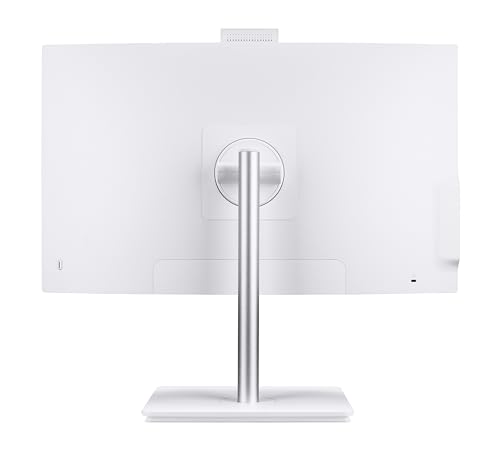
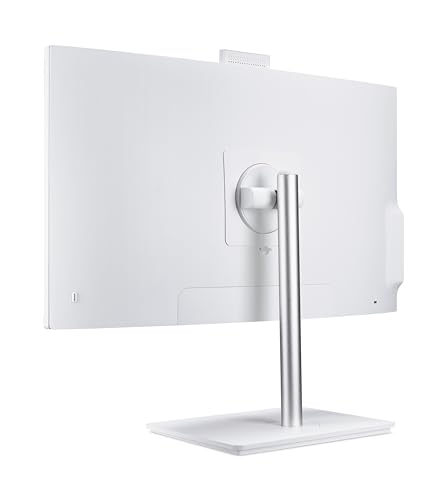
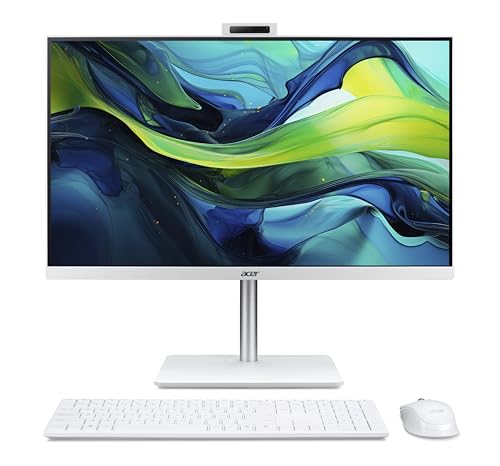
The Acer Aspire C27-A All-in-One PC blends performance with design in a slim, clutter-free 27-inch setup. Its Full HD IPS display with a smooth 120Hz refresh rate brings visuals to life, whether you are streaming, multitasking, or managing productivity software.
At its core is the Intel Core i5-1334U, a 10-core processor (2 performance cores + 8 efficiency cores) capable of speeds up to 4.6 GHz. Paired with 16GB DDR4 memory and a 512GB PCIe NVMe SSD, this all-in-one handles everyday computing tasks with ease and efficiency.
Its minimalist form factor frees up desk space, while Wi-Fi 6E connectivity and multiple USB ports provide flexible options for both home and office environments.
Pros and Cons
Pros:
Large 27-inch FHD IPS panel with 120Hz refresh rate for smooth visuals
Intel i5-1334U with hybrid architecture balances power and efficiency
Generous 16GB DDR4 RAM supports heavy multitasking
Fast NVMe SSD reduces load times and boosts responsiveness
Modern connectivity: Wi-Fi 6E, USB-C, HDMI, and Bluetooth 5.0
Comes bundled with wireless keyboard and mouse
Cons:
Integrated graphics limit gaming and intensive creative workloads
Display resolution is FHD, not 4K
Limited internal upgrade potential compared to traditional desktops
What This Product Is Used For
The Aspire C27-A is best suited for home offices, family computing, video calls, web browsing, and media streaming. It is perfect for those who want a stylish all-in-one desktop with solid everyday performance but don’t require dedicated graphics.
Why We Like This Product (YPC Team Review)
At YPC, we trialled the Aspire C27-A in our media lounge. What stood out most was the 120Hz refresh rate, which made everyday scrolling and video playback feel incredibly smooth compared to standard 60Hz displays. The inclusion of a wireless keyboard and mouse straight out of the box also makes setup painless. We like how Acer has built this machine with reliable specifications for long-term use without unnecessary extras that clutter the experience.
Alternatives Worth Considering
Lenovo ThinkCentre Neo 50a Gen 5 (23.8-inch) – More compact with business-focused features, ideal for smaller desks.
HP Pavilion 27 All-in-One – Offers similar specs with some variants including discrete graphics for light creative workloads.
Apple iMac 24-inch (M3, 2023) – Premium build and 4.5K Retina display, better suited for creative professionals.
Tips on How to Use Correctly
Adjust the display to 120Hz in Windows settings for the smoothest experience.
Keep system drivers updated through Acer Care Centre for performance stability.
Use external storage if you require more than 512GB, as internal upgrades are limited.
Position in a well-lit room to benefit from the wide IPS viewing angles.
Comparisons with Alternatives
Against the Lenovo ThinkCentre Neo 50a Gen 5, the Aspire C27-A offers a larger display and higher refresh rate, making it more multimedia-friendly.
Compared to the HP Pavilion 27 AIO, the Acer is slightly more affordable but lacks optional discrete graphics.
Against the Apple iMac 24-inch, the Acer wins on display size and Windows flexibility, while Apple delivers sharper resolution and colour accuracy.
Full Technical Specification
Display: 27-inch Full HD (1920 × 1080) IPS, 120Hz refresh rate, slim bezels
Processor: Intel Core i5-1334U, 10 cores (2 performance, 8 efficiency), base 3.4 GHz, turbo up to 4.6 GHz
Graphics: Integrated Intel UHD Graphics (onboard)
Memory: 16GB DDR4 RAM
Storage: 512GB M.2 PCIe NVMe SSD
Connectivity: Wi-Fi 6E, Bluetooth 5.0, Gigabit Ethernet
Ports: 4 x USB 3.2, 2 x USB 2.0, 1 x USB Type-C, 1 x HDMI, headphone/mic combo jack
Audio: Stereo speakers
Camera: Integrated HD webcam
Operating System: Windows 11 Home
Accessories Included: Wireless keyboard and mouse
Dimensions: Not specified
Weight: Not specified
Power Supply: Internal PSU, energy efficient
FAQs
Q1: Does the Aspire C27-A come with a wireless keyboard and mouse?
Yes, both are included in the box.
Q2: Can I upgrade the RAM?
The RAM is upgradeable in some configurations, but access is more limited than a tower PC.
Q3: Is the display 4K?
No, it is Full HD (1920 × 1080) with a 120Hz refresh rate.
Q4: Is it suitable for gaming?
It can handle casual games but is not designed for heavy AAA gaming due to onboard graphics.
Q5: Can I connect a second monitor?
Yes, you can connect an additional display via HDMI or USB-C.
Q6: Does it support Wi-Fi 6E?
Yes, Wi-Fi 6E is built-in for fast wireless connections.
Q7: How much storage does it have?
It comes with a 512GB PCIe NVMe SSD.
Q8: Is Windows 11 included?
Yes, it ships with Windows 11 Home pre-installed.
Q9: How thin are the bezels?
The design uses ultra-narrow bezels to maximise screen real estate.
Q10: Does it have a touchscreen?
No, this model does not include touchscreen functionality.
Buyer’s Guide – YPC Recommendation:
If you need a stylish, large-screen all-in-one for home or office use, the Aspire C27-A is a smart choice. It is powerful enough for everyday workloads and multitasking, and the 120Hz display makes it stand out in its class. For users who need graphics-heavy performance or ultra-high resolution, alternatives like HP Pavilion AIO or Apple iMac are worth a look.
Looking for more options?
Browse our full range of All In One PC's for other great choices to suit your space, goals, and budget.


