



Quick Summary
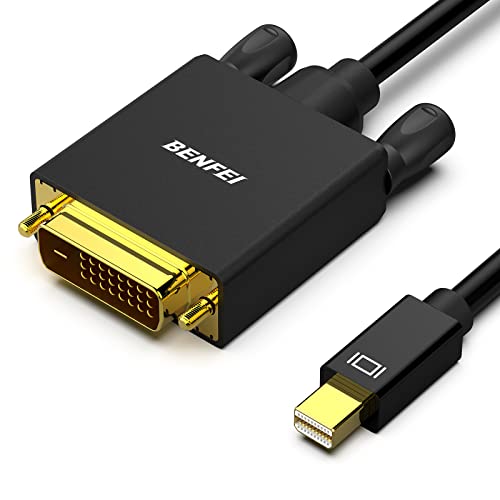
The BENFEI Mini DisplayPort to DVI Cable is a 1.83 m male to male cable for linking a Mini DisplayPort or Thunderbolt-compatible PC to a DVI display device such as a monitor, HDTV or projector. It is positioned as a Mini DP to DVI connection lead with a gold-plated cord finish.
The cable is described as supporting both audio and video, with video resolutions up to 1920 x 1200 and 1080p Full HD. The low-profile connector is designed not to block adjacent ports, and the moulded strain relief is intended to support the cable at the plug end.
Key Details
| Detail | Verified information and buyer relevance |
|---|---|
| Product type | Mini DisplayPort to DVI cable for connecting a compatible device to a DVI display. |
| Length | 1.83 m, which matters if you need extra reach between a computer and display. |
| Connection type | Male to male cable. |
| Video support | Supports video resolutions up to 1920 x 1200 and 1080p Full HD. |
| Audio support | Described as transmitting audio and video, including uncompressed digital 7.1, 5.1 or 2 channel audio pass-through. |
| Design features | Low-profile connector and moulded strain relief. |
| Finish | Gold-plated cord is stated in the product name. |
What to Compare Before Buying
- Connector type: This is a Mini DisplayPort to DVI cable, so check that your device has the right output and your display has a DVI input.
- Length: The cable is 1.83 m long. Compare that with the distance between your equipment and where you want to place the screen.
- Resolution support: The stated support goes up to 1920 x 1200 and 1080p. Match that with the display resolution you plan to use.
- Audio support: If audio through the connection matters, check that your setup is meant to use it in the way you need.
Compatibility, Size and Fit
The cable is described for Apple MacBook, MacBook Pro, MacBook Air, iMac, Mac mini and Mac Pro, plus Microsoft Surface Pro, Pro 2 and Pro 3, and several Lenovo, Dell, Acer, Asus, HP, Google, Cyberpower and Toshiba models. It is also stated as not for Surface for Windows RT.
Because compatibility is device-specific, check the exact output on your computer and the DVI input on your screen before choosing an offer.
What Is Included
One Mini DisplayPort to DVI cable is described. The page text does not add any separate adapters or accessories.
Before You Decide
Confirm that your computer has Mini DisplayPort or Thunderbolt output and that your display uses DVI. Check the 1.83 m length suits your setup, and make sure the resolution support matches the screen you plan to connect.
If you need the connection to match a specific device model, review that model against the compatibility list before choosing an offer.


