Quick Summary
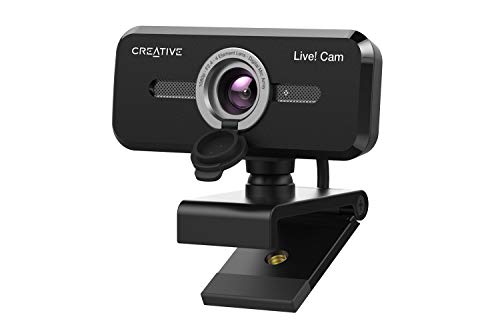
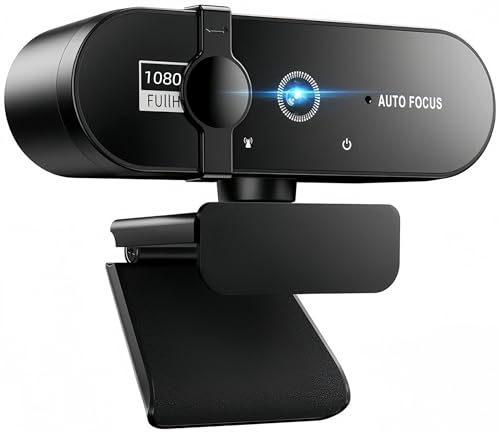
This Full HD 1080P webcam with microphone is a plug and play USB webcam for PC use, with 1920 x 1080p video, a 120° field of view and dual microphones. It is set up for video calling, conferencing, streaming and online learning, with a removable cover and a clip design for placing it on a laptop or monitor.
The black version is listed with USB A adapter connections and a foldable design. It is aimed at users who want a simple webcam for home office or desktop use without driver installation.
Who It Is Best For
This webcam suits buyers who need a straightforward USB camera for Zoom, Teams, video calling, online teaching, conferencing or streaming. It is also relevant if you want a webcam that can be placed on a monitor, laptop or other compatible surface using the clip design, or used with a desktop setup.
Key Details
| Detail | Verified information and buyer relevance |
|---|---|
| Product type | Full HD webcam with microphone for PC use. |
| Video resolution | 1920 x 1080p, which identifies the stated Full HD image capture. |
| Field of view | 120° FOV in the title, with 90° wide-angle lens wording in the description. Check the chosen listing variation before ordering. |
| Audio | Dual microphone setup for stereo audio capture. |
| Connection | USB A adapter connections and plug and play operation with no driver required. |
| Compatibility | Listed for desktop PCs, laptops, tablets, Android phones and other UVC protocol devices, with Windows XP/7/8/10/11, Mac iOS, Vista and Linux 2.6 or later mentioned. |
| Design features | Foldable design, removable cover and clip design for placement on laptops or monitors. |
| Colour | Black. |
| Weight | About 140 grams, which may matter if you want a lighter camera to move between setups. |
Why Buyers Choose It
- 1920 x 1080p video gives a clear stated resolution for calls, recording and streaming.
- Dual microphones provide a built-in audio option without needing a separate microphone for basic use.
- Plug and play USB setup means there is no driver installation step.
- The clip and bottom base give more than one placement option for desk, monitor or laptop use.
How It Works
- Connect the webcam using the USB A adapter connection.
- Place it using the clip, bottom base or a bracket matched to the camera, if you have one.
- Use it with supported calling, streaming or recording software on a compatible device.
- Remove or use the cover as needed for protection.
Real World Use
In day to day use, this camera is intended for home office work, online study, conference calls and streaming sessions. The foldable design and 140 gram weight may make it easier to move between rooms or store when not in use. The clip design and base give flexibility when positioning it on a laptop, monitor or desktop.
What To Know Before You Buy
Check the field of view wording carefully, as the title states 120° FOV while the description mentions a 90° wide-angle lens. Confirm that your device matches the listed USB A connection and UVC protocol support before ordering. If you plan to use it on a monitor or laptop, make sure the clip style placement suits your setup.
Pros: It combines 1080p video, dual microphones and plug and play USB setup in one webcam.
Cons: The field of view wording differs between the title and description, so the exact angle should be checked before ordering.
Common Buyer Questions
Does it need drivers?
No, it is listed as plug and play with no driver required.
What devices is it listed for?
It is listed for desktop PCs, laptops, tablets, Android phones and other UVC protocol devices.
Can it be used for video calls and streaming?
Yes, it is listed for Zoom, Teams, conferencing, live streaming, recording and online learning.
How can it be positioned?
It has a clip design, a bottom base and can be fixed on a bracket matched with the camera, if you have one.
Final Buying View
This webcam suits buyers who want a simple Full HD USB camera with built-in microphones for calls, teaching, conferencing or streaming. Before ordering, check the field of view wording, your connection type and your intended placement method so the chosen version fits your setup.