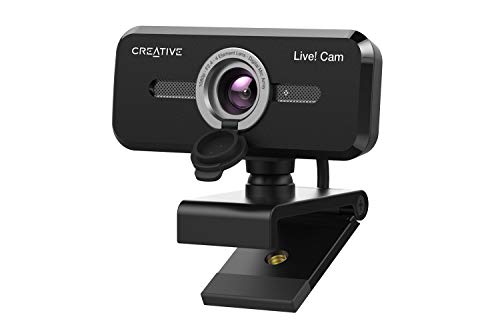
Quick Summary
The Dancial USB Webcam is a 1080P streaming webcam with a built-in microphone for PC, Mac and laptop use. It is a plug and play web camera, so you connect it by USB 2.0 and it is ready for video calls, studying, conferences and streaming.
The webcam description also refers to low light correction and a dual-track microphone with noise reduction technology, which are useful details for buyers who want clearer image and audio capture in everyday online communication.
Who It Is Best For
This webcam suits buyers who want a simple USB camera for video calling, online studying, webinars, meetings, live streaming, gaming chat and similar computer-based use. It is also relevant for people who want compatibility with the stated operating systems and software before ordering.
Key Details
| Detail | Verified information and buyer relevance |
|---|---|
| Brand | Dancial, preserved from the product title for correct identification. |
| Product type | USB webcam / web camera for computer-based video use. |
| Video resolution | 1080P, which identifies the stated full HD format. |
| Microphone | Built-in microphone, with the description also referring to a dual-track microphone. |
| Connection | USB 2.0, plug and play, driver-free. |
| Compatibility | Stated for PC, Mac, laptop, Windows XP/2000/7/8/10, Mac OS and Android Smart TV. |
| Software compatibility | Listed for Skype, Zoom, Facetime, Facebook, YouTube, PotPlayer and more. |
| Mounting | Includes a mounting clip for use on an LED monitor, notebook lid, table or countertop. |
| Adjustment | 180 degrees up and down and 360 degree head rotation. |
| Lighting feature | Low light correction is stated for use in dimmer environments. |
Why Buyers Choose It
- 1080P resolution gives a clearly identified video format for buyers comparing webcams.
- Plug and play USB 2.0 setup reduces the need for additional drivers or software.
- The built-in microphone and stated noise reduction technology are useful for online calls and meetings.
- The mounting clip and adjustable head make it easier to position on a monitor, laptop lid, table or countertop.
How It Works
1. Connect the webcam to a computer or laptop using the USB 2.0 connection.
2. The device is designed to be detected automatically without third party software or drivers.
3. Use the mounting clip to attach it to a monitor, notebook lid, table or countertop.
4. Adjust the angle using the stated 180 degree up and down movement and 360 degree head rotation.
5. Use it with compatible software such as Skype, Zoom, Facetime, Facebook, YouTube or PotPlayer where required.
Real World Use
This webcam is positioned as a practical option for online studying, conference calls, meetings, gaming chat, webinars, live streaming and video calling. The adjustable mount and rotation give you some flexibility over placement, while the USB connection keeps setup straightforward on the supported devices.
What To Know Before You Buy
Check that your device has a USB 2.0 port and that the webcam suits your chosen operating system or software before ordering. If you plan to use it on a monitor, laptop lid, table or countertop, review the mounting position and angle adjustment to make sure it fits your setup.
Pros: The webcam includes a built-in microphone and plug and play USB 2.0 connection.
Cons: Compatibility is listed broadly, so buyers should confirm their exact device and software before purchase.
Common Buyer Questions
Does it need drivers?
No, it is described as plug and play and driver-free.
Can it be used for video calls and meetings?
Yes, it is listed for video calling, online conferences, meetings, studying and similar use.
What devices is it stated to work with?
It is listed for PC, Mac and laptop use, with support also mentioned for Windows XP/2000/7/8/10, Mac OS and Android Smart TV.
How is it mounted?
It includes a mounting clip for an LED monitor, notebook lid, table or countertop.
Final Buying View
If you want a straightforward 1080P USB webcam with a built-in microphone, this Dancial model gives you the key basics in a simple plug and play format. Confirm your device connection, operating system and software choice before ordering, especially if you are buying for a specific setup.