




What This All in One PC Is Used For
The Lenovo IdeaCentre AIO 3 is designed for users who want strong desktop performance in a clean, space saving form factor. It is well suited to demanding office work, development tasks, heavy multitasking, content consumption, remote working and business environments where speed and reliability matter.
With a Ryzen 5 processor and fast DDR5 memory, it handles large spreadsheets, multiple browser sessions, virtual meetings and background processes smoothly, making it a practical choice for power users who do not want a traditional tower setup.
Why We Like This Product (Reviewed by the YPC Team)
At our activity centre at YPC, this is exactly the type of system we would deploy for admin desks, booking systems and operational workstations. It is fast, responsive and exceptionally quiet, which matters in shared working spaces.
The Ryzen 5 7535HS performs far better than typical entry level all in one processors, and the DDR5 memory makes a noticeable difference when switching between tasks. The display quality also stood out to us, especially the smooth 100Hz refresh rate, which makes everyday use feel noticeably more fluid.
Pros and Cons
Pros
Strong Ryzen 5 7535HS processor suitable for power users
16GB DDR5 RAM ideal for multitasking and productivity
Fast 512GB SSD with quick boot and load times
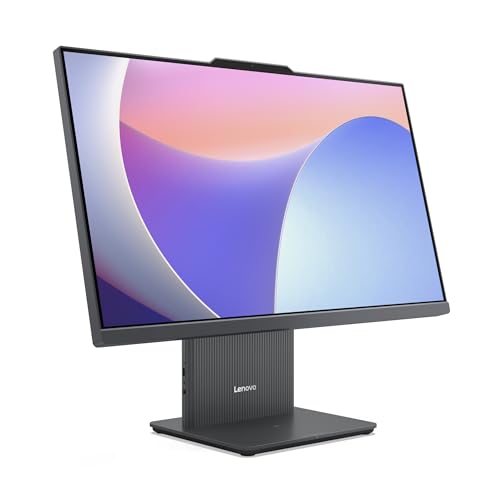
23.8 inch IPS display with 100Hz refresh rate
99 percent sRGB colour coverage for accurate visuals
High quality 5MP webcam with AI enhancement
Very quiet operation
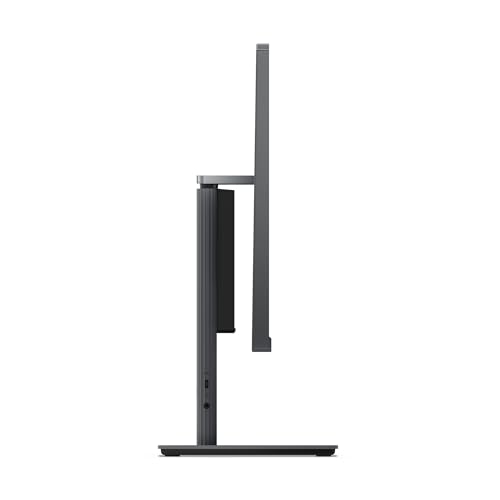
Compact desk friendly design with adjustable tilt
Cons
No dedicated graphics card
Limited internal upgrade options compared to tower PCs
Full HD resolution rather than 4K
Performance and Day to Day Experience
The Ryzen 5 7535HS delivers excellent real world performance, particularly for users who keep many applications open at once. With 6 cores and 12 threads, it handles parallel workloads efficiently and stays responsive even under sustained use.
Combined with DDR5 memory, application launches are fast and background tasks rarely interrupt active work. Thermal management is well tuned, keeping fan noise low even when the system is working hard.
Display and Multimedia Quality
The 23.8 inch IPS panel is a strong point of this system. The 100Hz refresh rate makes scrolling, window movement and general navigation feel smooth and modern. Colour accuracy is excellent for an all in one, covering 99 percent of the sRGB colour space.
For video calls, the 5MP webcam paired with Lenovo Smart Meeting AI features delivers clear image quality and effective noise reduction, making it suitable for frequent conferencing and remote work.
Comparisons With Likely Alternatives
Compared with HP Pavilion All in One 24
The Lenovo offers stronger processor performance and a smoother display, while the HP focuses more on design aesthetics.
Compared with Acer Aspire C24
The IdeaCentre provides better multitasking performance and improved colour accuracy.
Compared with Apple iMac 24
The iMac delivers a higher resolution display but at a much higher cost and with less flexibility for Windows based workflows.
Alternatives Worth Considering
HP Pavilion All in One 24 for users prioritising design
Acer Aspire C27 if a larger display is preferred
A compact desktop PC with a separate monitor for easier future upgrades
Tips on How to Use Correctly
Adjust the screen tilt between minus 5 and 15 degrees for ergonomic comfort
Pair with a Wi Fi 6 router to take full advantage of wireless speeds
Enable Lenovo Smart Noise Cancelling for clearer calls in busy environments
Keep sufficient free SSD space to maintain optimal system performance
Full Technical Specification
Brand: Lenovo
Model: IdeaCentre AIO 3 Gen 9
Form Factor: All in One Desktop PC
Processor: AMD Ryzen 5 7535HS
CPU Configuration: 6 cores 12 threads
Memory: 16GB DDR5
Storage: 512GB SSD
Graphics: Integrated AMD Radeon Graphics
Display Size: 23.8 inch
Panel Type: IPS
Resolution: 1920 x 1080 Full HD
Refresh Rate: 100Hz
Colour Coverage: 99 percent sRGB
Webcam: 5MP AI enhanced
Audio: Integrated speakers with smart noise cancelling
Wireless Connectivity: Wi Fi 6 and Bluetooth
Operating System: Windows 11 Home
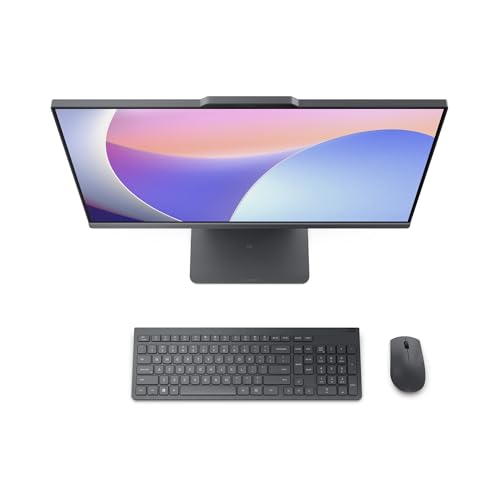
Included Accessories: Wireless keyboard and mouse
Colour: Luna Grey
Stand Adjustment: Tilt from minus 5 to 15 degrees
Frequently Asked Questions
Is this suitable for heavy multitasking
Yes. The combination of Ryzen 5 and 16GB DDR5 RAM handles demanding workloads comfortably.
Can this be used for coding and development
Yes. It performs well with IDEs, virtual environments and development tools.
Is the RAM upgradeable
Upgrade options are limited. Check Lenovo specifications before purchase if upgrades are important.
Does it support external monitors
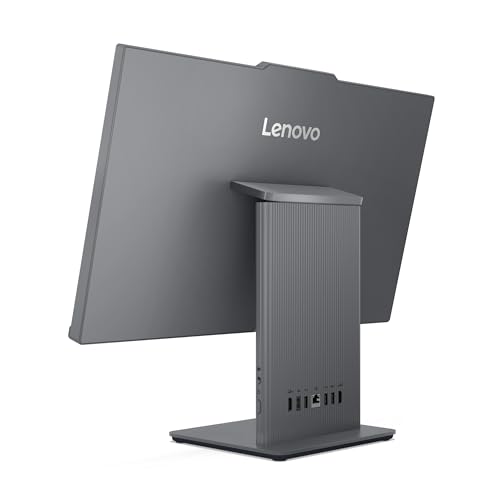
Yes. External displays are supported via available ports.
Is it suitable for gaming
Light and casual gaming is possible, but it is not designed for high end gaming.
How good is the webcam
The 5MP webcam is excellent for video conferencing and remote work.
Is the system noisy
No. It remains quiet even during prolonged use.
Does it include keyboard and mouse
Yes. A wireless keyboard and mouse are included.
Is this good for home office use
Yes. It is very well suited to home and office environments.
Will it receive long term Windows updates
Yes. Windows 11 Home receives ongoing security and feature updates.
Buyer’s Guide
When choosing an all in one PC, focus on processor class, memory capacity, display quality and noise levels. Ryzen 5 and Intel Core i5 systems provide the best balance for productivity users, while DDR5 memory and IPS displays improve long term usability and comfort.
Looking for more options?
Browse our full range of Computers and Accessories for other great choices to suit your space, goals, and budget.


