


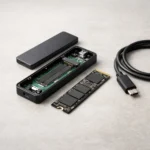


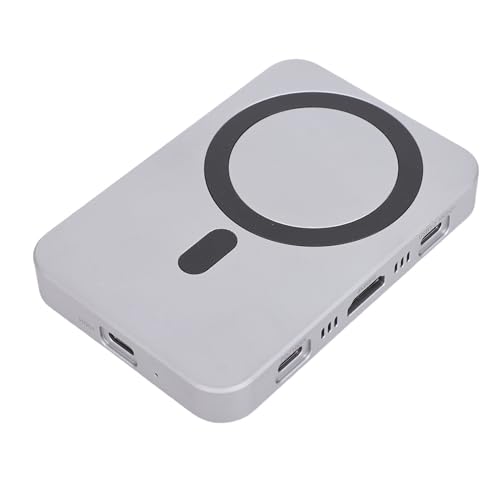
Quick Summary
The UNITEK M.2 NVMe SSD Enclosure Adapter is a tool-free portable enclosure with a stated 10Gbps USB 3.2 Gen2 connection. It is also described as supporting SATA hard drives, and the listing includes compatibility with M and B&M keys plus 2230, 2242, 2260, 2280 and 22110 SSD sizes.
For buyers comparing storage enclosures, the most important checks are the drive type, key type and size, plus the note to remove the thick heat sink from the M.2 SSD before use.
Who It Is Best For
This enclosure suits buyers who want a portable adapter for an M.2 NVMe SSD or a SATA drive, and who prefer a tool-free setup. It will also appeal to anyone who needs to check key type and size carefully before ordering, because several M.2 lengths are listed.
Key Details
| Detail | Verified information and buyer relevance |
|---|---|
| Brand | UNITEK, making the product easy to identify in a matching setup or replacement search. |
| Product type | M.2 NVMe SSD enclosure adapter and portable enclosure, with SATA hard drive reader wording also included in the listing. |
| Connection speed | 10Gbps is stated for NVMe M.2 SSD use, which is the key interface figure given. |
| USB standard | USB 3.2 Gen2 is stated in the title, so the enclosure is positioned around that connection type. |
| Drive support | M.2 NVMe SSDs and SATA SSD/HDDs are both mentioned, so buyers should match their drive type carefully. |
| Key compatibility | M and B&M keys are listed, which is important for confirming the drive connection style. |
| Supported M.2 sizes | 2230, 2242, 2260, 2280 and 22110 are listed, so the selected drive length needs to match. |
| Included items | A USB-C to M.2/SATA adapter and a 12V/2A power cable are mentioned in the description. |
| Colour | Black. |
Why Buyers Choose It
- Tool-free fitting is stated, so the drive can be inserted without using tools.
- The LED indicator shows real-time activity, which gives a visible connection status.
- Hot-swappable and plug-and-play wording is included, so the enclosure is intended for direct connection use.
- The open-frame design and heat dissipation wording indicate that airflow is part of the design approach.
How It Works
- Insert a compatible M.2 NVMe SSD or SATA SSD/HDD into the enclosure.
- Use the tool-free design to fit the drive without additional tools.
- Connect the USB-C interface for data transfer.
- Use the LED indicator to check activity during use.
- Follow the note to remove the thick heat sink from the M.2 SSD before use.
- If the drive is encrypted, disable encryption before connecting.
Real World Use
The enclosure is described as a portable option for office work, gaming, travel, backing up files, editing high-resolution video and expanding storage capacity. Its USB-C connection and included power cable are practical points to check when planning a desk or carry setup.
What To Know Before You Buy
Check that your drive matches the listed M.2 key type and size before ordering. The enclosure also mentions SATA support, so confirm whether your drive is NVMe M.2 or SATA and review the connection requirements carefully. The thick heat sink note is important, because it should be removed from the M.2 SSD before use. The listing also states that cloning between SATA and M.2 drives is not supported.
Common Buyer Questions
Does it support M.2 drive sizes?
Yes. The listed sizes are 2230, 2242, 2260, 2280 and 22110.
Is it tool-free?
Yes. Tool-free fitting is stated in the description.
What should I check before connecting my SSD?
Check the key type, drive size and whether the drive has a thick heat sink that needs removing first.
Does it include power and a USB-C adapter?
Yes. A USB-C to M.2/SATA adapter and a 12V/2A power cable are mentioned.
Final Buying View
Choose this enclosure if you need a UNITEK adapter for a compatible M.2 NVMe SSD or SATA drive and want a tool-free portable format. Confirm the drive key, size and heat sink fit before ordering.


