
PC Internal Cables and Mounting
PC Internal Cables and Mounting products help connect, secure and organise the components inside a desktop computer. Whether you are building a new PC, upgrading storage, replacing a missing cable, improving cable management or fitting parts into a case, the right internal cables and mounting accessories can make the build cleaner, more practical and easier to maintain.
This category includes internal PC cables, mounting parts and installation accessories for different computer setups. Depending on the product, you may find SATA cables, power cables, fan cables, extension cables, adapter cables, drive mounting kits, brackets, screws, standoffs, cable ties and other internal fitting accessories where listed.
- PC Internal Cables and Mounting
NUOBESTY Hard Drive Bracket Front Bay Adapter Mounting Kit for HDD SSD Desktop Enclosure
£12.19 *View On Amazon* - PC Internal Cables and Mounting
Lurrose Hard Drive Adapter Internal Drive Bay for SSD Mounting Bracket with Data Cable Converter
£5.69 *View On Amazon* - PC Internal Cables and Mounting
FELTECHELECTR 12pcs 2.5-inch to 3.5-inch Hard Disk Mounting Brackets for Desktop Computer Internal Drive Bay
£12.09 *View On Amazon* - PC Internal Cables and Mounting
Gatuida Front Panel USB Floppy Disk Bay Expansion Panel
£20.99 *View On Amazon* - PC Internal Cables and Mounting
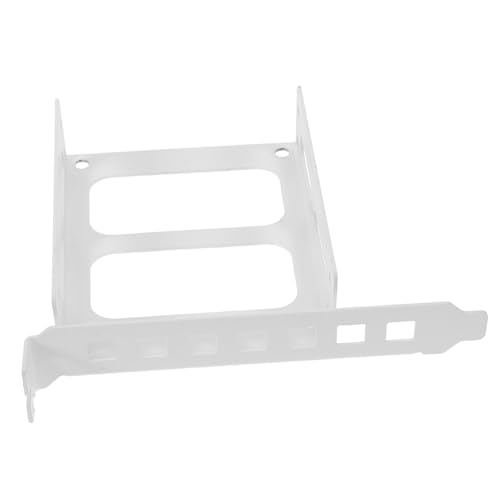
Angoily Hard Disk Mounting Bracket for Desktop PC PCI Slot
£11.59 *View On Amazon* - PC Internal Cables and Mounting
POPETPOP SSD Adapter Hard Drive Mounting Bracket Holder
£8.29 *View On Amazon* - PC Internal Cables and Mounting
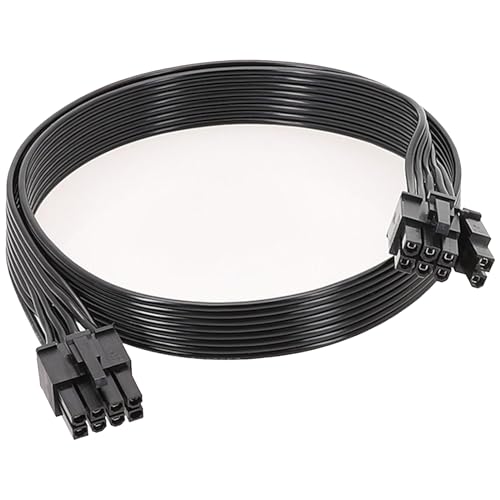
8Pin Rotating Dual PCIe 8Pin (6+2) Male-to-Male Modular GPU Cable, 60cm+20cm
Original price was: £4.99.£3.23Current price is: £3.23. *View On Amazon* - PC Internal Cables and Mounting
J&D PCIe 6 Pin to PCIe 8 Pin Power Adapter Cable 2 Pack, 12 Inch
£11.99 *View On Amazon* - PC Internal Cables and Mounting
FUNNETOYU 10pcs Computer Cooling Buckle Parallel Radiator Connection Clips for CPU Fans
£9.79 *View On Amazon* - PC Internal Cables and Mounting
COMeap PCIe 8 Pin Male to CPU 8 Pin (4+4 Detachable) EPS-12V Motherboard Power Adapter Cable for Seasonic Modular Power Supply, 25-inch (63cm)
£13.99 *View On Amazon* - PC Internal Cables and Mounting
LINKUP AVA 30cm EPS 4 Pin CPU ATX Motherboard PSU Power Supply Braided Sleeved Custom Mod PC Extension Cable with Combs, Single Pack, Red
£9.96 *View On Amazon* - PC Internal Cables and Mounting
Buaak PCIe Power Cable 65 cm 8 Pin to 6+2 Pin PSU Extension
Original price was: £4.37.£4.15Current price is: £4.15. *View On Amazon* - PC Internal Cables and Mounting
Buaak PCIE Cable 70cm PSU 8 Pin to 6+2 Pin GPU Adapter
£6.09 *View On Amazon* - PC Internal Cables and Mounting
jojofuny Hard Drive Metal Bracket SSD to HDD Mounting Bracket
£8.09 *View On Amazon* - PC Internal Cables and Mounting
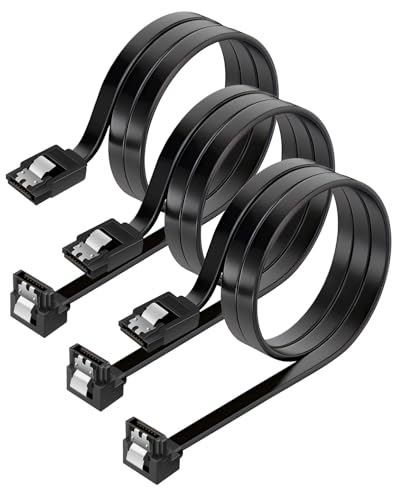
Tiryns 3 Pack SATA III Data Cable, Straight to 90 Degree Right Angled, 6Gbps, Black
£3.99 *View On Amazon* - PC Internal Cables and Mounting
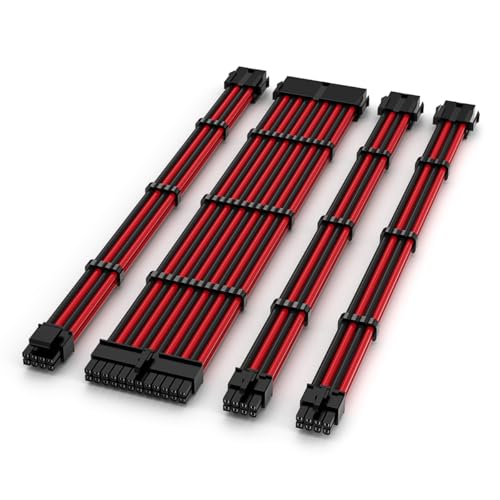
TECWARE FLEX Black/Red PSU Sleeved Extension Cables Set 30cm
£24.99 *View On Amazon* - PC Internal Cables and Mounting
BTFO 2pcs Graphics Card Power Cables for Corsair, 2ft, 8 Pin, Black
£3.26 *View On Amazon* - PC Internal Cables and Mounting
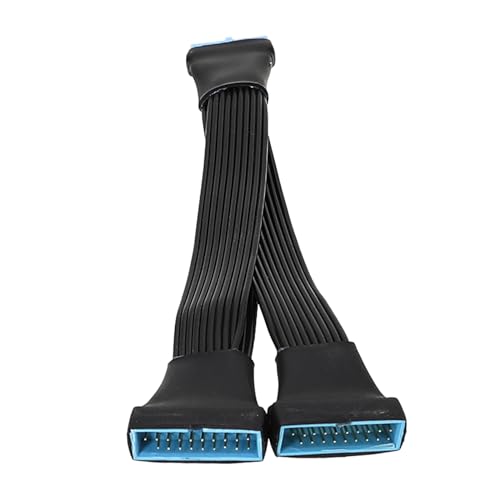
Wdbild USB3.0 Extension Cable 19/20 Pin Male to Female Header, 15 cm
£7.19 *View On Amazon* - PC Internal Cables and Mounting
OWC NewerTech AdaptaDrive Internal SATA Adapter Card, Black
£25.99 *View On Amazon* - PC Internal Cables and Mounting
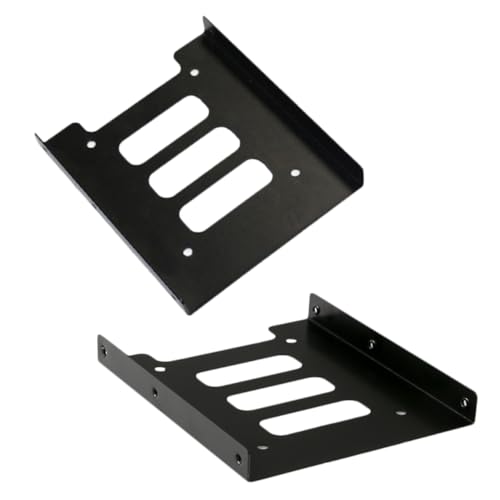
NUOBESTY 4Pcs Hard Drive Tray for 2.5 Inch SSD, Black
£7.49 *View On Amazon* - PC Internal Cables and Mounting
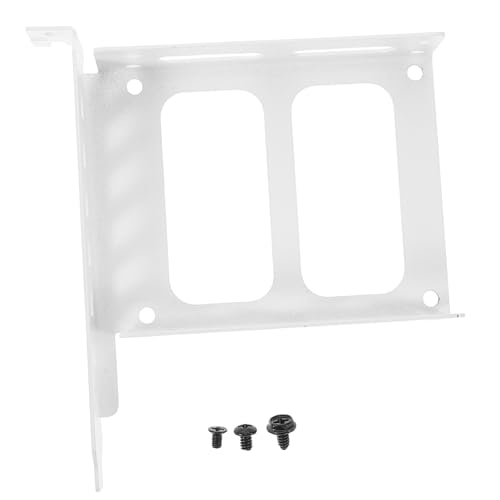
STOBOK Hard Drive Bracket PC HDD Mounting Bracket Metal Rear Panel
£7.19 *View On Amazon* - PC Internal Cables and Mounting
DIYEAH SSD Enclosure Bracket Metal Rear Panel Mounting Bracket for Desktop PC
£7.59 *View On Amazon* - PC Internal Cables and Mounting
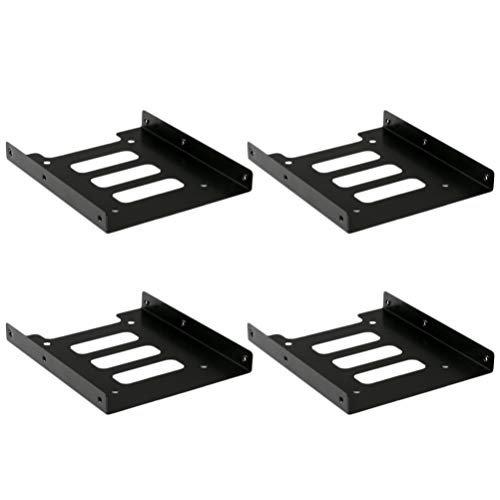
OSALADI 4Pcs SSD Mounting Bracket for 2.5 to 3.5 Inch Desktop PC
£12.19 *View On Amazon*





What Are PC Internal Cables and Mounting Products?
PC internal cables are cables used inside a desktop computer to connect parts such as storage drives, fans, power supplies, motherboards, front panels and other components where compatible.
Mounting products are the parts used to fit, secure or organise computer components inside a case. These may include screws, brackets, drive trays, mounts, standoffs, clips and other fitting accessories where listed.
Together, these products help make a PC build more complete, organised and serviceable.
What PC Internal Cables and Mounting Products Are Used For
PC internal cables and mounting products are used for building, repairing, upgrading and tidying desktop computers. They can help connect drives, route power, add fans, secure storage devices and manage cables inside the case.
For a new build, the correct cables and mounting parts help components fit and connect properly. For an upgrade, they may be needed when adding a new drive, replacing an old case, fitting extra cooling or improving the layout inside the computer.
They are also useful for maintenance, especially when older screws, cables or brackets have been lost, damaged or become difficult to reuse.
How To Choose The Right Internal Cable Or Mounting Part
Start with the component you are fitting or connecting. A storage drive, fan, motherboard header, power supply or case accessory may each need a different cable or mounting method.
Next, check compatibility. Connector type, cable length, drive size, screw type, bracket fit, case layout and motherboard support can all vary. Always compare the product details with your existing parts before buying.
Finally, think about the build layout. A cable that is technically compatible may still be too short, too long, too stiff or awkward to route neatly in your case. A mounting bracket may fit one case layout but not another, so physical fit matters as much as connection type.
Key Features To Compare
Connector type is one of the most important features. Internal PC cables need to match the ports, headers or sockets they connect to where compatible.
Cable length is also important. A cable should reach comfortably without being stretched tight or leaving excessive clutter inside the case. Check the likely route before choosing.
Flexibility can matter in compact cases or tidy builds. A more flexible cable may be easier to route, while thicker or sleeved cables may need more space depending on the product.
For mounting products, compare fit, screw type, bracket size, drive support and case compatibility where listed. Small differences can decide whether a part fits cleanly or becomes frustrating during installation.
Build quality, included accessories, cable colour, angled connectors, cable sleeving, clips and reusable fastenings may also be worth comparing depending on the setup.
Internal Cables Compared With External Cables
Internal PC cables are designed for use inside a computer case. They connect components directly to the motherboard, power supply, fans or internal devices.
External cables connect devices outside the PC, such as monitors, keyboards, hard drives, printers and network equipment. They are not usually suitable as replacements for internal cables unless the product is clearly designed for that purpose.
The right choice depends on where the connection is made. If the cable runs inside the case between components, choose an internal cable that matches the exact connection and use.
Data Cables Compared With Power Cables
Data cables carry information between components, such as a motherboard and a storage drive where compatible. SATA data cables are a common example where listed.
Power cables carry electrical power from the power supply or another suitable internal source to components that need it. These may include drive power cables, fan power cables or extension cables where listed.
The two should not be confused. A drive may need both a data connection and a power connection, depending on the device. Always check the component requirements before buying.
Mounting Kits Compared With Loose Screws And Brackets
Mounting kits can be useful when you need a more complete fitting solution. They may include several parts intended to work together where listed, such as screws, brackets or mounting accessories.
Loose screws and individual brackets are useful when you only need to replace a missing part or fit a specific component. They can be more targeted, but compatibility still needs careful checking.
The trade off is convenience against precision. A kit may be easier when starting from scratch, while individual mounting parts may be better when you know exactly what is missing.
Beginner Regular Builder And Experienced User Guidance
Beginners should focus on identifying the exact component and connector first. Check the motherboard, power supply, case and component manuals where available, then choose a cable or mounting part that clearly matches the need.
Regular PC builders may want to compare cable length, routing options, colour, flexibility and reusable cable management accessories. These details can make builds cleaner and upgrades easier.
Experienced users often look closely at airflow, cable routing, connector orientation, drive placement, case compatibility, header limits and how the internal layout will affect future maintenance.
Use Cases By PC Setup
For storage upgrades, internal cables and mounting parts may be needed when adding hard drives or solid state drives where compatible. Check both data and power connections, as well as how the drive will be secured inside the case.
For cooling upgrades, fan cables, splitters, extensions or mounting screws may be useful where suitable. Always check fan connector type and motherboard or controller compatibility.
For new PC builds, cable ties, standoffs, screws, drive brackets and extension cables can help complete the installation and keep the inside of the case organised.
For case swaps, mounting accessories are often important because not all cases use the same layouts or fittings. Check motherboard standoffs, drive mounts, front panel cables and power supply clearance carefully.
For repairs, replacement cables or screws can help restore a working setup when original parts are missing, damaged or unreliable.
For compact PCs, careful cable length and mounting compatibility are especially important because space inside the case may be limited.
Fit Sizing And Compatibility
Compatibility is essential with PC internal cables and mounting products. A connector may look similar to another but serve a different purpose, so always check the product listing and your component requirements.
For internal cables, compare connector type, cable direction, length, supported use and device compatibility where listed. Some adapter cables may only work in specific situations.
For mounting parts, check drive size, case support, bracket shape, screw type and component layout where listed. A bracket that fits one case may not suit another.
If you are replacing a lost cable or screw, compare the old part carefully where possible. Do not force a connector or screw if it does not fit easily.
Motherboard Case And Power Supply Considerations
The motherboard affects which internal cables can be used because it provides headers, slots and connection points. Front panel, fan, USB and storage connections can vary by board.
The case affects cable routing and mounting space. Some cases include drive trays, cable channels and mounting points, while others may have limited room or unusual layouts where listed.
The power supply affects which power cables are available. Modular power supplies may use detachable cables, but these are not always interchangeable between models. Only use power supply cables that are clearly compatible with the exact unit where required.
Checking all three areas before buying can help avoid compatibility problems.
Cable Routing And Cable Management
Good cable routing can make a PC easier to build, clean and upgrade. It can also help keep cables away from fans and moving parts.
Cable ties, clips, sleeves and routing channels may help organise the inside of the case where suitable. The goal is not just appearance. A tidy layout can make it easier to see connections, access parts and spot loose cables.
Avoid pulling cables tight around sharp edges or bending them sharply near connectors. Leave enough slack for safe routing while keeping cables clear of fans, heatsinks and panels.
In small cases, flexible cables and careful planning become even more important.
Safety And Installation Considerations
Always switch off and unplug the computer before working inside the case. Internal PC components can be delicate, and working on a powered system can be unsafe.
Handle cables and mounting parts carefully. Do not force connectors into ports, and do not overtighten screws, as this may damage components, threads or mounting points.
Keep cables away from fan blades, heat sources and sharp case edges. Make sure panels close without crushing cables.
If you are unsure about power supply cables, motherboard headers or adapter compatibility, check the hardware documentation or seek help from someone with suitable PC building experience.
Care Maintenance And Storage
Internal PC cables and mounting accessories are low maintenance, but they should be kept clean, dry and organised. Dust and clutter can make future repairs or upgrades more difficult.
Store spare cables loosely coiled rather than tightly bent. Keep screws, brackets, standoffs and small fittings in labelled bags or small containers so they are easy to find later.
When cleaning inside a PC, take care around cables and connectors. If a cable becomes loose, damaged, frayed or unreliable, replace it with a suitable compatible option.
Keep unused power cables, mounting screws and brackets with the case or power supply documentation where possible, as they may be needed for future upgrades.
Useful Accessories To Consider
Useful accessories for PC internal cables and mounting may include cable ties, hook and loop straps, screw kits, drive brackets, fan screws, SATA cables, fan extensions, power adapters where compatible, dust filters and cable management clips.
For wider computer upgrades, you may also want to compare computer cases, power supplies, storage drives, cooling fans, expansion cards, motherboards and external computer cables.
For tidy workspaces, external cable management accessories, monitor cables, USB hubs and desk organisers may also be useful depending on the full setup.
Why Buy From YPC?
At YPC, we understand active lifestyles and the need for practical products that work in real use. PC internal cables and mounting products should be chosen for compatibility, fit, cable length, component support and the way the computer will actually be built or upgraded.
YPC brings together a wide range of computer, electronics and lifestyle products so you can compare available PC internal cables and mounting accessories by connection type, use, fit and practical suitability. Browse the PC Internal Cables and Mounting category to compare the range and choose the right parts for your PC build, repair or upgrade.
FAQs
What are PC internal cables used for?
PC internal cables are used to connect components inside a desktop computer. They may connect storage drives, fans, power supplies, motherboards, case ports or other internal devices where compatible.
What are PC mounting accessories used for?
PC mounting accessories are used to secure components inside a computer case. They may include screws, brackets, drive mounts, standoffs, clips or other fitting parts where listed.
How do I know which internal cable I need?
Check the component you want to connect and the port it connects to. Match the connector type, cable length and intended use with the product details before buying.
Are all PC power supply cables interchangeable?
No. Power supply cables are not always interchangeable, especially with modular power supplies. Only use cables that are clearly compatible with the exact power supply model where required.
What cables do I need for adding a storage drive?
This depends on the drive and system. Some drives may need a data cable and a power cable, while others connect directly to the motherboard where compatible. Check the drive, motherboard and power supply details carefully.
What is a motherboard standoff?
A motherboard standoff is a small mounting part used to hold the motherboard away from the case surface. It helps position the board correctly and should be fitted according to the case and motherboard layout.
Can internal PC cables improve cable management?
Yes, choosing suitable cable lengths, extensions and routing accessories can help make the inside of a PC tidier. Good cable management also helps keep cables away from fans and makes future maintenance easier.
What should I check before buying PC mounting parts?
Check component size, case compatibility, screw type, bracket shape, drive fit and product suitability where listed. Do not assume all PC cases and components use the same mounting hardware.
 Getting ready for Summer? View our Home and Garden Products

Heading outdoors this winter? Take a look at our Outdoor Clothing.