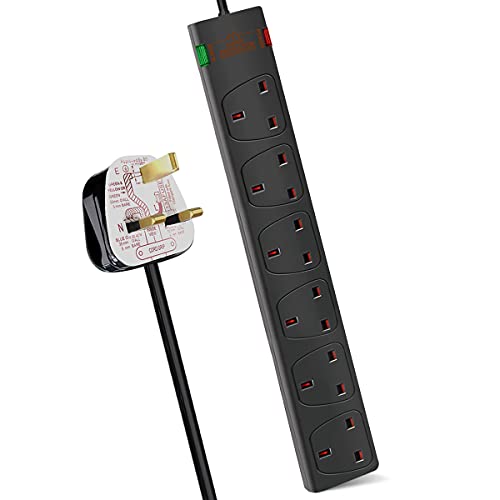
Computer surge protectors are designed to help protect computers, monitors and connected accessories from sudden voltage spikes where suitable. Whether you are setting up a home office, gaming desk, student workstation or everyday family computer, the right surge protector can help organise power more safely and reduce the risk of avoidable electrical damage.
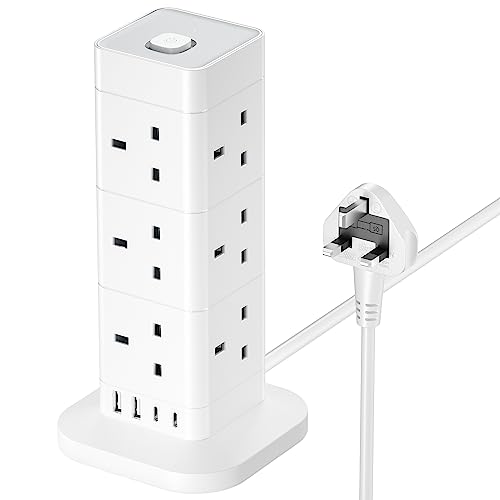
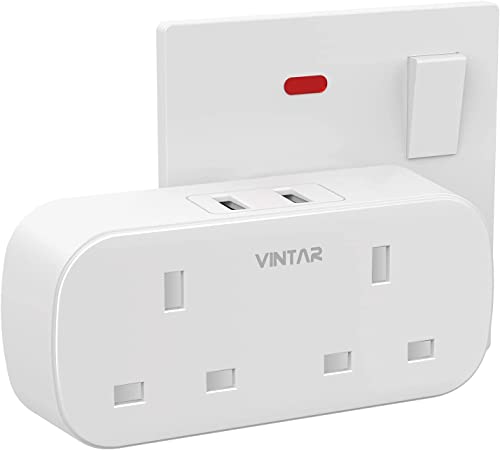
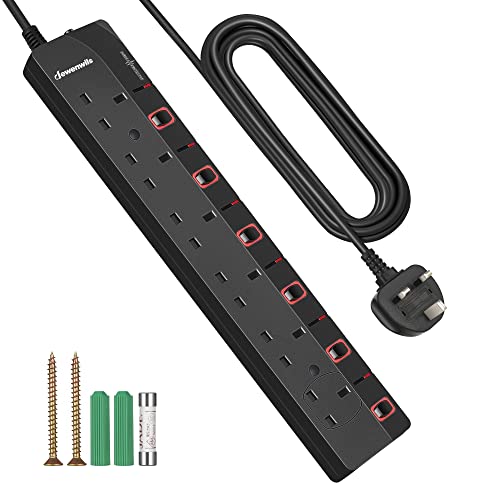
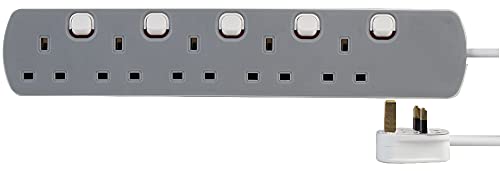
This category can include surge protected extension leads, plug in surge protectors, multi socket surge protectors, tower style power strips, USB charging power strips and computer power protection accessories, depending on the products listed. Features vary by item, so always check socket type, cable length, maximum load guidance, surge protection information, USB output where listed and intended use before buying.
Computer surge protectors are power accessories designed to sit between your mains socket and your computer equipment. Their purpose is to help manage sudden spikes in electrical voltage, depending on the product design and listed protection features.
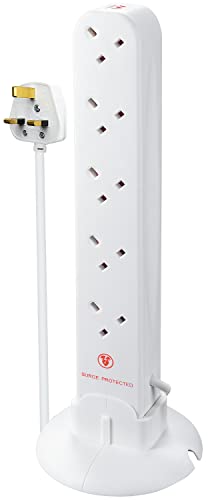
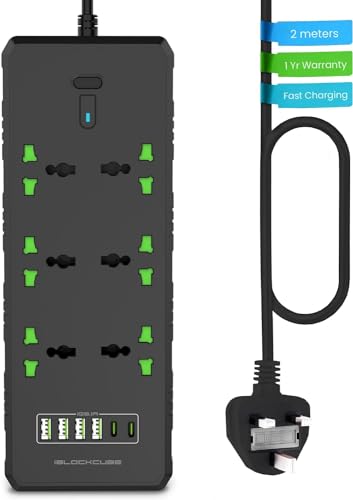
They often look similar to normal extension leads, but they may include surge protection components, indicator lights, reset switches, USB ports or additional safety features where listed. Not every extension lead is surge protected, so it is important to check the product details carefully.
What Are Computer Surge Protectors Used For?
Computer surge protectors are used to power and protect equipment such as desktop PCs, monitors, laptops, printers, routers, speakers, external drives, docking stations, chargers and other desk accessories where suitable.
They are especially useful when several devices need to be powered from the same area. A surge protector can help keep plugs organised while adding a layer of protection against certain electrical surges. It is not a guarantee against all damage, especially from severe electrical events, but it can be a sensible part of a safer computer setup.
How To Choose The Right Computer Surge Protector
Start by counting the devices you need to plug in. A simple laptop and monitor setup may only need a few sockets, while a gaming PC, multi monitor desk or office workstation may need more. Leave spare room where possible rather than filling every socket immediately.
Next, check the cable length. A longer cable may help reach a suitable wall socket, while a shorter cable can keep the desk area tidier. Avoid stretching cables across walkways or placing them where chairs and feet can damage them.
Also check the socket layout. Large plugs, power adapters and chargers can take up more space than standard plugs. Widely spaced sockets or tower designs may be useful where listed if you use bulky adapters.
Key Features To Compare
Socket count is one of the most useful features to compare. Choose a surge protector with enough sockets for your computer, screen and accessories without overloading the unit.
Surge protection details are also important. Some products may list surge protection ratings, indicator lights or protected status information where available. These details can help you understand what the product is designed to do.
Cable length and plug angle can affect where the surge protector can be placed. A desk setup, TV area or gaming room may all need different cable routing.
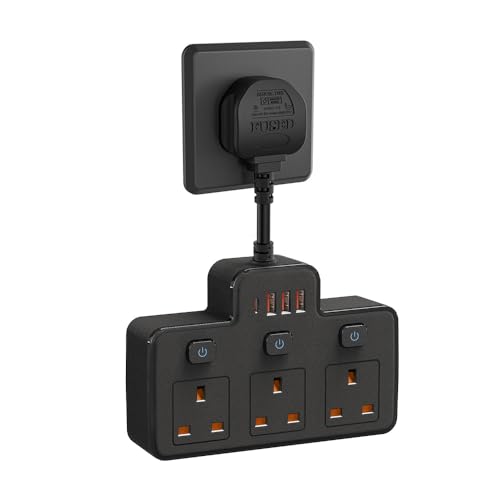
Other useful features to compare include individual switches, master switches, USB ports, USB C ports where listed, wall mounting options, tower design, reset buttons, child safety shutters where stated, casing style, maximum load guidance and care instructions.
Surge Protectors Compared With Standard Extension Leads
A standard extension lead gives you extra sockets, but it may not include surge protection unless clearly stated. It is mainly used to extend power access from a wall socket.
A surge protector adds a protective function where listed, helping reduce risk from certain voltage spikes. This can be useful when powering computers, monitors, routers and storage devices.
The main trade off is simple power access versus added protection. If you are only powering low value or temporary items, a normal extension lead may be enough where safe. For computer equipment, a surge protector is often worth comparing.
Surge Protectors Compared With UPS Units
A surge protector helps protect against certain voltage spikes where listed. It does not normally keep your computer running during a power cut.
A UPS, or uninterruptible power supply, can provide backup power for a short period where suitable, depending on the product. This can help give time to save work or shut down safely. Some UPS units may also include surge protection where listed.
The main choice is surge protection versus backup power. A surge protector is simpler and usually used for everyday desk protection. A UPS may be more suitable where sudden power loss is a major concern.
Guidance For Home Users, Office Users And Gamers
Home users should focus on safe socket count, suitable cable length and enough space for everyday devices such as laptops, monitors, routers and chargers.
Office users may want a surge protector that keeps desk power tidy and accessible. Switches, USB ports and cable length may be useful depending on the setup.
Gamers may need to power a PC, monitor, speakers, headset charger, console, router or lighting accessories. Socket spacing and maximum load guidance should be checked carefully, especially when several devices are connected.
Use Cases By Setup Type
For home offices, a surge protector can help power a laptop, monitor, docking station, printer and desk accessories from one organised point where suitable.
For gaming setups, surge protection can be useful for desktop PCs, consoles, monitors and accessories. A well planned power strip can also help reduce cable clutter around the desk.
For student rooms, a compact surge protector may help power a laptop, phone charger, lamp and small accessories, depending on the room rules and product suitability.
For family computers, a surge protector can help keep power for the computer, screen, speakers and printer in one place.
For routers and networking equipment, surge protection may be useful where suitable, especially if the devices are left powered for long periods.
Fit, Compatibility And Socket Planning
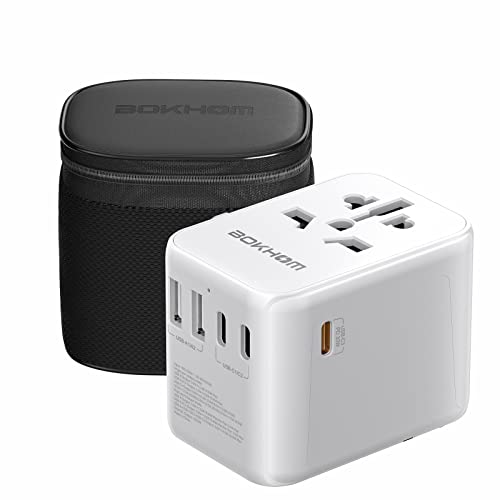
Before buying, check that the surge protector is suitable for your plug type and devices. UK buyers should check product details carefully for compatible plug and socket information where listed.
Think about the shape of your plugs and adapters. Some power bricks can block neighbouring sockets if the spacing is tight. A tower style unit or wider spacing may help where suitable.
USB ports can be useful for charging small devices where listed, but they may not support every charging speed or device requirement. Check the output details and device compatibility before relying on USB charging.
Load, Power And Safety Considerations
Always follow the maximum load guidance supplied with the product. Do not overload a surge protector by connecting too many high power devices.
Avoid using surge protectors for appliances that require more power than the product is designed to handle. If you are unsure whether a device is suitable, check the device and surge protector guidance before use.
Do not connect one extension lead or surge protector into another. This can increase risk and is not a sensible way to add more sockets. Use a properly suitable power solution for the setup instead.
Keep surge protectors away from water, damp floors, heaters, soft furnishings and areas where they may be stepped on or covered. Cables should be routed safely and kept clear of chair wheels, doors and trip hazards.
Care, Checking And Maintenance
Check your surge protector regularly for visible damage. Do not use it if the cable is frayed, the plug is cracked, sockets feel loose, switches fail, or the unit becomes unusually hot.
Keep dust and debris away from sockets where possible. If cleaning is needed, switch off and unplug the unit first, then follow the product guidance.
Some surge protectors may include indicator lights where listed. If an indicator suggests protection is no longer active, follow the product instructions and replace the unit where needed.
Surge protectors do not last forever, and they may need replacing after heavy surge events or long term use depending on the product guidance.
Storage And Desk Organisation Tips
Place the surge protector somewhere accessible but protected. It should not be buried under paperwork, clothing, bags or soft materials.
Cable ties, cable sleeves and desk organisers may help keep power leads tidy. Avoid pulling cables tightly, as strain can damage plugs and sockets over time.
If the surge protector is used behind a desk, make sure you can still reach the switch or unplug it if needed. For temporary setups, pack it away clean and dry after use.
Useful Accessories To Consider
Useful accessories may include cable ties, cable sleeves, desk cable trays, monitor stands, laptop stands, USB hubs, docking stations, extension leads where appropriate, cable labels and cleaning cloths.
For a safer computer setup, it can also help to check your charger condition, plug fit, cable routing and desk layout. Power organisation works best when the whole area is tidy and easy to inspect.
Why Buy From YPC?
At YPC, we understand active lifestyles and the need for practical products that work in real use. Computer surge protectors can vary by socket count, cable length, plug layout, surge protection details, USB ports, switches, size and intended use, so it helps to compare the details carefully before choosing.
YPC makes it easier to browse computer surge protectors in a practical way, with options that can be compared by listed features, desk setup and device needs. Whether you are buying for a home office, gaming room, student desk, family computer or everyday tech setup, you can browse and compare computer surge protectors at YPC to find suitable options for your workspace.
FAQs
What is a computer surge protector?
A computer surge protector is a power accessory designed to help protect connected equipment from certain voltage spikes where suitable. It may also provide multiple sockets for computer devices and accessories.
Is a surge protector the same as an extension lead?
Not always. An extension lead provides extra sockets, while a surge protector includes surge protection features where listed. Always check the product description before buying.
Do I need a surge protector for my computer?
A surge protector can be a sensible choice for desktop PCs, monitors, routers, printers and other computer accessories. It adds a layer of protection against certain electrical surges, but it cannot prevent every type of damage.
Can a surge protector stop damage from lightning?
A surge protector may help with certain voltage spikes where listed, but it should not be treated as complete protection from direct lightning strikes or severe electrical events. Follow product guidance and unplug sensitive equipment during serious storms where appropriate.
How many sockets do I need on a computer surge protector?
Choose based on the number of devices you need to power, while leaving room for safe use and bulky plugs. Do not overload the unit and always follow the listed maximum load guidance.
Are USB ports on surge protectors useful?
USB ports can be useful for charging phones, tablets or small accessories where compatible. Check the listed output and device requirements before relying on them.
Can I plug a surge protector into another extension lead?
No, this should be avoided. Connecting extension leads or surge protectors together can increase risk. Use a suitable single power solution with the correct socket count and load guidance.
Where should I place a computer surge protector?
Place it somewhere dry, stable and accessible, away from water, heat, soft furnishings and foot traffic. Make sure cables are not stretched, crushed or creating trip hazards.
How do I know if a surge protector needs replacing?
Replace it if it is damaged, becomes unusually hot, has loose sockets, has a cracked plug, has a frayed cable or shows that protection is no longer active where an indicator is listed.
Can I use a computer surge protector for gaming equipment?
Yes, a suitable surge protector may be used for gaming PCs, consoles, monitors and accessories where the socket count and load guidance are appropriate. Check compatibility and avoid overloading the unit.
Looking for more options? Browse our full range of Computers and Accessories for other great choices to suit your space, goals, and budget.
Heading outdoors this winter? Take a look at our Outdoor Clothing.
Manage Consent
To provide the best experiences, we use technologies like cookies to store and/or access device information. Consenting to these technologies will allow us to process data such as browsing behaviour or unique IDs on this site. Not consenting or withdrawing consent, may adversely affect certain features and functions.
Functional
Always active
The technical storage or access is strictly necessary for the legitimate purpose of enabling the use of a specific service explicitly requested by the subscriber or user, or for the sole purpose of carrying out the transmission of a communication over an electronic communications network.
Preferences
The technical storage or access is necessary for the legitimate purpose of storing preferences that are not requested by the subscriber or user.
Statistics
The technical storage or access that is used exclusively for statistical purposes.The technical storage or access that is used exclusively for anonymous statistical purposes. Without a subpoena, voluntary compliance on the part of your Internet Service Provider, or additional records from a third party, information stored or retrieved for this purpose alone cannot usually be used to identify you.
Marketing
The technical storage or access is required to create user profiles to send advertising, or to track the user on a website or across several websites for similar marketing purposes.