
Firewall and Security Appliances
Firewalls and security appliances are critical components in protecting your network from cyber threats, unauthorised access, and data breaches. Whether you’re managing a small office, remote workforce, or enterprise infrastructure, these devices provide advanced threat detection, access control, VPN connectivity, and real-time monitoring to safeguard digital assets.
As a trusted UK supplier since 1988, we’ve helped businesses, IT professionals, and public sector organisations deploy robust network security solutions tailored to their environments. Our extensive range of firewalls and security appliances includes everything from entry-level models for small businesses to enterprise-grade next-generation firewalls (NGFWs), backed by expert advice and community-focused events.
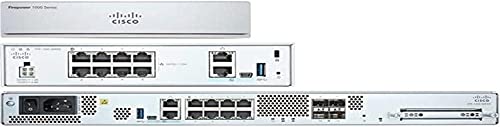

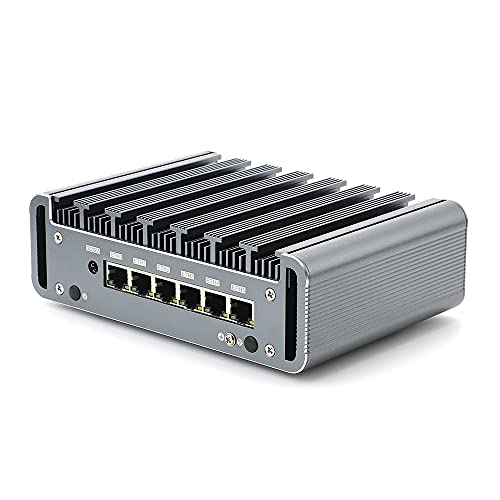


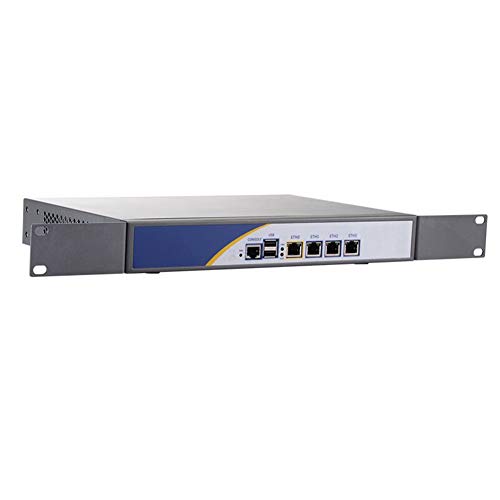


Why Choose Firewalls and Security Appliances?
In a world of evolving cyber threats, relying on basic router security is no longer enough. Dedicated security appliances offer:
Deep packet inspection and intrusion prevention
Malware filtering and content control
VPN management for secure remote access
Segmentation of internal network zones
Application-layer traffic analysis
Real-time threat intelligence integration
Unlike software-based solutions, hardware firewalls and dedicated appliances offer greater reliability, performance, and isolation, ensuring your network is always protected — even under load or during sophisticated attacks.
Firewalls & Security Appliances Buying Guide
📦 Types of Firewalls and Security Devices
| Type | Description | Best For |
|---|---|---|
| Hardware Firewalls | Physical devices placed at network entry points | SMEs, branch offices, perimeter defence |
| Next-Generation Firewalls (NGFWs) | Advanced firewalls with DPI, app control, and cloud threat feeds | Medium to large businesses |
| Unified Threat Management (UTM) Devices | All-in-one appliances combining a firewall, antivirus, VPN, and filtering | All-in-one SMB security |
| Cloud-Managed Security Gateways | Centrally managed devices via a cloud portal | MSPs, multi-site networks |
| Virtual Firewalls | Software firewalls running on VMs or cloud platforms | Cloud-native and virtualised networks |
| Industrial/IoT Firewalls | Hardened for harsh or embedded environments | Manufacturing, SCADA, OT networks |
🔍 Key Features to Consider
Throughput: Choose a model with sufficient Mbps/Gbps for your internet speed and network load
Concurrent connections: Key to handling many users or sessions
Deep Packet Inspection (DPI): For advanced threat detection
VPN Support: IPSec, SSL, L2TP for secure remote access
Cloud threat intelligence: Dynamic updates for malware, botnets, ransomware
Port count & type: RJ45, SFP, SFP+ for WAN/LAN flexibility
High availability (HA): For mission-critical environments
Subscription/licensing: Some features require ongoing licences for updates and support
⚙️ Compatibility & Usage Scenarios
Home Office & Small Business: Entry-level UTM or hardware firewall
Medium Businesses: NGFWs with application-level control
Large Enterprises: High-throughput, multi-gigabit firewalls with clustering support
Multi-site Management: Choose cloud-managed appliances
Remote Workforces: Prioritise strong VPN support and central policy enforcement
Industrial Settings: Use ruggedised firewalls with DIN-rail mounting and hardened OS
🧠 Expert Tips
Always plan for scalability – choose firewalls with more throughput and session capacity than you currently need
Use separate zones (e.g., guest, IoT, business) for added security
Regularly update firmware and threat signatures
Enable 2FA and secure remote management interfaces
Consider redundancy (HA pairs) for high-availability networks
If deploying multiple appliances, use a centralised management system for consistency and monitoring
⚠️ Common Mistakes to Avoid
Choosing a firewall without enough throughput for your internet speed
Ignoring licensing requirements for threat updates or advanced features
Leaving default admin passwords and open management ports
Failing to segment networks (e.g. mixing guest and internal traffic)
Not backing up configurations before firmware updates or resets
🛠️ Maintenance & Management Tips
Enable automatic threat signature updates
Back up configurations before major changes
Regularly audit access logs and rule sets
Test VPN connections after firmware upgrades
Monitor CPU/memory usage to avoid performance bottlenecks
Rotate admin credentials and enforce access policies
Recommended Firewalls & Security Appliances
Ubiquiti UniFi Dream Machine Pro – Ideal for secure home offices and small businesses
Fortinet FortiGate 60F – Compact NGFW with fast performance and rich features
WatchGuard Firebox T40 – Versatile and secure with optional WiFi support
Sophos XGS 116 – Business-class UTM with cloud management and ransomware protection
Cisco Meraki MX68 – Cloud-managed firewall with VPN and content filtering for SMBs
pfSense Netgate 6100 – Open-source security appliance with strong community support
FAQs – Firewalls and Security Appliances
1. What is a firewall, and why do I need one?
A firewall monitors and controls incoming and outgoing network traffic based on security rules. It protects against unauthorised access, malware, and cyberattacks.
2. What’s the difference between a router and a firewall?
Routers direct traffic; firewalls secure it. Some routers include basic firewall features, but dedicated firewalls offer deeper inspection and more robust protection.
3. What is a next-generation firewall (NGFW)?
An NGFW combines traditional firewall functions with deep packet inspection, application awareness, and threat intelligence to stop modern attacks.
4. Do I need a subscription for a firewall to work?
Basic features work without a subscription, but threat updates, web filtering, antivirus, and VPN features often require licensing.
5. Can I use a firewall at home?
Yes. Many smaller firewalls are perfect for home offices, remote work setups, or tech-savvy users wanting advanced protection.
6. What is UTM (Unified Threat Management)?
UTM devices bundle firewall, antivirus, anti-spam, web filtering, and VPN into one appliance, ideal for simplified security management.
7. Is cloud-managed better than on-premise?
Cloud-managed firewalls allow easier configuration, remote access, and multi-site deployment. On-premise offers more local control.
8. Can I use open-source firewalls like pfSense?
Yes, pfSense and OPNsense offer enterprise-grade capabilities. However, they require more manual setup and networking knowledge.
9. What size firewall do I need?
Choose based on user count, bandwidth requirements, and expected growth. Always leave headroom in throughput and connection capacity.
10. Can I connect a firewall to a mesh or UniFi network?
Yes, many firewalls can sit between your modem and mesh router or UniFi gateway, adding an extra layer of protection.
11. Are firewalls vulnerable to hacking themselves?
Any device can be a target, but reputable brands with regular updates and secure configurations are highly resilient. Always change default settings and update firmware.
Final Thoughts
With the rise of remote work, cloud services, and advanced cyber threats, firewalls and security appliances are more important than ever. From simple hardware firewalls for small offices to next-generation solutions for enterprise environments, we offer the UK’s most trusted range of network security devices, supported by our expert team and legacy of excellence since 1988.
Explore our full selection of firewalls and security appliances today, and protect your network with confidence and clarity.
 Getting ready for Summer? View our Home and Garden Products

Heading outdoors this winter? Take a look at our Outdoor Clothing.
Amazon Associate Disclosure
As an Amazon Associate I earn from qualifying purchases.