
Mesh Wi-Fi Systems
Mesh Wi-Fi Systems offer seamless, full-home wireless coverage using multiple connected nodes that work together as one network. Perfect for eliminating dead zones, improving device handling, and delivering stable performance across larger or multi-storey homes, mesh systems have become the go-to solution for modern Wi-Fi needs. Since 1988, our UK online shop has provided expert guidance, top-tier networking products, and trusted aftercare to thousands of households looking to upgrade their home internet experience.
- Mesh Wi-Fi Systems
EE Smart WiFi Pro Wi-Fi 7 Wireless Mesh Network Extender SW40J 802.11be up to 1.6Gbps For use With EE Smart Hub Pro SH40J
Original price was: £89.95.£84.42Current price is: £84.42. *View On Amazon* - Mesh Wi-Fi Systems
TP-Link Deco XE75 Mesh WLAN Set (3 Pack), Wi-Fi 6E AXE5400 Tri-Band Router & Repeater, 3 x Gigabit Ports for Each Unit, Recommended for Houses with 4-7 Bedrooms, Comprehensive Youth Protection, WPA3
Original price was: £299.00.£243.08Current price is: £243.08. *View On Amazon* - Mesh Wi-Fi Systems
Asus ET12 AXE11000 Whole-Home Tri-band Mesh WiFi 6E System Coverage up to 610 Sq. Mtr/6,000 Sq. ft.,11Gbps WiFi, 3 SSIDs, free security & parental controls, Dual 2.5G ports LAN Aggregation 2 pack
Original price was: £429.99.£399.99Current price is: £399.99. *View On Amazon* - Mesh Wi-Fi Systems
TP-Link EAP650 WiFi 6 Access Point, AX3000 Dual Band Gigabit Wireless Access Points, Power Adapter included, Seamless Roaming Extended Range, Omada Mesh, Support PoE+Powered, Mount to Wall or Ceiling
Original price was: £84.99.£82.00Current price is: £82.00. *View On Amazon* - Mesh Wi-Fi Systems
Ubiquiti Unifi U6 Mesh Wifi 6 Indoor/Outdoor Access Point Injector Included
£217.79 *View On Amazon* - Mesh Wi-Fi Systems
TP-Link Deco AX5700 Tri-Band Smart Whole Home Mesh Wi-Fi 6 System (Renewed) (1)
£58.42 *View On Amazon*


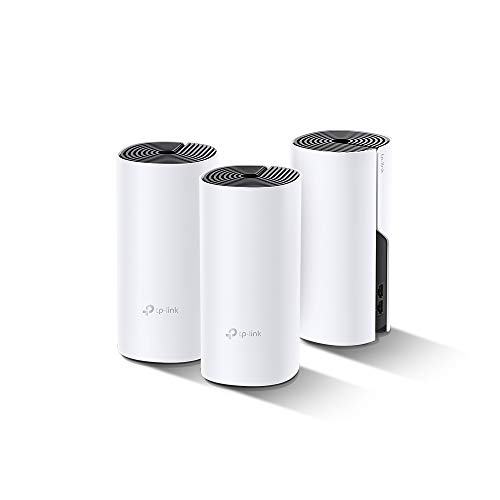


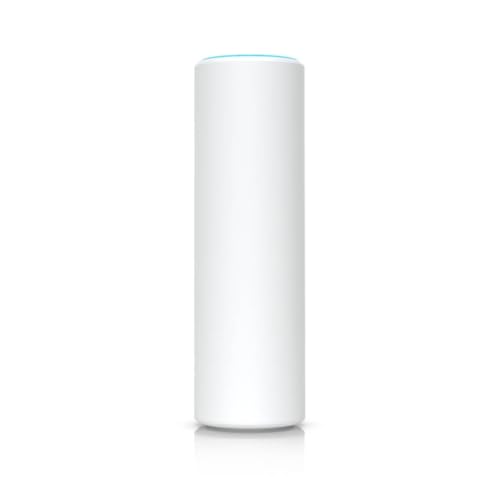


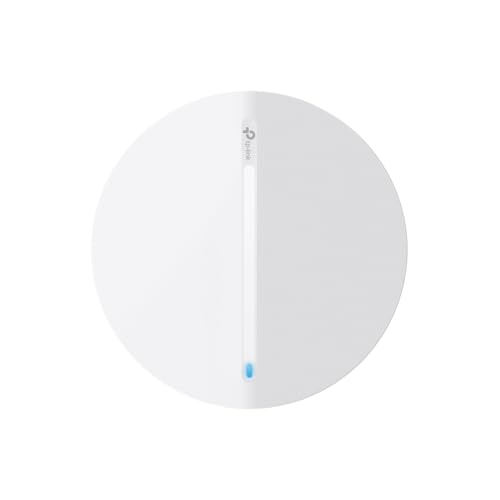


A mesh Wi-Fi system uses two or more units to create a single strong, seamless network across your entire home. It’s ideal for larger houses or homes with Wi-Fi dead zones. Choose a Wi-Fi 6 or Wi-Fi 6E mesh system for faster speeds, better coverage and more device support. Use Ethernet backhaul between nodes if possible, and make sure your system supports your broadband speed.
Why Choose a Mesh Wi-Fi System?
Eliminates Wi-Fi dead zones with full-home coverage
Seamless roaming: move room to room without reconnecting
More devices, less congestion: perfect for smart homes
Expandable: add extra nodes for more coverage later
Future-ready: Wi-Fi 6 and 6E models support multi-gig internet and faster wireless speeds
Why Buy from Us?
Trusted UK technology retailer since 1988
Full range of Wi-Fi 5, 6, and 6E mesh systems
Clear advice on compatibility with BT, Virgin, Sky, TalkTalk, and more
Expert customer support, fast UK delivery and easy returns
Honest product specs and real-world guidance you can rely on
How Mesh Wi-Fi Works
A mesh system includes a main router node and one or more satellite nodes placed around your home. Each node connects wirelessly or via Ethernet to form one large, unified network with consistent speed and signal quality.
Unlike traditional extenders, mesh systems don’t require multiple SSIDs or manual switching; your devices automatically connect to the nearest, strongest point.
Mesh Wi-Fi System Types
| Type | Best For | Features |
|---|---|---|
| Dual-Band Mesh | Flats & smaller homes | 2.4GHz + 5GHz bands, budget-friendly |
| Tri-Band Mesh | Medium to large homes | Adds a third band for backhaul (less congestion) |
| Wi-Fi 6 Mesh | Future-proof homes, smart devices | Higher speeds, better range, more device support |
| Wi-Fi 6E Mesh | High-speed broadband, tech-heavy users | Adds 6GHz band for ultra-fast, low-latency Wi-Fi |
| Ethernet Backhaul | Maximum performance | Use cables between nodes for the best speed and latency |
| Expandable Mesh | Growing homes or small businesses | Add more nodes anytime to extend coverage |
Buying Guide: Choosing the Right Mesh System
1. Home Size & Layout
Flat or 2-bed home: A 2-node dual-band mesh is usually enough
3-4 bed house or townhome: Go for a tri-band Wi-Fi 6 mesh kit
Large property or thick walls: Wi-Fi 6E mesh with Ethernet backhaul support is ideal
2. Internet Speed Compatibility
Match your mesh system’s rated speed to your broadband:
Up to 100 Mbps: Entry-level dual-band
100–500 Mbps: Wi-Fi 6 dual- or tri-band
500 Mbps – 1 Gbps+: Wi-Fi 6E or 6 mesh with Ethernet backhaul
3. Device Load
Homes with 20+ devices (smartphones, TVs, laptops, smart plugs, etc.) benefit from OFDMA and MU-MIMO, found in most Wi-Fi 6+ systems
4. Backhaul Options
Dedicated wireless backhaul (tri-band systems): keeps one band solely for node-to-node traffic
Ethernet backhaul: best speeds and lowest latency if you can cable between nodes
Shared backhaul (dual-band systems): budget-friendly, but slightly slower
5. Software and App Support
Choose systems with:
Easy app-based setup (e.g. TP-Link Deco, ASUS, Netgear Orbi)
Parental controls and device prioritisation
Firmware auto-updates
Compatibility with Alexa or Google Assistant (for voice control)
Quick Picks by Use Case
Best for 3-bed home: Dual or tri-band Wi-Fi 6 mesh kit with 2–3 nodes
For large homes or stone walls: Wi-Fi 6E mesh with strong antennas and Ethernet backhaul
Smart home setups: Wi-Fi 6 mesh with OFDMA, MU-MIMO and strong app control
Gigabit internet users: Wi-Fi 6E mesh with multi-gig WAN/LAN support
Gaming and streaming: Tri-band mesh with QoS and low-latency design
Business or home office: Mesh with VLAN support, remote access, and PoE optional access points
Setup & Maintenance Tips
Place the main router node near your modem in a central area
Add nodes where signal drops — ideally 1–2 rooms apart, not too close
Use Ethernet cables for backhaul if possible (faster and more reliable)
Avoid hiding nodes in cabinets or behind thick furniture
Regularly check the app for firmware updates and optimise placement
Use band steering and device prioritisation for smoother performance
Common Mistakes to Avoid
Using a mesh kit that’s underpowered for gigabit broadband
Placing mesh nodes too far apart or in weak signal zones
Not enabling Ethernet backhaul when it’s available
Skipping firmware updates, which may affect security or performance
Confusing mesh systems with range extenders — mesh is seamless, extenders are not
Buying a mesh system without checking ISP compatibility
Popular Subcategories
Wi-Fi 6 Mesh Systems
Wi-Fi 6E Mesh Systems
2-Pack and 3-Pack Mesh Kits
Mesh Systems with Ethernet Backhaul
Gaming Mesh Routers
Smart Home Compatible Mesh Systems
Mesh Expansion Nodes
ISP-Compatible Mesh Systems (BT, Virgin, Sky)
FAQs – Mesh Wi-Fi Systems
1) What’s the difference between a mesh and a Wi-Fi extender?
Mesh systems offer one seamless network, better handoff between nodes, and consistent speeds. Extenders create separate networks and can cut speed in half.
2) How many mesh nodes do I need?
Most homes need 2–3 nodes. Larger properties may need 4+. You can start with a 2-pack and expand later.
3) Do mesh systems work with all broadband providers?
Yes, but if you’re with Virgin Media, you’ll need to put their hub into modem mode first.
4) Can I use Ethernet to link the mesh units?
Yes, and it’s recommended if possible. Ethernet backhaul improves performance significantly.
5) Will mesh Wi-Fi make my internet faster?
It won’t increase your broadband speed, but it will make your Wi-Fi connection more stable and consistent across your home.
6) Does mesh support smart home devices?
Absolutely. Mesh Wi-Fi is ideal for smart homes, especially those with dozens of connected devices.
7) Is Wi-Fi 6 or 6E worth it for mesh?
Yes. Wi-Fi 6 handles more devices with less congestion. Wi-Fi 6E adds the 6GHz band for ultra-fast, low-latency connections, ideal for modern homes.
8) Do mesh systems have parental controls?
Most modern systems include parental controls through their mobile apps. Some offer more advanced filtering via subscriptions.
9) Can I add extra nodes later?
Yes. Most systems are expandable. Just make sure you buy compatible nodes from the same series or brand.
10) Will a mesh system work with my existing router?
Yes, but for best results, set your existing router to bridge or modem mode and let the mesh system handle all networking functions.
11) Do all mesh systems have the same speed?
No. Speed depends on the Wi-Fi standard, number of bands, and whether it uses Ethernet backhaul. Always match your broadband speed.
12) What’s a dedicated backhaul?
In tri-band systems, one band is used solely for node-to-node communication. This improves speed and stability.
13) Do I need to replace my router?
Yes, in most cases. The main mesh unit acts as your new router.
14) Can I use mesh Wi-Fi for gaming?
Yes, but for the best latency, connect your console or PC via Ethernet or use a tri-band system with QoS features.
15) How do I manage a mesh system?
Most systems use a mobile app for setup, device management, guest access, and parental controls.
Ready to Enjoy Whole-Home Wi-Fi?
Explore our trusted range of Mesh Wi-Fi Systems, including Wi-Fi 6, 6E, and tri-band options, and find the perfect kit for your home size, internet speed, and device needs. With expert advice, UK-based support, and fast local delivery since 1988, we’ll help you stay connected everywhere in your home.
 Getting ready for Summer? View our Home and Garden Products

Heading outdoors this winter? Take a look at our Outdoor Clothing.
Amazon Associate Disclosure
As an Amazon Associate I earn from qualifying purchases.