
Label Printers
Label printers are specialised devices designed to create high-quality adhesive labels for a wide range of applications, from home organisation and office filing to warehouse management and retail product labelling. Whether you need barcode labels, shipping tags, address labels, or custom branding solutions, label printers offer precision, efficiency, and versatility.
Since 1988, we’ve supported individuals, small businesses, and large enterprises with dependable printing solutions. Our range of label printers includes everything from compact desktop models to high-speed industrial units, with expert advice to match you to the right device.
- Label Printers
DYMO LabelManager 280 Rechargeable Handheld Label Maker Kit | QWERTY Keyboard | with 2 Rolls of D1 Labels & Carrying Case
Original price was: £122.00.£71.79Current price is: £71.79. *View On Amazon* - Label Printers
vretti Thermal Label Printer USB,Shipping Label Printer 4×6 Machine for Shipping Packages,Thermal Machine Compatible with Windows,Mac OS Systems
Original price was: £44.99.£40.49Current price is: £40.49. *View On Amazon* - Label Printers
DYMO LabelWriter 550 Turbo Label Printer | Label Maker with High-Speed Direct Thermal Printing | Automatic Label Recognition | Prints Shipping Labels & More with USB/LAN Connectivity | UK 3 Pin Plug
Original price was: £205.00.£129.99Current price is: £129.99. *View On Amazon* - Label Printers
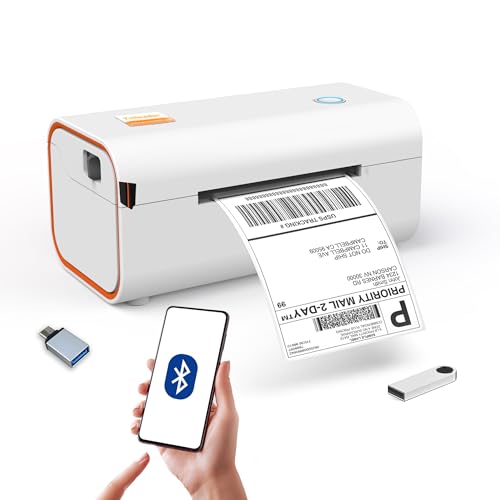
Yinleader Thermal Shipping Label Printer Bluetooth/USB, Thermal Printer 4×6, Postage Label Printer for Business, Compatible with Amazon, Royal Mail, Shopify, Ebay, DHL, DPD, Evri, UPS – White
Original price was: £64.99.£42.49Current price is: £42.49. *View On Amazon* - Label Printers
NIIMBOT Label Maker Machine with Tape,D110 New Version Portable Bluetooth Label Printer, Wireless Handheld Sticker Maker with Multiple Templates for Organizing School Office Home
Original price was: £22.99.£15.99Current price is: £15.99. *View On Amazon* - Label Printers
Brother PT-H100LB Mobile Label Maker
Original price was: £29.99.£19.99Current price is: £19.99. *View On Amazon* - Label Printers
Brother PTH100LBXG1 Label Printer | P-Touch Labeller | ABC Keyboard | Handheld | Light Blue
Original price was: £29.99.£23.09Current price is: £23.09. *View On Amazon* - Label Printers
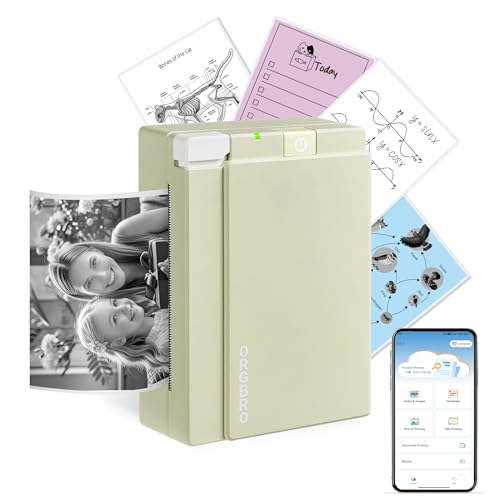
DIFCUL C9 Mini Thermal Printer,Bluetooth Labler Maker,Portable Inkless Printers Compatible with Android and ios,Printable Photos,Lists,Memo,QR Codes,Notes(With 5 Roll Paper+5 Colored Pens)
Original price was: £13.88.£9.80Current price is: £9.80. *View On Amazon* - Label Printers
NelkoGlobal Bluetooth Thermal Label Printer, Wireless 4×6 Shipping Label Printer for Small Business, Compatible with Android, IOS, Windows and Mac, Widely Used for Amazon, Shopify, Ebay, Etsy, Black
Original price was: £79.99.£49.99Current price is: £49.99. *View On Amazon* - Label Printers
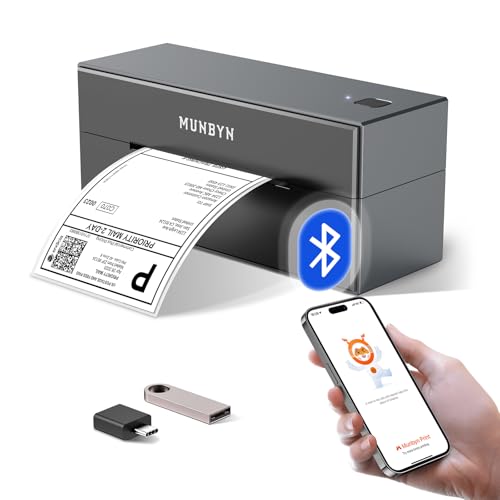
MUNBYN Bluetooth Shipping Label Printer, 4×6 Thermal Label Printer for Small Business, Compatible with iPhone, Android, Windows, macOS, Etsy, Shopify, eBay, Royal Mail, DHL, DPD, Evri, 403B, White
Original price was: £94.99.£69.98Current price is: £69.98. *View On Amazon*








Why Choose a Label Printer?
While many standard printers can produce label sheets, a dedicated label printer offers significant advantages:
Faster and more efficient label output
Crisper print quality for barcodes and small text
Specialist label materials, including thermal paper and synthetic stocks
Wide compatibility with label rolls or tapes
Lower waste and better durability compared to sheet-fed labels
Label printers are essential tools for retail, logistics, warehousing, healthcare, events, food packaging, and office administration.
Label Printer Buying Guide
📦 Types of Label Printers
| Type | Description | Best For |
|---|---|---|
| Thermal Transfer Printers | Use heat with ribbon and label media for durable prints | Long-term labels, outdoor use |
| Direct Thermal Printers | Print using heat-sensitive paper, no ink required | Shipping labels, short-term use |
| Desktop Label Printers | Compact, USB/Wi-Fi connected units for desk use | Offices, small businesses |
| Industrial Label Printers | High-volume, heavy-duty models with metal chassis | Warehouses, logistics, manufacturing |
| Mobile Label Printers | Portable, often battery-powered for on-the-go use | Field service, event check-in |
| Label Makers (Handheld) | Manual input, built-in keyboard and cutter | Home, classroom, quick-use labelling |
| Colour Label Printers | Print full-colour custom labels | Branding, food packaging, product design |
🔍 Key Features to Consider
Print technology: Choose direct thermal for shipping labels or thermal transfer for long-lasting durability
Resolution: Measured in DPI (dots per inch); 203–300 DPI is common for barcodes, higher for graphics
Connectivity: USB, Ethernet, Wi-Fi, Bluetooth, and mobile app support
Label size and type: Ensure compatibility with your label rolls or tapes
Speed: Measured in mm/second or labels per minute; important for high-volume workflows
Software compatibility: Check for integration with label design software, POS systems, or e-commerce platforms
Cutter options: Some printers include automatic cutters for convenience
Operating system support: Ensure drivers are available for Windows, macOS, or mobile platforms
⚙️ Use Cases and Compatibility
Retail: Print product pricing, shelf labels, and promotional tags
E-commerce and shipping: Generate barcode and shipping labels for couriers
Warehouse operations: Inventory tracking and bin labels
Food and beverage: Custom branding or expiry date labels
Healthcare: Patient wristbands, vial labels, asset tracking
Home organisation: Label drawers, files, kitchen containers, or school supplies
Many label printers support Windows, macOS, iOS, Android, and cloud-based platforms such as Shopify, eBay, or Amazon.
🧠 Expert Tips
Choose thermal transfer printers for labels exposed to sunlight, moisture, or abrasion
Use pre-sized label rolls to save time on setup
Invest in a printer with Wi-Fi or Bluetooth for easier integration in modern workflows
Always match the label material (paper, plastic, vinyl) to your use case
Look for easy-peel or tear-proof labels to streamline packaging or handling
⚠️ Common Mistakes to Avoid
Buying a direct thermal printer for outdoor or long-term use — labels will fade
Assuming all printers accept third-party label rolls — some require proprietary supplies
Skipping software compatibility checks — not all printers work with common platforms
Underestimating label size needs — measure before you buy
Overlooking cutter features — manual tearing slows down workflows
🛠️ Maintenance and Care
Clean the print head regularly to prevent smudges or uneven printing
Use lint-free cloths and isopropyl alcohol for safe cleaning
Store label rolls in a cool, dry area to maintain adhesive quality
Use compatible ribbons (for thermal transfer) to protect printer components
Replace worn rollers or cutters as needed for consistent performance
Recommended Label Printers
Dymo LabelWriter 550 – Compact USB desktop printer for address and barcode labels
Brother QL-700 – Versatile thermal label printer with cutter and high-speed output
Zebra GK420d – Industry-standard direct thermal printer for shipping and logistics
Brother VC-500W – Full-colour label printer for custom branding and home crafts
TSC TE200 Series – Entry-level industrial thermal transfer printer
Brady BMP21-PLUS – Rugged handheld label maker for industrial fieldwork
FAQs – Label Printers
1. What is a label printer used for?
A label printer is used to create adhesive labels for products, parcels, shelves, cables, folders, packaging, or identification tags.
2. What’s the difference between direct thermal and thermal transfer printing?
Direct thermal printing uses heat-sensitive paper and doesn’t require ink or ribbons. Thermal transfer printing uses a ribbon for more durable, long-lasting labels.
3. Do label printers need ink or toner?
Most label printers, especially thermal models, do not use ink or toner. Some use thermal ribbons depending on the printing method.
4. Can I print labels from my phone or tablet?
Yes. Many modern label printers offer Bluetooth or Wi-Fi connections and mobile app support for iOS and Android.
5. Are all label printers compatible with standard label rolls?
No. Some models require proprietary labels, while others support third-party supplies. Always check before purchasing.
6. What’s the best label printer for shipping labels?
Direct thermal printers such as the Zebra GK420d or Dymo LabelWriter 550 are popular for high-volume shipping label printing.
7. Can label printers print in colour?
Only certain models can. For example, the Brother VC-500W supports full-colour label printing using thermal ink transfer technology.
8. How do I connect a label printer to my computer or network?
Most connect via USB or Ethernet, and many also support wireless or Bluetooth setup. Check software compatibility with your system.
9. What label sizes can I print?
Label sizes depend on the printer model. Common sizes include 6×4 inches for shipping and various widths for product or barcode labels.
10. Are label printers expensive to maintain?
Generally, no. Direct thermal printers have low running costs, while thermal transfer models may require ribbons but offer longer durability.
Final Thoughts
Whether you’re managing a business, running a warehouse, organising your home, or crafting custom product labels, label printers deliver fast, efficient, and professional results. With a wide range of models suited to everything from simple address printing to industrial labelling, there’s a solution to fit every need.
As a trusted supplier of printing solutions since 1988, we’re here to help you find the ideal label printer, with expert advice, reliable stock, and support you can count on. Explore our full range today and label smarter, not harder.
 Getting ready for Summer? View our Home and Garden Products

Heading outdoors this winter? Take a look at our Outdoor Clothing.
Amazon Associate Disclosure
As an Amazon Associate I earn from qualifying purchases.