
Computer Speakers and Soundbars
Computer Speakers and Soundbars make films fuller, games more immersive, video calls clearer, and playlists punchier. Since 1988, our UK online shop has helped customers choose the right desktop speakers and compact soundbars with clear specs, practical advice, fast UK delivery, and easy returns.
- Computer Speakers and Soundbars
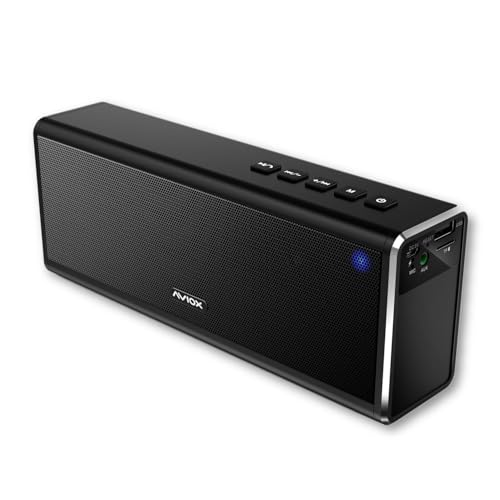
AVIOX Bluetooth speaker with radio for home phone, shower or outdoors portable speakers for phone tablet laptop wireless speaker PC sound system
£47.00 *View On Amazon* - Computer Speakers and Soundbars
Redragon GS515 RGB Desktop Soundbar, 2.0 Channel Stereo Computer Speakers for Desktop with BT 5.3, USB-C/USB Powered, Black
Original price was: £39.99.£33.99Current price is: £33.99. *View On Amazon* - Computer Speakers and Soundbars
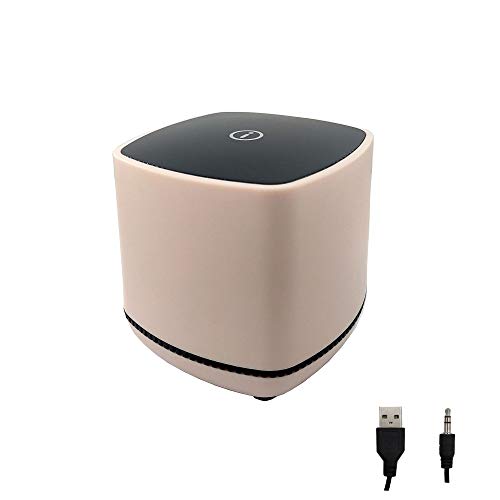
KIMISS Mini Cube USB, Wired Speaker For Desktop Laptop Small Desktop Stereo 3.5mm Jack Speakers PC Computer(Dual track) (binaural)
£5.99 *View On Amazon* - Computer Speakers and Soundbars
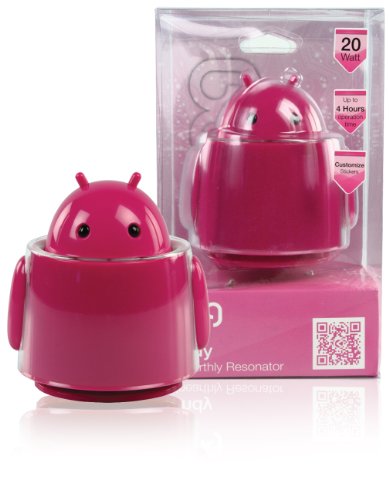
Konig Andy 20W Unearthly Resonator Robot/Alien Computer/High Power Active MP3 Speaker – Pink
£19.99 *View On Amazon* - Computer Speakers and Soundbars
ZAHARA NL0502Z1 Builtin Speaker for Lenovo Thinkpad T460S 20F9, T470S 20HF, 20HG, 20JS, 20JT PK23000N2Y0, PK23000N2N0, 00JT988
£10.60 *View On Amazon* - Computer Speakers and Soundbars
Be In Your Mind 1 Pair Speakers PK23000N2Y0 PK23000N2N0 00JT988 Loudspeaker Internal Speaker for Laptop Personal Computer Compatible with Lenovo Thinkpad T460S T470S
Original price was: £14.49.£13.39Current price is: £13.39. *View On Amazon* - Computer Speakers and Soundbars
VBESTLIFE Mini 3.5mm Jack USB Wired Stereo Speaker for Desktop Laptop PC, Computer, MP3, MP4, Black(Two-channel)
£9.98 *View On Amazon* - Computer Speakers and Soundbars
Bluetooth 5.0 Computer Sound Bar, HiFi Stereo Desktop Soundbar, 6W Dual Full Range Speakers with AUX Connection, for Smartphone PC Laptop Gaming
£14.36 *View On Amazon* - Computer Speakers and Soundbars
Hakeeta Mini Wired Speaker, 3.5mm Jack,USB port, for PC Computer, MP3, MP4, laptop(Black)
£9.06 *View On Amazon* - Computer Speakers and Soundbars
Fleshy Leaf Laptop Internal Speaker Set Replacement for Dell XPS 15 9550 9560 9570 7590 Precision 5510 5520 5530 5540 PK23000RP00 TX47W 0TX47W
£18.29 *View On Amazon* - Computer Speakers and Soundbars
cinnkeyi 2.1 Computer Speakers with Subwoofer, Stereo Mid-High Dual Speakers, Bluetooth/USB Dual Mode PC Speakers, Volume Knob Control, Desktop Sound System for Laptop/PC/Tablet
Original price was: £32.99.£24.74Current price is: £24.74. *View On Amazon*




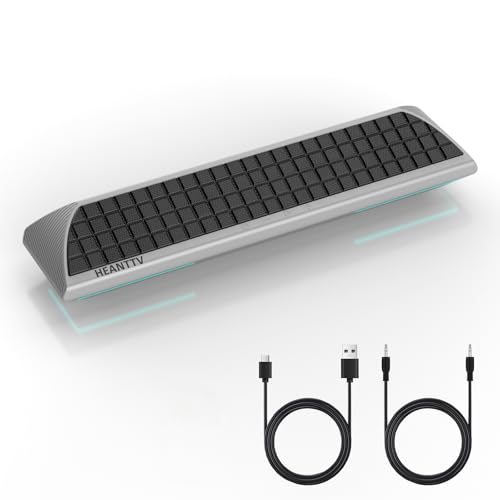


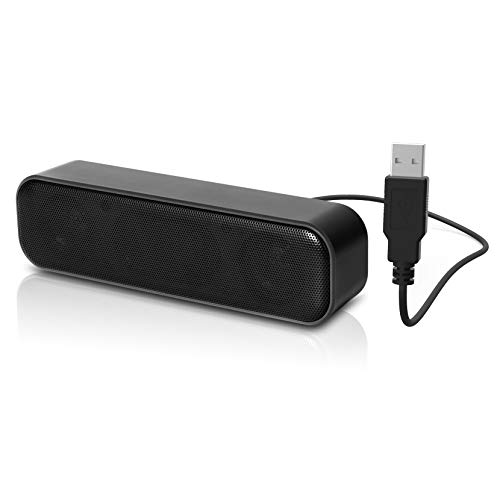

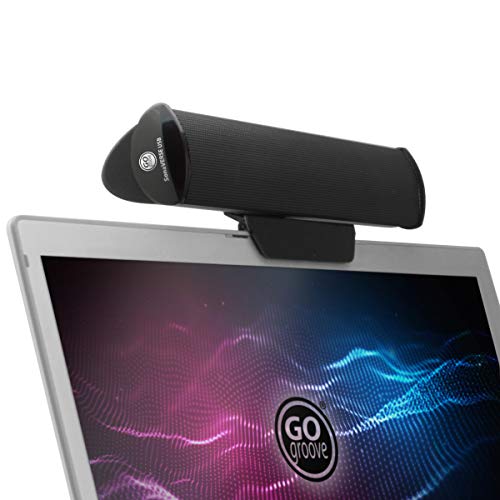


For most desks, choose 2.0 speakers with USB or 3.5 mm, 20 to 40 W RMS, and front volume control. If you want bass, pick a 2.1 set with a subwoofer. For a tidy setup under a monitor, choose a PC soundbar with USB audio or Bluetooth. Check connections you will use (USB, 3.5 mm, Bluetooth, optical, HDMI ARC), width and space, headphone jack, mic passthrough, and RMS power, not peak.
Why buy from us
UK online retailer since 1988 with friendly, expert guidance
Curated range for work, study, gaming, films, and music
Clear connection notes for USB, 3.5 mm, optical, Bluetooth, and HDMI ARC
Fast UK delivery, simple returns, and UK-based aftercare
Accessories in one place, such as monitor stands, isolation pads, and cables
Types of speakers and soundbars
2.0 desktop speakers. Two compact speakers for balanced stereo on a desk
2.1 Speaker sets. Left and right speakers with a dedicated subwoofer for deeper bass
PC soundbars. Slim bar that sits under a monitor for tidy, wide sound
Bluetooth desktop speakers. Switch between PC and phone easily
USB-powered speakers. Simple power from your PC, great for travel or hot desks
Powered bookshelf speakers. Bigger drivers and RCA or optical inputs for music lovers
Conference speakers. Built-in mics and echo cancellation for meetings
Buying guide
1) Match the setup to your space and use
| Use case | Recommended style | Why it fits |
|---|---|---|
| Every day work and study | 2.0 USB or 3.5 mm speakers | Clear voices and compact size |
| Gaming and films | 2.1 set or PC soundbar with sub out | Strong bass and wide soundstage |
| Minimal desk footprint | Slim PC soundbar via USB audio | One-piece solution under the monitor |
| Music first | Powered bookshelf speakers with larger drivers | Warmer, fuller sound for playlists |
| Hybrid work calls | Conference speaker with mic and Bluetooth | Echo-free meetings and quick pairing |

