Quick Summary
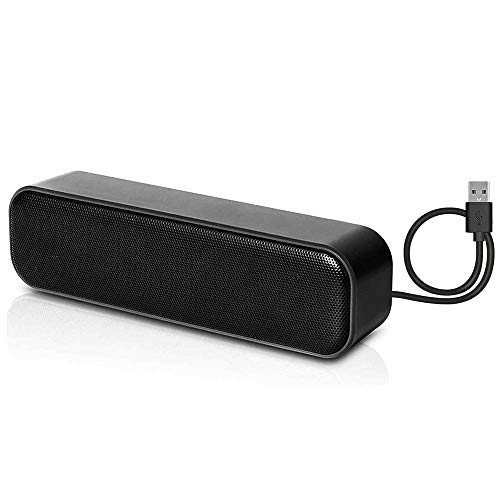
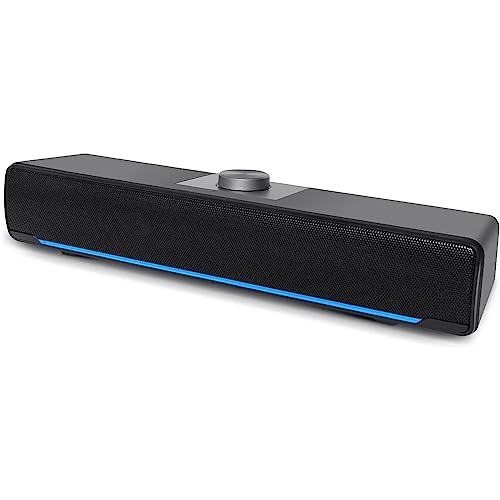
The Hakeeta Mini Wired Speaker is a compact wired speaker for use with a PC, computer, MP3 player, MP4 player or laptop. It uses a 3.5mm jack and USB port, and the black finish is part of the product title.
The speaker is described as compact and lightweight, so it is easy to carry in a bag when you want a small sound setup instead of headphones or larger external speakers.
Who It Is Best For
This speaker suits buyers who want a mini wired speaker for devices with a 3.5mm audio connection and USB power. It also suits anyone who wants a small, portable speaker to use with a computer or laptop.
Key Details
| Detail | Verified information and buyer relevance |
|---|---|
| Brand | Hakeeta, as named in the product title. |
| Product type | Mini wired speaker for shared audio use with compatible devices. |
| Connections | 3.5mm jack and USB port, so you should check your device has the right connections. |
| Stated device use | Listed for PC, computer, MP3, MP4 and laptop use. |
| Colour | Black. |
| Portability | Described as compact, lightweight and portable, which makes it easier to carry in a bag. |
What To Know Before You Buy
Check that your device has a 3.5mm audio connection and access to USB power before ordering. The speaker is intended as a small wired option, so it is worth confirming that this setup suits your device and how you plan to use it.
Power is supplied by plugging the USB power cord into a USB port or by connecting to an AC outlet adapter, and the adapter is not included.
Common Buyer Questions
What devices is it listed for?
It is listed for PC, computer, MP3, MP4 and laptop use.
How is it powered?
Power is supplied through a USB power cord plugged into a USB port, or by connecting to an AC outlet adapter. The adapter is not included.
Is it easy to carry?
Yes, it is described as compact and lightweight, and the portable size makes it suitable for a bag.
Final Buying View
If you need a small wired speaker with a 3.5mm jack and USB power, this Hakeeta model is set up for straightforward device connection. Check your port layout and whether you need an adapter before choosing it.